Ultra-fast shared media storage for the most demanding creative video production workflows, including VFX & finishing workflows.
Workflow, server and delivery solutions from storyboard to screen
Stand D40, London Olympia, May 15-16, 2024 – EditShare, the technology leader that enables storytellers to create and manage collaborative workflows at every stage from storyboard to screen, is exhibiting at the 2024 Media Production & Technology Show to showcase its unified approach to content management. The demonstration will show EditShare’s scalable and collaborative solutions for media across multiple premises, cloud and hybrid implementations, focusing on ease of operation and security of content.
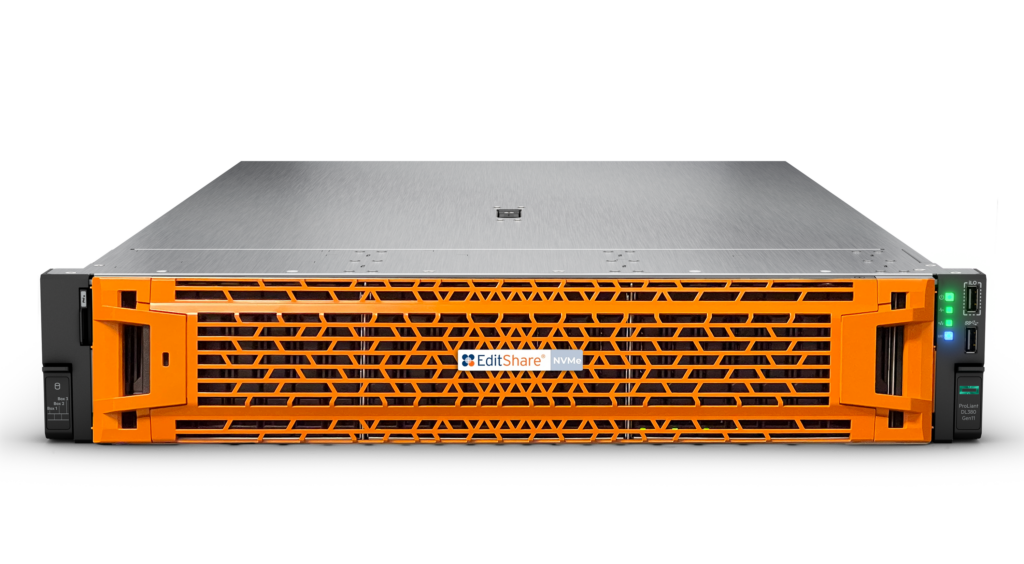
EFS, the EditShare media storage architecture, has now been boosted with the addition of EFS NVMe, adding the high performance, high bandwidth solid state technology as another building block. For demanding creative applications – like DPX, OpenEXR, 4k, 8k and beyond – EFS NVMe provides throughput three times faster than previous generation SSD servers, while still being integrated with and managed by the overall EFS environment including traditional online servers, nearline storage, archives and the cloud. Attendees at the Media Production & Technology Show will have the exclusive opportunity to experience a live demo of this cutting-edge technology firsthand.
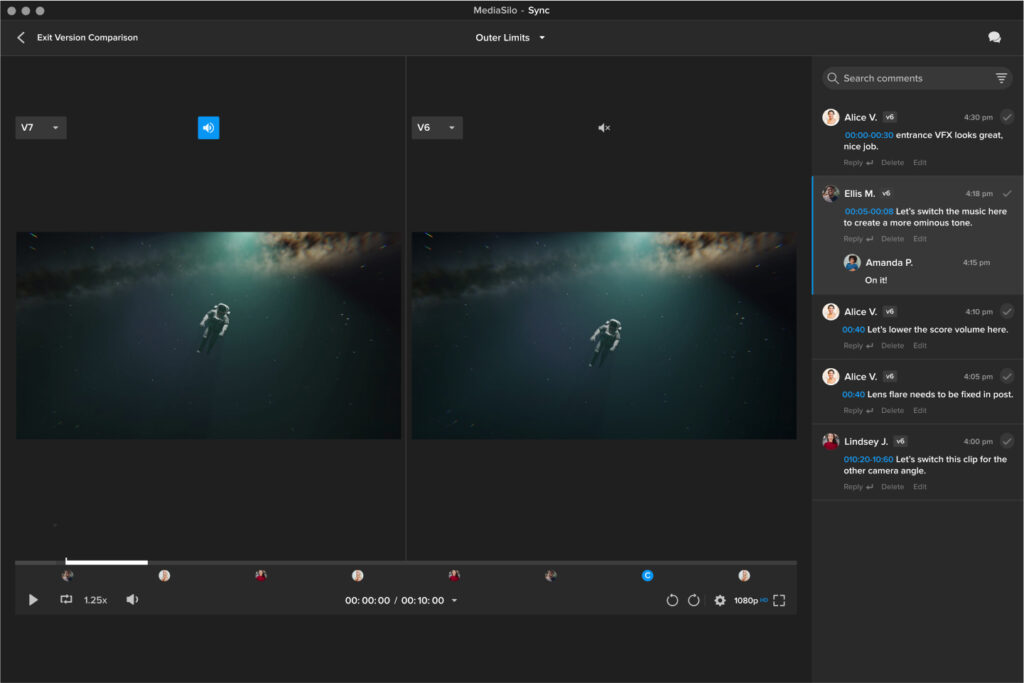
MediaSilo, the premier video collaboration platform trusted by the biggest names in entertainment, sees enhanced review functionality, including side-by-side version comparisons, @ user mentioning, and range-based commenting to provide feedback on entire scenes. To provide protection when sharing videos for review, MediaSilo incorporates visible and forensic watermarking, dynamically inserting customisable viewer information into the file. Now MediaSilo also offers image and document watermarking, protecting non-video content including scripts, casting shots and marketing materials.
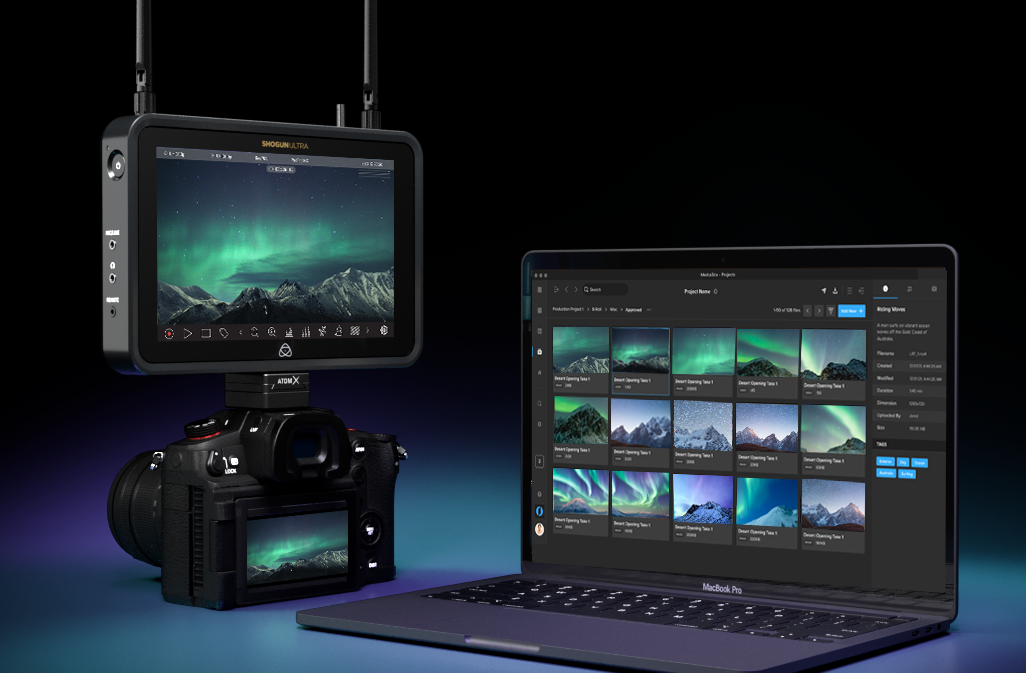
Also, MediaSilo is now seamlessly integrated with Atomos’ pioneering cloud-connected range of camera-mounted monitor-recorders, offering attendees a firsthand view of this innovative collaboration. Camera to Cloud workflows accelerate the creative process by shrinking the capture-to-edit timeframe, enabling editors to begin working on media instantly instead of waiting for hard drives or delayed file transfers. The Atomos MediaSilo integration elegantly unlocks these capabilities. Additionally, MediaSilo creates dynamic review links that automatically update as more footage is shot, providing external collaborators with one destination for feedback.
Improved security, along with more branding customization and in-video logo watermarks are also among the enhancements for Screeners.com, the preferred press screener widely used by major studios and production companies worldwide. Reviewers will see an enhanced OTT-style experience, with improved content recommendations, watchlists and expiry notifications.
“EditShare was formed 20 years ago now, and from that day to this our sole focus has been on freeing content creators to exercise their craft and not worry about the technology,” said Tara Montford, Co-Founder and EVP of Sales at EditShare. “That still drives our developments today, and we continue to innovate as we strive for those goals. We allow open interworking with the tools users really need such as editing software; we provide the platform for truly end-to-end workflows from ingest to screeners; and we protect it all through excellent security,
“Our direction is set through a deep understanding of our clients and their needs, so events like MPTS are vital in building and maintaining those relationships,” Montford added.
Staff will be on hand on stand D40 at MPTS to talk about all of the latest enhancements to EditShare products, like FLEX Sync which provides powerful tools to sync with services like Amazon S3, Wasabi and Backblaze to create an automated but completely secure, completely reliable backup system.
EditShare is an Emmy Award-winning technology leader, supporting storytellers through collaborative media workflows across on-premise, cloud and hybrid architectures. The market-leading open software solutions and robust APIs improve workflow collaboration, third-party integrations and content sharing across the entire production chain. Designed specifically for media applications, the high performance line-up provides shared storage, archiving and backup, and intelligent media asset management.
Through a merger with Shift Media, EditShare now also integrates tools for content review and distribution, the creation of customised and branded pitch reels, and secure preview of high-value pre-release content.
Major South African production facility uses EFS and FLOW
Boston, MA, March 4, 2024 – Rapid Blue, one of the leading production companies in Africa, is now using the EFS 300 storage system from EditShare for all its in-house shows. Through the use of EditShare FLOW media management and workflow tools, the company has built a very efficient and cost-effective platform which allows multiple users direct access for review and approval, as well as supporting large post production teams. Rapid Blue’s productions encompass a diverse array of content, spanning from drama serials such as Is’thunzi to studio shows like Family Feud South Africa and Last One Laughing South Africa, as well as location-based reality programs including The Bachelor and Come Dine With Me South Africa. Rapid Blue, who is part of BBC Studios’ international family of production companies, is also the South African producer of international hits such as The Great South African Bake Off and Dancing with the Stars. The result is large volumes of content acquisition, often needing very rapid turnaround times.
When its central storage system reached end of life and began to raise serious issues with reliability, Rapid Blue looked for a system that would deliver content security as the top priority. Workflows needed to be fast, intuitive and cost effective. The EFS platform answered all the questions, and the company installed a 280TB storage network, implementing the system in conjunction with Protea Broadcast & Multimedia, EditShare’s South African partner.
“The whole facility runs off it, and it’s been awesome,” said Jacques Wolfaardt, Rapid Blue Head of IT. “It hosts almost all of our productions, and we can connect all our edit suites – as many as 20 – at the same time on the same content, giving us great productivity and fast turnarounds.”
Rapid Blue uses both Adobe Premiere Pro and DaVinci Resolve non-linear editors, and both are tightly integrated into the EditShare FLOW media management functionality. The relevant parts of the shared storage appear as locations within the software, so editors get direct access to the material they need, and can save cuts directly to the storage network.
“We connect many desktops directly to FLOW, and it automatically generates high-quality proxies” Wolfaardt said, “Producers working on their own computers can select the content they need from bulk ingests before it gets to editors – and reality shows generate a massive amount of content. They can also review and approve cuts, all without tying up edit suites just to look at material. That saves us time and resources, and makes us much more efficient.
“We also use the workflow automation in FLOW,” he continued. “It creates all the deliverables in different formats, and delivers them to FTP sites, without tying up staff or facilities.”
James Macpherson of Protea Broadcast & Multimedia said “Reliability was a key deciding factor for Rapid Blue, and we could clearly show that EditShare leads the field. In production, deadlines are often very tight, and a day’s delay can be catastrophic.
“Jacques and his team would certainly let me know if there had been any issues, but EditShare has delivered the performance they need with no downtime.”
EditShare is an Emmy Award-winning technology leader, supporting storytellers through collaborative media workflows across on-premise, cloud and hybrid architectures. The market-leading open software solutions and robust APIs improve workflow collaboration, third-party integrations and content sharing across the entire production chain. Designed specifically for media applications, the high performance line-up provides shared storage, archiving and backup, and intelligent media asset management.
Through a merger with Shift Media, EditShare now also integrates tools for content review and distribution, the creation of customised and branded pitch reels, and secure preview of high-value pre-release content.
Expanded lineup includes new EFS NVMe finishing nodes, revolutionary private cloud technology and powerful enhancements to FLOW asset management, MediaSilo and Screeners.com
Boston, MA, February 29, 2024 – EditShare, the technology leader that enables storytellers to create and manage collaborative workflows, is celebrating 20 years of outstanding innovation at the 2024 NAB Show (booth SL8087, Las Vegas Convention Center, 14 – 17 April). It will mark the milestone by unveiling powerful new tools for producers and post facilities, new software and hardware, and the initial integration between FLOW and MediaSilo.
EditShare has always pushed the boundaries of media engineered storage solutions and will be demonstrating for the first time the new EFS NVMe, which enables creatives to work in demanding media formats such as DPX, OpenEXR, 4K/8K and beyond – all powered by the media aware industry standard file system, EFS. EFS NVMe provides unprecedented throughput, three times greater than the aggregate bandwidth of previous SSD generation servers, making it ideal for users working with VFX and other high bandwidth, high throughput environments.
EditShare completed its merger with Shift Media in September 2023, and at NAB 2024 the company is already unveiling major steps in integration and enhancements. Users of FLOW, the asset and workflow management platform integrated into EditShare’s storage systems, will be able to directly access all of the tools in the MediaSilo video collaboration platform to distribute viewing copies and collate annotations, speeding still further the processes of collaboration and content sign-off.
Within MediaSilo, collaborative creative editorial review improvements will include side-by-side version comparisons, user mentioning and range-based commenting. These advances further the effectiveness of MediaSilo as a review tool during the production and post timeline. To protect content, MediaSilo incorporates visible and forensic watermarking, which dynamically inserts viewer information into the file and is completely customizable including text and images. EditShare also recently released image and document watermarking support in MediaSilo, further bolstering its security capabilities for assets such as scripts, casting shots, and sensitive marketing materials.
Screeners.com, the preferred press screener solution of publicists and content security teams, will see a fresh look unveiled for the reviewer user interface. Publicists will have more branding customization options including in-video logo watermarks, specific color palettes on network pages, and broader options for key art. Reviewers will see an enhanced OTT-style experience with improved content recommendations, watchlists, and expiration notifications.
“From the day, 20 years ago, that EditShare was formed, there has been a tight focus on freeing content creators to exercise their craft, minimizing the need to interact with the technology,” said Tara Montford, Co-Founder and EVP Sales at EditShare. “Thanks to the close relationship we have with our clients, we are able to understand their needs and rapidly develop solutions to meet them.
“I am particularly proud of the way we have integrated the former Shift Media technology into our overall platform and program,” he added. “To be able to unveil really complex interworking just a few months after the merger is impressive. But what is really important is that it makes both EditShare FLOW and MediaSilo even more effective and valuable for our clients.”
Also on display at NAB 2024 will be FLEX Sync, which builds on EditShare FLEX’s cloud storage management layer. FLEX Sync provides powerful tools to sync with services such as Amazon S3, Wasabi and Backblaze. By making it easy to establish sync destinations and pick storage tiers, users will have complete confidence in their backups to the cloud. FLEX Sync also paves the way to use the cloud for specialist processor-intensive tasks like AI, fully integrated into the workflow.
Now available with all new EFS systems, EditShare Connect features new swift link technology, a revolutionary productivity tool turning your on-premise storage into your own private cloud for remote editing workflows. Reliably connect from any location using automatic latency detection and use your favorite NLE software on any OS to work on your media remotely and securely.
Finally, NAB Show will see the launch of expanded EditShare One functionality. EditShare One enhances the experience of FLOW users by providing a single user interface for collaborating across the FLOW feature set. Organize, thelatest EditShare Onemodule, ensures users can easily identify assets, whether they are stored in the cloud, on-premise or in a hybrid network. It means a producer or edit assistant can preview and log assets, view and edit metadata, and prepare content for work from any connected desktop, releasing edit suites for creative work. Organizejoins the Produce module as part of EditShare One’s transformational approach to asset management, organization and collaboration during video production and post-production.
Celebrate the 20th anniversary with EditShare on booth SL8087, book time with us at the show by clicking here.
EditShare is an Emmy Award-winning technology leader, supporting storytellers through collaborative media workflows across on-premise, cloud and hybrid architectures. The market-leading open software solutions and robust APIs improve workflow collaboration, third-party integrations and content sharing across the entire production chain. Designed specifically for media applications, the high performance line-up provides shared storage, archiving and backup, and intelligent media asset management.
Through a merger with Shift Media, EditShare now also integrates tools for content review and distribution, the creation of customised and branded pitch reels, and secure preview of high-value pre-release content.
Since the Lumière brothers wowed audiences with footage of a train pulling into a station in 1896, documentary films have been a part of cinema. Some documentaries record life as it happens, and some films interweave re-enactments, graphics, or archival footage. But all documentaries promise to grant the viewer a glimpse of the truth. They seek to deliver insight into the truth of things instead of just the pantomime of reality that narrative fiction brings to the screen. For those brave filmmakers seeking to challenge, inspire, and illuminate the world through documentaries, we present this guide to making real films.
Some documentaries follow a “hands-off” approach. The goal of these filmmakers is to be a fly on the wall. They want to introduce as little disruption to the events they document as humanly possible. Others see limitations to this approach and cast actors to amplify the emotional impact of a story.
We want to get into the nuts and bolts of crafting a compelling doc. Mastery of lensing, the use of audio, story structure, editing, music clearances, and distribution lead to a total package that rises above the noise. Of course, there are also different levels of documentary. You can see docs shot on phones and docs shot on RED cameras. The critical thing is that you use all the tools at your disposal to draw the audience into the emotional arc of the story. So, we will cover the planning, shooting, and editing so that you can go into your next unscripted project fully prepared. It’s true that beginners can just grab a phone and get shooting. But we want to push things to the next level and see what it takes to craft a top-tier documentary.
Filmmaker Elaine McMilion Sheldon has been on both sides of the coin. Elaine McMillion Sheldon is an Academy Award-nominated, Peabody-winning, and two-time Emmy-winning documentary filmmaker. She premiered her latest feature-length documentary, “King Coal” at the 2023 Sundance Film Festival. “King Coal,” employs the latter method to weave an evocative story about the coal communities of her childhood.
In an interview with EditShare, the filmmaker describes casting the two young girls who help to tell the story visually. They were cast from the local community for their ability to “ignore the camera.” And their presence in the film provides a visual metaphor for the experiences of the locals. Elaine McMilion Sheldon wrote and delivered narration, thereby revealing her own perspective as another layer in this ethereal documentary. These divergent techniques show how much a documentary film is the product of the director’s heart and soul. Documentaries embody a point-of-view and express a desire to bring the viewer into that perspective and see real life through the eyes of another.
Story priorities should guide camera choice
Some filmmakers get more excited about buying gear than making films. They make more videos about buying, comparing, unboxing, and reviewing equipment than actual films. This is mainly because YouTube rewards this kind of video with ad revenue. But in another way, nerding out on technology is easier than going out and shooting something that exposes your soul to an audience and invites criticism or rejection. Choosing a brand can be like choosing a sports team or a personal fashion style. It is too easy for your camera to become an extension of your ego and a mark of your belonging to a particular tribe. But with that being said, there’s nothing like bringing home a new baby cine cam and getting it all rigged up to go make a movie. The right gear prevents headaches and amplifies your creativity. So, I’m not one who says cameras are just tools. For whatever reason, they are more than that. They do become the means through which you see, create, and communicate. Like the sword of a samurai or a knight, cameras become part of our professional identity as image makers, and that’s why we agonize over the choice. Just don’t let your tools define your personal identity, and you’ll be okay.
How do you determine the best camera choice? Consider your storytelling priorities. If you are putting together a run-and-gun project, consider these questions.
Do you need to quickly boot up to grab shots on the fly?
Do you have a crew, or are you a one-person band?
Will you have a separate sound person, or will you record audio right into the camera? Do you need a lightweight camera to go on a small gimbal?
Will you have the time to manage a matte box and filters in the field?
On the other hand, you might have more time to compose shots and the ability to take a bit more gear. If you have a small crew, you can take a more capable camera and give some attention to lighting. In that case, image quality may trump extreme portability.
The Canon C300 series has long been considered the king of documentary cameras. It works with Canon EF mount photo lenses. Those lenses are high quality and available just about anywhere in the world. You can run your XLR audio cables right into the camera as well. The C300 MK III also features built-in ND filters. That makes it easy to adjust your exposure while shooting outside. Canon is, of course, renowned for its warm, pleasing images, and the C300 MK III delivers on image quality. At $8,999, it is not inexpensive, but it provides excellent value and can be rented at reasonable rates.
Sony has been working hard to elevate the mirrorless camera form factor to provide the functionality of a cinema camera. The FX3 has a full-frame sensor, excellent auto-focus capabilities, and built-in image stabilization. Its tiny size makes it perfect for shooters who need to be agile and low profile. While it can send a RAW signal from the HDMI jack, you won’t get ProRes or RAW recording in the camera body itself. The Sony comes in at $3,899, making it less than half the Canon C300 MK III cost.
Panasonic combines a smaller “micro 4/3rds” sensor with the professional ProRes recording format. This makes the GH6 attractive because its lenses are smaller and lighter. Since it has a professional codec, you eliminate the need to record externally. At just $1,697, it is less than half of the Sony FX3. Panasonic’s weakness is that it does not have the same autofocus performance as the Sony or Canon. But it does offer enhancements to Lumix lenses. You can set up those lenses so that they are able to pull focus manually instead of focus-by-wire. This is important if you are shooting a scene where an actor needs to hit a mark.
When image quality takes priority over the speed of operation, you might turn your attention to cine cameras, like the new RED Komodo X. At $9,995, it is the most expensive camera on the list. RED offers in-body REDCODE RAW. That is a 16-bit RAW recording format that offers maximum flexibility in post. As a documentary shooter, I love shooting in REDCODE RAW because it is the most forgiving format when you’ve over- or under-exposed a shot. You can’t always control the light in a given situation; that is where raw codecs shine. To my eye, the images that come out of the RED cameras “look right.” REDCODE RAW is also flexible, allowing for quality levels that deliver raw images at data rates lower than ProRes. But RED cameras are designed with a crew in mind. Yes, you can use them solo. For instance, RED offers a PL mount with electronic ND filters, but this solution does not come cheap. So remember that RED cameras work best when paired with a camera assistant.
I won’t lie. When in a pinch, the iPhone Pro Max will deliver a ProRes (512GB version $1,399) image that can work. The new cinematic mode even allows you to pull focus in post! The software will denoise footage and manage highlights for you. Its in-body image stabilization is just amazing. The biggest issue I have with it is the lenses. It can be challenging to rid your image of unwanted glare when shooting with a backlit subject, and the “smart” features of the camera can often work against you. Battery life, heat, internal capacity, and file offload speed are issues with this camera. But every year, Apple delivers better video performance. Most of all, if you are trying to shoot unobtrusively, the iPhone could be your go-to tool of choice.
The high end:
The cameras listed above favor a lightweight style of documentary shooting. If your project demands the highest quality of images, and you have the budget for lights and crew, the RED V-Raptor ($24,995) makes a lot of sense. When a project calls for high-resolution images, the V-Raptor delivers 8k at 120fps in REDCODE RAW. It is RED’s best camera for low light and combines superior dynamic range with a body built for efficiency when you work with a team. If you are working on the next “Chef’s Table” cinematic-style documentary, then the RED V-Raptor might be the right choice.
Even if a film doesn’t use a “high-end” camera, that doesn’t mean a documentary can’t have a cinematic look. Lens choice, quality camera support, and lighting techniques can create beautiful images with low-cost equipment. The real challenge to creating compelling b-roll is not in equipment but in conceptualizing sequences that communicate concepts. Visual metaphors and vignettes go a long way toward engaging a viewer than merely pretty visuals. So, work to find ways to shoot sequences of shots that amplify the message of your interviewees.
Audio is more important than video
You’ve probably heard the old adage, “People will watch a video with bad video quality but not with bad audio quality.” That is especially true for documentaries. Viewers understand that capturing life as it happens means trading off polished visuals for behind-the-scenes access.
The best way to ensure top-quality audio for your documentary film is to hire a sound mixer when you shoot. They will be able to provide the microphones for the right situation, balance levels on the fly, and ensure that unwanted sounds aren’t affecting your recording.
Documentarians often don’t have the budget to hire a sound mixer or their setup calls for something as minimal as a shotgun mic on a boom pole over a seated interviewee. Here are some recommendations for gear to help the solo shooter get the best audio for their film.
The Zoom F3 audio recorder features 32-bit float recording technology. This technology means that you don’t have to worry about your recording “clipping” when an interviewee gets too loud. The F3 offers timecode sync via a Bluetooth adapter, the UltraSync Blue, and UltraSync One combo of timecode boxes. When recording an interview, you can run a cable out of the line out into your camera. This setup gives a nice, clean recording in the camera and a higher quality 32-bit float recording in the F3 itself. (It also provides a little insurance if you forgot to press record on your audio recorder, not that anyone has ever failed to do such a thing!) The F3 is small yet can power XLR microphones that need phantom power. If you need more than two channels, the Zoom F6 is a good choice.
Another popular method of syncing timecode is the Tentacle Sync system. Tentacle Sync is used by sound professionals worldwide to ensure that the audio recorder and camera stay perfectly in sync.
Microphones
There are so many choices for microphones. And more than any other area of audio/video production, “you get what you pay for” applies to mics. More expensive mics sound better. But for the typical documentary shooter, the keys to success are simplicity and reliability.
Just about everyone has a smartphone. You can use the Apogee ClipMic Digital 2 to plug into a phone and record right to it. It works with the same UltraSync timecode system as the Zoom F3 to keep all your recordings in sync. At $199, the ClipMic provides one of the least expensive ways to get quality audio for the documentary shooter.
Rode just released a 32-bit float, timecode-enabled lavalier system. This solution eliminates the need for an additional audio recorder like the Zoom F3. You also won’t need external timecode boxes like the UltraSync.
Sennheiser delivers a great-sounding and simple-to-use lavalier mic system. The build quality of these mics is a step up from the lower-cost solutions. They fall into a space in the market that is short of the higher-end professional solutions and better than the prosumer offerings.
Hiding lav mics
When a lav mic shows in the shot, it really reminds you that you are watching a produced piece. Ironically, it takes more work to hide the mic. Sean Woods has a great 3-part series on how to hide lav mics on different shirts and then how to easily EQ the mic to compensate for it being under clothing.
If your subject is stationary, like in a sit-down interview, or if you have a boom op on set, you’ll want to consider a shotgun microphone. Shotgun mics reject noise around the subject and focus on a narrow pickup pattern. This pattern makes it great for environments where you can’t control the ambient audio. The Sennheiser MKE 600 lets you power it from the camera or audio recorder’s phantom power jacks. But you can also use an AA battery and power it without phantom power.
As microphones increase in price, they become more specialized. As you consider the various environments you’ll record in, you begin to see why sound pros bring a selection of mics with them on location. One of the most highly regarded microphones for indoor recording is the Sennheiser MKH 50. It provides a beautifully warm natural recording that will elevate your audio to a professional level. It isn’t the best choice when you are outside or if the mic has to be far from the subject.
Rigging a boom pole
If you are conducting a sit-down interview, having a solid rig to hold your mic over your interviewee is essential. You’ll want to position the mic out-of-frame and pointed toward your subject’s chin. Here are the key pieces of equipment that will help you build a solid and lightweight rig.
The reverse stand is great for packing in a case when traveling. It is lighter than a standard baby stand and easier to work with than a C-stand. It has a “baby pin” on the tip, which makes it compatible with video-oriented rigging gear, unlike many light stands designed for still photography.
Place a grip head on the reverse stand to hold accessories firmly. Don’t skimp out and buy a plastic grip head of some sort. This piece of kit prevents your boom pole from slipping and bonking your interviewee on the head.
A boom pole holder, or yoke, will enable you to position your boom pole at a slightly upward angle. This positioning will compensate for the flex in your boom pole when it extends. Make sure that you don’t skip this piece and try to put your boom pole through the grip head.
The most important tool for rigging your mic is the boom pole. You can use it handheld or as a part of a rig. This boom pole from K-tek has an internal XLR cable that will keep your rig tidy. It extends so you can place your stand away from your subject and keep it out of the shot.
Your shotgun mic is held in place by a shock mount. This mount eliminates handling vibrations from being transferred into the microphone. Make sure that the shock mount you choose fits your microphone. For instance, the Sennheiser MKH 50 P48 has its own shock mount.
The last thing you want is for your microphone rig to fall over. You can take a boa bag or other shot bag and wrap it around the base of your stand. This is a critical piece for the safety of both your gear and the on-camera talent.
Don’t forget a high-quality XLR cable. This cable will go from the back of the boom pole to the audio recorder. It will transfer power to the microphone and signal to the audio recorder. It can be convenient to have this cable be a different color than black to distinguish it from all the other cables in your kit.
Headphones
A good pair of closed-back headphones is essential to successfully recording audio on location. Don’t fall into the trap of trying to use an old pair of Apple headphones from an old iPhone. Sennheiser’s HD280 Pro headphones are relatively inexpensive and will serve you well both in the field and when you are editing. The key is to use a pair of headphones that deliver a relatively flat frequency response, unlike Beats or other headphones designed to accentuate specific frequencies for music listening.
Closed-back headphones are critical because you want to hear the environment through the headphones only. It is also essential to avoid audio bleed-through, like on a pair of “open-back” headphones, which will affect your recording. If the Sennheiser headphones are too bulky, you might like the Sony MDR-7506 headphones.
Listening to locations
Half the work is done if you can scout out a location ahead of filming. Listen for heating and cooling systems. Clap your hands in the room and listen for echoes. Ask about construction projects in the area. If there are ways to reduce the background noise in the location during filming, it will save you an enormous amount of time in post-production.
In addition to listening for sounds to remove, listen for sounds to capture. Can things like fans, vehicles, or natural sounds enhance the story when used with b-roll? If you have hired a sound mixer, bring them on the location scout and treat their ears like you would treat the eyes of a cinematographer. They can help enhance the story by identifying both sounds to remove and sounds to capture.
Archival documentaries
Some docs shoot interviews, and some just use archival footage to tell their story. In the Netflix documentary WHAM!, the filmmakers didn’t film interviews. Instead, they used extant footage and interviews. They combined this with footage of a scrapbook one of the pop duo’s moms made during her son’s journey to stardom. The National Geographic documentary LA92 took the same approach. The filmmakers used news footage and archives to demonstrate the strife that shook that city and the nation. The effect of archival footage is powerful. As a viewer, you get a sense of the bigger narrative. The filmmaker’s point-of-view can be just as effectively portrayed through archival footage as through original video.
Clearances
The challenging aspect of archival documentary is known as “clearances.” This involves balancing the need to contact the original TV network or studio that created the media in the first place against the “fair use” doctrine. Fair use is a legal doctrine allowing media to be reused in specific ways. It is intentionally vague. A documentary filmmaker must carefully evaluate the guidelines for fair use and determine their willingness to take on the risk of using media under fair use. If the owner of that clip contests the use of that media as not being legitimate under fair use, you could face a legal fight.
The other option is to contact the media owner and pay them a licensing fee, which will be negotiated based on your project’s budget, the places the documentary will be shown, and the license duration (e.g., ten years or in perpetuity).
In these cases, it is a good idea to enlist the services of an entertainment attorney to help guide your decision-making process. Sometimes, a clip needs multiple layers of releases to clear it.
When it comes to music clearances, it is helpful to employ a music supervisor who can help you navigate the complex world of licensing songs. Using a famous hit will be expensive and time-consuming, so keep that in mind before attempting to license a television performance of a famous musician. You may need to negotiate with their estate if they have passed on.
Photo licensing can be more straightforward. Getty offers services for licensing its catalog of images. It can be easier to license a photo of a famous person than to license audio or video footage.
After Skid Row
Sometimes, a documentary comes together after months of careful planning; other times, an opportunity presents itself, and you have to move quickly. That was how Lindsey Hagen was able to assemble a small crew and capture the experience of “Gangsta Grannie,” Barbie Carter, in her short doc film After Skid Row. Lindsey is a Director, Executive Producer and Story Producer at Gnarly Bay. Together, the team at Gnarly Bay has garnered multiple awards and produces films for Fortune 500 brands. In 2022, they won the Vimeo Film Festival award for the best branded video for Cannondale, which Hagen directed. Lindsey Hagen It went on to be Oscar Qualified, and L.A. Times distributed it.
The crew was small, and their gear was light. That helped them to take a “fly-on-the-wall” approach to this film. Hagen notes that the story was really about their subject “reclaiming her identity.” As a result of the film’s impact, the crew was able to raise funds for Carter’s medical needs as well. It really stands out as a beautiful example of how an audience can enter into the suffering of someone, and yet the subject of the film can retain their agency so that it is their story, told on their terms.
Editing a documentary film
Walter Murch edited the brilliant documentary Particle Fever. In this look at the editing process, he talks about the ratio of footage shot to footage used as 300:1.
This presentation is a tour-de-force in the level of organization that it takes to surface a compelling narrative from so much footage. The story is there, and the tension and drama are real, but the effort it takes to form that story into a movie is immense.
The key is to organize and log that footage. One of the best tools for doing that is transcripts. Here is a case where AI comes into play. Adobe Premiere, DaVinci Resolve, and Lumberjack Builder (initially designed for Final Cut Pro) use machine learning to generate transcripts. Those transcripts are key to identifying common themes and making those spots quick and easy to access.
Transcripts allow editors to do a “paper edit” or “radio edit” based on the interview content. This edit can help the editor build a backbone for the story with the drama necessary to maintain the audience’s interest. Because no matter how important your story is, it won’t matter if you lose the audience’s attention.
Ode to Desolation
Lindsey Haggen also directed the short documentary Ode to Desolation, where she and her cinematographer/editor, Chris Naum, voyaged into the North Cascades. The gear for this film was even lighter. They shot on camera designed for stills but paired it with some beautiful lenses to capture the majestic landscapes that can be seen from the fire lookouts of Washington state. The filmmakers captured Jim Henterly’s role as a “keeper of history” and “maintainer of the story” of one of the last fire lookouts in North America.
The shoot took four days. They slept at altitude, hiked up a mountain for hours, and traveled by boat. This goes to show that you truly can tell a majestic story with a kit that can fit into a couple of backpacks.
Storage and Workflow
It takes a team to execute a film. That’s true on set, and it’s true in post. The assets you create and share with your team need to live in a central location that is separate from your editing team’s MAM (media asset manager) and accessible remotely.
When creating a world-class documentary, you accumulate a huge number of assets. I’ve written about the challenges of organizing massive amounts of footage. This is especially true when you are trying to shuttle drives back and forth. I once heard a story of someone who shipped drives via FedEx and the truck got into an accident, and the drives were lost! It’s best if you can deploy multiple strategies for backing up footage. Shipping two drives separately would be one approach that gives you redundancy. But as upload speeds have greatly improved, cloud-based collaboration workflows are revolutionizing the way teams work.
The team at DEFINITION6 shoots everything from unscripted work to Sesame Street. MediaSilo is their tool of choice for collaboration. According to their Chief Engineer Luis Albritton, DEFINITION 6 uploaded over 10,000 assets, sent nearly 7,000 review links, and hosted almost 24,000 viewers of their content in MediaSilo during 2022 alone. With MediaSilo, producers, executives, and stakeholders can stay in the loop on the post-production process while maintaining the security that is critical to their clients.
Conclusion
Documentary filmmaking can be your ticket to see the world or see the world from a new perspective. It’s taken me to Oxford, Cambridge, the Jerusalem Museum, and the Vatican Library for Fragments of Truth. Some projects are small and tell the story of your family; others can be on the cosmic level. They can showcase the beauty and struggles of a community, like King Coal, or the beauty of nature. But one thing all good documentaries share is a point of view. They show the world from a unique perspective and seek to touch the hearts of an audience and challenge their perspectives on the world.
Reuben Evans (Member, Producers Guild of America) is a director, an award-winning producer, writer and director. His company Visuals 1st Films, LLC is producing a documentary on the hymn Amazing Grace, starring John Rhys-Davies. He is the former Executive Producer at Faithlife Films & Faithlife TV. He’s produced and directed multiple feature-length documentaries including Fragments of Truth (2018) and The Unseen Realm (2020). Most recently Reuben produced “The Disappearance of Violet, Willoughby” (coming in 2023).
EditShare’s video workflow and storage solutions power the biggest names in entertainment and advertising, helping them securely manage, present, and collaborate on their highest-value projects. To learn more about how EditShare can help your video production team, contact us today.
The EditShare team designed this guide as a reference for the most commonly used codec you will run into in your work in motion picture post production. It can’t serve as a universal encyclopedia of codecs; there are just too many to count, and new special purpose formats arrive seemingly every month.
Motion picture post production has luckily settled on a few commonly used codecs that have a large footprint in the industry, and a good working knowledge of each will help you tremendously as you go about your work.
Apple ProRes
Apple ProRes is currently the most widely used codec in all of motion picture post production. If you work in a Mac shop, and Macs continue to dominate a lot of post, you’ll likely run into ProRes on a daily basis. In fact, one of the factors that keep Macs on top in motion picture post is the functionality and ubiquity of ProRes.
ProRes is used all the way from image capture in major platforms like the Arri Alexa, through editing in any of the four major NLE platforms, all the way through delivery, with streamers and major networks accepting ProRes file for delivery. If you are worried about the drawbacks of transcoding from one format to another, ProRes avoids those issues with an end-to-end pipeline that stays in one codec throughout.
Though you shouldn’t be afraid of transcoding for your edit workflow, you can always reconnect back to another format at the end in your online color session. Whatever format you shoot, you’ll be happier with your edit if you take the time to transcode to ProRes, especially an edit-friendly flavor.
If you are going to be working with ProRes extensively, it’s well worth a read of the ProRes Whitepaper, the technical sheet that Apple keeps alive spelling out the ins and outs of ProRes as a format.
The basics to understand is that Apple ProRes isn’t just a single codec, but a family of codecs built around the same technology, available in multiple implementations. You can think of these as “flavors” or “strengths” of ProRes. These flavors refer to both the method of encoding the image, 422 or 4444, and the data rate, how many Mb per second are allocated to creating the image. The higher the data rate, the higher quality the image reproduction will be, with fewer artifacts, but on the flip side, the larger the file will be.
The data rate scales with the image size, meaning that a given flavor of ProRes will be a much bigger file if you shoot a higher resolution and a smaller file if you shoot a smaller resolution. You can see the strengths in the following chart, combined with their data rate when working at 1080p 29.97.
ProRes File Sizes
4444 XQ 500 Mb/s
4444 330 Mb/s (often called 4×4 or quatro)
422 HQ 220 Mb/s
422 147 Mb/s (often called prime)
422 LT 102 Mb/s
422 Proxy 45 Mb/s
This starts all the way at the smallest file sizes with ProRes Proxy and goes up to the currently largest file sizes of ProRes XQ. You might shoot your film and capture it in XQ, then transcode it to LT for editing, then reconnect back to the XQ’s for color grading, then deliver to your network in 4444.
4444 and XQ both support Alpha Channels (that’s the fourth four in 4444), which allows for passing transparency information back and forth with VFX platforms like After Effects, Fusion and Nuke. Most VFX houses work on PC platforms and prefer to get files delivered as image sequences (discussed below), but there is increasing use of 4444 and XQ for some motion graphics and VFX workflows.
For many years, ProRes support on Windows was relatively weak, but the last few years have seen an explosion of both approved and work-around versions of that support. You can currently work natively with ProRes in applications like Avid, Premiere and Resolve on a Windows machine, which is very useful for professional workflow. Where things break down is at the consumer level. If you are delivering a file to a client, there still isn’t an easy way to get a non-tech savvy Windows user who defaults to Windows Media Player to playback a ProRes file.
ProRes naming has sometimes been a little difficult, with “proxy” confusing some users since a lot of software can create “proxy” files, but in any format. You can use Premiere to make “proxies,” but they don’t have to be ProRes proxy; they could be in LT. 4444 is often difficult to say, so many say four by four or quatro, with quatro being more common on the west coast. Plain old “prores” without any modifiers can be confusing since you might say to someone, “can I have it in ProRes,” meaning plain prores, and they’ll ask, “what flavor,” and you say, “ProRes,” and comedy ensues. Thus most use the term “prime,” as in, “let’s use ProRes prime for that workflow,” to mean the middle-level codec.
While you might think “bigger is always better,” bigger files take up more storage, take longer to move around and are more taxing on the system to work with, so you often choose the flavor that works for your workflow. ProRes proxy is rarely used anymore since the image quality is visibly degraded, and storage is less expensive than it used to be. Most projects use LT for “offline” work like editing, then a bigger flavor for finishing & VFX.
But if your camera doesn’t shoot enough data, it’s likely not worth going to a huge format like XQ since those files are large, and the extra data rate isn’t going to magically create quality that isn’t there in the source file. XQ is really for cameras that are capable of shooting high bit depths natively (like an Alexa, for instance). If your camera shot in 10bit 4:2:2 video, transcoding it to 4444XQ doesn’t magically add extra quality. Typically most productions render out to plain old 4444 for their final master file.
While originally built primarily for the .mov video wrapper, Apple ProRes is officially supported in the .mxf wrapper, which is widely used in broadcast applications and has some features that can make it more useful, including better implementation of timecode.
Avid DNx
While Apple ProRes has become far more ubiquitous in post-production workflows, Avid DNx as a codec family actually launched first and has a few key features that make it more useful in a few key situations that should keep it on your radar.
DNx, like ProRes, is actually a family of codecs available at a variety of data rates and encoding for a variety of workflows. You can shoot straight to it in cameras like the Alexa, the RED lineup and more, and you can edit it and deliver it to networks.
DNx is most comfortable in the .mxf (media exchange format) wrapper, which is a robust format with a lot of professional features, though you can also write DNx into a .mov wrapper if, for some reason, your workflow requires that.
DNx is widely supported on both PC and Mac machines, meaning it can be a great codec to use if your facility has mixed platforms or you are collaborating with others working in a variety of different formats. This has been its greatest strength. However, it’s not particularly easy to install for the less technically savvy, so it again doesn’t make a great format for delivering cuts to clients since it requires installing a professional application for support.
DNx originally launched as DNxHD in a series of flavors that baked their data rate right into the name of the codec; you had DNx36 for editing and DNx175 for masters. DNx36 was a 36 Mb/s codec, designed to work well with 1080p 23.98 footage, and somewhat equivalent to ProRes proxy though ever so slightly smaller.
The problems came when formats started exploding. When the vast majority of work was 1080p, having the codec name and implementation built around a data rate made sense. While a 1080p 23.98 codec might look fine at 36Mb/s (not great, but fine), a 4k 60fps file would look terrible at that format. The larger resolution and framerate need more data to still look good.
Users, of course, could and should use a different flavor of DNx for 4k files than 1080p files, but many users were accustomed to using 36 for their edit. Avid revised the rollout of the DNx codecs to a new platform, which you would commonly work from today as the DNxHR format of codecs. These shift their data rate depending on the resolution and framerate of the source footage, making them work more like how ProRes works and more how users expect them to work.
So, to compare with ProRes, the new DNxHR HQ format at 1080p 29.97 is 25.99 MB/s, while ProRes HQ is 220 Mb/s. That might seem like a big difference until you note that the Avid number is MB, while the Mac number is Mb. MB is megabyte, and Mb is megabit. Putting them both in Mb, the DNxHR HQ is around 207 Mb/s, roughly equivalent to ProRes HQ.
DNxHR is a very common format in all houses running Avid Media composer, and its cross-platform compatibility makes it useful when dealing with moving from PC and Mac.
H.264/H.265
These codecs are consumer-facing codecs that post-production professionals need to be aware of and work with on a daily basis, but have some huge drawbacks. It’s important to understand and master to keep your workflow performing optimally. The main place you will want to actively use these codecs is in delivery, especially on web platforms. You aren’t going to send an H.265 file to Netflix or HBO, but if delivering to IG, YT, Vimeo or a work-in-progress review platform, you are going to be using H.265 all day long to get a file that is both small enough to quickly upload but still looks good enough to share with the world.
H.264 has been around longer, and H.265 is an update of the technology that offers similar image quality with about half the file size. You’ll sometimes see H.265 referred to as “HEVC,” an abbreviation for “high efficient video codec.”
H.264 is far more ubiquitous since it’s been around longer and is easier to license. H.265 has relatively high license pricing, so while you’ll find it supported natively in all the major editing platforms and all the major web delivery platforms (Youtube, Instagram, Vimeo, etc.) you’re still going to run into the occasional weird platform that doesn’t fully support H.265. If you are having trouble delivering to a strange client portal or obscure streaming software the client uses, the issue might be that that platform doesn’t support H.265, and you should try making an H.264 instead.
These codecs are built around Long GOP technology, in which a group of frames is compressed together to save space in the file. This is a wonderful technology for when you are viewing something linearly forward in time, making this a great codec for delivering video over the web. However, Long GOP can be very awkward in the editing room, since it requires your video software to recreate individual frames by looking at the group of frames. If you are scrubbing around, it can be laggy, and if you cut in the middle of a GOP group, the software has to recreate the missing picture information by holding those other frames in memory.
While some software platforms like to market that they can natively cut in H.264 or H.265, it is highly recommended you transcode footage into an editing codec like ProRes or DNxHR for an easier post-workflow experience. Running an overnight dailies render will make the rest of your post pipeline so much easier.
H.264/H.265 can also be used for capture, though that is generally something to be avoided if you can, as the image quality drawbacks can be very frustrating. Even cameras like the iPhone now shoot straight to ProRes, so the arguments for capturing into H.265 are less pressing than they were a few years ago. If you have to shoot to H.265, choose the highest bitrate you can and choose “All-I” if it is an option, which will make every frame an “I” frame instead of compressing groups of frames together for compression.
H.264/H.265 formats can support whatever data rate you want to encode; generally, your encoder will let you change the data rate of your compression when you make the file. It is highly encouraged you test your specific encoder and project at a variety of data rates to find one that works for your projects and deliveries. For some reason, most encoders (like Resolve, Adobe Media Encoder, Compressor, etc.) have relatively small data rates as their “high-quality” file size. If you aren’t happy with how your images look when compressing to these codecs, try testing at higher quality file sizes to see when you start to like the image.
DPX AND SIMILAR IMAGE SEQUENCES
These aren’t technically “codecs,” but you should be aware of image sequences as a tool in post production. DPX is the most common image sequence (and the one we’ll focus most on here), though EXR and Cineon are other common image sequences.
Image sequences are literally just a folder with a series of still images, numbered sequentially, saved into it. That’s pretty much the totality of it. Software dealing with image sequences (like Resolve and most VFX platforms like Nuke) will look at that folder full of still images and see it as a single image file that you can manipulate just like a video file.
Image sequences are incredibly popular in the VFX world for a few main reasons. First off, they are easier to move around. If you have a 40GB file, and your file transfer crashes halfway through your upload to the web, you have to start over from the beginning. Not with an image sequence; you can just start over with the last frame copied.
Beyond that, if you have a render and 90% of the shoot looks perfect, but you need to fix part of something that looked off at the end, with an image sequence, you only need to re-render those final frames. With a video file, you need to re-render the whole shot. With render times sometimes being exceptionally long in the VFX world, this is a huge time savings.
VFX artists aren’t going to give up image sequences any time soon for those benefits. If you are being asked to interface with a VFX artist and they are asking for an image sequence, you can and should ask them for a spec sheet on what they are looking for. Then you can deliver it with a tool like Resolve, which has full support for multiple image sequence formats built-in natively.
RAW FORMATS
RAW capture formats aren’t technically “codecs” since RAW happens to the video signal before it gets wrapped into a codec, but it’s good to have a handle on the most common RAW formats and how they might present in your workflow. RAW isn’t “video” in that it can’t be played easily by a video player. RAW formats take the RAW camera signal from the sensor and compress it into a file before it gets processed into video and the menu settings like ISO, white balance, etc. get applied. This makes more processing required in post (since your editing station has to do all that work that the camera used to have to do), but they offer the benefit of more flexibility in post. If you want to change your mind about white balance or ISO, you can do it in the edit or color suite, which is helpful, especially if the settings were accidentally wrong on camera.
There are two major categories of RAW forms, open RAW formats and proprietary or closed RAW formats. Open RAW formats are designed for many different platforms to capture to or work with. Proprietary formats created by a camera company are often only supported by that one company, with varying support from post-production software. The major proprietary RAW formats are now natively supported in all the major software platforms, but if you run into a more obscure format, you’ll often need to download software support from their website.
OPEN RAW FORMATS
Before discussing the two open RAW formats, one issue needs to be discussed: the red RAW patent. RED introduced the RED ONE camera at NAB 2006, and it was a working model that captured compressed motion picture RAW footage into an internal recorder. They applied for and received a patent on that technology. Both Sony and Apple have challenged the patent in court, and even with their legal resources, both lost. The RED patent stands, and as far as we know (it’s not always public), the other internal RAW proprietary formats are paying some sort of license fee to RED.
This led to two different strategies for how to implement a RAW video format that was accessible to all users without paying for the RED license fee, since whatever that fee is, it doesn’t make sense within a mass-market-facing, consumer-focused video market.
ProRes RAW
The first “open” RAW to market is ProRes Raw, a format co-developed by Apple and Atomos, which makes an external monitor/recorder platform. That is their method for getting around the limitations of the RED patent; ProRes RAW is something you record to an external recorder.
Currently, ProRes raw has native support in Final Cut Pro, Avid Media Composer and Adobe Premiere, but not in Blackmagic Resolve. There are no announced plans to bring it to Resolve. If you are planning on doing your final color grade in Resolve, ProRes Raw isn’t going to be the format for you.
Interestingly, DJI has implemented ProRes RAW into some of their drones, since, technically, with a drone, the camera is actually dangling underneath the drone, and the recorder is up in the body of the drone, which is enough to make it an “external” recording. ProRes RAW was briefly available in the DJI Ronin 4D but then disappeared, and the suspicion is that they weren’t able to argue that it counted as “external” on that camera.
ProRes Raw is available in two data rates and offers substantial image quality benefits for shots that weren’t exposed under proper settings, such as with the wrong white balance. However, for shots properly exposed and with correct menu settings, the benefits are not large, though they are there.
Blackmagic RAW
Blackmagic had an interesting challenge in building their RAW codec; they make external recorders, and editing software, but they also make cameras, and they wanted their RAW to work inside a Blackmagic Camera. However, they sell a lot of cameras, and outsiders suspect they wanted to avoid a RED license fee considering the sheer volume of units they ship. To get around it they designed the Blackmagic RAW format which is partially debayered. It’s not a full debayer, which means there are still some of the benefits of RAW (you can change ISO and white balance in post), but also avoid the patent limitations of trying to record full RAW.
Blackmagic RAW is an open format, supported by all the major NLEs, and available in Blackmagic cameras and recorders, supported by several other camera manufacturers, including Fujifilm.
Blackmagic RAW is available in multiple bitrates but, interestingly, is also available in a variable bitrate format. This changes the bitrate based on the content of the shot so that a very static shot (an interview, for instance, where only the mouth of the speaker moves) can be a smaller file than a handheld shot out the moving window of a car in a busy street where there is a ton of movement. Variable bitrate shooting makes some users nervous, but some doc shooters have taken to the format for data rate savings in predictable environments.
PROPRIETARY OR CLOSED RAW FORMATS
We can’t cover every proprietary raw format here as there are too many, but there are two we need to discuss a bit. If you run into another format, you should go to the camera manufacturers website for more info.
.r3d RED RAW
RED RAW, recorded in the .r3d wrapper, is the format that started the RAW video revolution. RED RAW takes the RAW camera data, applies a JPEG2000 compression to it, and wraps it up in a file that you can then process to your heart’s content in post production.
RED RAW is currently supported basically everywhere. It’s been around 15 years, and all the major software platforms have fully integrated it’s technology into their systems.
RED files are surprisingly small, considering the quality of their imagery; because of the nature of their compression, many users are surprised to discover that the files can get larger when transcoding to an edit codec like ProRes, depending on your editing resolution and codec choice.
.ARRIRAW
ARRIRAW is the other major file format to discuss, not just because ARRI is at the top of the industry but also because the files are just huge. For a long time, you needed to rent an additional external recorder from Codex to record ARRIRAW (to avoid the patent, most assume), though you can now record ARRIRAW internally to an ARRI camera. Either ARRI figured out some very tricky way to argue their internal recorder is actually external, or they are paying the license fee to RED.
The thing to know about ARRIRAW files is that they are big. If you are bidding your first ARRIRAW job after years of RED RAW, know that it’s going to require more hardware resources than you are used to. These are massive files. Transcode them immediately to an edit-friendly codec, then deal with them again only at the end for color grading on a powerful machine. Their saving grace is that ARRI cameras only shoot up to 4k; an 8k or 12k ARRIRAW file would be a monster.
ODDBALL FORMATS
While this guide can’t go into detail on every possible format and codec you might encounter, we want to offer some general advice when a shot lands in your lap that might not immediately make sense to you.
Your first tip is to use the “get info” command, either in the finder, in QuickTime player or in an app like “Screen,” to get a better sense of what is going on with the codec. A quick Google search will often turn up more info on the codec, and it is usually available for download and install on your system for playback. If “get info” isn’t helping, there is a great app called “MediaInfo” that might offer more information.
There are some limits to this (Apple ProRes still has issues with running on a Windows machine in certain players depending on the install), but for the most part, pretty much every codec you need is possible to download, and that will often lead to your software being able to decode the video.
If you run into a truly unplayable codec, there is a player you should know about called VLC. It’s a video playback software that is often a “swiss army knife” in post when you’ve been given a strange video format to deal with. Maybe you are working on a documentary with a lot of archival home-video footage in an obscure format that didn’t take off commercially. Or you are working on a film with footage coming in from primary sources from a variety of archives. Or you have a shot that has gremlins and just doesn’t want to play. VLC is often the tool that will finally get that video open, and then you can export from VLC into a more traditional codec and format that will let you play it in your editing platform of choice.
EditShare’s video workflow and storage solutions power the biggest names in entertainment and advertising, helping them securely manage, present, and collaborate on their highest-value projects. To learn more about how EditShare can help your video production team, contact us today.
When you send large video files, you can encounter all sorts of challenges. When your team is collaborating on a video project, you often have to send multiple versions, track review and approval comments, and make sure everything is secure. However, video collaboration workflows are more demanding than your typical cloud-based file-sharing workflows. This can be even more challenging when the creative team and the IT team propose different solutions for sharing video files.
Here are 10 of the top ways to share large video files and their pros and cons. I’ll also share things I wish IT knew about the unique demands of video review and approval processes. So, let’s dig in to find out which solution is best for your video collaboration workflow.
WeTransfer
WeTransfer’s simple interface makes it easy to share files up to 2GB. To upload larger files, you’ll need to upgrade to Pro or Premium.
WeTransfer uses a web browser interface for uploading. With some browsers, like Safari, you can run into an issue where the browser will time out before your large upload is complete. This isn’t the case when apps feature an app that installs on your local machine.
While WeTransfer Pro does a great job of sharing your final exports in the delivery phase of your project, it lacks review and approval features, so it might not be the right tool for collaborating during the post-production phase.
The other major drawback is that WeTransfer does not recover well from an interrupted file transfer. You’ll need to re-initiate if your transfer is interrupted (maybe due to a bad WiFi connection). If your upload is a large file, this can mean a significant amount of lost time, and you still won’t know if it will complete on a second go-around.
Dropbox
Dropbox is well known for its ability to sync files between the cloud and your various devices. But since DropBox Business Plus caps file sizes at 250GB, it runs into similar constraints as WeTransfer Pro. DropBox does feature “Replay,” which allows for commenting on videos, but it is not available on the least expensive plan. Additionally, the replay feature is limited to 10 file uploads on their top plan.
While Dropbox offers reliable syncing, it can be confusing when working with two different organizations. It tends to demand that both parties upgrade. That makes it confusing when you are trying to figure out who is hosting which files. A common question that arises is, “If I delete this file on my computer, will it vanish from yours?”
Post-production professionals need to know that they can deliver files without confusing mismatched subscription tiers between vendors. So, if you find yourself dealing with multiple projects and multiple clients, getting everyone to collaborate through Dropbox is a tall order.
Box
Box enjoys a solid reputation for handling lots of smaller files well. Their lowest tier caps file sizes at 250MB. (The highest tier caps out at 150GB per file). This gives you an idea of where their emphasis lies. There are no review or commenting features associated with videos.
Box is a great example of the difference between typical workflows that IT supports vs. media workflows. While an IT team may be accustomed to supporting petabytes of small files, this is different from workflows that have a smaller overall footprint, but the individual files are larger.
Google Drive
Google knows how to sync and send large files. Google Drive is inexpensive and reliable. Google offers a web interface and a downloadable app that syncs locally. The downloadable app is more reliable than the web interface for large transfers.
However, by many accounts, Google Drive is slower than Dropbox. My personal experience is that Google will eventually get your file uploaded. But sometimes, you can run into a frustrating scenario where interrupted syncs hang. This causes Google to stall out until Google Drives figures out that a file has been moved or renamed. This can put a halt to your other uploads.
Google also changed how sharing works between paying and free users.
If everyone within an organization is on a paid tier, then file sharing works well. But if you are sharing between organizations, Google will basically push both sides to upgrade. It is frustrating because you cannot know whether the person on the other side of the share has a paid account. I just ran into this a couple of weeks ago. I had a paid version, and the other team had free accounts (but I didn’t know this). The other team had to get their CEO to join the shared folder to accept my shared folder because he had a paid account.
Post-production pros need to know that the delivery of their assets is friction-free. You don’t want your client hit with promotional “nag-ware” when you are trying to deliver your final assets.
OneDrive
Microsoft enjoys a solid reputation with IT teams for good reason. Their products cater to the needs of corporate users. Microsoft places an emphasis on security and integration with Windows.
However, OneDrive is not oriented toward post-production. It lacks features oriented toward video review and approval and version tracking. This makes it a good solution for sharing graphics and project files, but it isn’t great for managing video projects.
Vimeo
Vimeo has been the champion for preserving video quality for films delivered to the web. Vimeo is a great tool for the distribution of assets online, where video quality trumps workflow efficiency. It works well for embedding your finished project on your website. In the past few years, Vimeo has also been adding collaboration, AI, and live-streaming features.
However, in my personal experience, I have found uploading to Vimeo painfully slow. Transcoding also seems to take longer than other services. It will be interesting to see if Vimeo’s performance can keep pace with their aspirations.
Resilio
Resilio uses P2P technology to facilitate the syncing of large files between multiple collaborators. This is a powerful technology, but it does require the app to be installed on the computers of both the sender and the recipient. This means Resilio is a nice solution for frequent collaborators. However, it’s really a no-go for client work where somebody just wants to click a link, quickly compare versions, and leave some comments.
Frame.io
Adobe’s frame.io platform is a popular solution for review and approval. It features integration into popular NLEs, and tools for managing versions. Adobe is working to incorporate AI features into frame.io as well.
However, my experiences with frame.io over the past year have been challenging. They’ve acknowledged these challenges and reported that they are working on an overhauled version of their software.
Infrastructure solutions: Aspera, Signant, and EditShare EFS
IBM Aspera and Signant Media Shuttle are robust solutions that integrate your team’s IT infrastructure. They’re often used by broadcasters to move large files. However, many teams are finding challenges with these solutions. And they are expensive.
EditShare EFS has built-in file acceleration for large transfers from one EFS system to another. This can be particularly advantageous to customers who have multiple facilities and the transfer software is included in the standard EFS license – no additional costs are involved.
MediaSilo
MediaSilo delivers a platform designed specifically to tackle the challenges of video collaboration. It integrates right into Adobe Premiere Pro and DaVinci Resolve. This allows editors to save huge amounts of time when exporting, uploading, and versioning.
MediaSilo allows users to upload through the browser or the desktop app. MediaSilo’s robust uploader gives you real-time feedback on the speed and progress of your uploads. If you’re connection is interrupted, MediaSilo does a great job of completing the transfer when you are reconnected. It is also easy to cancel an upload and clear the queue. This avoids the hangs and syncing issues that other solutions run into.
The SafeStream technology ensures that assets can be forensically tracked to individual users, and watermarks deter IP theft.
MediaSilo’s review and approval tools allow for easy commenting and versioning. This helps everyone on the team to know if specific notes have been addressed. It is easy to send your collaborators a MediaSilo link, and they don’t have to worry about having an account, what tier they are on, or sync settings. MediaSilo’s strength is wrapping powerful features in a simple interface. If you need to send a collaborator a video file for review, it doesn’t get easier than MediaSilo.
Conclusion
Moving around massive video files is a challenge without the right tool. Sometimes, you just need to send someone a file, but other times, you need to gather notes, compare versions, and intelligently group assets. Video files present challenges that are different from syncing a bunch of documents. Tools like MediaSilo, and EditShare EFS can smooth out your workflow and simplify remote collaboration.
On premise and cloud storage supports busy production services
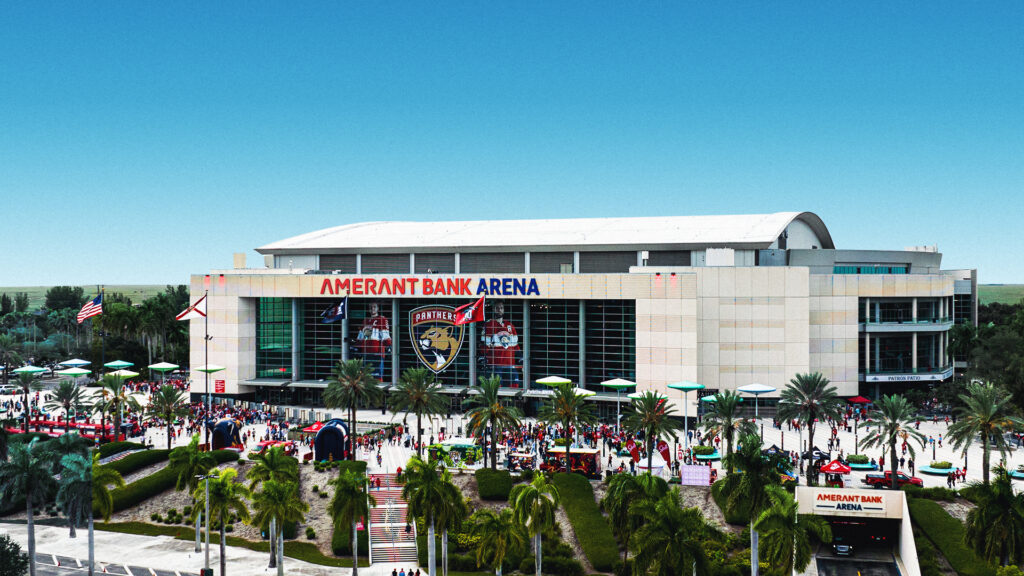
Boston, MA, February 6, 2024 – Florida Panthers, the NHL ice hockey team based in the Greater Miami area, has transformed its production workflows with the adoption of storage systems and management tools from EditShare. The new system provides support for a rapidly growing video department, which creates and delivers sophisticated content for in-house screens and scoreboards, and for extensive fan engagement online and through the team’s custom app.
Previously, the Panthers had been using ad hoc storage for video content, together with consumer tools for file transfers. Recent successes for the Panthers – including a Stanley Cup final place in 2023 – meant demand for content ramped up dramatically, and a more fluid, more secure workflow was required. It needed to support four producers/editors creating content at home and on the road, a motion graphics workshop charged with making engaging content for the scoreboard, and the team’s close relationship with the Bally Sports Network, its broadcast partner.
With consultation from sales engineers at 76 Media Systems (now part of Starin Marketing) the Panthers developed a solution around a 256TB EFS300 storage appliance. This is installed at the team’s home, the Amerant Bank Arena in Sunrise, Florida, just west of Fort Lauderdale.
The ground storage network is linked and synchronized to an EditShare cloud implementation. As well as adding content redundancy, the hybrid on premise/cloud architecture allows shooting teams on the road with the Panthers to upload content via VPN, making it immediately available for post and delivery, as well as securing it. The ability to edit on the road is a real boost.
Dennis Docil, Senior Director of Content Services for the Florida Panthers, made the point that key tools like FLOW workflow and asset management and FLEX cloud synchronization are core parts of the technology, making the system easy to implement as well as intuitive to use.
“Before coming back to the Panthers I worked for Ion Media Networks, and they were one of the first users of EditShare,” Docil said. “When we were looking for a solution we looked at the market, EditShare seemed to be the most user friendly for what we needed it to do. It gave us the slick workflows we need to keep on top of our exponentially increasing workloads.
“On top of that, the EditShare price was more attractive than the competition, and that included all the extra software components we needed to manage content and synchronize through the cloud.”
The ability to support large numbers of streams is vital for this sports application. At game time, as well as feeding the scoreboard and all the video screens around the arena the EditShare EFS300 is also ingesting live content from eight cameras, plus live coverage and additional shots from Bally Sports Network.
A lot of material is generated for fan engagement and distributed via the website and app. The Panthers also have a large retail shop alongside the new practice facility in Fort Lauderdale, and multiple screens there create interest and excitement around the team and players, as well as driving sales of merchandise.
EditShare is an Emmy Award-winning technology leader, supporting storytellers through collaborative media workflows across on-premise, cloud and hybrid architectures. The market-leading open software solutions and robust APIs improve workflow collaboration, third-party integrations and content sharing across the entire production chain. Designed specifically for media applications, the high performance line-up provides shared storage, archiving and backup, and intelligent media asset management.
Through a merger with Shift Media, EditShare now also integrates tools for content review and distribution, the creation of customised and branded pitch reels, and secure preview of high-value pre-release content.
If you’re unfamiliar with the church world, the extent of video production used in megachurches’ weekly services might surprise you. The definition of a “megachurch” is any church with a weekly attendance of 2,000 or more. They come in various denominations. In the United States, they are mainly protestant and often non-denominational.
Many of these churches actually use two video teams. One team runs the “live production” for the weekly service. This generally includes multiple cameras, image magnification (IMAG), live switching, slides, and streaming the service online. Furthermore, megachurches often employ a smaller “film crew” to create elements such as bumpers that complement the week’s message, commonly known as a sermon.
We’ll take a closer look at how the video teams of these houses of worship function and some of the challenges they face.
Video is a key medium for megachurches
It’s reported that 66% of megachurches “always or often” have video segments as a part of their services. Video helps these churches communicate a consistent message to their communities. Some churches meet at a single location with multiple services, while other churches have adopted a multi-site approach to their ministries. In either case, a core creative team usually helps produce design and media (with the help of volunteers) for the entire organization.
Live Production
The “Live Production” video team helps to produce the Sunday service. 75% of megachurches use IMAGE (image magnification) technology to help the crowd get a better look at the speakers and worship leaders. This involves a multi-cam setup that generally employs professional cameras, broadcast zoom lenses, and support such as jibs, gimbals, and beefy tripods.
Volunteers trained by the staff on the live production team frequently operate the cameras. This also offers an excellent opportunity for students and older teens to get some hands-on experience with gear. Even though I didn’t attend a megachurch, I remember as a teen learning to work a soundboard, lavs, recording gear (cassette tape! It was the 90s!), and projectors, and I’m still using those skills today (well, maybe not the cassette tape skills).
These live production teams need to have a firm grasp on camera operation, running professional cabling through long runs, taking live direction over headsets, or even wireless focus pulling.
Over 90% of these churches also use streaming for their services. I was surprised to learn that 45% of Americans have viewed a church service online, even though many don’t attend church in person.
This actually produces a large amount of data that needs to be managed and referenced for special events, compilation videos, or social highlights. Increasingly, ministries have needed more robust digital asset management tools to help them disseminate these assets to their teams.
Multi-site megachurches
Many megachurches have adopted the multi-site model. In this model, there is a main campus and satellite campuses. Generally speaking, each satellite campus has its own set of volunteers and worship music leaders. The sermon may be live-streamed from the central location. Other times, the satellite locations use local pastors to deliver the message. There are multiple ways of executing this strategy and many times, the satellite locations grow into their own autonomous congregations.
Church film crew
In addition to the live production crew, megachurches often have a “film crew.” Typically, a smaller team focuses on producing pre-recorded material intended for playback during the service. In many ways, this parallels the setup of professional sports broadcasts or even “Saturday Night Live.” In both kinds of shows, there is a live presentation, and they also cut away to pre-recorded segments.
The teams that create these pre-recorded segments function as small film crews rather than broadcast teams. So they might use equipment such as cinema cameras, cinema lenses, and audio techniques more commonly found on a movie shoot.
The film crews could be volunteers or even contracted on an occasional basis. The sermon series “bumpers” could also incorporate motion graphics and 3D effects. The goal of these teams is to use the beauty of cinematography and the emotional impact of storytelling to touch their audience. These teams use aesthetics and story as an extension of the Sunday message. They try to find ways to visualize the text of scripture or the stories of their community.
Challenges of video production in a megachurch
Most of the time, church leaders aren’t media professionals. This leads to challenging situations around review and approval processes. All video professionals know that it takes a long time to do high-quality work. We also know that people outside of production have difficulty understanding the necessary timelines to deliver solid work. Sometimes, those mismatched expectations can lead to burnout. In the article, Life after Church, several filmmakers describe those challenges.
Communication is key to helping leadership teams and creative teams work together in healthy ways. Creative briefs, budgets, and time estimates can help align expectations regarding production.
When you enter post-production, the review and approval process can be tricky on any project. This is where tools like MediaSilo can come in and streamline the process. It makes it much easier to work together as a team.MediaSilo also makes it simple for teams to find and repurpose archival footage. This helps to keep the video team’s efforts valuable into the future so that you aren’t digging through hard drives looking for clips.
Streamlining review and approval
Church film crews (often just a couple) also cover things like international mission trips, fundraising videos, testimonials and more. When working on the road, it is common to need to “get something up so they can see something.”
However, WiFi networks can be slow and unreliable in the field. MediaSilo’s uploader is one of its best features. It gives you the percentage uploaded, the upload speed, and the estimated time for the upload to complete. If the upload is interrupted, MediaSilo will let you know. Then, it will continue where it left off once a connection has been re-established.
When you approach the end of a project, you can enter into a phase where you repeatedly upload versions and tweak a video. We all know how disappointing it is to attempt a large upload to a cloud provider and have it fail after partially completing the upload. You can waste hours trying alternative services, re-uploading, or changing formats.
MediaSilo features panels for Adobe Premiere Pro and DaVinci Resolve so that you can go right from your timeline into the cloud, and reviewers will be notified. This eliminates the frustration of a multi-step export, upload, checking the upload, and then sending out a review email/message. This automation can distinguish between getting home in time for dinner or getting stuck late in the edit bay on a Saturday night.
Churches and feature-length films
As filmmaking has become more accessible, churches have embarked on feature-length documentaries and even narrative films. The Kendrick brothers (Fireproof, Courageous, War Room) started their film career out of Sherwood Baptist Church. That experience helped them grow as filmmakers, and they eventually started their own production company, Kendrick Brothers.
The church has a complicated and evolving relationship with Hollywood. The award-winning documentary Reel Redemption, directed by film critic Tyler Smith, goes into the history of how the church has engaged Hollywood. Smith covers it all from the Hayes-code to the international hit, Passion of the Christ, to schmaltzy faith-based films, to the latest entrants that have sought to improve on the craft of filmmaking. It’s an insight deep-dive into this little known chapter of Hollywood history.
This system has provided a network where young people can start as volunteers on a live production team on Sundays and move up to bigger projects with larger audiences while growing their careers as filmmakers.
Conclusion
According to NPR, there are over 1,800 megachurches in America. Many of these are amongst the fastest-growing churches in America. However, the pandemic did have a substantial impact on in-person church attendance. But with over 60% of the US population attending church at least once a month, we will continue to see the importance of video production grow in the faith-based space.
In the same way, as we are seeing the cross-pollination of disciplines between television broadcast tools and film production techniques, we’ll see collaboration between live production and film crews in churches.
EditShare tools like MediaSilo and EFS can help facilitate that collaboration with solutions for on-site storage, remote collaboration, and review and approval.
It will be exciting to see this space continue to grow. And it will also be good to see it develop in its capacity to nurture artists while still faithfully sharing its message.
Large nearline server nodes directly connected to live production system
Boston, MA, January 16, 2024 – MTV Oy, the leading commercial television company and production house in Finland, recently relocated to a new center in the suburbs of Helsinki, seizing the opportunity for a major technical refresh. The facility serves multiple channels and streaming services, and a key part of the project was to migrate its extensive news and sport archive from tape, a task accomplished with EditShare providing the latest storage technology.
Central storage for all live production is provided by four nodes of EditShare EFS 60NL nearline storage, with a total capacity at present of eight petabytes. The EditShare storage is directly accessed by journalists and producers via their workstations, which are connected to production servers and asset management provided by EVS. The open architecture of EditShare EFS storage makes the integration seamless and transparent.
“It was important that journalists don’t have to care where the material is,” said Tommi Tynys, Head of Broadcasting Technology at MTV Oy. “Whereas getting content from the tape archive could take 30 minutes or more, now users search directly for what they need and it is instantly available to them. We need to take the fight to our competitors, to be first with the news, so performance is vital to us.”
The facilities at the new center are managed for MTV by NEP Finland, and the companies collaborated on designing the new architecture. The complete center was built by Broadcast Solutions Nordic, with Pipeline Media providing continuing support for the systems.
“One of the great things about EditShare is that the storage network is completely scalable,” said Jukka Keski-Loppi of Pipeline Media. “Our estimate is that the MTV archive will grow by 350 TB a year, and we can add storage as we need it without taking the system offline.”
MTV’s Tynys added that the system was also extremely reliable and resilient. “It took a while to transfer all our archive into EditShare,” he said. “But now it is running we have had zero downtime, even with a lot of users demanding simultaneous access.”
Stephen Tallamy, CTO at EditShare added “In demanding environments like MTV, nearline means virtually instant. We designed the EFS 60NL as an ultra-high density storage node for media that needs to be accessible, but does not need the performance of an online production workflow.
“That transforms the architecture of the news and sport facility: the complete archive can be online thanks to the very high storage density of our solution, and at the same time it’s available to all users, when they need it.”
The EditShare EFS 60NL is built for high performance media applications. It uses native erasure coding, eliminating the need for hardware-based RAID while providing complete resilience. The standard chassis holds 60 enterprise-grade disk drives, all hot swappable from the front of the rack.
EditShare is an Emmy Award-winning technology leader, supporting storytellers through collaborative media workflows across on-premise, cloud and hybrid architectures. The market-leading open software solutions and robust APIs improve workflow collaboration, third-party integrations and content sharing across the entire production chain. Designed specifically for media applications, the high performance line-up provides shared storage, archiving and backup, and intelligent media asset management.
Through a merger with Shift Media, EditShare now also integrates tools for content review and distribution, the creation of customised and branded pitch reels, and secure preview of high-value pre-release content.
About MTV Oy
MTV Oy is Finland’s leading commercial television company and video content house. MTV’s media family includes the MTV Katsomo streaming service, the TV channels MTV3, MTV Sub and MTV Ava, as well as MTV Uutiset, which broadcasts latest news on multiple channels.
MTV is part of Telia Company, one of the largest television companies in the Nordics, which leads the way for the development of the entire media industry.