As we approach Thanksgiving in the U.S., I’d like to take a moment to step outside the usual hustle of product releases, trade shows, and roadmaps and reflect on what truly matters.
Even though many of our teammates, customers, and partners around the world may not observe this holiday, I believe the spirit of gratitude is universal. So I wanted to share a few thoughts and offer my sincere thanks to all who are part of the EditShare journey.
Giving Thanks, Across Borders
I’m thankful to our customers working in broadcasting, post-production houses, streaming services, sports organizations, education, and beyond. Your challenges, feedback, and trust push us to innovate. You test our limits, call us when things don’t work, and share your workflows with us. From early pilots to mission-critical deployments, you let us be part of your work, and that is a privilege.
To our channel partners and resellers, many of whom operate in far corners of the globe, thank you for being our local face, for connecting with customers in their markets, and for championing EditShare’s capabilities. Your commitment, especially in times of technical or logistical complexity, makes what we do possible.
And above all, to the EditShare team. Across engineering, support, sales, marketing, operations, and more, I sincerely appreciate your perseverance, creativity, and care.
You show up every day, often without much fanfare, to keep systems stable, solve unexpected bugs, and deliver capabilities that delight (or surprise) our users. It’s your work behind the scenes that gives our customers the confidence to rely on us. All of this hard work has led to a great year for sales despite the industry headwinds.
A Few Gratitudes on My Mind
I’m thankful for the resilience of every team member who has navigated tight timelines, remote work, late nights, and travel.
I’m thankful for customers who say, “Here’s how we really work,” and set us on the right path.
I’m thankful for channel partners who bridge cultures, time zones, regulatory challenges, and local sales complexity.
I’m thankful for the moments of serendipity, when a customer’s suggestion becomes a product feature, when a minor bug fix saves a client’s deadline, and when a partner brings us into a new customer we’ve been wanting to meet.
Looking Ahead, With Gratitude
As we head into the year’s end and plan for 2026, I want us to carry this spirit of gratitude forward. We’ll continue to push for smarter workflows, better collaboration across distributed teams, and innovations that reduce friction rather than add more features for their own sake.
From all of us at EditShare, thank you. May your upcoming holiday season (whether it’s Thanksgiving or simply time with family) bring rest, reflection, and renewed purpose.
Happy Thanksgiving,
Brad Turner CEO, EditShare
In a world where production teams depend on seamless collaboration and real-time media access, downtime isn’t just inconvenient; it’s costly. A single outage caused by a storm, flood, or power failure can grind production to a halt, delay delivery timelines, and jeopardize valuable client relationships.
That’s why EditShare’s FLOW Disaster Recovery system exists: a feature that mirrors your primary FLOW site and allows you to get back online fast. Within minutes, not hours or days.
It’s not an archive or long-term storage system; it’s a real-time continuity solution designed to keep your creative teams working when disaster strikes.
Why Disaster Recovery Matters for Media and Production Teams
Video production workflows are complex. They depend on shared storage, media asset management systems, and hundreds of interconnected files. When disaster hits, whether physical damage to a facility, network failure, or regional outage, teams risk losing access to projects, metadata, and proxy media.
Without a disaster recovery strategy, you face:
Extended downtime during which editing and collaboration stop completely.
Lost or corrupted assets that disrupt version control and delivery schedules.
Damaged client trust due to missed deadlines and incomplete recoveries.
With FLOW Disaster Recovery, your team gains peace of mind knowing your entire production environment is mirrored and ready to take over at a moment’s notice.
What Makes FLOW Disaster Recovery Different
Unlike traditional data backups or archives that only store static copies of your files, FLOW Disaster Recovery maintains a fully synchronized, live replica of your FLOW system, including Media Spaces, proxies, thumbnails, transcriptions and the database.
If a natural disaster, power outage, or hardware failure takes your main system offline, the secondary FLOW environment can be activated swiftly. Within minutes your team can reconnect and resume editing, reviewing, and managing assets from wherever they are.
This isn’t a “cold” backup. It’s an emergency retrieval that ensures business continuity for media production without data loss or workflow disruption.
FLOW Disaster Recovery vs. Traditional Backups
Feature / Capability
Traditional Backup / Archive
FLOW Disaster Recovery
System Sync
Manual, periodic
Automatic synchronization
Switch-over Speed
Days or weeks
Up and running within minutes
Workflow Continuity
Only partially restore data
Full FLOW system restoration including metadata, projects, and settings
Access During Outage
None
Seamless access to mirrored environment
Purpose
Long-term data retention
Operational continuity during disaster
Key Benefits of FLOW Disaster Recovery
Rapid Recovery: Get your production system live again immediately after a critical outage.
Seamless Continuity: Maintain access to media, metadata, and ongoing projects through your mirrored FLOW instance.
Full System Sync: Your secondary system stays automatically aligned up to 24 hours of your primary system—no manual updates needed.
Minimal Downtime: Protect tight production schedules and delivery deadlines from unexpected events.
Peace of Mind: Know your video production workflow is protected, no matter what happens on-site.
FLOW Disaster Recovery Fits into Your Media Management Workflow
FLOW Disaster Recovery integrates directly with your existing EditShare EFS and FLOW infrastructure, ensuring that your media management workflow remains stable, organized, and secure.
FAQ: FLOW Disaster Recovery
Q1: Is FLOW Disaster Recovery the same as a data backup?
No. A backup stores static copies of data, while FLOW Disaster Recovery maintains a live, synchronized system that can take over operations immediately. Delete an asset from the primary Site, the delete will also occur on the secondary site after the daily sync of both sites.
Q2: How quickly can my team get back online after a disaster?
Most teams are fully operational within minutes, depending on network conditions and access permissions.
Q3: Does FLOW Disaster Recovery include my EFS storage?
Yes, the disaster recovery configuration includes synchronization between your primary andsecondary EFS and FLOW environments, ensuring media, metadata, and settings remain aligned.
Q4: Can I access FLOW Disaster Recovery remotely?
Yes. The system is designed to be accessed securely from anywhere, supporting remote production continuity.
Q5: How is the system kept in sync?
FLOW Disaster Recovery uses daily automatic replication to update your secondary system, ensuring it mirrors the current state of your production environment to within 24 hours.
Stay Operational. Stay Confident.
When disaster strikes, every minute matters. FLOW Disaster Recovery ensures your media production and post workflows keep moving—securely, efficiently, and without compromise.
Because in creative production, downtime isn’t an option.
Disaster Recovery will be available in 2026.1.0.
Learn more about FLOW and how it can protect your production workflows.
Post-production workflows, whether for editing, grading, or film finishing, frequently face tight deadlines while also working with massive files, complicating team coordination. Pairing DaVinci Resolve Studio with EditShare’s infrastructure provides effective collaborative video storage and shared video storage solutions. This setup eases access to high-resolution assets, enhances performance, and supports smoother collaboration. Here’s how these tools integrate to optimize workflows.
Performance and Compatibility: The Foundation for Shared Video Storage
DaVinci Resolve Studio handles editing, colour grading, audio mixing, and VFX in a single application. Amazingly, they have integrated programs like Fairlight audio and Fusion into Resolve. It also supports native operation on Windows, Mac, and Linux, ensuring flexibility across setups.
EditShare’s EFS serves as robust shared video storage, organizing media securely in managed MediaSpaces. These spaces centralize footage, enabling quick tracking and access for projects. EFS provides massive 24 GB/s throughput across each NVMe node, allowing workstations to achieve over 15 GB/s read speeds utilising our native EFS drives. The native drivers stand out; they’re tailored for media tasks, delivering higher bandwidth for Resolve users compared to traditional IT mounting like SMB, which delivers slower speeds
Collaborative Video Storage: Resolve Project Server on EFS
For teamwork, Resolve’s Project Server operates on EditShare EFS nodes as collaborative video storage. It oversees projects, timelines, and permissions, allowing multiple users to contribute without overlap. For instance, an editor modifies a sequence, and collaborators view updates in real-time, with built-in controls to safeguard key elements.
The cross-platform support shines here, with native drivers for Windows, Mac, and Linux in both Resolve and EFS, eliminating setup hurdles in mixed environments.
Production Asset Management: Flow Panel in Resolve
EditShare’s FLOW, a production asset management solution, embeds directly into Resolve for easy file handling. It enables pulling assets from ProRes proxies to file per frame masters without leaving the interface, sourcing directly from EFS MediaSpaces to maintain organization.
Remote users benefit from proxy workflows, where Flow preserves parent-child relationships between full-resolution originals and proxies. This allows fluid editing over limited bandwidth, with automatic relinking for final outputs, no manual fixes required.
Real-World Examples of Shared Video Storage and Collaboration
Consider a news team covering an election. Reporters ingest 4K footage into EFS MediaSpaces. Project Server manages permissions, giving the lead editor control over masters while others access proxies through FLOW. The native drivers’ bandwidth advantage over SMB accelerates speed. Combine it with Mediasilo and you get faster approval results.
In a documentary project featuring 8K drone captures, remote VFX specialists use FLOW’s production asset management for proxy-based creations. The director pulls full-res versions from collaborative video storage, with EFS ensuring uniform access and Project Server logging revisions to minimize back-and-forth.
Key Benefits for Post-Production Workflows
DaVinci Resolve Studio powers the creative side, while EditShare EFS excels in shared video storage and production asset management. This integration resolves issues like access controls, multi-OS compatibility, and proxy management, allowing focus on delivering polished results.
For teams seeking optimized shared video storage for DaVinci Resolve or tips on collaborative video storage setups, this pairing delivers proven efficiency.
How can broadcasters harness Adobe Premiere Pro’s flexibility without workflow chaos? In busy broadcast environments, Adobe’s openness and flexibility often lead to issues with shared assets going missing or offline, often disrupting deadlines. Helmut FX steps in as the project manager to structure Premiere Pro for broadcast teams. Combined with EditShare’s infrastructure, it delivers administrative control and creativity. Perfect for newsrooms working around the clock or sports productions demanding rapid turnarounds.
What Is Helmut FX, and How Does It Manage Premiere Pro?
Helmut FX centralizes Premiere Pro project tasks for teams. It automates creation, search, opening, editing, and archiving. Custom metadata filters make finding files instant. Role-based access lets admins set presets for users or groups, approving only vetted assets.
In broadcasts, Helmut FX adapts Premiere Pro’s open style to strict needs. It integrates with Active Directory for single sign-on and user groups. The Stream Debugger logs steps to pinpoint problems fast. Custom menus create workflows aligned to the news rhythm in a studio. Auto-backups with easy restores secure files in high-pressure scenarios. Hlemut also expands the ecosystem to other industry-standard applications, such as VizRT for graphics.
How Does EditShare’s EFS Provide Shared Video Storage and Collaborative Video Storage?
EditShare’s EFS offers high-speed shared video storage and collaborative video storage for media teams. Projects and media live in organized spaces on EFS, scaling to petabytes without lags.
What Role Does FLOW Play in Production Asset Management?
EditShare’s FLOW handles production asset management. Its Panel integrates into Premiere Pro, allowing editors to search, browse, and import clips without leaving the Adobe interface. FLOW eliminates file hunts; every user (subject to their granted permissions!) can access everything from a single library. FLOW’s API links straight to Helmut FX, enabling complete project workflows in large Adobe environments.
Helmut FX, FLOW, and EFS connect via APIs to orchestrate projects, users, mediaspaces, and assets. Helmut and FLOW maintain ongoing syncs, linking assets and metadata throughout the process. When starting a Premiere Pro project, Helmut automatically builds the mediaspace and matching FLOW location from templates. These templates can define storage paths, codecs, ingest/export rules, and essentials like scratch disks, frame rates, and bin structures for uniform outputs.
How Does FLOW Ingest Support Live News and Sports Workflows?
For news and sports, FLOW Ingest captures live feeds and routes them directly to editing. Ingest from baseband or NDI directing into Premiere Pro, minimizing delays. The growing timeline in Premiere Pro is perfect for breaking news or game highlights that need a fast turnaround
It connects to NRCS systems like Octopus. Reporters start stories from Octopus, syncing a project to FLOW for immediate Premiere Pro access. Editors import via the panel, cut footage, and export to playout. Octopus placeholders update with finals, streamlining from capture to air.
What Is the Value Proposition of Helmut FX, FLOW, and EFS Together?
This stack automates up to 20% of manual work, boosting creative time. Standardized setups and quick asset pulls accelerate news and sports edits for on-site or remote teams. A central dashboard searches projects, metadata, and sequences.
Efficiency Gains: Reduces errors and speeds collaboration.
Scalability: Handles growing teams and content volumes.
Security: Enforces access and backups for compliance.
For 24/7 broadcasts, it cuts delays, ramps up production speed, and expands easily. Broadcasters chasing peak efficiency get a setup tailored for the edit suite.
FAQ: Adobe Premiere Pro with EditShare and Helmut FX
Q: Does this integration keep editors in the Adobe UI?
A: Yes, FLOW’s Panel and Helmut FX ensure all asset management happens inside Premiere Pro.
Q: How does it support fast sports turnarounds?
A: Real-time ingest and auto-project setup cut edit times from hours to minutes.
Q: Is it compatible with NRCS like Octopus?
A: Fully, users in Octopus NRCS can automatically create projects in Editshare for end-to-end news flows.
Every movie or TV episode involves dozens of companies, some of which are really small and think they can’t afford enterprise-grade security tools like MediaSilo.
These teams use unsafe business practices, with lean teams working too quickly, and, whether by intent or by accident, a leak occurs. The leak both publicly embarrasses their client and ends their business relationship with said client.
Content leaks like this aren’t rare. In a cloud-connected, always-on industry, video files move faster than ever across devices, networks, and continents. But when security lags, a single exposed link or unauthorized login can jeopardize months of production and millions in revenue.
That’s why forward-thinking post-production teams are turning to secure collaboration software like MediaSilo, the cloud-based video feedback tool designed to make creative collaboration effortless and secure.
You, yes you, can afford it! And it won’t slow you down.
The Rising Threat of Content Leaks
In recent years, the number of data and content breaches has skyrocketed. For post-production teams managing sensitive, pre-release content, the stakes couldn’t be higher. A single leak doesn’t just spoil a premiere; it can fracture client relationships and result in significant financial losses.
Common threats include:
Unauthorized access to shared drives or cloud storage
Accidental sharing of pre-release cuts
Ransomware or phishing targeting creative teams
Leaked screeners or assets spread via unsecured review links
The good news? Modern collaboration tools can help prevent these threats if they’re built with security at their core. That’s exactly what MediaSilo delivers.
What Makes MediaSilo Different
Unlike traditional file-sharing tools or generic review platforms, MediaSilo was built specifically for media and entertainment teams that handle sensitive, high-value content. The platform combines secure post-production collaboration with intuitive video review and approval software, enabling teams to increase productivity without sacrificing control.
Key Security Features That Protect Your Work
1. SafeStream Watermarking
Watermarking is one of the most powerful ways to protect video assets. MediaSilo’s SafeStream watermarking technology provides both visible and forensic watermarking, ensuring that every viewer, reviewer, or stakeholder can be identified and that any leaks can be traced back to the source.
With SafeStream, you get high-speed personalization at scale—not just for videos, but also for images and documents.
You can already watermark fast and cheaply without MediaSilo. But watermarking for every person? That’s a crazy scale without MediaSilo.
2. Role-Based Access Control
Not every collaborator needs the same level of access. MediaSilo allows admins to define who can view, comment on, download, or share assets, ensuring only the right people have the appropriate permissions. This keeps internal workflows fluid and external access tightly controlled.
3. Secure Cloud Collaboration
Because MediaSilo is a cloud-based video collaboration platform, your global team can log in from anywhere to securely review and approve content. Every session is encrypted, every transfer protected, and every action logged for accountability.
4. Multi-Layered Authentication
MediaSilo supports single sign-on (SSO) and multi-factor authentication (MFA) to minimize entry points for attackers and strengthen user verification, ensuring that even remote logins meet enterprise security standards.
Work with external creative teams? You can also set up a hybrid system that secures employees via SSO and freelancers through MFA and user expiration rules.
Comparison: Traditional Collaboration vs. MediaSilo Secure Collaboration
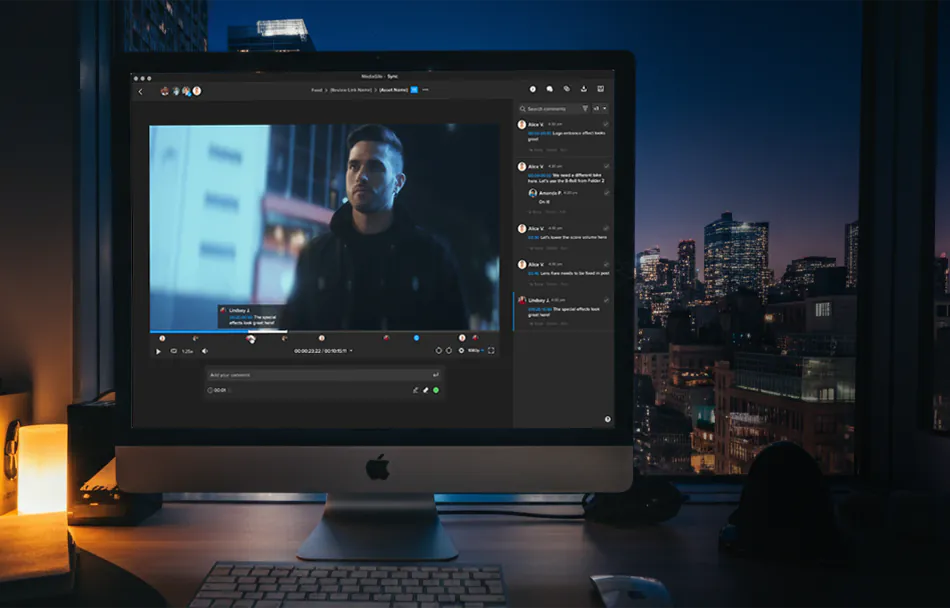
The beauty of MediaSilo’s secure collaboration software lies in balance — your team gains ironclad protection without slowing creativity. Editors, producers, and clients can share and review footage in real time, leave time-coded notes, and approve cuts from anywhere in the world.
And because MediaSilo integrates seamlessly with other EditShare solutions, including EFS shared video storage and FLOW production asset management, your entire creative pipeline remains connected and secure from ingest to delivery.
Getting Started
Protecting your creative assets doesn’t have to be complicated. MediaSilo gives your team a single, secure place to organize video teams and reviewers online, collaborate, and share with confidence.
1. What makes MediaSilo a secure collaboration tool for post-production?
MediaSilo provides enterprise-grade video review and approval software with role-based permissions, MFA, and SafeStream watermarking, ensuring your video assets stay protected at every stage of the production process.
2. Can MediaSilo prevent leaks or unauthorized downloads?
Yes. SafeStream watermarking can identify individual viewers, while permission-based access ensures that only approved users can download or share assets.
3. How does MediaSilo integrate with existing video workflows?
MediaSilo works seamlessly with EditShare FLOW and EFS, connecting storage, review, and approval under one secure ecosystem for hybrid and remote media teams.
4. What’s the difference between visible and forensic watermarking?
Visible watermarks display identifying details like viewer names or emails directly on the video. Forensic watermarking embeds invisible digital codes, making it possible to trace the source of leaked content without disrupting playback.
5. Is MediaSilo suitable for hybrid or remote video teams?
Absolutely. MediaSilo is designed for remote video editing teams, providing producers, editors, and clients with a centralized, cloud-based workspace for secure collaboration from anywhere.
Why QC Matters More Than Ever
A single missed frame or out-of-sync audio can disrupt your production schedule, increase costs, and damage your brand reputation. Which is why quality can’t be negotiable in your media workflow.
Whether you’re delivering corporate communications, streaming a live sports event, or producing binge-worthy content, your audience expects flawless results. A single technical glitch, like corrupted frames or the wrong color space, can erode trust and cost you money.
The challenge? Media teams are under tight deadlines, working with huge file sizes, and often spread across multiple locations. Manually checking every file is unrealistic. That’s why automated quality control (QC) is no longer optional, but essential.
With FLOW, EditShare makes quality control seamless, integrating powerful QC solutions directly into your workflow so every piece of media is checked, verified, and ready for delivery, without slowing you down.
Why Quality Control is Critical for Media Teams
Brand Reputation – Poor-quality content affects credibility and trust.
Compliance – Broadcasters, OTT platforms, and corporate networks have strict delivery specs.
Cost Savings – Catching issues early avoids costly rework, reshoots, or distribution delays.
When you build QC into your workflow, you protect your production pipeline and ensure your team focuses on creativity, not troubleshooting preventable errors.
The Role of QC in a Modern Media Workflow
Today’s workflows aren’t confined to a single edit suite or on-prem server. Teams work remotely, pulling content from shared storage, and delivering across multiple platforms.
Without a robust QC process:
Errors can slip through during ingest, transcoding, or distribution.
Remote teams may never catch problems until final delivery.
Archives risk being filled with faulty or incomplete assets.
That’s where FLOW Automation + QC integration steps in.
How FLOW Simplifies QC for Distributed Teams
FLOW connects your media asset management, automation tools, and QC checks into one cohesive system. Here’s how it works:
1. Automated QC Workflows
With FLOW Automation, you can:
Trigger QC tasks as soon as files land in your storage.
Run test plans that check for audio/video integrity, compliance, and format specs.
Automatically move passed files into approved folders and flag failed files for review.
2. Seamless Integration with Industry-Leading QC Tools
FLOW integrates with solutions like Interra Baton QC and QScan to deliver AI-driven quality checks without leaving your MAM environment. You’ll get:
Detailed PDF reports linked to your media assets.
Automated pass/fail indicators.
Complete visibility on QC status across all projects.
QC Analysis Markers per asset in FLOW (QScan Only)
3. Remote Access for Review & Approval
Using FLOW, your QC results, proxy previews, and reports are accessible from anywhere. This means:
Distributed teams can approve or flag assets in real time.
No more emailing large files or waiting for uploads.
Faster turnaround for time-sensitive projects.
Best Practices for QC in Media Workflows
Automate everything possible – QC should run in the background without slowing your team down.
Integrate QC at ingest – Catch issues before they cascade into your edit timeline.
Standardize QC templates – Define presets for different delivery platforms.
Combine QC with metadata tagging – Easier tracking for future audits or re-delivery.
Benefits of Using FLOW for QC
Traditional QC
QC with FLOW
Manual checks on local files
Automated QC on ingest
Limited visibility for remote teams
Full remote review via FLOW
Reports stored separately
Reports linked to media assets
Risk of missed deadlines
Faster, compliant delivery
FAQ: Quality Control in FLOW
Does FLOW handle QC natively?
FLOW integrates with top QC platforms like Interra Baton to automate and manage QC tasks within your workflow. *Subject to licenses
Can QC workflows run automatically?
Yes! With FLOW Automation, QC can run as soon as files are ingested, no manual triggers required.
How do remote teams access QC reports?
Through FLOW, users can log in and preview proxies from anywhere.
Does QC affect proxy workflows?
Not at all. QC runs on the original media, while FLOW continues generating proxies for remote editing.
Can FLOW QC help with compliance for OTT and broadcast?
Absolutely. Automated QC ensures your files meet platform specifications every time.
Ready to Build QC into Your Workflow?
Quality control doesn’t have to slow you down. With FLOW’s integrated QC capabilities, your media stays compliant, your teams stay productive, and your audience gets flawless content every time.
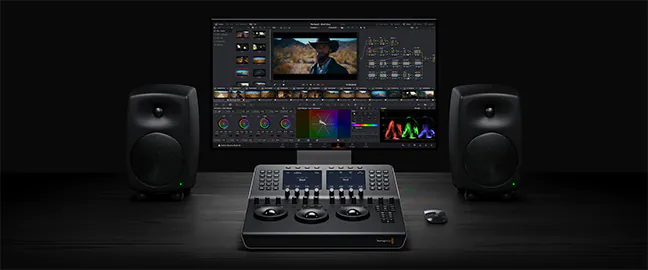
At EditShare, we’re all about shared storage for video teams, and we’re super excited to talk about DaVinci Resolve® 20, Blackmagic Design’s latest release that’s bursting with over 100 new features.
This update is like a turbo boost for editors, colorists, VFX artists, and audio folks, blending slick AI tools with intuitive features to make your workflow smoother from start to finish.
There’s so much to unpack, we can’t cover it all, but trust us, it’s a total game-changer for video editing, shared storage, and team collaboration.
AI Tools That Feel Like Magic
DaVinci Resolve® 20’s AI features are like having a creative sidekick.
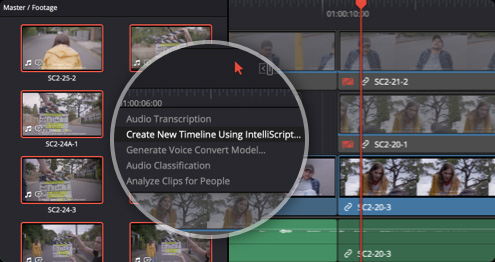
AI IntelliScript takes your script and builds a timeline by matching audio to clips, picking the best takes for you.
Want to grab your audience’s attention? AI Animated Subtitles make words pop on screen as they’re spoken.
For multicam projects, AI Multicam SmartSwitch automatically selects camera angles based on who’s talking, using audio and lip-sync smarts.
And for audio? AI Audio Assistant balances dialogue, tweaks effects, and whips up a professional mix in seconds, perfect for fast-paced collaborative video storage environments.
Collaborate Anywhere, Anytime
DaVinci Resolve® 20’s Blackmagic Cloud integration makes shared video storage a breeze for teams across the globe. You can host project libraries, sync media, and work together in real time with editors, colorists, and more.
The new URL-based guest access for Presentations lets clients without accounts jump in to review, add notes, or chat instantly. For bigger teams, the Organizations app simplifies group management, storage access, and even Studio license rentals, ideal for scaling video editing storage solutions.
While Blackmagic Cloud has its place, EditShare EFS takes it to the next level with unbeatable performance, scalability, and security for your post-production shared storage needs.
Editing and Finishing Made Easy
The Cut and Edit pages now have a keyframe editor and voiceover palette that make tweaking a snap, plus safe trimming to avoid oops moments.
Colorists, you’ll love Chroma Warp for easy color tweaks and UltraNR for AI-powered noise reduction that keeps every detail crisp.
Fusion steps up with deep image compositing and multi-layer PSD support, while Fairlight brings 6-band EQ, AI panning, and Ambisonic surround for immersive sound. Smarter proxies with one-click switching and auto-generation mean lightning-fast edits on post-production shared storage.
EditShare + Resolve 20: Your Dream Team
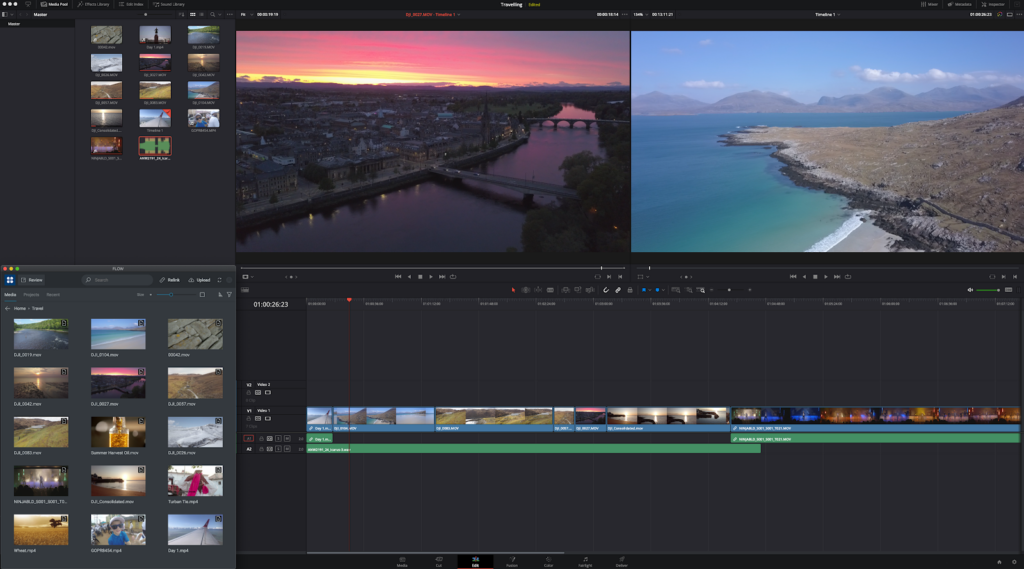
What makes Resolve 20 even better? Our FLOW Production asset management platform. The DaVinci Resolve® panel is built right into FLOW, letting you tap into shared storage for video teams without missing a beat. Jump into projects, manage assets, and collaborate, all while using FLOW’s powerful review, approval, and metadata tools.
Plus, you can run the Resolve project server directly on an EditShare EFS node for rock-solid performance and scalability in multi-user setups. For those chasing top-tier quality, our new EditShare Ultimate NVMe system delivers a jaw-dropping 24 GB/s, letting Resolve users tackle uncompressed 8K workflows without a hitch.
Whether you’re rocking EditShare’s high-performance video editing shared storage or building a remote team, this combo brings unmatched efficiency to collaborative video storage.
Bristol-based post house streamlines project setup by connecting scheduling with EditShare’s intelligent media platform
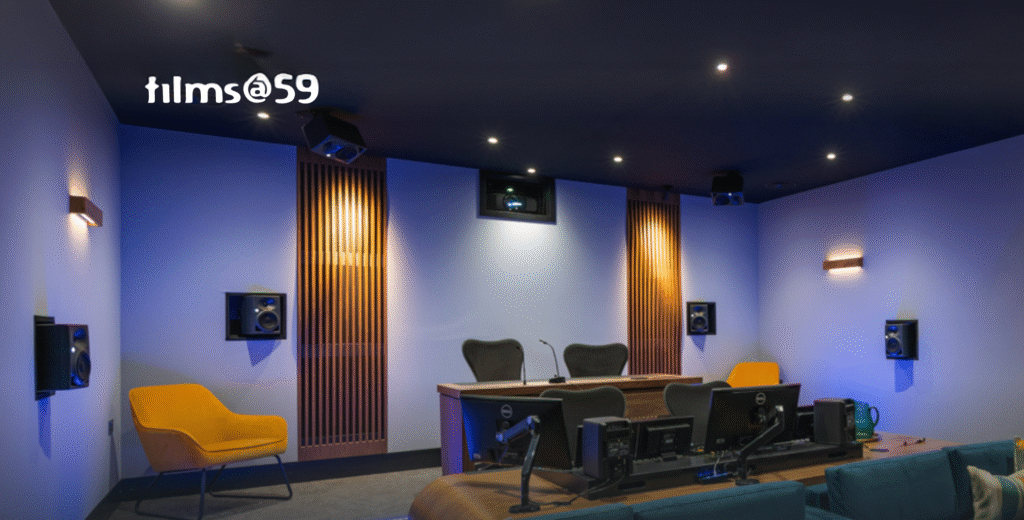
Boston, MA, 9 October 2025: EditShare, the technology leader in intelligent shared storage and media management, today announced that UK post-production facility Films at 59 has used the EditShare Open API platform to connect its scheduling system directly into EditShare’s media environment. The result is a fully automated, metadata-driven workflow that eliminates manual setup and accelerates production start-up.
API-Driven Integration for Instant Project Setup
Films at 59’s technical team led the integration work, developing a direct connection between Farmers Wife, a widely used scheduling, project management, and resource planning platform, and EditShare’s EFS shared storage and FLOW media management. The project was also supported by EditShare channel partner Digital Garage.
With the API integration in place, scheduling a job in Farmers Wife now automatically:
Creates a dedicated media space in EFS
Provisions and assigns team members based on their roles
Applies storage quotas to match the project’s scope
Links project metadata in FLOW, ensuring assets are organized and accessible from day one
By building this API-driven connection, Films at 59 has ensured a seamless transition from booking to production-ready, without manual configuration or IT overhead. “We had it up and running really quickly,” said Jamie Lawrence, Head of Technical Operations at Films at 59. “Now, every time a job is booked in Farmers Wife, the media space is built, the team is connected, and everything is ready to go.” The integration has significantly reduced setup time, minimized human error, and guaranteed every project begins within a consistent, structured media environment.
“EditShare’s Open API framework made this integration straightforward and highly effective,” said Sean Bradley, Regional Sales Director, Northern Europe at EditShare. “The Films at 59 team took the initiative to connect their scheduling and media systems, and now they move from scheduling to editing without touching a single admin panel. It’s a powerful example of how our open architecture empowers customers to design workflows that fit their needs.”
EditShare is an Emmy Award-winning technology leader, supporting storytellers through collaborative media workflows across on-premise, cloud and hybrid architectures. It offers scalable storage and collaboration for media businesses and at every stage of the video production process from storyboarding to screening.
The software is inherently open, encouraging workflow collaboration, third-party integrations and content sharing across the entire production chain. Where required, the software is backed by high performance, high availability designed specifically for the demands of media storage, management and delivery. The comprehensive offering covers multi-level content storage for production and post, along with innovative asset and workflow management software, plus specialized and highly valued tools for content review and distribution, the creation of customized and branded pitch reels, and secure preview of high-value pre-release content.
Press Contact Katharine Guy katharine.guy@editshare.com
The New Reality of Global Media Workflows
Today’s corporate media teams face unprecedented challenges. Content creation no longer happens in one location, It’s a global effort involving distributed teams, freelancers, and stakeholders across different time zones.
While this flexibility brings access to talent worldwide, it also introduces complexity. How do you ensure consistent quality, smooth collaboration, and fast turnaround when your team is scattered across the globe?
Without the right remote collaboration tools, the process becomes chaotic. Files live in multiple places, approvals lag, and communication breaks down. For large organizations producing corporate media content, from internal communications to marketing campaigns, these issues can delay projects and increase costs.
The good news? Remote work collaboration software has evolved to bridge these gaps, making it easier than ever for teams to collaborate remotely, share media, and keep projects moving.
What Are Remote Collaboration Tools?
Remote collaboration tools are software solutions designed to enable teams to communicate, share assets, and manage workflows from anywhere in the world. They provide:
EditShare’s EFS shared storage system gives teams high-performance, secure access to media from any location. Unlike consumer cloud storage, EFS is built for video workflows, delivering the speed and reliability creative teams need.
2. FLOW: Media Asset Management Anywhere
With EditShare One’s – Organize module , teams gain a centralized media asset management system that works across on-prem, cloud, and hybrid environments. Features include:
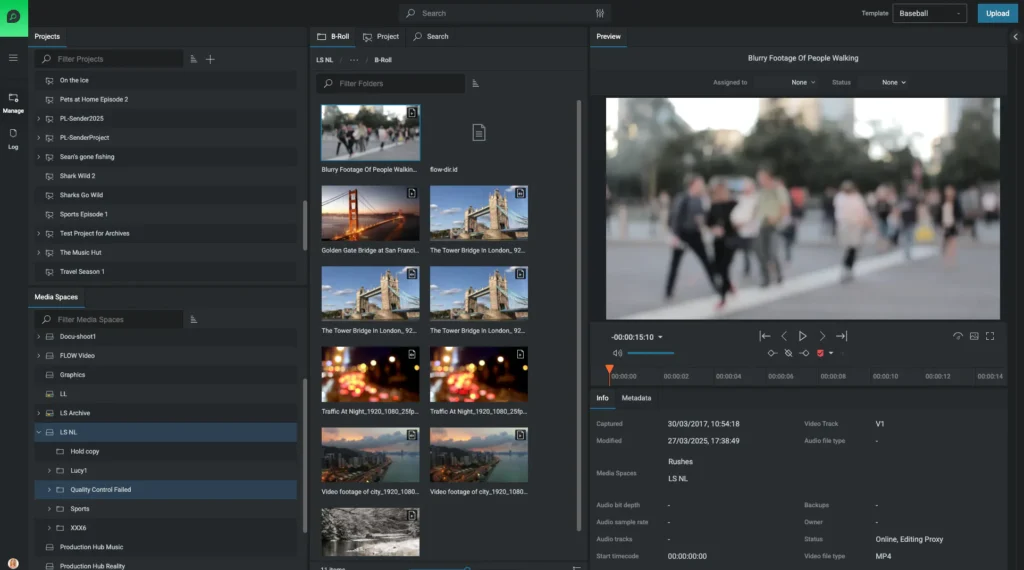
Advanced search and metadata tagging for quick search and management
Workflow automation to eliminate manual or repetitive tasks.
AI-driven transcription and logging for faster retrieval and automated editing.
3. FLOW: Instant Review & Approval
Need real-time client or stakeholder feedback? EditShare One’s – Produce module allows remote review and approval without the hassle of downloading massive files. Perfect for corporate social media campaigns, training videos, or internal announcements.
EditShare Remote Collaboration Tools
Tool
Purpose
Key Features
EFS
Shared Storage
High-performance remote media access
FLOW – Organize
Media Asset Management
Search, organize, automate workflow
FLOW – Produce
Review & Approval
Instant remote feedback for distributed teams
FLOW – Automation
Boost Productivity
Automate tasks and reduce friction in workflows for move, copy, transcode, QC and more!
MediaSilo
External Review & Approval
Cloud-based platform for secure video management
FAQ: Remote Collaboration for Corporate Media Teams
Q1: What are the advantages of remote collaboration software for media teams?
A: Remote collaboration software improves communication and collaboration, centralizes media management, and ensures global teams can work on projects simultaneously—saving time and reducing errors.
Q2: What challenges can arise when using remote collaboration tools?
A: Common challenges include network speed limitations, lack of integration with existing workflows, and security concerns. Choosing a purpose-built platform like EditShare FLOW and EFS solves these issues.
Q3: Do these remote collaboration tools integrate with existing software?
A: Yes! EditShare integrates with leading NLEs like Adobe Premiere Pro and DaVinci Resolve, as well as popular content collaboration software and storage solutions.
Q4: Can EditShare solutions support large-scale corporate events and broadcasts?
A: Absolutely. Our platform is designed for enterprise-level corporate media production, including virtual meetings, global live streams, and internal broadcasts.
Q5: What is the best strategy for remote team collaboration?
A: Combine clear communication practices with powerful collaboration features such as centralized storage, automated workflows, and real-time review and approval.
Ready to Power Your Corporate Media Team?
Take the next step in building a future-proof remote collaboration workflow for your global team.