Overcoming the 5 most common challenges of remote post-production
Remote workflows have quickly become the norm across much of the post-production world. While bringing significant advantages in flexibility and the opportunity to collaborate globally, it also brings some significant challenges. Internet speeds, communication and leaks keep producers up at night. So let’s look at the top five most common challenges of remote post-production and some practical tips on how to overcome them.
Challenge #1: Uploading and downloading large files
Efficiently getting files to and from the cloud can be a significant challenge. Slow upload speeds, interrupted file transfers, hanging loading screens, and uncertain transfer completion times are just the beginning. Although numerous services are dedicated to file sharing, few are optimized for media professionals.
The consequences of a failed upload can mean the loss of hours. Who hasn’t seen an upload get halfway through and then it gets interrupted? Now, you have to start over again.
The first step to solid performance is ensuring your physical network is reliable. For instance, if you have cable internet, have the cable company inspect your network at the box outside the building, the splitters in that box, and the jacks in your home. Unterminated cable jacks can degrade the performance of your connection. Faulty splitters can introduce problems as well. Your ISP service person can test the performance of the signal at the jack coming out of the wall where your Gateway (modem/router combo) is connected.
Once you’ve ensured that the signal at the jack is solid, make sure your Gateway or modem is up-to-date. A DOCSIS 3.1 modem is capable of faster speeds than a DOCSIS 3.0 modem. If you rent your modem from your ISP, sometimes you can be eligible for a free upgrade on your modem. If you’ve had yours for a few years, this can significantly boost your network’s performance.
Hard-wire your network
A hard-wired connection is the next thing to consider. WiFi performance keeps getting faster but is still vulnerable to latency issues. As cloud technologies improve, editing apps can stream connections to editors. Even if you have a fast connection, you may not get performance if you are experiencing latency issues. Your internet “speed” measures the “bandwidth” or how much data can be sent simultaneously. The latency measures how fast it gets from the destination to you. By using a wired connection with Cat6 ethernet cable, or better, you reduce the traffic that can compete with your work. A good switch, cables, and ethernet adapter will ensure that your video files meet with the least amount of resistance from competing traffic in your home.
If you have family, and everyone hops on the network when they come home, do everyone a favor and let them know that if they are trying to game or video chat while you are uploading, it will slow everyone down. Many ISPs offer very fast download speeds but relatively modest upload speeds. (Like Xfinity 1200 Mbps down and 35 Mbps up). So a family member can watch a movie, and it won’t slow down your upload, but if they hop on FaceTime, they are uploading video data that will compete with your workflow.
But transfers can get interrupted with even the best setup. Some cloud services not optimized for video will make this an excruciating process. You’ll have to try to cancel an upload. That may or may not register. Then, you’ll have to begin the upload again. This results in you reaching back out to your client, informing them they must wait while a new transfer is completed.
MediaSilo monitors the speed and completion percentage of your upload and estimates how long it takes until the transfer is complete. Suppose your transfer is interrupted (maybe a Thunderbolt cable came unplugged from an otherwise solid connection). In that case, MediaSilo will pause the transfer and continue to look for the link to be re-established. Once a connection is live again, MediaSilo will pick up where it left off and complete the transfer.
Challenge #2: Keeping track of revisions
The second challenge that remote post-production pros face is versioning. An exported file is sent out for review, and comments come back in an email. This works for a version or two, but at a certain point, someone on the email chain or Slack channel gets left out of the loop, and people get confused about what is being referenced.
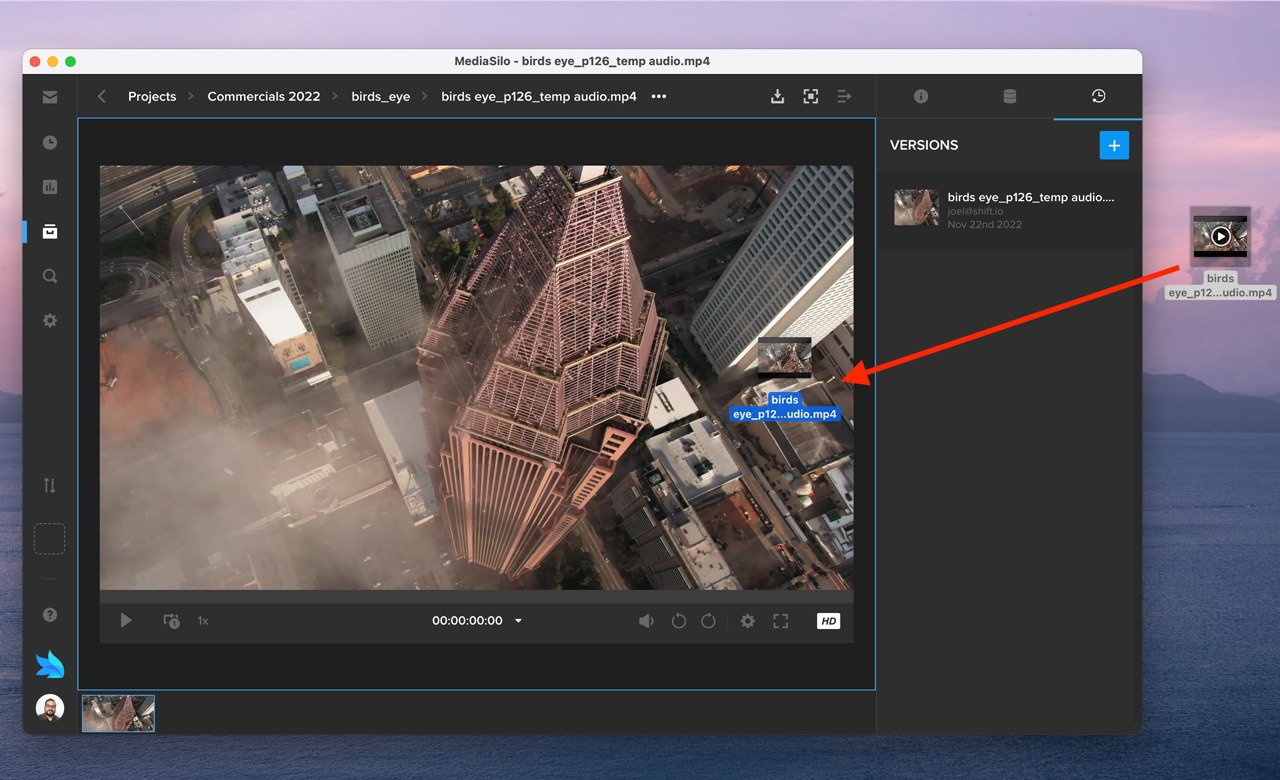
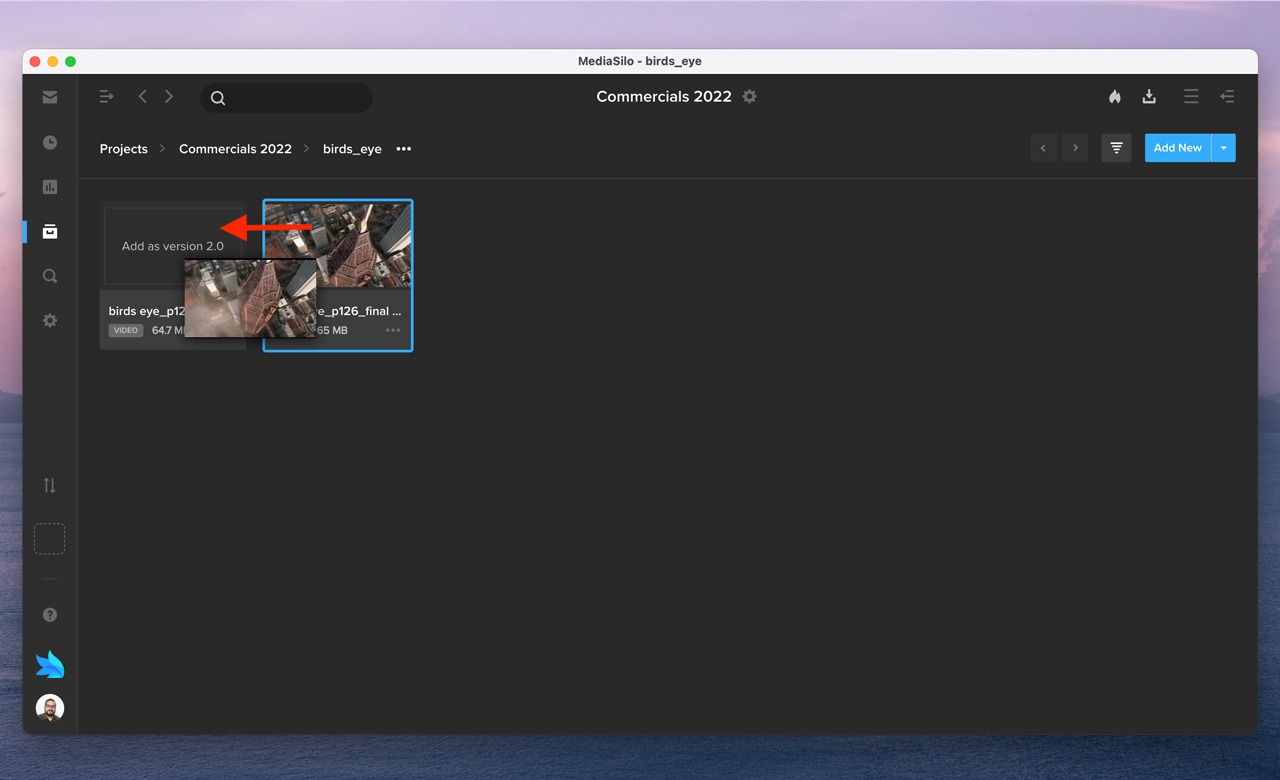
MediaSilo addresses the challenges of versioning with an easy-to-use drag-and-drop method of updating assets.
This method eliminates the uncertainty when you upload a new version to the cloud and wonder if it will update the old one. Often, the file names have incremented according to the version, and the duration may change. When you face this kind of uncertainty on a longer project, it means that you have to check the upload when it is completed and possibly manually version the asset so that your review links don’t need to be updated.
If the new version is in MediaSilo as a separate asset, just drag it over the old one, and you are all set.
Challenge #3: Communication
Communication can be tricky in an all-remote world. There are multiple communication channels, each with its own settings and notifications. It is challenging for clients and executives to know what has been covered already, what is “final,” and what is still a work in progress. Sometimes, you have different “classes” of reviewers. For instance, direct collaborators may want to call out small things, and executives may just want “the big picture.”
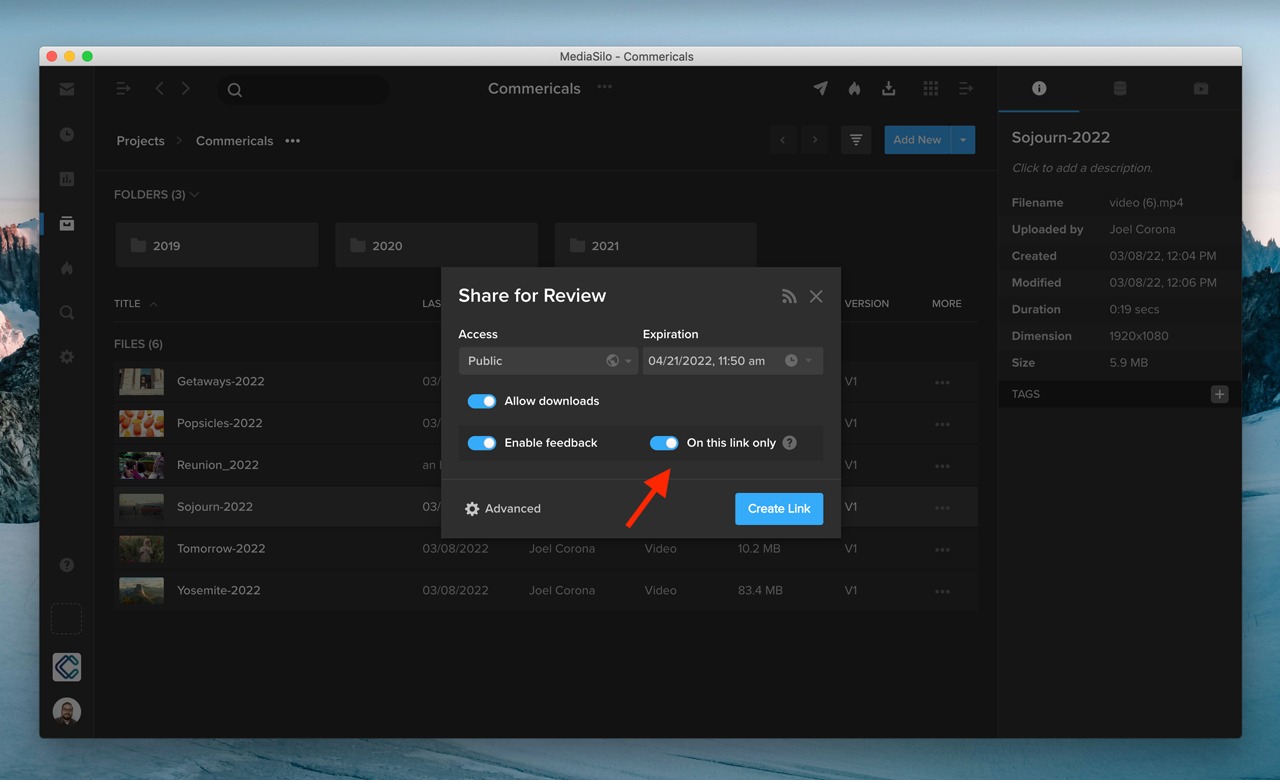
MediaSilo enables you to create different review links for the same asset so that viewers will only see the comments relevant to them.
If your workflow requires a private review session, you can create a review link and turn on the toggle “On this link only.” This way, comments made in the review link are only visible to people with access to the review link, and comments made in the review link will not appear in your MediaSilo project when you enter Review Mode.
Reviewers can then comment on the assets according to timecode. They can even use the drawing tools to call things out visually. If your reviewers put their comments into the comment section, you can export those comments as well.
So whether you need to keep the commentary private or work together, MediaSilo’s advanced commenting functionality helps streamline communication.
Challenge #4: Visibility
Have you ever sent off a link and wondered, “Did they even watch it?” This question is crucial when submitting to film festivals or potential distributors. Without this feature, editors can feel in the dark about whether or not they can begin a new revision or if they should wait for additional viewers to watch the video.
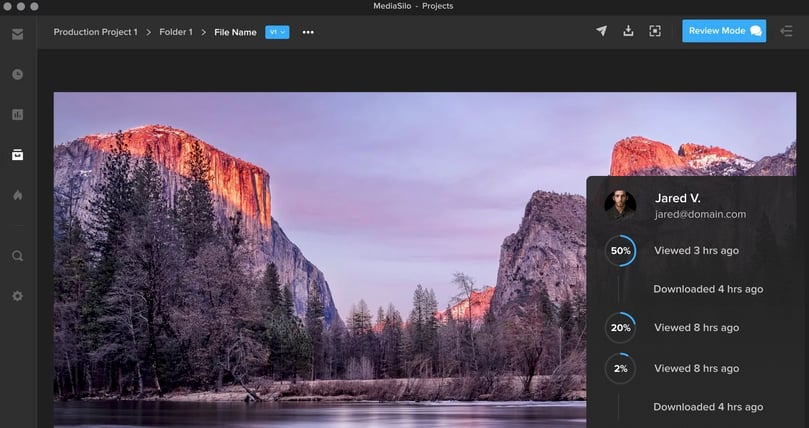
MediaSilo includes analytics for your assets. You can see if viewers watched the whole thing or if they dropped it off. This was a vital feature in the submission process of The Othrs‘ latest documentary, “Defiant,” which went on to become a TIFF Official Selection. They knew if all the key partners had viewed the film or if any stakeholders had yet to review it. The ability to tell not only who watched it but also when they viewed it and where they were viewing it from proved invaluable.
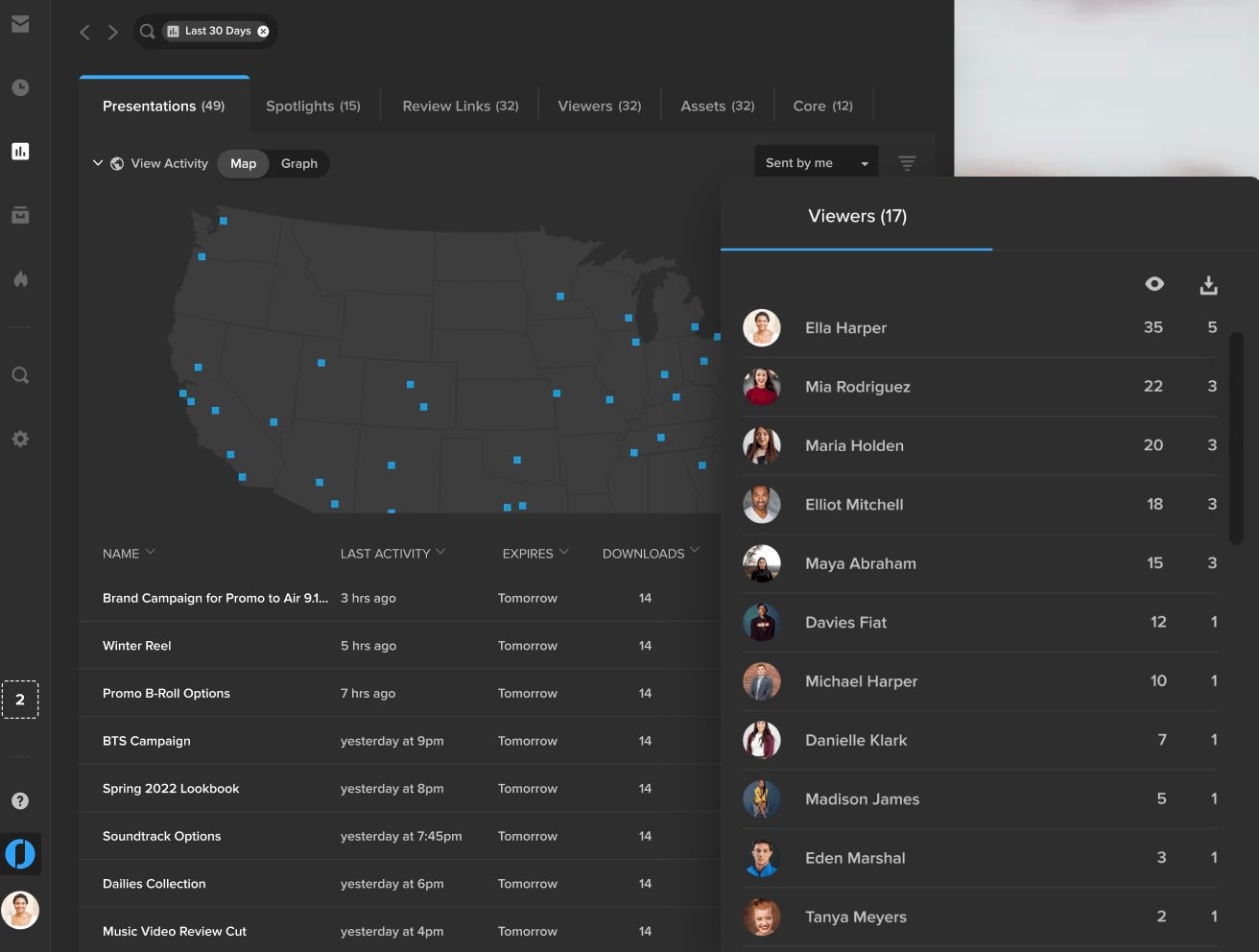
You can enjoy a broad overview of all of your assets, Spotlights or review links. You can see who downloaded the videos, and if they haven’t, you can see when their link will expire and nudge them to view the asset to ensure the project meets its deadline.
This insight helps resolve many unanswered questions in the review and approval process. Ultimately, this helps remote team members achieve visibility and transparency with each other.
Challenge #5: Security
In some ways, this challenge should be numero uno. A leak can spoil a film and jeopardize a project. Sharing a link and hoping for the best simply won’t cut it. New tools come on the market to circumvent older methods of DRM. And leakers can have private, personal agendas that don’t align with your team’s goals.
This problem is why MediaSilo implements a multi-prong security strategy. The MediaSilo platform is SOC 2 Type II certified and follows the Secure SDLC (Software Development Life Cycle). This ensures that every feature is built securely.
MediaSilo provides an array of tools to safeguard your assets with SafeStream. User permissions and classes help to limit the scope of your project’s exposure. Visual watermarks deter would-be leakers. Forensic watermarking enables you to track the source of leaks if they do happen. Administrators can implement security policies at an organizational level so editors don’t have to go through the hassle of turning watermarks on and off in their timelines.
Conclusion
The world of remote post-production is upon us. Producers who take advantage of the opportunities will see productivity gains and cost savings like never before. Tools like MediaSilo will help deliver assets and streamline communication workflows so deliverables can arrive on time and on budget.
MediaSiloallows for easy management of your media files, seamless collaboration for critical feedback, and out-of-the-box synchronization with your timeline for efficient changes. See how MediaSilo is powering modern post-production workflows with a 14-day free trial.
Reuben Evans is a director, an award-winning screenwriter, and a member of the Producers Guild of America. As the former executive producer at Faithlife TV, he produced and directed numerous documentaries and commercials. Reuben’s tools of choice are RED Cameras, Final Cut Pro, and DaVinci Resolve.
Quickly migrate all of your content to MediaSilo with MASV. MASV enables accelerated uploads without compressing or splitting files, allowing collaborators to upload to MediaSilo without needing access to your secure workspaces.
In this webinar, you’ll learn:
What is MASV, and how does this work for me?
How to quickly migrate all of your content to MediaSilo.
How to use MASV Portals.
Okay. Let’s get started. Thank you for joining today, everyone. My name is Michael Kammes, and today I get to proudly say I’m with EditShare, and we’ll be talking today about how the MediaSilo product, which are probably familiar with, from Shift Media, now that we’re with EditShare we’re gonna talk about how MASV can greatly enhance your MediaSilo experience.
So joining me today is Ricky, who you’ll get to meet in a few minutes who’s a Senior Product Manager, over at MASV. As I said, my name is Michael Kammes, and we’re gonna go over MediaSilo and how MASV can greatly enhance your experience with MediaSilo. But there’s a couple things we wanna do before we jump into that. First, is that I want to make sure all of you know that Shift Media, which was a rebrand several years ago that is the parent company over MediaSilo and Screeners.com and Wiredrive, right before IBC, so about a month or so ago, a month and a half, Shift Media merged with EditShare.
Nothing has changed in terms of who you’re talking to when you contact Shift Media. You’re just contacting EditShare, but the same people are there. So you don’t have to worry about any hiccups or bumps in the road. Everything has gone great so far. So just feel free to reach out. If you have any questions, But as of now, nothing has changed in terms of pricing or availability of product. We’re all just one big, happy family.
So as we move along, I wanna make sure all of you are aware of what MediaSilo is. Those of you who are already using MASV and wondering what the heck is MediaSilo, let me show you that. So if you don’t mind, I’m gonna exit out of this window and I’m gonna jump over to a web browser and what you’re seeing right now is the web interface for MediaSilo. And MediaSilo is an on-demand review and approve platform that you can access in your web browser or via a desktop app or even on your mobile device, and it allows you to upload content.
It allows you to leave comments on that content. It allows you to look at things in a time code, accurate way, and then send links out to people. But you’re probably wondering, well, okay, how do I get content up to MediaSilo? Right?
Well, what we’ve built is the easiest way possible, which is from my finder, or explorer if you’re on windows. If I wanna get content up here, I just drag and drop. And as you can see on the right hand side there, we upload as fast as we can. We break things up into chunks and we upload as fast as humanly possible, no matter how many files you have, but there are inherent limitations.
There are some features that we just don’t have inside the MediaSilo uploader that we thought internally, what can we do to make the MediaSilo upload and transfer experience better. So I’m gonna go back to my keynote, and we asked ourselves the following questions. Right? What if with MediaSilo, we could give you the users of MediaSilo greater control over transfers.
Right? What if we could give you the ability to say I wanna upload it tonight? I wanna upload it in an hour. I wanna upload it using only this amount of bandwidth and not everything.
What if we could give more people access to MediaSilo, not just people who have accounts with MediaSilo, but what about outside collaborators?
For our enterprise clients, which we have many, what if they wanted to code against our API and automate file movement with their internal DAM, MAM or PAM systems or their other cloud storage systems.
We also found that, you know, metadata is king and that all of the media you have has metadata, but how do we get that metadata to go with the media in MediaSilo. Quite often, we have to enter that manually after you’ll cut and paste, and that can get pretty tedious. How can we solve that? And once we hit that fifth question, we realized, is this something we wanna try and build?
Or why don’t we just talk to our clients and see what our clients are already using. And one of the things that became very apparent is that a ton of our clients are using MASV. And so we got together with MASV. We broke bread. We had some coffee and decided that an integration between the MASV technology, no pun intended, along with MediaSilo would greatly benefit our clients and also give folks who use MASV an opportunity to start using some media-centric tools.
So today, we’ve brought on Ricky. Ricky’s a Senior Product Manager at MASV, and Ricky is going to show us just exactly how MASV can work with MediaSilo. So I’m gonna stop sharing my screen.
And, Ricky, thank you for joining us today.
Thanks, Michael. It’s great to be here. Hi, everybody.
So let me just share my screen and I’ll start my presentation and demo for everyone.
Outstanding.
So let me just first start with a full chart diagram here just to give a sense of where we sit, how we interact and how our customers use us. So both MASV and MediaSilo are in the cloud.
In the first block here, we have our users who want to send files, either to MediaSilo or and or also to their collaborators.
So they can send files directly to customers. They can send files through our MASV portals, which I’ll show in a little bit. And, MASV is the fastest way to send big files as well as many files. So we can handle files in the terabyte range.
And we have customers who, for example, send mapping data, and they will send literally up to a million files at a time. And so we can do that quite well.
Great thing about our integration with MediaSilo is that we’ve done all the heavy lifting to make the integration work. So for our customers, there’s no necessity to dive into the APIs.
We have a very easy, no code way to integrate. You just have to enter your credentials, set the path you want to, ingress into MediaSilo, and then we and MediaSilo take care of the rest.
I’ve mentioned with portals, a benefit of portals is that your collaborators who want to send files into MediaSilo don’t necessarily have to have an account. And so that you can have people working from anywhere in remote locations all around the world.
Who can then send their media directly into MediaSilo.
Ricky, just something I wanna make sure that the lead doesn’t get buried. What’s fantastic about that is, traditionally with MediaSilo, the users that are on MediaSilo have permissions. And those permissions allow you to view content, upload, download content, etcetera.
This allows MediaSilo users to send a link to someone who is utilizing MASV, and then anyone can upload if they have that permission, and they don’t have to have an account with MediaSilo. So this could be, external stakeholders, this could be maybe subcontracted creatives. It could also be end users who say, look, you know what? I want the video to look more like this. Here’s an example, or here’s a PDF on our brand guidelines. It allows just everyone to get content into MediaSilo without having to have a paid account.
Exactly. But all the permissions that are set inside MediaSilo are still recognized, of course. And so, there’s still the security aspect of the media once it’s inside MediaSilo.
Excellent.
So just to give an example of how our customers in the production world work. So this is an example of a workflow that is part of an article that we’ve posted at this site here. As you can see, we have a post production workflow article that dives into the roles and the workflows in more detail, but you can see where these are all sorts of areas where people in different roles and different processes and stages of the post production can utilize MASV. And, for example, here, you can deliver daily through MASV into the MediaSilo portal, for example. If you have VFX pulls, then you can send the files to whomever after having had reviewed the media and the shot so you know which takes to deliver. So, again, that’s where a MediaSilo is used for the reviewing of the shots, and then you can send the camera originals to your vendors, for example.
So here are some examples, sort of, sample folder structures that our customers use. If you’re sending dailies, then you’ll break it down into different shows. And then you’ll have folders for each day and all the different components and all the different elements that you are shooting every day and then sending through.
If you’re doing a VFX pull, you already have all your shots saved, and then you can, again, decide to send the folders or files that you need to for your vendors.
Ricky, something else I wanted to point out, this is over the past couple of years, we’ve obviously seen the rise of camera to cloud, you know, getting content directly from the camera up to the cloud to use. But, a majority of folks are still doing the let me take the camera cards and I have a DID on set or, you know, a runner is taking it back to the post facility or even the office the next day and uploading from there. And the beauty of what MASV is doing is that you’re retaining the folder structure and the file structure. So any organization will translate to the web, but also if you’re uploading the original camera negatives, the original camera content directly through MASV to MediaSilo, we are retaining that high-res content in its folder hierarchy and also generating proxies.
So you still have access to the high-res to pull down later if you wanna go out to another facility or finishing house but you also have the proxies generated as soon as you upload. So you kinda get the best of both worlds, right? You get the content in the cloud with the folder structure you’ve created but with using MASV to get that content uploaded through a web page or even a dedicated app.
Exactly. And even some of our customers, they wanna enforce the full instructor, older vendors and collaborators. So sometimes, even before the footage and the media is ready to be sent, they’ll just send over this entire folder structure so that it’s already ready at the other end.
And when we were talking prior to us doing the webinar, you had mentioned that, you know, one of the things that MediaSilo is not currently utilizing, unless it’s been configured elsewhere, is something like multi connect. Right? So if you are in a remote location where you may not have broadband, can MASV actually use the other tier of transfer mechanisms?
Exactly. Yeah. We can bond internet connections on your computer. So If you have multiple ethernet ports or if you have multiple wifi dongles, you can combine them all. We can, use all of that aggregated bandwidth to send your files as fast as possible because you may be in a remote location that just has poor landline internet, perhaps, maybe maybe you have 5G or whatever, but, just combine all the internet you can, to send files out of the usually remote locations.
Excellent. Thanks. Thank you for that.
Yeah. You bet. So I’ll just start with going to our web app. So, MASV allows you to access us through a web browser using our web app. We also have a, native desktop app as well that runs natively on Macs, PCs, as well as Linux machines. We also have an API that you can use, and you can run headlessly as well, either using our API or we have a Docker container as well so that you can install that onto any server in the cloud, for example. You can install the Docker image in, an access of Synology or QNAP or TrueNAS.
And, so wherever you have your files, we can access them and send them and receive them.
So typically, in our web interface, we have some administrative tools, as well as the ability to still send files directly through the web app in the drag and drop format.
But the desktop app is more powerful. We recommend our users use the desktop app wherever possible, because it provides more resiliency. It provides some bandwidth controls that Michael had alluded to earlier, which I’ll show when we get to the desktop app.
But all the project administration, user administration, all those management tools as well as cloud integrations are set up within our web app. So for example, we already have a MediaSilo integration set up here. I’ll just quickly show how we set that up. I would have the credentials for the MediaSilo account. I can choose a project within MediaSilo if I wish to. I can also set a target directly within the MediaSilo folder structure, if I wish to. And then an interesting thing about our connection with MediaSilo is that if we have or if we are capturing metadata, we can send that metadata into MediaSilo as well so that all that important metadata is in the database of MediaSilo and searchable and viewable within MediaSilo.
And just to make sure we don’t gloss over that, a lot of time spent when it comes to review and approve is copying and pasting descriptions, information from one platform to another. So being able to sync metadata from one location to another that travels with the media just takes one less stressful step out of media migration, out of your workflow, and it makes your life that much easier not to have to cut and paste and manually type in info time after time.
Exactly. So let me show you a portal, for example.
This has been optionally set with a password so that even if somebody has access to the URL and they shouldn’t have had, they wouldn’t be able to access the portal itself.
And you can skin this. Right? So it looks just like your organization.
Exactly. So this is a custom branding for monkey games, for example. This is our standard branding for MASV, but as you can see, you can customize the logo, the colors, the background as it fits your organization or your project.
So here, also we have the drop zone, for dropping your files and folders. You can enter information.
Typically, our portal has only three fields. The uploader enters the email, they can give a package name if they wish and send a message so that the recipient can see what this package is all about.
But with this portal, I’ve configured it to have my own custom fields. So, for example, if I’m working with someone who’s working on my show, if I’ve got a bunch of shows, going on right now, I can select these preset options so that I can easily enter the metadata that’s required by the production company, using custom metadata fields can ensure that there’s no error in entering information. If you’re simply sucking from dropdowns, and it just makes the whole process more efficient as well.
We have lists of all the files that we’ve been sending and receiving. So, for example, these are files that have gone through my portal. And, I can see the contents of these, and I can download them if I wish.
We’ve already had the integration with MediaSilo set up. So the files have also automatically been forwarded to my MediaSilo account.
So this is, interacting with our web app. But let me show you the desktop app.
So similarly, we can send files. We can receive files. We can manually send two portals. So, again, I just designate the portal that I want to use, and I drag and drop my files.
Another strength of the desktop app is that you can create automations so that you can have watch folders on your local storage so that you just have to move files into the watch folder and the transfer will happen automatically.
And, also, you can configure so that your portal will automatically download files to your on-prem storage, if you wish. This is on top of that MediaSilo integration automation where we send the clouds to the MediaSilo bucket, if you wish at the same time to also send files to your on-prem storage. This is how you would set that up.
And again, this is where our customers either want to have backups in multiple locations. So, of course, whenever you’re shooting with your masters, you wanna duplicate them and back them up as quickly as possible for safety. You wanna send them to the cloud for people to review in MediaSilo. And so we enable all of that, with single automations with setting this up to the portal.
And within the desktop app, with our advanced controls, you can customize the service, so that, for example, if you have certain transfers that you know are very important, you can set priorities to the transfers, and, so that specific packages or portals can be granted more bandwidth so that they will be transferred faster than than the others. So the other transfer is really queued up afterwards.
We have a lot of speed settings as well, as I mentioned, there’s multi connect. If you are, working at a facility with great on the 5-GigaBits-per-second bandwidth. There’s a setting for that so that we optimize our service so that we can take full advantage of all your great speed.
Also, we can do a speed test of your local storage so that we can sort of ascertain whether you’re using old-school hard disk drives if you’ve got SSDs, if you’re running on a NAS, we can sort of figure out what the optimal right modes for handling such storage. So we do all these things just to make the transfers as fast as possible through all the various possible bottlenecks that’s in your system at your facility.
And, so by default, MASV will flood your internet connection. We typically will just want to use all your internet connection, which if all you’re doing is transferring files, that’s fine. But if you’re working at a facility with other people, if, for example, here we’ve got Zoom calls with our clients and our vendors at the same time that we wanna transfer files and backgrounds, then we have to behave nicely. So we can set speed limits. And you can schedule these speed limits as well so that you can still work effectively at your computer, your coworkers can work effectively, and you can still send files with MASV. And then when the speed limit ends, for example, at the end of the business day, when all your colleagues have gone home and you’re no longer doing Zoom calls, then we will, again, automatically revert back to maximum speed for sending your files overnight, for example.
And, just to be clear, this is something that MediaSilo doesn’t do. Right? Like I mentioned at the onset, we will flood the pipeline and we’ll flood the pipe and upload as fast as possible, but there aren’t any inherent controls to throttle or accelerate, or to postpone.
Some of that you can try and code through our API, but we don’t have any of that out of the box. And that’s one reason that MASV is just plug and play with your MediaSilo credentials.
Exactly. At this point, I can take a quick break to see if anyone has any questions.
Sure. A couple questions have come in during chat. And I knew this one was gonna come in. But let’s, let’s take it anyway.
I typically use Signiant and Aspera. What are some reasons or why should I use MASV rather than Signiant or Aspera?
Right. So our pricing model is very different from the Signiant and Aspera. We don’t charge per-user seat, whereas they do. So we generally go with a pay as you go model. So, you’re only, I guess, paying us for the data that you transfer. We have on our website our pricing plans.
We start off at twenty five cents per gigabyte of transfers. But if you typically are a heavy user, you may want to be a subscriber and then pay on a monthly basis, for example, and then you’ll get a discounted rate. And if you’re a very, very heavy user of transfer, then you can contact us. We can negotiate large volume pricing as well, down to five cents per gigabyte pricing.
And all those other features that we have in MASV, such as custom metadata, such as SSO, such as the portals, free use of portals. We typically don’t charge on top of your base rate or your fees. So you pay your transfer fees and you get all of our features included in your account.
And I guess while we’re talking about pricing, for you to use MASV with MediaSilo, there’s no additional cost on the MediaSilo side. You can request an API secret key, which is something we do quite a bit. And then you just plug those in as Ricky showed, you enter in your credentials and it just works.
And, as Ricky mentioned as well, it adheres to the permissions that you’ve given those users. So there isn’t any kind of security, you’re not taking a hit in security by doing that. So that again, there’s no cost on our side for that.
So other questions. Oh, I just. Go ahead.
Sorry, I just also wanted to mention that typically Aspera and Signiant users have high initial capital costs, because they generally have to install servers. They need IT to set up their system. They have to open ports for UDP, which is how Aspera and Singian, transfer their files with, but for us, it’s much, much simpler. So again, there’s no upfront costs. You only pay as you go for actual transfers.
If you’re facilities policy is not to allow users to install software, or even browser extensions, then simply use our web browser, and anybody has instant access to our sites, to our service, you can sign up for a new account and within a minute, you you can get going in and start transferring files and your partners and clients can immediately receive those files as well.
Again, without the delay of setting up a contract, if necessary, with our with the competitors, I guess, and also then of setting up the hardware and allocating the hardware and so on.
Another question, can one transfer go to multiple endpoints?
Yes, for sure. So for example, with a cloud integration, I’ve already set up two integrations in my account.
I don’t know. If you’re trying to share your screen, I’m not saying it.
Oh, sorry. Sorry.
Well, the answer is yes. Okay. And let me just quickly share again. There we go.
Here’s a portal with access to all my integrations that I currently have. And I can just quickly add more integrations on the fly if I want. And although this is set up to flow to MediaSilo, I can just easily set it up to flow to multiple cloud storage providers, if I wish. And also with the desktop app, if I have an automation to receive from that portal, then that means any files uploaded to that portal will go to my on-prem storage here on this computer, as well as to these two cloud storage devices as well.
With the portals, you can also set multiple recipients.
Who will either get the download links, or they can also set up their own automations as well so that, well, sorry, I guess, test accounts, but I could set up my email address, I could set up yours, Michael, and so on. And we would both be able to receive files uploaded to the portal at our own local storage devices.
Got it.
Another question, our team typically records b-roll with their phones. Is there a mobile app to upload content with MASV?
So at the moment, we don’t have a mobile app, but you can access our website on your phone, such as a portal. So you can, on your browser on your phone, go to a portal that you’ve been given to, and add your files here. Just click add files, it will then pop up a little dialogue to access your camera’s photo library, for example, and then you can send files from your phone that way.
Excellent. Well, I I think that does it. The majority of the questions I think were answered during the presentation.
So I’m gonna share my screen one last time.
I’ll go back to Keynote, and there’s Ricky again. We’ll hit play.
We’ve just gone through Q and A, so, I’ll leave chat open for another minute or so to see if there’s any other questions.
Ricky, is there something that we haven’t talked about that, you find, people will ask you maybe the second time you meet or the third time you meet. Is there something else kind of fundamental about what MASV does that you think the folks who are watching and listening may find interesting.
I think we’ve covered all the major points.
Okay. Well, if you check out your screen right now, you’ll see different ways to get a hold of us. First off, we have EditShare. Right?
Again, Shift Media and EditShare have merged, and we’re keeping the EditShare name and all products will be rolled under EditShare. So your MediaSilo, your Screeners.com, your Wiredrive, and you can learn more at EditShare.com. And of course with MASV, you can sign up for MASV and give it a shot at MASV.io. As you can see on screen, this has been recorded.
So if you wanted to rewind it, watch something, clarify it, show it to some of your tech friends, that would be great. Ricky, thanks for joining us today. Shauna, thanks for handling this on the back end, and we’ll see you on the next webinar. Thanks, everyone.
Thank you, everyone.
MediaSilo allows for easy management of your media files, seamless collaboration for critical feedback, and out-of-the-box synchronization with your timeline for efficient changes. See how MediaSilo is powering modern post-production workflows with a 14-day free trial.
Production workflows have become way more complicated than they used to for all sorts of reasons, but there are ways to keep the complexity under control.
The move from film or tape to files has had the incidental effect of massively increasing shooting ratios. It is simply easier to do more takes with more cameras, and keep them all, when they are “just” digital files.
It wasn’t that long ago when holiday-makers had to take one or maybe two rolls of 36-exposure film on a vacation and carefully choose the moments they wanted to capture. Now our cameras and phones get filled with hundreds, maybe thousands of pictures which we later need to sort out. The same has happened for the movie and television industry.
While shooting ratios have gone up, timescales have often been reduced. The goal is to get from set to screen as quickly as possible, especially to start recouping production costs.
More material; less time. We have to find a better way to work.
Many production workflows are still rooted in old, linear methods. Which is understandable: if you are trying to complete a project, then having proven and comfortable practices can be very reassuring. But it is definitely time to rethink the way we work.
The idea of having a central place for all the assets that make up a production is not new. All the material comes into a single server, and everyone who needs to access it can log in. Completed work gets written back to the same server, making the process convenient and streamlined.
This is great. But the challenge is that this “single server” might actually be a distributed set of storage nodes, on location, in a post house, at the production company, or in the cloud. The system that is tracking all the material needs a single database that covers all these locations.
Also, the content might come in different formats: the camera resolution (and there may be more than one camera type); the edit format (perhaps with a proxy for remote editing); and the delivery packages. Metadata needs to track not only formats and resolutions, but also the points at which value judgements are applied: quality control; editorial decisions.
But our main goal is to create the best possible television programme or movie, which means everyone, at every stage, needs to devote their energies on their part of the production without getting bogged down in the complexities of the underlying media management system.
The goal, then, is to have a high functionality, agile storage infrastructure that can handle multiple formats (and converting between them), is geographically diverse, and can manage metadata. That is exactly what EditShare FLOW was designed for.
But on top of that you need a simple, intuitive, role-appropriate user interface, so that each person in the creative team sees the information and content they need: no more; no less.
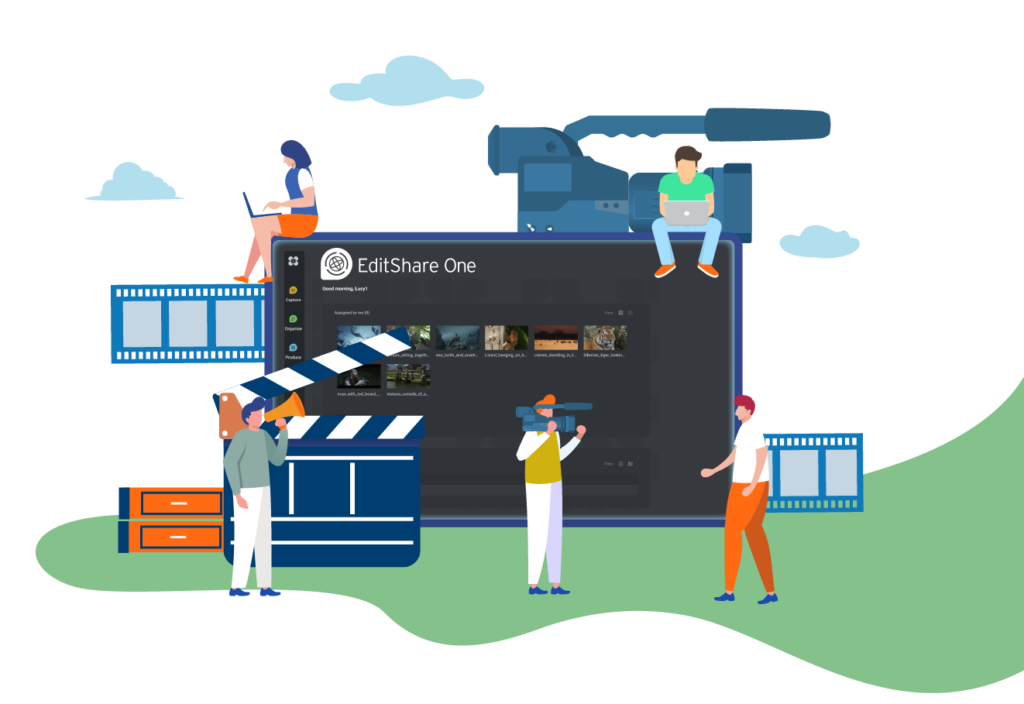
That is why we have developed EditShare One: the next generation of workflow management. One single sign-on; one place for capture, edit, review and deliver; one platform for production collaboration.
What makes this possible is a single user interface concept that is infinitely customizable. Every user has their own dashboard, showing them just the content and features they need. These dashboards are dynamic, so tasks can be assigned as needed, with all resources available.
We think EditShare One is a transformative leap forward in workflow management. It makes collaborative production environments practical and productive, and leaves creative people free to get on with creative tasks.
In my next blog I’ll look at a typical workflow, using the Produce Tool within EditShare One.
Broadcasters have been hard at work tackling the challenges of what the newsroom of tomorrow will look like. As broadcasters face the challenge of competition from social media, it’s become critical to look for new ways to collaborate remotely. There’s a tension between tried-and-tested workflows and the need for greater efficiency that comes through new technologies.
What are some of the key challenges facing broadcasters in this new era?
Cross-collaboration between industries
Dave Hoffman, business development manager for the Americas at Blackmagic Design, noted, “Broadcasters are starting to implement tools and techniques from cinema workflows like different effects and lenses, while production companies are implementing gear from the live streaming side, like switchers and routers, for multi-camera scripted shoots and virtual production.” Practically speaking, this means that film teams are broadcasting, and broadcasters are moving into cinematography. These changes bring new tools, skills and workflows to both sides of the equation.
Professional sports leagues are using more large sensor cameras to produce more cinematic images. Gimbals are showing up on the sidelines. Some shooters are experimenting with photo lenses and face-detection autofocus on cinema cameras. Mobile bonding wireless technology makes it possible to record in the cloud as well as in the camera itself.
Cinematographers who are used to working on images with a colorist in post now need to apply those grades on set as it is streamed to clients and producers around the world. Broadcast camera operators are embracing new kinds of optics, focus systems, and lighting demands. Learning new skills is always fun, but it can also be challenging when you are an expert in one discipline and a novice in another.
The great thing about this cross-collaboration is an openness to new tools and techniques on both sides of production and post. Production teams are streaming right from their cameras and post teams are incorporating new tools to accommodate new workflows.
Those new workflows produce a vast array of assets. Some platforms need widescreen deliverables, and some need vertical. Sometimes, you need to have captions delivered in a separate file, and sometimes, they need to be overlaid onto the video itself. And each of these variations needs to be reviewed and approved by multiple parties before they ship.
Asset management for multi-platform broadcasters
Broadcasters are no longer targeting a single medium. The increase in delivery platforms and the worldwide syndication of media means that the average video has to be delivered in multiple versions. Not only are numerous formats required, but each piece of media might have to be tailored to a geographical area, a demographic and a platform.
For example, All Elite Wrestling needs different specs for every show in every location and region. Pay-per-view, international partners, and in-arena LED assets are all different. With at least a dozen assets per talent and close to 200 wrestlers in their roster, it’s a lot.
All these assets need to be created, ingested, grouped, reviewed, revised, and approved. That’s where cloud-based tools like MediaSilo can really streamline workflows. Editors working in a shared environment now have the tools they need to work the way they want to and provide secure, reliable review/approval and presentation links.
A good example of this NLE agnostic approach in MediaSilo is integrations. If you use Adobe Premiere or DaVinci Resolve, you can install a panel right in your NLE. You can sync feedback on both platforms with MediaSilo so that your producers, directors and editors are always in the loop. If one collaborator is using Dropbox and another is Google Drive, MediaSilo can integrate with both (and others) so that you can avoid the hassle of uploading, downloading and transferring between multiple systems.
When you have hundreds or thousands of files, it’s important for your team to know how to find the right ones at the right time. Metadata tagging is a great way to keep track of assets and simplify searching. In addition to plaintext tags, you can now create categories like location, director, and client. Set your categories and tags and quickly find files with the advanced search and filters on every page.
Simplifying collaboration between broadcast production pros
Collaboration tools ought to respect the preferences of the creative teams while facilitating work with freelancers using other tools. For instance, some editors use Adobe, and many editors are adopting DaVinci Resolve for more than just the color grade. MediaSilo has panels for both of them. This “NLE agnostic” approach defines the workflow of MediaSilo. Users can choose to work on the operating system or NLE of their choice while working with others on a different system. Each team member has different needs, so it is important that collaboration tools support the whole team.
However, the challenge to unifying different tools is in tracking, versioning and securing your data. And there are really two sides to that coin. There are assets to track during production and post-production, and there is the versioning and secure presentation of assets during the review and approval process. MediaSilo takes care of both. You can see when someone has viewed a video, where they were viewing it from, and how much they watched.
Security is another major component. In the broadcast world, it’s essential to prevent leaks. Broadcasters want to be the first to break a story. SafeStream is MediaSilo’s powerful security technology. It applies visible and forensic watermarking. This means leaks can be tracked to their source, and potential leakers will think twice before sharing their work before it is ready for release.
Conclusion
With cross-pollination and collaboration between industries becoming so prevalent, new opportunities are abounding. The organizations that can marshall their forces to embrace change instead of resisting it will win in this ever-changing landscape. But the key factor in managing that change will be keeping people in the loop and on the same team. Collaboration tools like MediaSilo go a long way to bridging the gaps between remote teams scattered throughout countries and time zones. They help to deliver the flexibility that creatives need and the consistency that business demands.
MediaSilo allows for easy management of your media files, seamless collaboration for critical feedback, and out-of-the-box synchronization with your timeline for efficient changes. See how MediaSilo is powering modern post-production workflows with a 14-day free trial.
Reuben Evans is a director, an award-winning screenwriter, and a member of the Producers Guild of America. As the former executive producer at Faithlife TV, he produced and directed numerous documentaries and commercials. Reuben’s tools of choice are RED Cameras, Final Cut Pro, and DaVinci Resolve.
Just when you think everything is going well with your team’s project and the finish line is in sight, here comes the curveball. Someone was left out of the loop, or a senior executive gets surprised by a deliverable. The team scrambles to make last-minute changes and push back deadlines. Creative professionals know this can be discouraging. How can we improve our review and approval processes to ensure all stakeholders are included?
We all know that sometimes the approval process isn’t smooth. We’ll examine strategies for handling “curveball” feedback. So, let’s take a look at some specific, concrete steps that we can take along the way to give us the best chance at a smooth review and approval process.
Craft a solid brief
When you work with an agency, we may or may not deal directly with the client. But it is still our responsibility to ensure that the brief answers all of the key questions about the deliverable. Who is the audience? Where will this be seen? What are the goals of the campaign? What is the voice and personality of the brand? Getting as much information about the client’s goals as possible is critical to a successful end product. Here’s a great guide to crafting a brief.
Identify key stakeholders
It’s not uncommon for the task of creating a commercial to be handled by a Marketing VP or another higher-up. But sometimes, not everyone who needs to be involved is actually involved. Nobody wants to make the mistake of leaving out a CEO (who likes to be involved with everything) until the last minute. People who safeguard the brand visually and narratively must be all involved.
Another category of individual to consider is the “domain expert.” Companies often have individuals who really get the “heart” of the product and understand the customer’s desires. They might be in sales or even in product development. Getting those “domain experts” on your side can be vital to getting the final deliverable right.
A common decision-making framework is known as the DACI model. Each letter presents a key participant in the production and review process:
Driver: This individual doesn’t have sign-off authority, but they are responsible for moving the project forward.
Approver: You might have more than one approver. Usually, there is a chain of authority that needs to sign off. But overall, it is best to try to avoid having too many cooks in the kitchen.
Contributors: These individual contributors bring their talents to the table and help get the various aspects of the project done.
Informed: By keeping key people across the organization in the loop, you’ll avoid hearing “why wasn’t I consulted.”
MediaSilo delivers an environment for the members of a DACI team to collaborate. For instance, versioning helps to identify which export of a video a particular note applied to. And then, you can see how it was addressed in a subsequent revision.
Collaborate on the concept
When the stroke of genius hits you, and you draft that fantastic concept, view it as a rough draft. Sometimes, it’s hard not to be precious about a concept that works together on every level. So make sure your script and storyboard make the rounds to everyone who could kill it later. Help people to feel like they are a part of the process and that they are heard. This step will set you up for a successful review and approval process once the cameras have stopped rolling.
Work through legal and clearance issues
Keep in mind that your client may need to have their legal counsel provide input before and after you film your spot. Music and location clearances need to be in place to protect the company. And they will want to make sure that nothing in the piece could create unnecessary legal risk. It is key that the concept not rely on an element that might get struck down by a company’s internal legal team.
Gather broad internal feedback
When reviewing elements and deliverables, I like the saying, “Show your work early and often.” It can be scary to send out incomplete work, but platforms like MediaSilo provide a great way to get feedback at critical stages without slowing down the creative process. This way, the agency and client can feel like they have a handle on the process, and you can ensure buy-in along the way. Even then, it can still be tough to know who needs to see what at which stage. But getting early work in front of people can head off headaches. It also builds trust because it demonstrates a level of vulnerability. And your creative team will instantly know when you need to make course corrections.
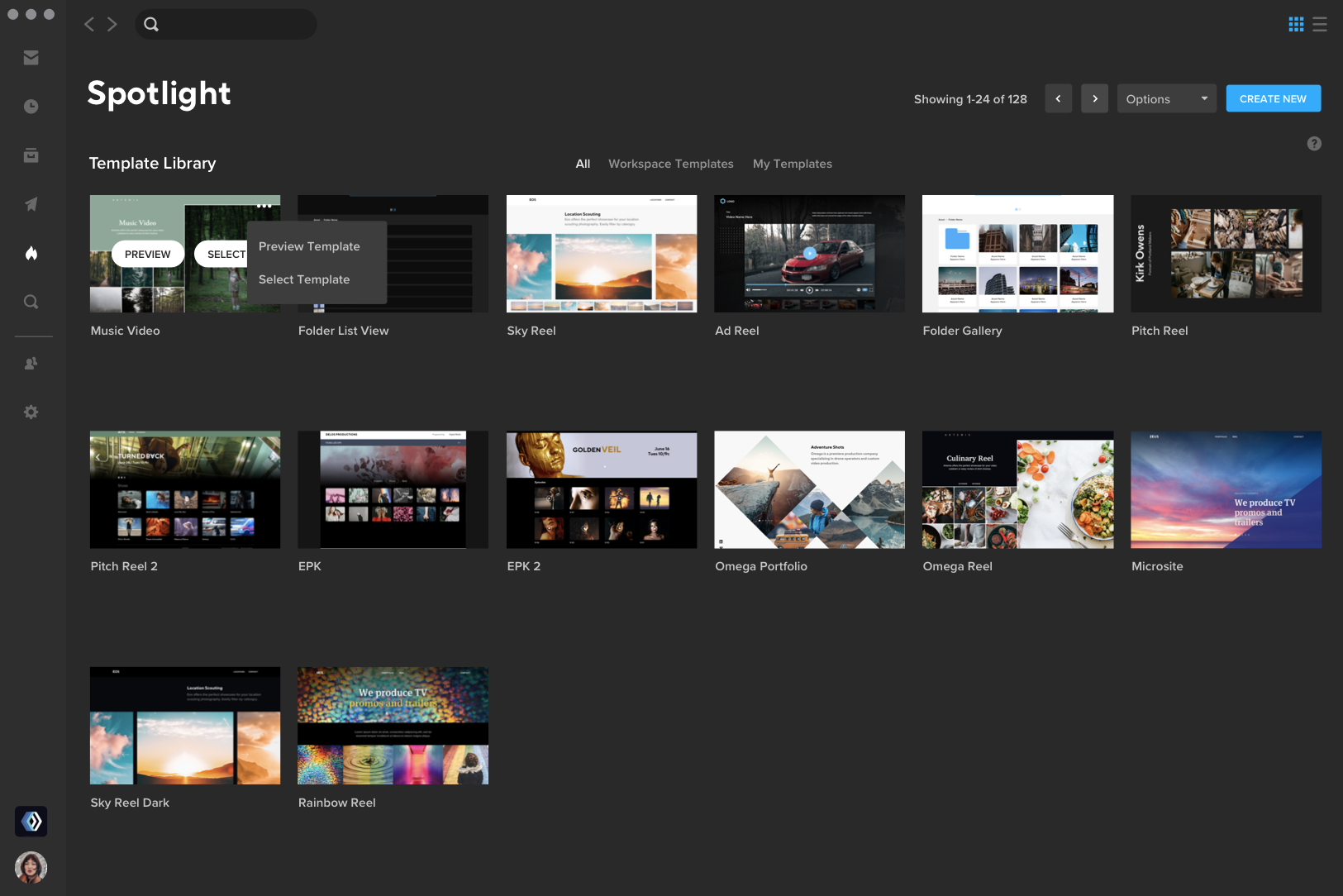
This step is also where the presentation features of MediaSilo can make a big difference. When the work is presented online or in person, all distractions must be eliminated. It’s a key moment to control the messaging and ensure the work gets presented in the best light possible.
Handling creative differences
Inevitably, creative differences arise. These are the “curveballs” we’re talking about. It’s the director’s job to work through the client’s feedback and figure out ways to make them happy while still realizing the creative vision. This moment is where it can be really helpful to gain feedback from various sources so that there is a balance to offset the feedback from one influential individual. One executive may have a strong objection to a particular element, but if other voices like it, those voices can help soften the blow. As daunting as it may seem, gaining feedback from as many voices as necessary is ultimately helpful to get the deliverable across the finish line.
Avoiding defensiveness is key when hearing feedback. The temptation to defend the work is always present, but it is more effective to take notes, and give a little time to try to get to the core of the objection. When you are in the moment and receiving pushback, your stress level rises, and it is hard to think clearly and respond well. Sleeping on feedback is honestly one of the best methods for processing it. Take some time to process it, gain input from other voices, and allow for creative solutions to present themselves after a night of sleep.
Curveball feedback can yield even better work than originally planned. Sometimes, that feedback reveals a weakness in the spot, even if the person giving the feedback could have been more precise in articulating the exact problem. When people try to explain what they feel in their gut, there is often a significant disconnect, but there is still something real there. An experienced storyteller can digest that feedback and uncover the real reason a piece isn’t working. That insight can yield new creative solutions that fix those underlying problems.
Focus groups can help
Once your commercial is “finished,” a helpful step can be to get feedback from people outside of the process. Sometimes, we are so “head down” in the work that we miss obvious things. So, feedback from internal focus groups or even beta testers of software products can point out things that we would miss. It’s important to hold this feedback loosely, but it can also be illuminating.
When feedback from focus groups is obtained, it is important to consider their similarity to your main audience. For instance, sometimes, the hardest core fans of a particular product do not represent the majority of the customers of that product.
Final sign off
When it is time for the finished piece to make rounds, ensure everyone gets included again. The two critical junctures for broad approval are the storyboards and the final sign-off before shipping. Hopefully, the rounds of internal feedback have helped finesse the deliverable to perfection. However, it is still worth asking, “Has everyone who needs to see it had eyes on the final version?”
Conclusion
Keeping everybody in the loop can be challenging with the best of plans. That’s why it’s critical to have tools like MediaSilo that reduce the friction and help keep everyone in sync. See those curveballs coming, and the team will hit them out of the park. And that’s the kind of teamwork that leads to repeat clients, happy teams, and creatively fulfilling work for all involved
MediaSilo allows for easy management of your media files, seamless collaboration for critical feedback, and out-of-the-box synchronization with your timeline for efficient changes. See how MediaSilo is powering modern post-production workflows with a 14-day free trial.
Reuben Evans is a director, an award-winning screenwriter, and a member of the Producers Guild of America. As the former executive producer at Faithlife TV, he produced and directed numerous documentaries and commercials. Reuben’s tools of choice are RED Cameras, Final Cut Pro, and DaVinci Resolve.
Movie trailers. We see them by the dozens every time we watch a film in a theater. A trailer can provide great entertainment but also serve as an important marketing tool for filmmakers.
We spoke with three editors, all of whom have extensive experience working with movie trailers, to get their perspective on movie trailers today.
We’ll be hearing from:
Ryan Connolly of Film Riot. If you’ve ever looked for a filmmaking or editing tutorial, there’s a good chance you’ve discovered one of Ryan’s videos. In addition to their YouTube channel, Film Riot also has a terrific blog covering helpful topics ranging from pre-production all the way through post-production.
Chris MacDonald of Film Editing Pro. They have a 46-lesson course called The Art of Trailer Editing, which walks students through every aspect of putting together a trailer, including offering sample footage to work with to create your own trailer.
What aspects of a trailer make one great?
Ryan: The music and the pacing are major factors. I think the music is probably one of the biggest factors in that. The music doesn’t have to actually be a needle drop song; [instead] it could be the use of sound design. The use of sound from the film creates the music for the trailer itself and creates the pacing of how the trailer unfolds.
Pacing is paramount as well. I think the mystery is subconsciously asking a question of some kind, planting a seed in the audience’s mind that has this idea that they need to be answered. [Giving them] some sort of mystery that will pull them to the theaters. Because the ultimate job of a trailer is to get butts in seats or get clicks if it’s something on the Internet.
Patrick: At Muse, we have a thing that we call ‘the who gives a shit? meter’ and that’s about looking at any kind of content across mediums and asking yourself how much it’s really pulling you in, making you ask questions and caring in any way.
The number one aspect of a trailer, for us, would be that you have to get your audience’s ‘who gives a shit meter’ going as far off the charts as you can.
Visuals, SFX, soundtrack, and pacing all play into that—but that is more about characters and conflict, and all of it coming together to make your audience care and want to know more. It sounds simpler than it really is—, but when you get that, you have to motivate them enough to plop down $15, drive to a theater, and give 2 hours of their time. You really need to get that “WGAS” meter going.
Chris: A great trailer is one that tells the film’s story quickly and understandably by using the best ingredients the film has to offer.
With comedy, that means you’re telling the story by weaving together the funniest moments in a way that conveys the plot, typically supported by graphic cards and occasionally narration to tie it all together. Action uses the biggest, most exciting moments. Suspense moves you from scare to scare while explaining the plot.
Trailers of all genres will typically save the biggest, funniest, scariest moment for the end, right before the main title lands. The entire arrangement of these moments is made enjoyable to watch and seamless via the heavy use of music and sound to drive the cut forward at a pace that’s faster than the story would typically be told.
When an editor can include all these great moments in a rhythmic and natural-feeling way, you’ve typically got a great trailer on your hands. It also helps if the movie is good.
What recent trailers stand out to you as great?
Ryan: There are a lot of really awesome, more current trailers. Hereditary is a huge one.
That trailer was really brilliant, and its use of sound and the music that they chose was very brilliant.
I think all of Jordan Peele’s trailers are excellent: Us, Get Out, Nope. All of them really ramp up that mystery to get you to want to know what that is. But also, his selection of music is some of the best out there currently.
Spider-Man: Across the Spider-Verse was a really great one, really great use of song and really great pacing. It got the tone of the trailer across.
Mad Max: Fury Road, I thought, had such an amazing kinetic energy to it that really told you what you were going to get into with the film without giving away too much. It all translated into the trailer. That worked really well.
Patrick: I have a personal policy of shutting off a trailer the moment I know I want to watch a film. They often tend to give away too much and so I usually only watch 15 to 20 seconds, and it tells me enough about whether or not I want to watch the film.
The trailer for Top Gun: Maverick is one of those examples where it’s not traditionally a film I would see; however, within the first 30 seconds, I was hooked, shut it off, and then went to the theater that week to check it out.
Ryan: I thought Inception was an absolutely brilliant trailer. Obviously, that shifted things quite a bit when it came to trailers. A lot of people mimicked how Inception sort of went about its marketing.
And then there’s The Girl With The Dragon Tattoo, [whose] use of music drove the whole piece. You get that quick cutting, hammer driving the nail into your skull, which translated perfectly into what the film actually was without giving away a ton.
Going a little further back, speaking of tonally and the use of sound, I think Little Children is a really excellent trailer. It uses sound as music, and it’s maybe tonally one of the most incredible trailers. Its use of sound is really perfect to drive that growing sense of dread and asks so many questions.
The Shining is a brilliant trailer where it’s just one shot of the elevator, and the blood opens up and it’s just text. It asks a litany of questions that are screaming to be answered.
Patrick: I find it fun to go back to classic trailers, such as the one for Rocky, and you can see the principles of story structure and something like The Hero’s Journey at play inside of that three-minute trailer.
They’re very old school in style and don’t play like a modern trailer at all – they kinda look like film scenes mashed together – but as a way of learning about structure, they’re wild to watch.
Chris: I don’t know if it’s been long enough for this to be a classic yet, but the entire campaign of teasers and trailers for Mad Max: Fury Road was a beautiful and well-executed series of cuts that accomplished everything [I’ve mentioned about trailers].
What are your thoughts on how much should be revealed? Are the best trailers just emotional rides with no insight into the story? Or do great trailers give you a little taste?
Ryan: Some of the trailers that I’ve mentioned don’t really give you that much of a taste of the story but more of the tone of the film. Some give a whole lot of story. I’m not a big fan of giving too much away because you’re then detracting from the actual experience.
The marketing team is just trying to get butts in seats and make back the budget of the film, of course. But I think a perfect trailer has little hints at what the film will be about. But more than anything else, I think the most important thing for me with the trailer as far as what to convey to an audience it’s not necessarily about story plot points but conveying what sort of experience [the audience is] going to be in for.
Conveying that is paramount. Above all else is, “What is the thing that’s going to get them to click?” I think it is an exciting trailer that grabs you but also asks questions and plants little mysteries in your mind that you will feel then feel compelled to solve.
Patrick: I believe that the commercial answer is that you do what you have to do to get somebody to watch the film. But we personally don’t subscribe to the clickbait model where you’re less concerned about whether or not the person who checked out your content actually feels like they got value and had a good experience.
We very much try to set up a strong story with a good deal of intrigue while leaving a lot more for the final film so that we are delivering on that experience.
Chris: There are multiple types of trailers. Each has the same goal of presenting the film in a way that will entice a person to see the film, TV show, doc, etc. All seek to generate an emotional response from a viewer en route to that goal, whether the response is laughter, excitement, fear, nostalgia, or just a feeling of “I want to live in the world of that film for 90-120 minutes”.
Shorter promotional pieces like teasers live up to their name and tease just a bit of the plot while focusing mostly on generating emotion. Often, this is a strategic marketing decision as much as it is a logistical one.
Many times, when a teaser is being created and often even released, much of the movie has yet to be filmed. Occasionally, teasers are largely graphical and use little to no actual footage from the film. The majority of trailers, however, focus on telling a shortened version of the story, highlighting the best parts, whether they’re jokes, scares, or action set-pieces.
A common complaint is that “the trailer spoiled the film.” That’s a subjective statement and one I think is rarely true. If a trailer makes a movie/show look appealing to a viewer and doesn’t reveal a critical plot point, like the main character dying, it’s done its job. Watching a film is about the journey and experience. If a 2-minute and 30-second trailer can ruin that entire experience for a viewer, the movie/show probably didn’t have much to offer and wasn’t worth watching in the first place. That viewer should probably just thank the trailer editor for saving them $15 and 2 hours of their time!
You are also a filmmaker and content creator. What storytelling and editorial tricks/techniques can movie trailers teach us to use in our day-to-day work, whether short/feature films, YouTube videos, or branded/commercial content?
Ryan: The main thing is capturing the audience’s attention. Trailers do such a great job at that. They come in fast, gripping you, and then try to keep you there for the entire runtime of the trailer because it’s trying to sell something to you.
But it’s an emotional journey, you know? That’s what’s going to do it the most. Whether I’m writing the script for a feature or I’m making a short film, that’s always an aspect of the thing that I’m thinking of, keeping every possible moment compelling to some degree. Not saying that the moments are screaming at you, and they’re all loud action moments, but even when it’s a quiet moment between two people talking, what are the under-beds of theme and conflict there? Maybe that’s keeping the scene intensely compelling. And I think trailers do that just unbelievably well.
Patrick: From a storytelling perspective, we very much focus on character and conflict, as in how can we show you a character that you love or that you love to hate, but more so that you want to know more about.
And then how can we constantly bring in conflict, which, from a psychological perspective, creates a question in the viewer’s mind? If you can create a character that the audience feels connected to and a bunch of questions they want the answer to, it’s very much how we can motivate somebody to want to watch our film.
I believe the common mistake is that we vastly underestimate how much conflict is required both in a strong trailer and in a strong feature film.
Chris: I find myself drawing on trailer editing techniques constantly while creating content for our training school Film Editing Pro. Obviously, promotional pieces benefit from trailer-style editing, but even YouTube intros, lesson transitions, and the overall pacing of training videos and tutorials draw on the skills of the trailer world. This is a bit of a “meta” example, but this tutorial on How to Cut a Movie Trailer makes heavy use of trailer-style editing to keep the viewer engaged throughout the lesson.
So what makes a trailer great?
The answer is complicated. Every editor we spoke to gave a different answer, but the main thing that connects all of the answers is that a trailer needs to make you feel something and get you excited.
Ryan and Chris both pointed out Mad Max: Fury Road as a trailer to look at for understanding how to tell a story with tone, sound, and music.
The main takeaway is that if your storytelling hooks an audience, they will likely want to see your movie.
MediaSilo allows for easy management of your media files, seamless collaboration for critical feedback, and out-of-the-box synchronization with your timeline for efficient changes. See how MediaSilo is powering modern post-production workflows with a 14-day free trial.
Brian is a director, producer, and editor based in Los Angeles. He runs a boutique production company called Forge and Discover, which works with brands of all sizes in helping to tell their stories. He’s also one of the trainers at filmeditingpro.com, where he teaches various editing techniques and conducts demonstrations.
For every All Elite Wrestling (AEW) event, nearly a million enthusiastic fans from 6 different continents tune in and wait for their favorite wrestler to appear. The AEW graphics team creates 100s of assets each week that need to be distributed within the arena and to their partners worldwide before the show starts. There is zero time for errors, especially from their software. This is the high-stakes world of All Elite Wrestling, and they rely on MediaSilo to keep their workflow running smoothly and their extremely passionate fans satisfied.
Since 2019, AEW has built a loyal fanbase of over 41 million viewers worldwide by providing the most spectacular wrestling matches and entertainment anywhere. Their fans don’t just expect to stay informed on the latest news – they demand it.
With partners and fans relying on them for information, efficiency is critical, and software malfunction is not an option. Dealing with system-wide shutdowns caused by file sharing across borders could lead to delays and undeliverable assets. With incredibly tight deadlines, stalled delivery times would be unacceptable and quickly lead to frustration amongst the team and partners. With their fans’ near-insatiable appetite for content, the risk of losing engagement isn’t an option. They need a platform that can handle their international workload.
Adding another layer of complexity is the sheer number of assets the AEW team needs. Creating digital and social assets for multiple shows in multiple countries every week means keeping track of hundreds of unique file types and sizes, as well as the latest revisions. Collision assets are a different size than Dynamite assets; some international partners require unique dimensions and in-arena LED assets to consider as well. And the lack of detailed tagging made the process confusing and time-consuming. AEW sends hundreds of assets a week to twenty different partners, and they had no way of knowing if the files they sent were ever opened or viewed, leading to duplicated efforts of resending graphics that had gone overlooked or links lost in emails.
After researching multiple video collaboration platforms, a colleague showed them her MediaSilo workspace. They liked how straightforward our platform appeared and reached out for a free 14-day trial. From the price point, functionality, download capabilities and, most importantly, our reliability and customer support, they were sold.
“Since we switched to MediaSilo, we haven’t had a single issue of any person saying that this link is not working or I can’t download this file.”
We collaborated to simplify their workflow and gave them a single solution to manage and distribute their finished assets – one that always offers global coverage and consistency to everyone. Manually keeping track of delivered assets and links was also a thing of the past. Folders are created where the graphics team drops assets tagged by talent. Each file is tagged so that it’s easy for anyone to recognize the wrestler, where the match takes place and where it needs to be delivered. Unique links are sent to partners where MediaSilo’s Insights feature provides searchable analytics that track when, where and for how long any asset is viewed. Meaning AEW knows when it’s been opened and downloaded, reducing duplicative efforts.
Most importantly, they never have to worry about broken links or getting locked out of their system. “Since we switched to MediaSilo, we haven’t had a single issue of any person saying that this link is not working or I can’t download this file,” says one AEW employee. “We’ve even used MediaSilo on the fly to get assets from our production facility to the truck outside and into the arena, saving valuable time on event days.”
AEW has worked hard to test the limits of MediaSilo but has found nothing but success with this partnership. “We use this tool every week,” one AEW employee says, “and it’s been very reliable.”
They needed a powerful media management and distribution tool to stand up to their fast-paced international workflow. MediaSilo helps reduce excessive time and stress, allowing them to focus on what really matters – delivering quality content that keeps their fans engaged.
MediaSiloallows for easy management of your media files, seamless collaboration for critical feedback, and out-of-the-box synchronization with your timeline for efficient changes. See how MediaSilo is powering modern post-production workflows with a 14-day free trial.
My first few weeks as CEO, EditShare’s vision, and the evolving role of AI
Towards the end of the show, a few folks asked me to sum up how it felt to see our team in action so soon after joining the company. The word I chose was “inspired.” I’ve come to appreciate the rich legacy of empowering storytellers that EditShare upholds, and seeing first-hand our team, products, and plan-of-attack coming together at such an important event, it’s hard not to feel wildly optimistic about what the future holds.
Where AI Is Headed
IBC 2023 also brought with it more and more conversation around the most compelling trend in our space today: the emergence of AI. In particular, we noticed an explosion of smaller AI-enabled companies aiming to streamline critical workflows within the content creation processes, from video editing to transcription and beyond. However, there’s a common challenge – harmonizing those workflows within one intuitive interface. I’m proud to say this is an area where EditShare is positioned to shine with the introduction of our new solution, EditShare One, which we unveiled at IBC 2023.
EditShare One, Transcription View
It’s been fun to hear the early feedback from customers and partners who have had a chance to see what EditShare One can do. We heard from more than a few people how useful the AI-integrated Transcription View will be to their producers – and the seamless integration we’ve built through FLOW into Premier Pro and Resolve also stood out at the show.
At EditShare, we’ve already made waves in post-production with innovations like Universal Projects, which lets teams work with whichever editing software they prefer. We’re pushing that idea of openness even further with EditShare One. My commitment to our customers is to keep building products that meet them where they are, and helping them balance the tension that comes with creating exceptional content within tight, demanding timelines. EditShare One is a natural next step in delivering on that promise, and we can’t wait to get it into the hands of more of our customers.
A Powerful Combination
As I look at our combined portfolio of products, I’m especially thrilled about the integration of the MediaSilo product into the EditShare ecosystem. We built MediaSilo to bridge the gap between creatives and non-creatives. It provides a platform where content can be effortlessly shared, organized, reviewed, and approved, unsticking collaboration between teams, with the security features such as watermarking and DRM to provide confidence that when media is shared, it is only being shared to the right eyes and ears.
This merger not only bolsters our commitment to providing comprehensive solutions but also opens up new horizons for creative professionals and organizations seeking to streamline their media workflows. It’s an exciting chapter in EditShare’s journey, and one I’m so excited to help shape in my first few months as CEO.
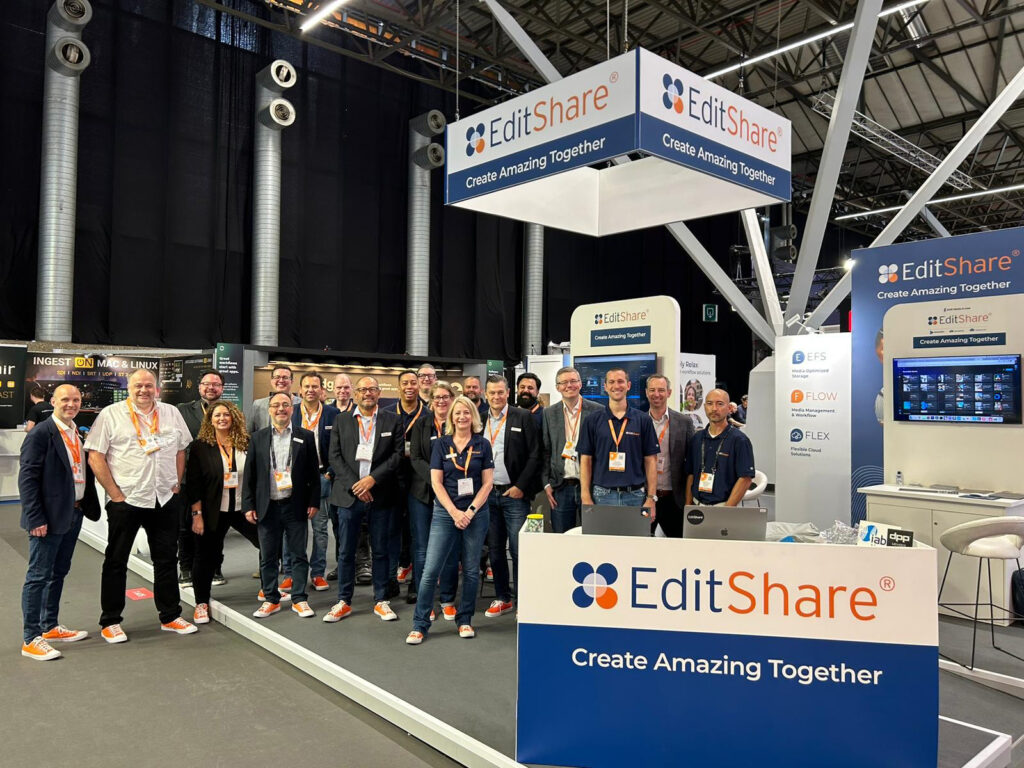
Thanks to everyone who stopped by to see us at IBC, and looking forward to meeting many more of you before we close out 2023.
Ramu Potarazu
After a 146-day strike that halted television and film production and threw the entertainment industry into crisis, the Writers Guild of America (WGA) reached a tentative agreement on Sunday night. If guild members vote to accept the deal in the coming days, some 11,000 writers can finally return to work.
Though the WGA cannot discuss details of the deal “until the last ‘i’ is dotted,” most speculate that the agreement includes almost everything they wanted from studios, including increases in royalty payments for streaming content and assurances that artificial intelligence will not infringe on writers’ credits and compensation.
In a published memo to its members, the WGA negotiation committee said with great pride “that this deal is exceptional — with meaningful gains and protections for writers in every sector of the membership.”
What does this mean for the SAG-AFTRA strike?
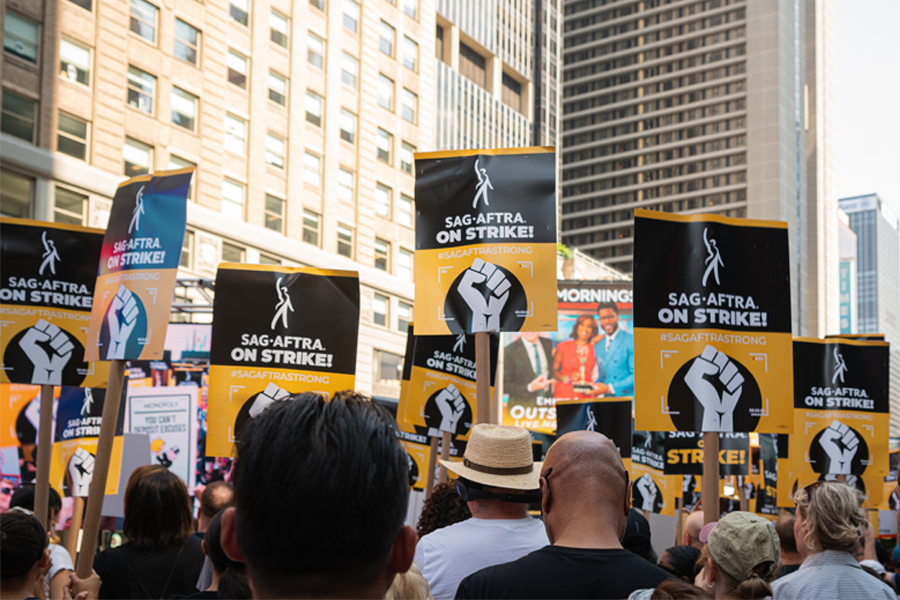
While the end of the writers’ strike comes as a relief to many, it doesn’t mean everyone returns to work as usual. With almost 160,000 Screen Actors Guild-American Federation of Television and Radio Artists (SAG-AFTRA) members still on strike, the only shows restarting production soon will likely be late-night and daytime talk shows.
SAG-AFTRA members walked out in July over similar disputes relating to low pay, streaming residuals and AI, to name a few, and the group has no talks scheduled with studios yet.
In a statement released on their site after news of the tentative WGA deal, SAG-AFTRA applauded their counterparts for “incredible strength, resiliency and solidarity.” They also emphasized that the organization’s strike would continue, urging the “studio and streamer CEOs and the AMPTP to return to the table and make the fair deal that our members deserve and demand.”
The WGA continues to support their acting counterparts, calling on their members to join SAG-AFTRA on picket lines this week. Many hope that the negotiations accomplished by the WGA will lay the groundwork for SAG-AFTRA to reach a resolution with studios quickly since it addresses many of the same concerns.
Studios are undoubtedly feeling the effects of the strikes, with stock prices for Disney, Warner Bros. Discovery and Paramount Global having dropped and analysts estimating that studios will forgo as much as $1.6 billion in global ticket sales for movies pushed to next year. And while everyone in the entertainment industry collectively breathes a sigh of relief at this week’s progress, economists estimate that the dual strikes have cost the California economy roughly $5 billion.
What now?
This deal does not mean that the strike is over or that the entertainment industry can return to work immediately. Picketing has stopped, but contracts must be finalized. The WGA negotiating committee needs to vote; then their 11,000 members must accept the terms of the new agreement before the WGA strike is officially over.
In addition to the striking actors, more than 100,000 behind-the-scenes workers — including directors, camera operators, publicists, makeup artists, prop makers, set dressers, lighting technicians, hairstylists and cinematographers — will continue to stand idle, many with mounting financial hardship. Some A-list members of the Writers Guild pressed for a return to negotiations, citing the pressure on idled workers.
TV dramas and comedies will likely take the longest to come back because of the actors’ strike and the complicated logistics necessary to restart large-scale productions. Production will need to contact crew members and writing teams to resume, which might take some time if people have moved away from their filming locations, Variety reported. Shows will also need time to kick-start marketing campaigns so that audiences know to tune in.
The industry pivots
The implications of the record-breaking strikes are unclear, with many companies downsizing and out-of-work picketers having left the business for good. But viewers will still get the content they crave. Networks had already pivoted their fall programming to include international shows, game shows, documentaries, more sports and even a few new series and movies coming out this year. While it’s unknown how postponed projects will react to the news of the deal, with writers anxiously ready to get back to work, we wouldn’t be surprised if your favorites were back soon.
MediaSilo allows for easy management of your media files, seamless collaboration for critical feedback, and out-of-the-box synchronization with your timeline for efficient changes. See how MediaSilo is powering modern post-production workflows with a 14-day free trial.
So, you want to get your film or TV show on Netflix? Unfortunately, there’s no easy A-B-C blueprint to follow here, and the truth of the matter is it’s a tough task. However, don’t let this dissuade you from trying. It’s not impossible. At the end of the day, Netflix is one of the biggest streaming platforms in the world, and they’re always on the lookout for new content!
While the roadmap for each individual project making it onto Netflix is always going to be slightly different, there are certainly a few pointers and tips that you can follow to give yourself a far better chance of success. If you have a project in mind and a goal set, read on to find out how you can get that famous “tu-dum” playing at the start of your production.
Have a clear, concise vision in your pitch
First things first (and this goes for any production, not just the one you want to end up on Netflix) – you need to have a very clear vision. In the pitch for your film, you should be able to succinctly summarize what the film is about, who it’s made for, and where it should exist in a content library. Furthermore, why make this film right now? And why you? If these basic things aren’t nailed, you’re going to find pitching it to Netflix an even tougher job.
Additionally, as an extra little tip, you may even want to include a roadmap that builds your world and opens up the possibility of extending it in the future, assuming that makes sense for the project. Streaming companies like Netflix love to capitalize on the success of a first installment with follow-ups. It’ll be interesting to know how your world can be built and what the potential longevity is. Of course, if you’re pitching a limited series or a one-off documentary, this won’t be as relevant.
Is this your best work?
This pretty much goes without saying, but to even have the tiniest of chances of making it onto a streaming site as large as Netflix, you need to be brutally honest with yourself and your team. Is this the very best work you can produce? Nowadays, there’s so much great work, and the competition is tough—if this is anything less than the very best, you can forget about it. Even if it is, that may still not be enough.
Secondly, you need to ask if this stands out from the crowd. What makes your show or film so unique, and why should Netflix commission it? If you can’t answer these questions convincingly, you’ll need to circle back to the drawing board.
Find an aggregator
This is perhaps the most important tip we can give you when it comes to getting your film on Netflix. As you can imagine, there are many independent producers and filmmakers out there who would all love to have their film or show streaming on Netflix. If Netflix was to take pitches from everyone separately and independently, it would take so much time and effort that it simply wouldn’t be worth it.
Instead, Netflix only works with trusted third-party aggregators. On their website, you’ll find the following guidance when it comes to pitching ideas:
“If you have an idea, game, script, screenplay, or production already in development that you’d like to pitch to Netflix, you must work through a licensed agent, producer, attorney, manager, or industry executive, as appropriate, who already has a relationship with Netflix. We are unable to share references for these resources.
If you do not have any of these resources available, Netflix will be unable to accept your unsolicited submissions.”
In other words, an aggregator is absolutely essential. They meet with Netflix regularly to pitch ideas, and they know what the streaming platform is looking for. These aggregators are always on the lookout for the next big thing, so they will be the ones to hear your pitch and review your film. If they like it, they’ll pitch it to Netflix on your behalf and help you package it properly, taking care of all the details before final delivery to Netflix.
And how much does this cost? Well, it depends. Different aggregators use different pricing models, so there isn’t a universal, consistent figure for you to work with here. As a general rule of thumb, you can expect that most aggregators will charge at least $1,000 to get your film on Netflix, and there may well be further pitch fees, annual charges, or percentage cuts of any profit generated. Here’s an idea of what two aggregators cost:
Quiver Digital charges $1500 + $150 pitch fee + $75 annual charges (payable after 2 years)
Distribber charges $995 +$150 annual charges (payable after 1 year)
For help in finding an aggregator, you can explore a full list of “NPFP” partners here. These are elite companies that have met strict requirements to become a “Netflix Preferred Fulfillment Partner.”
Find an agent
Finding an aggregator isn’t the answer to everything, unfortunately. If you’re serious about getting your film on Netflix, hiring an agent can open a lot of doors for you. While aggregators are there to get your film onto Netflix with packaging and final delivery, you may be wondering how you get to meet an aggregator in the first place.
An agent who’s earned their access and credibility in the business can pull strings and arrange such meetings with potential buyers. They will offer their expertise on how to improve your pitch and help it stand out from the crowd, assist with marketing, and guide the development process to a successful conclusion. They also have their ear to the ground and meet with Netflix buyers regularly, so they know what the network is looking for.
Attach a big name
Love it or hate it, in this business, sometimes it really is all about “who you know.” One of the ways to give your film or show a fighting chance is to attach a “big name” to the project. If you can find a producer, an executive, or an actor who already has a great relationship and track record of working with Netflix, it’s undoubtedly going to help you out.
If this “big name” backs your project and comes on board, it signals to Netflix that you’re worth a shot. This person has the ability to pull in an audience and produce great work, and they’re willing to vouch for you and believe in your project!
Do your homework
With all of the above in mind, you need to do your homework. Catching the eye of a big name in the industry or finding the right aggregator and agent is not simple. If you want the best chance of finding the right fit and getting people on board with your film or TV show, you need to research who it is you should be targeting.
If you have a new German comedy aimed at Gen-Z, it might not make sense to be talking to an aggregator who specializes in groundbreaking historic documentaries. And vice versa. Instead of wasting your time aimlessly, invest in the time it takes to dig deep and find the people who are most likely to be interested in what you have to say.
Network, network, network
How might you bump into these kinds of people? It isn’t going to happen sitting in front of your PC screen, sending out cold emails. You need to network in person and network hard. The good news is there are plenty of opportunities to do so.
Thankfully emerging from the other side of the pandemic, in-person events are back on. From pitching and film festivals to industry talks, networking events and casual social gatherings, there are many ways to rub shoulders and get your face seen and known throughout the year. In the case of pitching festivals, not only will you have the benefit of networking and potentially meeting the right person, but you’ll learn a lot about the industry and what it takes to build a great pitch. Both pitching and film festivals also present the possibility of meeting directly with Netflix personnel – they’ll be in attendance.
Social media helps
When it comes to networking and getting your face known (for the right reasons, of course), social media can certainly help out. You should keep an active presence online by sharing your latest work, getting involved with discussions in the industry and connecting with people in the business. If you happen to have a substantial following or are able to build one (we’re talking tens of thousands of followers/subscribers at minimum), then that can certainly pique the interest of Netflix. They like to know that you can bring an audience with you.
Working the social media angle can also help if you’re able to generate substantial social chatter and interest in your project. There’s a good case in hand happening right now, with Russell Cook (aka “Hardest Geezer”) currently attempting to be the first person to run the entire length of Africa. He’s been courting Netflix and generating a lot of chatter on Twitter and YouTube, so watch this space…
Getting your film or TV show streaming on Netflix isn’t easy. It’s a long, arduous process, and there will be many setbacks. In fact, our final piece of advice here would be to get comfortable with rejection. The word “no” doesn’t necessarily mean no forever; it just means not today.
Pretty much everyone in the industry starts off with a “no.” How you deal with this rejection is key. Try to build on it by taking feedback on board and understanding that you have to knock on thousands of doors before even one opens. Rejection and failure are part of the game. With perseverance, patience and the application of the advice you’ve read above, you can maneuver yourself and your project to be in the best possible position to get that famous “tu-dum” playing at the start of your show.
MediaSilo allows for easy management of your media files, seamless collaboration for critical feedback, and out-of-the-box synchronization with your timeline for efficient changes. See how MediaSilo is powering modern post-production workflows with a 14-day free trial.