How to Send Large Video Files and Promote Better Workflow
One thing that every media company has in common is the need for a platform that allows for fast and easy sharing of large video files. This is essential for any company that depends on delivery of media content, ensuring a business infrastructure that promotes better workflow and higher satisfaction of clients as well as employees. Wiredrive was built with precisely this in mind, providing professionals who produce, manage, and pitch video content, with a streamlined and speedy file sharing website that can’t be beat. Whether you are an independent contractor or an international media company, Wiredrive is the best business solution for sending large video files.
Understanding how to send large video files is far more complex than simply following a prescribed set of instructions. Without the proper platform, any attempts at online file sharing will be time-consuming, aggravating, and potentially unsuccessful. Wiredrive provides a global content delivery network that ensures equally fast uploads and downloads of video files of any size, ensuring that your company can send large video files without any roadblocks or delays.
Our media management platform was built to promote better workflow, expedite and facilitate client review process, and provide reliable access to all digital assets regardless of when or where they are being viewed.
To send large video files via Wiredrive, you simply need access to your custom Wiredrive system, no software installation required. Once on the site, you can upload digital assets of any size and format, from any type of device. Selective transcoding means that everyone on the project can see content without needing to re-encode the files, which saves time and retains quality. You can drag and drop multiple files at once, and can review already uploaded content simply by clicking play – with zero download time or buffering.
Having one workspace capable of handling all your digital assets, is essential to ensuring a streamlined and efficient workflow. Wiredrive provides media companies with everything they need to manage their video files, all in one speedy and reliable place. Using our online media management site means that your company does not need to lose any valuable time and gives you the capacity to tackle any project that comes your way. Sending large video files will no longer give you or your clients any unnecessary anxiety and enhanced workflow will ensure that both your employees and your clients are satisfied.
Managing a media company has its hurdles, but being able to send large video files should not be one of them. Let Wiredrive handle the work and make the job easier for you. Having a Wiredrive system will save you valuable time and money and will make the job easier and more enjoyable for all parties involved. Wiredrive places all of your digital assets on one easily accessible platform that everyone can understand, navigate, and utilize, regardless of their company role or geographical location.
For media agencies and creative teams, finding the right video management system plays a major role in boosting efficiency. Agencies needs to be able to easily organize their files, keep them secure, and access and share them quickly. Many are finding that cloud-based video management offers the perfect solution. With Wiredrive’s media management tool, all uploaded files are hosted on a private cloud in a Tier 3 Data Management Center. This ensures that your videos remain safe. Through this process, your team can focus on collaboration, improving workflow.
Cloud Benefits
A media company that work with video will naturally be preoccupied with IT priorities. All team members need to be sure that video files are accessible to people throughout the company, and that there is no danger that files will be lost or damaged.
While this is an understandable and important concern to have, it can be a distracting one. Teams should be directing more of their energies towards creating the best possible work for their clients. They should not be devoting their attention to file security and availability.
With Wiredrive’s cloud-based video management system, media agencies have a reliable solution to this problem. The software is designed to ensure quick video upload speeds, significantly increasing the amount of work that can get done throughout the day.
Because media companies often collaborate on many different types of projects though, from graphic design to video production, it’s also important that they have options to store all of their media assets in the same cloud. During the collaborative process, trying to organize all relevant files can be very time-consuming if they are hosted on different platforms. Through Wiredrive, videos, photos, and all other media projects are all hosted on the same cloud, allowing for easier communication across departments.
Technological Solutions
The cloud also relieves the team members of their IT anxieties. If an agency hosts its video files on its own platform, it also needs to be sure it has a reliable IT staff to handle any potential problems. When files are automatically uploaded to a personal cloud, that previously major responsibility is shifted to a dependable outside party.
Instead of setting aside time and money to ensure that their media assets are protected by the latest and greatest security protocols. Companies that use cloud-based video management can be sure that the people who actually specialize in keeping files protected are on top of their IT needs. Just like an agency’s internal IT department, Wiredrive’s customer support service is available 25/7/365. While it’s not likely to happen, if concerns do arise, they can be immediately addressed.
For media agencies, the formula to success is far from simple. That said, a key part of the equation involves being able to handle projects quickly. As with any client-centric business, the more work you can do, the more your company can grow. This means using a collaboration app and media management tool that ensures your video files are stored quickly, easily, and safely. Which is exactly what Wiredrive offers.
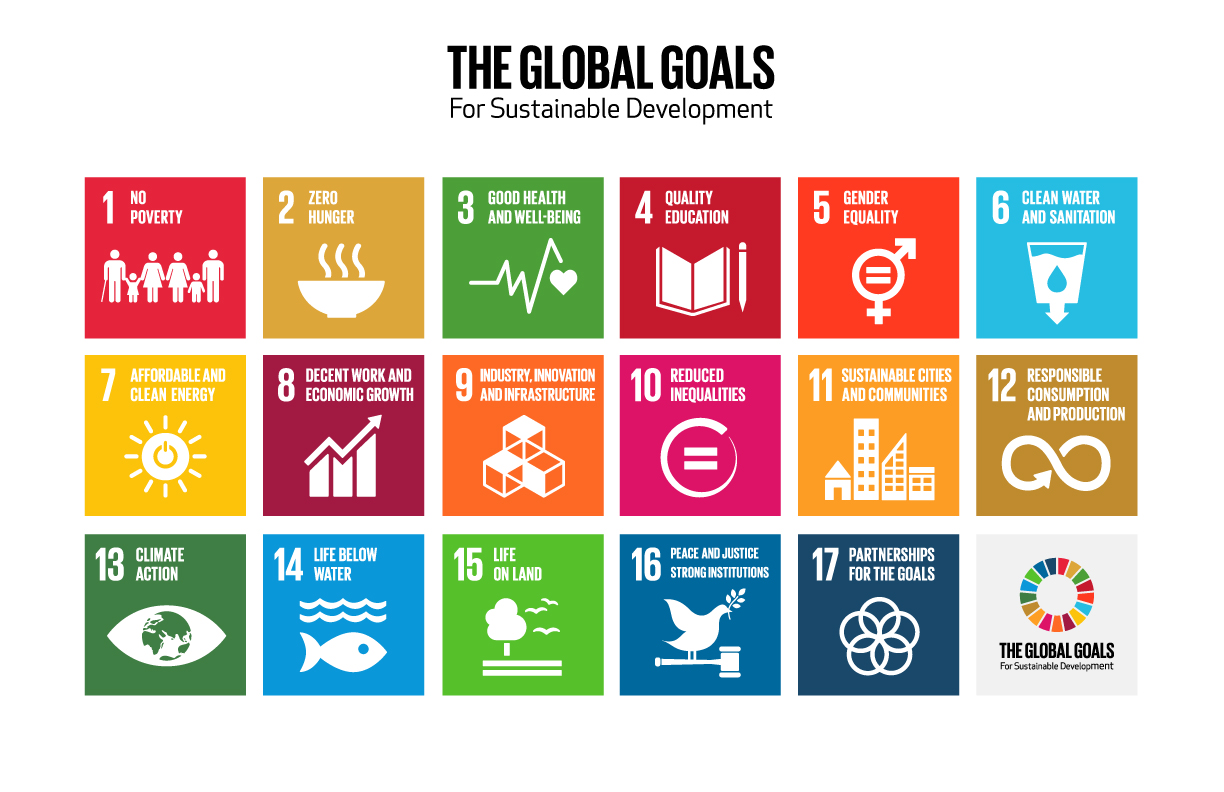
The Global Goals campaign with Project Everyone and UN agency partners branded the goals and aimed to reach 7 billion people in seven days. Project Everyone is the brainchild of Richard Curtis, a famous filmmaker, with the ambition to tell everyone in the world about the Global Goals so they are achieved in the best possible way. All over the world, the project is supported by many organizations and individuals including celebrities, media, NGO organizations, businesses, film companies, and production companies who have agreed to carry the goals to their fans, customers and users.
The quest for the right collaboration tool
The Global Goals project is by its nature a branding and advertising project. The initiative of this magnitude is dependent on large quantities of media files, created to carry the message across the globe. To be able to successfully and efficiently communicate with partners from all over the world and exchange documents, photos and videos, The Global Goals needed a media sharing solution that would support an operation of this importance and scale.
“We had heard from colleagues in different organizations about Wiredrive, and once we evaluated its features it became clear that this would be a great solution for our needs. Originally we planned to use Wiredrive only internally, as our team’s shared drive, but as time went on and we created more and more content, including videos, sending links externally using Wiredrive proved to be the easiest and most efficient way of transferring large files.” explains Katie Bradford, Director of Operations at The Global Goals.
The quest for the right collaboration tool
Using Wiredrive as their secure file storage and collaboration tool, the Global Goals team is able to share large files faster and more efficiently, both internally and with the project’s partners.
“We use Wiredrive every day as our internal storage system and the sharing function has allowed us to send content all over the world, from classrooms in Panama to the web team at MSN…The benefits we have with Wiredrive, such as ease of use and simpler sharing, are particularly noticeable when using large video files…Wiredrive showed as the perfect tool for all our needs, and became an absolute necessity at the height of our launch campaign. We would be lost without it.”
Besides file sharing, Wiredrive simplifies content organization and collaboration within the Global Goals organization. Unlike other solutions, Wiredrive’s project folder can be shared and updated even after it is viewed without needing to resend the presentation link. This feature allows the Global Goals team to save precious time since they don’t need to resend links every time changes to the project are made or worry if they missed an update.
“Wiredrive showed as the perfect tool for all our needs, and became an absolute necessity at the height of our launch campaign. We would be lost without it.”
Wiredrive stays at the heart of the project
The Global Goals project has impressive impact and visibility within almost every country in the world. In just a couple of days, the project’s promotional campaign managed to reach over 1 billion people over social networks and other digital platforms, with 4 million total video views across all Global Goals initiatives. Within the first and most intensive 7 days of promotion, Global Goals activities were visible to 3 billion people or 40% of the planet’s population.
Being visible and having extensive reach helps the project establish UN Goals as the benchmark of progress and nurture a new generation of campaigners to achieve these Goals in the future. Wiredrive stays in the heart of this long-running initiative, as an irreplaceable media sharing solution and a reliable partner for the entire Global Goals organization.
You can bulk download files from Projects without leaving your web browser. Before, bulk downloading was only offered in the Shift desktop app. Now, this feature is available in both our desktop and browser apps.
Clicking your profile icon in the bottom left corner now opens a menu with additional options. You can access your Profile, the support articles in our Knowledge Base, and the logout button, or click “What’s New” to see the latest features and updates from Shift.
Additional Updates
You can now upload a brand logo to display in your review links. This option has been available for accounts with access to Spotlight, and now it’s available for all accounts. Visit the Branding tab in Administration to upload your logo.
Shift now displays metadata for the audio files you upload to Projects. You can access metadata by opening the right drawer and going to the second tab.
User names are now displayed properly in the “Uploaded by” section in list view and in the Information tab on the right.
We’ve addressed a visual defect with misaligned arrows in the options menu and removed an extraneous line of text from the SafeStream section on the project settings page.
Lastly, this release fixes a bug with applying certain tags to assets.
Let’s say you’re an advertising agency or branding company. Maybe you need to hire externally for a video or ad campaign, and you’d really like to use animation to tell your story. Do you find yourself not knowing where to start?
First, “animation” is an incredibly broad term. At the bare minimum, it’s a visual genre in which images are manipulated to appear as though they’re moving. Basically, any art form that accomplishes this can fall under the umbrella term “animation.” 2-D, 3-D, motion graphics (MGFX), stop-motion, claymation, and CGI are all methods you’ll find within the larger animation genre. (Sometimes it breaks down even further.) Below are some examples to help orient you:
2-D: In 2-D animation, every frame of the film is drawn either on paper or via computer drawing software. Disney’s Princess and the Frog is a recent example of a film done entirely in 2-D animation.
3-D: All Pixar films are 3-D animated. This can only be done with computer software, and the entire character has to be rigged and posable for it interact in a 3-D space.
Motion graphics: There’s not a widely agreed upon definition of motion graphics. Generally, it can be considered a more abstract form of animation because the focus is more on bringing shapes and patterns to life as opposed to traditional characters (humans and animals). This style is fairly common in advertising, such as this commercial for Google Cloud:
Stop-motion: Any kind of object or character (human or otherwise) can be “animated” when you’re working with stop-motion. The subject is photographed once, then moved slightly by hand for the next shot. These steps repeat until the animator has the desired length of film. In the era of silent films, this animation technique was widely used, but now you see it more typically for productions featuring non-living objects and characters. LAIKA used this style to animate puppets and natural elements such as leaves, sticks, and branches for the studio’s film Kubo and the Two Strings.
Claymation: This is a type of stop-motion animation done with objects and characters sculpted from clay. Wallace & Gromit films are a classic example.
CGI: Otherwise known as computer-generated imagery, this term is a sort of pseudonym for 3-D computer graphics that are used for special effects or to create scenes that could be either static or dynamic (although the term can also be applied to 2-D). Often, you’ll hear this term in reference to live action films that depict real world impossibilities, i.e., James Cameron’s 2009 Avatar.
The good news is that you don’t necessarily need to know what each of the terms mean or how to differentiate between them when looking for a vendor. Most artists and animation houses specialize in more than one kind of animation. They’re mixed media-based and have multiple animation solutions for your project.
Specialization and agnosticism
Even with these many specializations, there are certain design teams that have a definitive look that differentiates them from other companies. They’re hired specifically for that look, while other companies don’t want to be pinned down by aesthetics.
PJ Richardson, co-founder of branding, design, animation, and VFX house Laundry, describes their style as graphic and colorful. “We have a very bright, colorful aesthetic that we get known for and called to do,” he says, but there can also be a minimalist look within that.
Andy Reynolds, founder of Motion 504, explains that, while the broadcast design, effects, and animation studio specializes in a filmic photo, 3-D, gritty style (think National Geographic titles, promos, or the Sci-Fi channel), they also do fun, whimsical, bright, quirky, character-animated pieces.
On the other end of that spectrum, John Earle, CCO and founder of Houses in Motion, describes the design and animation studio’s style as “design agnostic.” In other words, Houses in Motion intentionally avoids staying in one lane when it comes to aesthetics. “We have a huge toolkit to pull from, and we find the best solution for each of our clients’ needs,” he says. “That’s where we come from when we offer a particular design style — what’s the best fit for each particular project?”
Okay, got it. There are a lot of layers here. Let’s backtrack a bit.
Steps for moving forward
When you make the decision to use animation in your project, begin with research. If you know exactly what kind of look you’re going for, see which companies or artists specialize in it. For example, if you want that 3-D gritty style, Motion 504 might work for you.
Unless you’re at one of those companies with an established brand identity, though — ahem, Google or Apple — most clients don’t know exactly what they want.
Or maybe you have an in-house style guide and simply don’t have the bandwidth to do the project internally. In that case, hire an animation house to help tell your story while maintaining your company’s aesthetic. Unless you’re at one of those companies with an established brand identity, though — ahem, Google or Apple — most clients don’t know exactly what they want. The next step after research, then, is starting a conversation. Reach out to design and animation studios and see what they can offer.
Earle says that when he meets with prospective clients, he’ll “start with a conversation of what company expectations are, then write up a treatment deciding the aesthetics, approaches, and techniques to achieve that.” The treatment will offer numerous animation-based methods by which to tackle the project, which can become more or less complex depending on how well-defined your concepts are. Ideally, you already have some kind of concept for the project. At the very least, you know what you’d like the animation to achieve emotionally, which gives the art team a jumping off point or guide.
A budget is your guiding light
If you have neither an aesthetic nor conceptual framework, the one piece of information you should be armed with is a budget. Within the world of animation, there are many different ways to approach budgeting, and there’s a lot that an animation studio might be able to do for a modest budget. If you’re not up-front about what your budget is, though, you might be offered animation options you can’t even afford.
Earle says that for Houses in Motion, “revealing the budget allows us to make the biggest impact.” The studio will be able to pitch mixed media options to the client that appropriately fit their budget. Without a budget, it’s a guessing game for the vendor. The studio can come up with multiple pitches that range in price for the same project. However, not only does that mean a lot of work for a vendor, it also puts stress on you to figure out which direction to go in. In the long run, it can mean less time and money if you reveal your project’s budget from the get-go
That said, there are certain components that’ll naturally impact costs, and there’s generally a baseline of what companies can afford to take on. “Fully animated human characters or anything that needs to be physically accurate is going to take more time, which also means higher costs” says Reynolds. So, if you have a budget of $25,000, don’t go in expecting Pixar-level animation.
Generally, it seems as though most design and animation houses won’t take clients on with budgets below $30,000 or $40,000. “Less than that, it starts to get really funky unless it’s logo animation,” says Richardson.
“It can be a lot cheaper when you have some wiggle room, and there’s some leeway in the creative,” says Reynolds.
If you’re open to different animation styles and not set on Pixar, you’ll still have options in the lower budget range. “It can be a lot cheaper when you have some wiggle room, and there’s some leeway in the creative,” says Reynolds.
However, remaining open to the creative doesn’t necessarily mean you should avoid having a concept for it. Providing any sort of roadmap to the animation team may lessen the cost. If you provide storyboards, a brand or style guide, or even copy, it means a lot less time and prep work for the studios, which means costs will be lower for all involved. When clients have no real concept, then studios will provide more value.
Additionally, requiring multiple levels of approval on projects will drive up costs. If your brand or agency wants to see the project at every stage of development before it can move forward, then a studio will spend more time and money, thus increasing a project’s overall budget.
The unseen and un-obvious
At the end of the day, there will always be elements of the animation process that aren’t obvious. For instance, viewers commonly think, “That looks so easy. Why aren’t you done yet?” (How do you think the animators feel?) But, as what we’ve described above shows, there are many categories, skill sets, and processes that go into an animation project.
Take, for example, the project that Houses in Motion did for Nick Jr.’s Noggin app. “It’s a fun, mixed media rap video teaching toddlers about thunder and lightning. We created this through a wide variety of techniques. We built paper-craft sets, which we stop-motion animated and shot — assets for our digital characters to live in,” Earle explains. “The characters are all 2-D animation and treated to look like the paper-craft set pieces. Our team consisted of designers, fabricators, animators, compositors — all people who specialize in specific areas to bring a mixed-media project like this together.”
“We think it turned out great!” says Earle.
And if you sometimes feel you’re not seeing the big picture or something’s getting by you, you’re not alone. When Earle searches for a team of artists to complete something like the Nick Jr.’s Noggin app, he sometimes runs into the same trouble that brands and ad agencies do when they’re looking to hire animators. “It still happens to me: I reach out to someone, and they don’t specialize in what I think they do,” he says.
So, even when you’re well-versed in animation, finding the right person or vendor isn’t always clear cut. When that happens, go back to the beginning. Do research. Have a conversation with an artist or animation team. Find out what they can do. Rest assured you’ll get to a solution.
What’s New
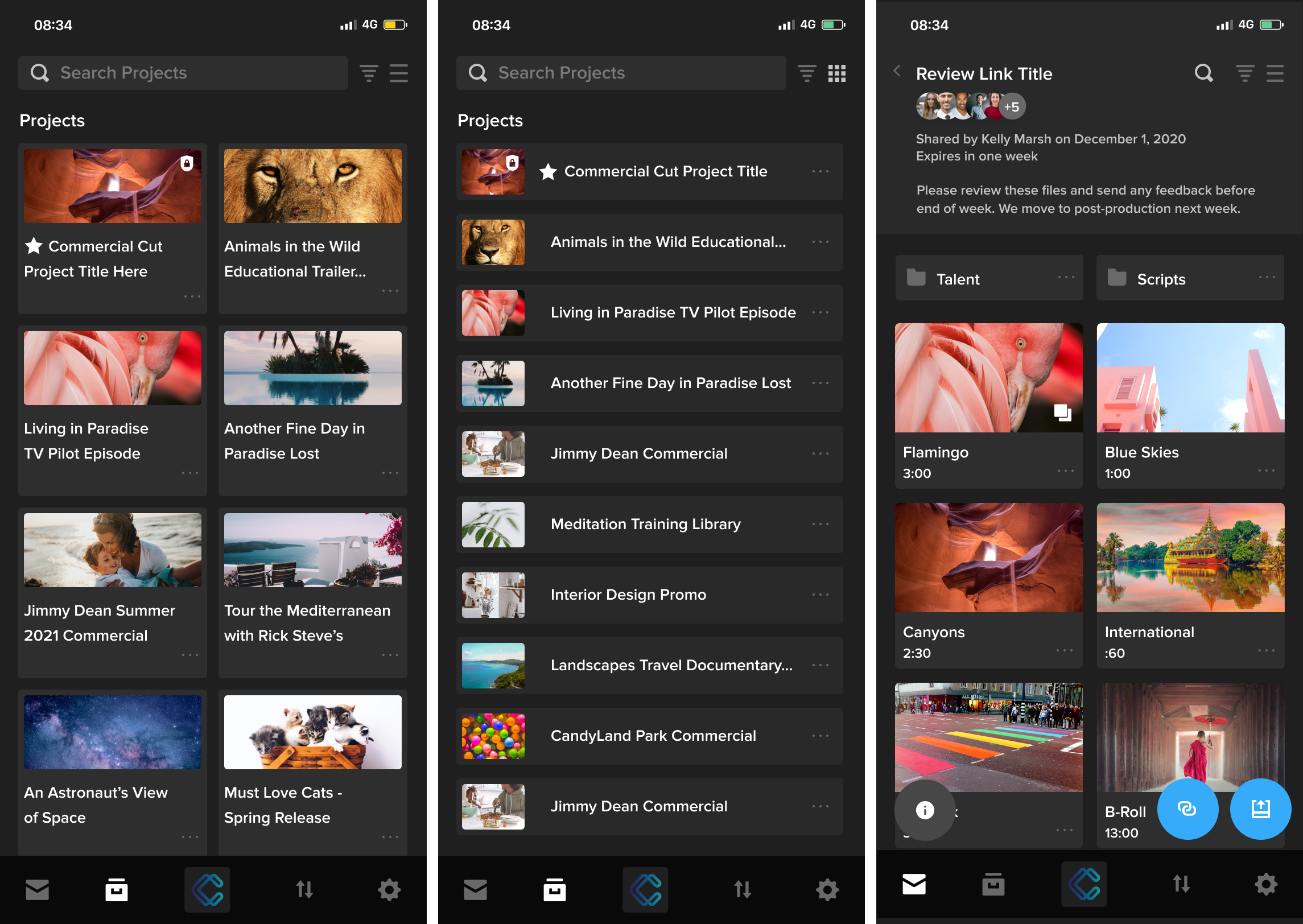
Shift GO, our mobile app for iOS and Android, has been upgraded with layout improvements, a better review experience, and even more sharing options:
The app now has a more compact layout that fits more of your projects on the screen at once. You can also view twice as many feed cards on the screen without needing to scroll down.
You’ll notice more options menus throughout the app. Just tap the three-dots icon to reveal additional options, like sharing folders and copying project URLs to share with your team.
When you review a link with multiple files, the review gallery now includes sender and audience information at the top of the screen, in addition to the link title and description. The gallery also displays more thumbnails at once.
Finally, we’ve made some additional design updates for a more consistent experience between our desktop and mobile apps.
Let’s face it: the traditional agency pitch is a drawn-out, sprawling, cumbersome process that has made its way into all aspects of creative business development.
From selling agency services to proposing high-profile campaigns; from bidding on big commercial production projects to placing new talent – in every creative endeavor, agencies, boutique firms and reps dutifully invest time, creative energy, and resources into frustratingly rigid dog-and-pony shows. And talk about rigid: according to pitch consultancy ID Comms, today’s agency pitch process has been in place since the early 1990’s. In other words, “most consultants’ pitch templates are older than the internet.”
Even during the COVID-19 pandemic when accelerated changes swept through so many other industries, these archaic processes still remained in place, keeping agencies tied to stagnant and unproductive methods of developing new business – while the rest of the world raced ahead. Basically, we’re stuck with the traditional pitch.
The Creative Cost
Yes, the process is rigid and time consuming. Yes, the average agency surveyed in industry report The OUCH! Factor™ spent 22.2 days’ worth of staff time last year on each pitch they entered (equal to one employee working one full month per pitch – 11 times a year). And sure, the odds of winning the pitch after all that work are around half, according to the same research. It couldn’t get any worse, right? Wrong.
New studies have shown that the traditional pitch process actually undermines the core strength of an agency or commercial production company: your creativity.
“We’re meant to be in the business of creativity, but the focus has shifted,” says MullenLowe Group UK’s Lucy Taylor in a Campaign Live article from March 2022, Resetting the pitch process and bringing the soul back to adland.
Pitches can be very stressful and lead to burnout, posing a serious problem for clients, who require an ecosystem of dynamic agencies doing great creative work, which is “the lifeblood of our industry,” says Andrew Lowdon from ISBA, the trade body representing advertisers, in Marketing Week. After all, says Jemima Monies of adam&eveDDB in the Creative Salon, “New business should be a means of nurturing talent, rather than draining it.”
How can you shift the odds in your favor when it comes to preparing for the dreaded pitch?
The Agency Reel: The Win Before The Pitch
Consider the common, basic criteria clients use to determine the fit of any agency— essentially, the admission price for you to compete: you understand the clients’ business, the vision, their immediate need · you have experience in their industry you’ve got a recognizable roster of previous clients you’ve got the right mix and level of capabilities you’ve shown you can personalize your solution to them
With one creative reel done right, you can prove to your prospects that you possess all these characteristics, before you invest valuable hours into a pitch.
A good reel will help pave the way into a prospect conversation, while leading with proof points they care about— giving them confidence to include you in the brief.
Better yet, a reel will allow you to learn earlier in the process (even before the competition begins) whether the client feels you’re a good fit. Then you can determine whether to continue to invest, or weed out the clients that aren’t a good match, and, instead, pivot to the next important project.
What’s important to note is this: the best reels reflect the specific client who’s watching it, and demonstrate what you can do for their exact needs. That airtight resonance of your work with the client’s needs is what gives a reel the best chance at hitting every one of their initial criteria.
Sizzle On Demand?
Of course, every client is different. That means the best reel you can use is one that’s customized for each client. And creating custom sizzle reels professionally can get very expensive—up to $10,000 per minute of finished video, or more in many cases.
And that’s the conundrum: on one hand, a reel made just for the client you want to pitch will be far more effective, and ultimately win more of the right clients for your agency or firm. On the other, it’s risky, involved, and expensive to professionally create a bespoke agency reel each time, when you have no idea whether you’ll land the project.
If you’re going to engage with multiple prospects while trying to beat The OUCH! Factor™ odds, it makes sense to scale your reel-building capabilities internally. Doing this will allow you to conduct business development proactively and more swiftly when you want to get ahead of the pitching cycle; reduce the expense and time of customizing every reel; and most importantly, increase the “at bats” your reps can get for you with as many clients as you can handle.
Best of all, with the right tools, it’s possible to build reels quickly with the people you have in place (whether internal talent or outside reps), using the content you’ve already created. Just make sure the tools you choose have what it takes to hit all the right marks with clients.
Agency-Friendly Requirements For Reel-Building Tools
As a secure and highly customizable media management and reel sharing solution for 1,500 creative companies around the globe, Wiredrive has had marketing teams, agencies, and commercial production businesses as our customers for more than a decade. Our customers have called Wiredrive one of their favorite solutions for making custom reels – and the software includes a complete set of features designed specifically for this capability, called Library.
We’ve examined the usage of hundreds of Library customers and categorized their reel-building requirements into three major themes. Keep reading for the specific features you should look for when considering your own internal solution for custom reels.
First Things First: Streamline Steps
Every additional process it takes to get from your content to your finished reel is another obstacle between you and your potential clients.
Think about all the disparate components involved in delivering a video show reel today—from cataloging and finding all the pieces of content you want included, to getting them from where they are into the right format and location for production, to designing a template to showcase them – and look for a solution that eliminates steps all along the way.
Connection To Asset Catalog
Everything starts with the assets. Since the reel is your resume (tailored, of course, to your prospect), you’ll likely draw from the entire library of your creative work as the source of raw materials for the final portfolio. Why not use a presentation tool that connects directly to those assets?
Instead of having to start from scratch and think about “Wait a minute, was that on Vimeo? Do we still have that in storage?” choose a solution that doesn’t require people to take the media out of one system and move it, transfer it, or send it into another system.
When you have a library of all your final finished work, already uploaded, cataloged, tagged, and easy to find, you can easily use it as the back-end of your media source and then wrap a show reel around it.
Consolidation Of Multiple Tools
Most agencies and production teams could be using up to a half dozen or so different tools to present and share their work. Anything from downloading media from their company Google Drive to creating Keynote presentations that link to Vimeo videos, to collecting everything in a video site like Wistia, and even creating custom websites to host pitch reels.
Not only does this involve a multi-step process to collect assets and deliver a polished reel, but it also means paying a half dozen monthly fees for different tools—along with the multiple storage costs across those tools.
Find a front-end solution that consolidates a lot of discrete tools that don’t talk to each other, and instead contains everything in one platform that handles each task, all collated together. Otherwise, you end up paying for that many vendors, and taking on the administrative overhead of the fragmented landscape.
Keep Things Simple
This is the next major theme: you want tools that are simple enough that anyone who needs to can create a reel when prospects need to see one. And “anyone” could even mean your sales reps who have a prospective client on the line that wants to see something right now.
Your responsiveness alone—along with your quick-turnaround capability of a beautiful presentation—will make a strong impression from the start.
Easy for Non-Designers
If most of the people pitching your services are natural-born salespeople, not natural-born designers, one requirement to look for in augmenting your in-house reel capabilities is the ability to create impressive-looking output without being a professional designer.
Prebuilt templates, customizable design themes, and drag-and-drop presentation building are valuable features that any presentation software should have. The further ability to simply plug in the desired asset and have it “just work” saves many nail-biting hours otherwise spent struggling with incompatible file formats, complicated editing software, and painstaking adherence to creative guidelines.
Brand-Customizable
If there’s any caution around allowing reps and other non-creatives to build effective agency reels, it’s that you have clear standards for external-facing presentations, fixed guidelines for what they should look like, and a reluctance for people to simply make their own and go off-brand. After all, that’s a recipe for what should be a captivating portfolio to turn into Myspace really quickly. Regardless of whether your staff and reps are creatively gifted or visual newbies, ensure your solution can be deployed under a model of brand control. Set up templates that do fit the model, and then that template can be applied automatically to hundreds, thousands of presentations that get sent out for all the things that you do.
No Code Platform
It’s worth mentioning that bringing the tools for reel-building in-house doesn’t necessarily mean everyone needs additional tech skills (or a new hire to manage the solution). Many small companies would contract with a web development firm to create bespoke client branded web pages, but then the agency would still need to figure out how to get them the assets they need, how to ensure client assets are secure, how to specify the correct analytics. It truly is cost-saving, complexity-saving, and time-saving when the platform doesn’t require staying up to date on technology skills.
Embrace Analytics
Posting a sizzle reel on YouTube could show you the number of views, daily trends, and so on, but with the right tools you can gain enough knowledge over time to know in advance whether your pitch will have a chance.
Reporting And Insights
How powerful would it be if you could eliminate uncertainty around the business development process? To have insight about whether your reel was viewed (or wasn’t), the knowledge of how widely it was shared, and potentially, even the confidence to determine whether you’ll be selected?
Make sure the solution you choose has enough data reporting built-in that you can make better, faster, and more effective decisions about the presentations and reels you’ve sent out.
It’s one thing to check the basic box of “So oh, could you use a Google Analytics code and put it on the web page where the video was shared?” But it’s another to be able answer questions around, for instance, how much media was viewed by your recipient. Was only a short clip viewed and then the window closed, or did the recipient stay engaged enough to view the entire reel? Was it shared with other people? In what time span was it viewed?
All of these types of insights can signal interest, consideration, and urgency of a decision—or it can indicate that your creative efforts should be spent on the next promising account. Find a solution that helps you make better, more profitable decisions.
Make Your Next Pitch A Fast One
The agency pitching process isn’t going away anytime soon. But with tools that let you quickly put your prospective clients’ vision front-and-center – using the beautiful work you’ve already created – you can get on the shortlist, and possibly even short-circuit the distance to a winning pitch.
Wiredrive Library puts your entire media vault at your fingertips. When all your assets are so readily available to your team, you can empower your stakeholders, sales and marketing teams to easily create and send video reels and multimedia presentations of finished work, to help present your work effectively – and win more pitches with less pain.
Want To Learn More?
Discover why agencies and commercial production companies have found that Wiredrive by EditShare makes a difference in their pitching workflows.
Check out this case study to find out how Australia-based video agency New Mac became more efficient at responding to business opportunities, and improved how they present themselves in those opportunities.
EditShare’s video workflow and storage solutions power the biggest names in entertainment and advertising, helping them securely manage, present, and collaborate on their highest-value projects. To learn more about how EditShare can help your video production team, contact us today.
EditShare versatility supports the university’s esteemed science studies
Boston, MA – March 1, 2022–EditShare®, the technology leader that enables storytellers to create and manage collaborative media workflows, today announced that Hong Kong Metropolitan University has expanded its investment in EditShare, installing FLOW media management and EFS shared storage as the core content platform for its Nursing Simulation program.
EditShare’s integration with the program’s SimCapture, which is used to record and assess student performance, provides a centralized repository and archive that educators can easily access, share learning outcomes and proof of performance. The innovative workflow was designed and deployed by EditShare Channel Partner Viewcon.
“Video is one of the core components of our high-quality training and education. It helps us track trends, improve learning and document methods and time spent on practical training,” said Wilson Yau, AV Technology Manager (ALTO), Hong Kong Metropolitan University.
Prior to the installation of EditShare, Hong Kong Metropolitan University stored the files on standard storage, using Windows Explorer to search and locate videos. Yaucontinued, “For audits and official records, our university keeps its videos for seven years which equate to hundreds of thousands of video files. EditShare worked well in our AV Production Studio and we knew it would automate many of the manual processes that come with storing and sharing video at this scale.”
The innovative workflow features EFS tiered storage with integrated production, nearline and archive capabilities. FLOW serves as the control layer, automatically migrating video content, including simulation records, from the SimCapture to EFS. Metadata is automatically added to the video and includes key information such as teacher, student, session and other notes. Staff can log into the web-based FLOW dashboard, search videos on a number of angles, add further notes, share, and playback practical sessions.
Yau explained, “Prior to EditShare, staff would manually put all this information into the file and then drag and drop it into the storage. There are roughly 140 files recorded per day so this task was incredibly time-consuming, tedious and prone to human error. EditShare was able to build a custom workflow that automated all of the manual tasks, ensuring these were accurately documented and available for viewing moments after they were made.”
EditShare’s Chief Revenue Officer, Said Bacho comments, “EditShare has deep expertise in the education market. Our systems are used by educational institutions all over the world which speaks volumes of its agility to adapt to specialized environments like Hong Kong Metropolitan University’s Nursing Simulation program.”
EditShare is a technology leader that enables collaborative media workflows on-premise, in the cloud, or in a hybrid configuration. With customer and partner success at the heart of EditShare’s core values, our open software solutions and robust APIs improve workflow collaboration and third-party integrations across the entire production chain, ensuring a world-class experience that is second to none. The high-performance software lineup includes media optimized shared storage management, archiving and backup, and media management, all supported with open APIs for extensible integration.
“Have you ever tried the experiment of saying some plain word, such as ‘dog,’ thirty times? By the thirtieth time it has become a word like ‘snark’ or ‘pobble.’ It does not become tame, it becomes wild, by repetition.”
— G.K. Chesterton
The word authenticity has become wild to me, liberated from the confines of its OED definition by repeated use in the ad briefs I read and the pitch treatments I write as a freelancer. It’s gone feral, free to explore new identities.
Semantic satiation is the name of this phenomenon. The term, coined by psychologist Leon James in 1962, refers to a type of fatigue. “If you repeat a word,” says James, “the meaning in the word keeps being repeated, and then it becomes refractory, or more resistant to being elicited again and again.”
Could the authenticity that The Washington Post calls for in its gritty “Democracy Dies In Darkness” campaign really be the same authenticity Fiji Water hopes they’ll get from an aspirational Instagram personality? I’ve regurgitated the word so many times that I’m no longer convinced I know what it means, but I do know it’s what everyone wants.
Trust fails and falls
According to a recent survey asking more than 1,500 people in the United States, the UK, and Australia about their marketing preferences, 90 percent responded that authenticity is important when it comes to choosing which companies they spend money on. Forbes attributed this desire for authenticity to recurring corporate transgressions like data mining that have left consumer trust at an all-time low. “To win the hearts and business of your target customers,” the author writes, “you have to convince them you are trustworthy.”
Until recently, the most noticeable trust-building exercises companies have done with audiences have been based largely on look and feel — think of the rise of docustyle commercials and branded documentaries. But, no matter how authentic an ad looks to a viewer, they know it’s always going to be a fantasy/reality hybrid told through a subjective lens, all meant to sell them something. Authenticity campaigns are emotional — they strike deepest when they evoke feelings that ring true.
However, what rings true for audiences has been exponentially refining itself through a process similar to semantic satiation. Repeated depictions of reality become refractory for savvy twenty-first-century audiences. In 2019, for example, no one would think The Blair Witch Project was depicting real events the way people in 1999 certainly did (including my boyfriend at the time, who thought I’d taken him to a snuff film).
Audiences now require more, an integrity that goes beyond the lens. The process behind how they’re being marketed to matters. Interestingly, two strategies that are addressing this head-on are user-generated content (UGC) and influencer marketing, methods that seem on opposite ends of the spectrum but are actually united in authenticity’s ultimate goal: connection.
Straight from the source
“There was a whale, deep in the ocean, being suffocated by a rope from a ship,” says Keith Marmon, business affairs manager at The Mill, an Academy Award-winning VFX and content-creation studio. “The scuba divers approached, and the whale looked at them. You could actually see the whale give consent to the divers to cut the rope. It was incredibly emotional.”
Marmon is describing a clip he’d seen of GoPro footage sourced by Catch&Release, a San Francisco-based company taking UGC in an interesting direction. “You could, technically, re-create that,” he adds. “But it’s not the same.”
UGC is a nebulous term for online material made discoverable by people who aren’t necessarily sharing it with the intention to sell. The content could range from Facebook or Instagram posts to original artwork, music, or video clips. Companies most frequently use UGC in marketing — say you publicly post a video of your Mount Rainier ascent and then the mountain guide company you used contacts you to ask if they can share it on their website.
With the rise of social media in the past decade, companies claim that UGC humanizes their campaigns and bolsters their overall marketing strategies, primarily because recommendations made by people who post their footage for fun, not profit, feel more genuine. However, navigating social media to find the nice things people post about your business is such a time-sucking morass that a number of aggregate platforms — Stackla, TINT, CrowdRiff, and Yotpo, to name a few — have sprung up expressly for this purpose.
Like the aggregates, Catch&Release also offers a searchable platform for its customers, but that’s where the similarities seemingly end. One of the company’s essential strengths lies in its staff of curators. “They know all the nooks and crannies,” says Marmon. “They’ve studied the patterns of where the premiere stuff lives on the Internet. [Their skill] ends up taking a lot of time and obligation off my team.”
Catch&Release has carved a niche by focusing on the production industry, which CEO Analisa Goodin believes has become increasingly reliant on technology to scale up to the content demands of the digital economy. “Creative teams are trying to achieve more with less time and less money,” she says. “We believe that found content — already made, already shot, online, discoverable — as long as we can license it, becomes a great supplement to original production.”
She illustrates what she means by pointing to the recent “Seafood with Standards“ Red Lobster campaign her company worked on. Red Lobster wanted to break from its shrimp-dipped-in-butter-style commercials to a “brand anthem,” the kind of ad that declares who a company is and what they stand for. However, the company had a tight budget and an even tighter turnaround. Within three weeks, Catch&Release culled from the Internet enough verité-style footage of fishermen and women (who fished in locations from which Red Lobster actually sourced fish) that Red Lobster was able to produce a collage-style ad with a multi-faceted and emotionally moving message.
Had Red Lobster attempted to document the daily grind of fishing boats in different locations for themselves, it likely would’ve cost millions of dollars, required the services of more than a hundred people, left an enormous carbon footprint, and taken at least three months to produce. Additionally, as is often the case with “real story” branded content, the “real people” featured aren’t compensated the way actors in a regular commercial would be because it’s a “documentary.” Because it used sourced material, Red Lobster had to license the footage and pay the people whose lifestyle it was showcasing and who initially shot those videos solely for their own community.
While other UGC platforms focus solely on social media and then rely on the terms and conditions users agree to on the platforms for licensing (“ . . . you hereby grant to Instagram a non-exclusive, fully paid, royalty-free, transferable, sub-licensable, worldwide license to use the Content that you post on or through the Service”), Catch&Release widens its net to the entirety of the Internet and then works with independent content creators one-on-one to procure rights. Goodin says, “When we ask you to do something like, ‘upload your master file’ or ‘get model releases for your friends that appear in the shot with you,’ it’s because the client has already seen your work, they love it, and there’s a 95 percent chance you’re about to get paid.”
Catch&Release’s resourceful approach not only provides cost-cutting solutions and an added dimension of authenticity to docustyle commercials and branded documentary, it’s arguably a new style of storytelling more akin to the archival footage collage documentaries director Adam Curtis makes for the BBC than typical ad-world templates. “It’s a different process, a reverse process,” Goodin told the Women Worldwide podcast last year. “Clients are starting to come to us and say ‘Here’s what we’re thinking about shooting. Can we start with Catch&Release, find out what’s out there, figure out where the holes are, and then fill those holes in by shooting?’”
Under the influence
If I were to pinpoint the moment when the meaning of authenticity became murky for me, it might be when I watched a ring-lit YouTube influencer named Andrea Russett — who had been described to me as “authentic” — extol the virtues of Argan Oil of Morocco’s dry shampoo from her funky fresh bedroom. “They must have meant aspirational,” I thought. The whole thing just seemed so orchestrated.
I thought of the documentary Jawline, which chronicles sixteen-year-old Austyn Tester on his quest to become an Instagram influencer. To me, what Tester posts on his Instagram account is aspirational, the best version of his life. What’s authentic are the barely-scraping-by struggles he goes through in Jawline.
But, according to Maria Gonima, I likely felt this way about Russett because I hadn’t been following her or personalities like her since I was fifteen. I hadn’t watched her cry on screen and then, after she apologized for not posting for two weeks because she was having a rough time, I didn’t post an emotional comment saying that I, too, have had rough times. Gonima, formerly at Fullscreen and now the head of Big Smile, a marketing company that specializes in influencer engagement (among other services), says, “Now some of these kids are twenty-three, and their viewers have been with them for eight or nine years. Grown up with them! That’s a relationship to an audience that just doesn’t happen with traditional advertising.”
Russett rose to YouTube fame as a fourteen-year-old in 2009, when her video entry for a Justin Bieber contest went viral. Since then, Russett’s 3 million subscribers have stuck with her as she got her first job, dyed her hair purple, blew up on other platforms, started an acting career, began smoking weed, and came out as bisexual.
They’ve also watched her team up with L’Oreal and Sour Patch Kids, brands that want exposure to a loyal audience who follow Russett and trust her recommendations. However, according to Gonima, it’s Russett who has the final say in how she’ll talk about them. “Behind the scenes, there are people fighting on behalf of the influencers,” she says. “A lot of time, they’re not going to say or do exactly what brands might want them to because, ultimately, the influencer has more power than the brands.”
But what about influencers faking sponsorship for status reasons or the whole Fyre Festival debaclewhen Kendall Jenner and Bella Hadid didn’t disclose that their posts were sponsored and sold their followers on an epic fiasco? According to Gonima, as long as influencer advertising laws are followed, social media audiences can be trusted to know when someone is being inauthentic just as much as television audiences can.
“A lot of time, they’re not going to say or do exactly what brands might want them to because, ultimately, the influencer has more power than the brands.”
“There’s the side where the follower knows they’re being sold to, but they don’t care because they want to live that flawless skin life,” she says. “That’s just like commercials, like a CoverGirl ad. Then there’s the other side where the influencer is like ‘Hey, I’m a person like you. You’ve been with me for a while now — come with me while Discovery Channel pays for me to go around the world for a week!’ It’s a tone and trust that’s built over years.”
Influencer marketing is predicated on a one-on-one relationship that’s continuously evolving over time and intuited by viewers. It relies on something that looks more like the ups-and-downs of a friendship than a condensed storytelling experience. So, even though the halo lighting might conspicuously accent the considered, jaunty placement of a background pillow and the influencer’s intensely on-point hair, the aspirational aesthetics framing what a YouTuber chooses to show the public don’t just immediately erase the authentic feelings and trust the viewer has developed for the influencer and his or her world.
Authenticity in influencer marketing is measured by a completely different metric than something like the UGC-heavy Red Lobster commercial, but, as strategies, both UGC and influencer marketing have evolved into effective tools for evoking the more refined emotions of today’s reality-savvy viewers. The goalposts for what constitutes authenticity to any given audience are continually shifting, keeping the industry on its toes.
“To be honest, I really do hate the word authenticity,” admits Goodin. “We haven’t been successful in finding an alternative word ourselves.”
“Transparency?” I offer.
“I thought about that too,” she says. “And then I was, like, ‘Ah, I don’t know.’ Maybe we just need to make up the word. I need to make up a new buzzword.”
“Like imagineering,” I say.
“Exactly,” she says. “Why not? Why can’t we?”
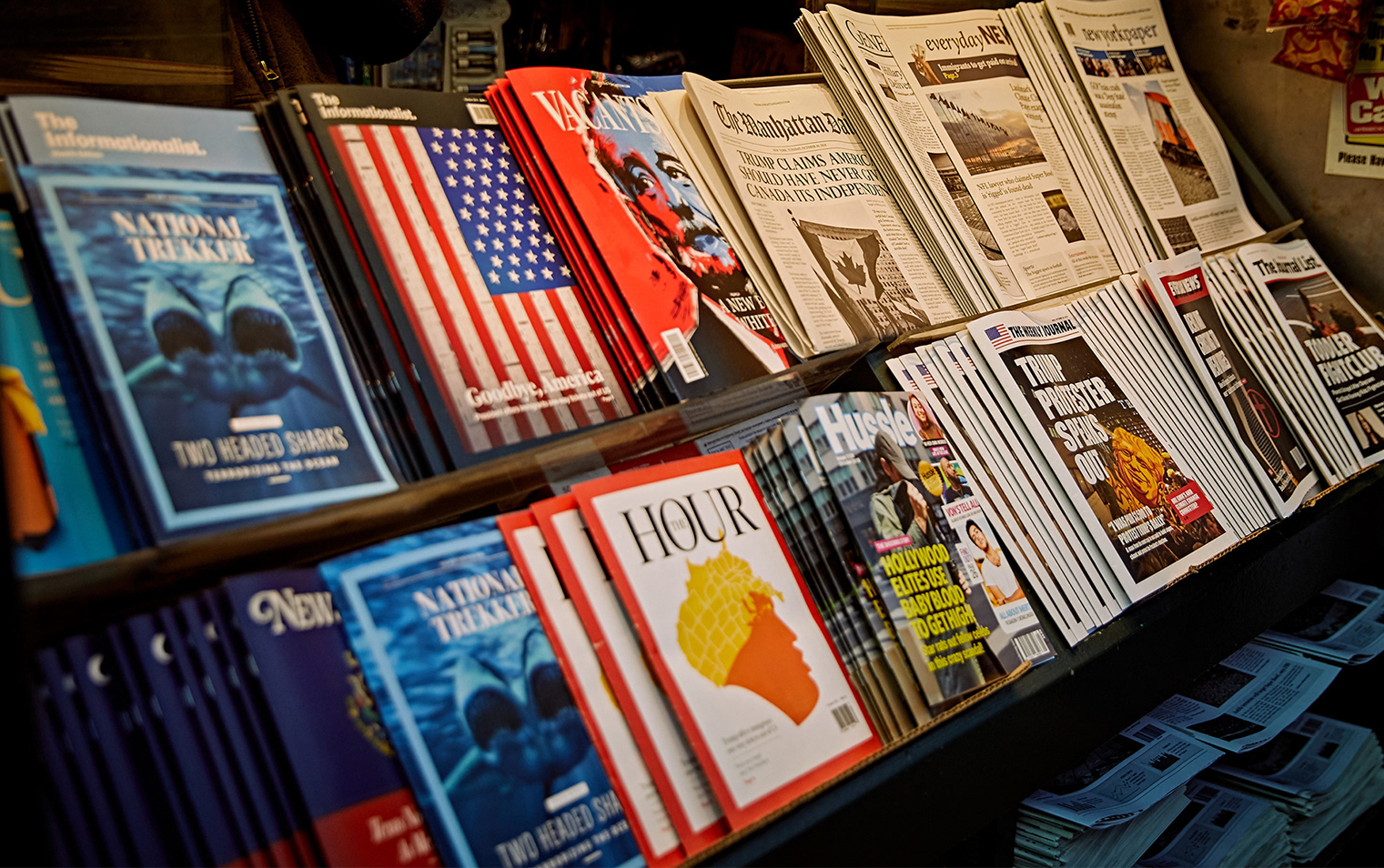
The video opens on an unremarkable kiosk on the edge of New York’s Bryant Park. The kiosk is stocked with newspapers and magazines, and a stoic, silent proprietor perches behind its cramped counter, ready to do business. As background music plays over a sped-up shot of crowds passing by, the camera zooms in on a rack of publications with headlines that are, um, surprising.
“Dems Want Christians to Wear Badges”
“Texas Now Recognized as Mexican State”
“Hollywood Elites Are Using Baby Blood to Get High!”
Puzzling? Sure. Far-fetched? You bet. But that’s the point. Everything is made up, and it’s all gibberish — but it’s gibberish drawn from 100 of the most heavily shared “news” stories on social media in 2018.
Viewers are meant to be deeply skeptical of what they see in The Fake News Stand, an award-winning production from TBWAChiatDay made in collaboration with pro bono client Columbia Journalism Review, a nonprofit publication tracking the state of U.S. journalism through the startling upheavals of the digital news era. Its mission is especially challenging under the administration of President Donald Trump, who favors the term “fake news” to describe unflattering coverage of him or his policies and who calls the media the “enemy of the American people,” a variation on similar sentiments from totalitarian leaders such as Mao Zedong, Joseph Stalin, and Nazi propaganda minister Joseph Goebbels.
Working with the agency on its second project to counter the postfactual environment of the Trump years, CJR and the agency set the project date just ahead of the 2018 midterm elections. Throughout the day, they engaged passers-by who idly leafed through the roster of fake titles: The Informationalist, The Manhattan Daily, Hussle, New York Paper, and The Weekly Journal. Every one of the slickly plausible covers, vivid visual echoes of TIME, The Economist, The New York Times, The Wall Street Journal, and People, was bogus. But inside, each made-up publication contained a thoughtful, direct insert full of tips on recognizing misinformation, complete with tips on taking a skeptical, fact-based approach to news found on social media.
A public mission, an agency challenge
For Alex Lumain and K.S. Shanti, who spearheaded the 27-person TBWAChiatDay team that produced the 2-minute spot chronicling the late October 2018 day when the real stand was taken over by fake news, the project was a dam erected against the flood of gibberish, lies, and clickbait often mistaken for reliable information just because it’s easily found on the Internet.
“The plan was to bring fake news into the real world,” says Shanti, a TBWA creative who discussed the ad at a reception for one of about two dozen advertising industry awards the spot has garnered. It’s also been the subject of 300 news stories across 103 countries and seen by roughly 2 billion people, according to the agency’s count.
“We had to bring these crazy headlines into a tangible form,” says Lumain, the chief designer for the spot. “By creating these tangible publications and these headlines — well, they were all ludicrous — it was meant to make people wonder, ‘If it’s in print, does that mean it’s real?’”
The one-day exercise in “making people take responsibility for what they read” was an adept, pointed response to a postfactual environment where the term “fake news” has become a weapon in a deeply polarized political environment, says Kyle Pope, editor and publisher of CJR.
“The term ‘fake news’ had become largely useless, because it meant so many different things to so many different people. It ranges from disinformation from Russia to — depending on your politics — the front page of The New York Times,” he says.
The project went on to win awards for industry excellence, branded experience, typography, and design, including a Clio and multiple Cannes Lions honors. While its production costs are unknown, the video followed up on CJR and TBWA’s “Real Journalism Matters” June 2018 print campaign. That effort featured photos of readers perusing magazine and newspapers with similarly fictive headlines: “Dad’s Facebook Posts,” “Some Guy’s Blog,” and “Retweets From Strangers.”
The successor newsstand project “took two minutes to come up with, but the execution took weeks to months,” TBWA/Chiat/Day New York chief creative officer Chris Beresford-Hill told AdAge the day after it appeared. “It felt like a natural extension — taking what people widely consider fake news offline was powerful — but how do we scale that and make it a bigger deal with the midterms approaching?”
Firing back when words are weaponized
Pope, who said the campaign and its print predecessor received an enthusiastic response from its parent publisher, the Columbia University Graduate School of Journalism, after the idea of turning “fake news” back on itself was explained to seasoned journalists and academics whose mission is to teach students entering a profession where truth matters.
“The way people read the news on Facebook and Twitter means there’s almost no differentiation between what’s garbage and what’s not,” Pope says. “Distrust of all institutions is up sharply, whether that’s Congress, the police, the church, or the press. We’re in a time where the president is trying to weaponize this distrust against the press, and we’re trying to help people see what’s real and what’s not.”
The public service dimension cemented the agency-client relationship, with abundant mutual admiration.
“The way people read the news on Facebook and Twitter means there’s almost no differentiation between what’s garbage and what’s not”
“We get to work with amazing clients every day,” says Shanti. “And it was no different with CJR. They believed in the concept and were very collaborative and ambitious. In whatever we’re working on, we’re always striving to find a way to involve our brands within culture, and with The Fake News Stand, we hope it would strike a chord with people and the media, and it did.”
The partnership came about when the agency reached out to CJR. For Pope, who has testified before congressional committees on the threat Trump poses to press freedom, it was a novel, rewarding experience.
“This was a new thing for us,” he says. “They said, ‘We’ve seen what CJR is doing,’ and they were super-enthusiastic about it. They were really committed to it. I can’t speak highly enough about them.”
TBWA and CJR are currently working on a third collaboration focused on climate change, which Shanti calls a natural outgrowth of the enthusiasm spawned by The Fake News Stand. There were many reasons why the entire team and agency were really excited about the campaign, from the timing — just ahead of the midterms — and the nuanced, inventive layers it required from design and concept to helping spread the dangers that fake news poses, he says.
“We all felt that strongly about getting this message out there,” Shanti concludes. “We’ll see how we did when the next election comes.”