As the product manager for EditShare FLOW, I’m passionate about building tools that make your work easier today and help you stay ready for tomorrow. That’s why we’ve moved from traditional desktop apps to a more flexible web-based platform, and why we created EditShare One. It brings everything together in one place, making FLOW easier to use, more accessible, and ready to grow with you so you can spend less time worrying about tech and more time creating great content.
One of the primary motivations for this shift was improving accessibility and remote collaboration. With client applications, users were required to install and maintain software on their local machines, which created barriers for remote teams and slowed down collaboration. Traditional desktop applications struggled with RAM, CPU limitations, and the sheer number of files in a project. As projects grew, managing large datasets on machines we didn’t control made it hard to ensure consistent performance. A browser-based platform removes these limitations, allowing users to access their workflows from any device, anywhere, without the need for installations. It now means everything is powered from the FLOW Node, an environment that we can control.
Beyond accessibility, reducing IT overhead was another major factor. Client applications require frequent updates, manual deployment across different operating systems, and ongoing maintenance, which places a heavy burden on IT teams and on our development team. We are constantly testing against a new version of OS, an example is Apple’s latest OS revision which caught most by surprise.
A web-based platform eliminates these dependencies, ensuring that users always have access to the latest version without requiring complex installations or system compatibility checks. This not only streamlines internal operations but also reduces downtime and technical support costs for our customers.
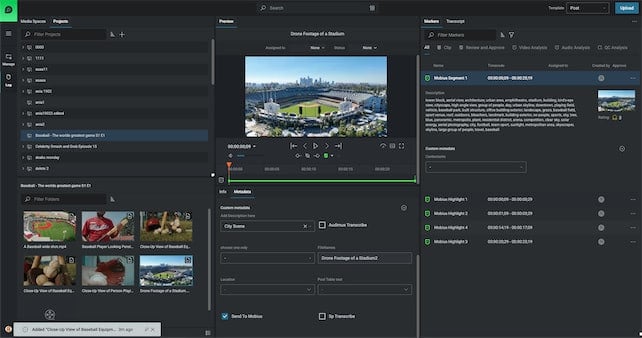
Scalability was a big factor for us. Our old system was modular, but it still needed a lot of backend setup and relied heavily on the client’s machine. By moving to a web-based platform, we can now focus on building the core parts of FLOW in a way that’s much easier to scale. At NAB 2025, we’ll be showing off some of those key building blocks starting with our enhanced Organise module.
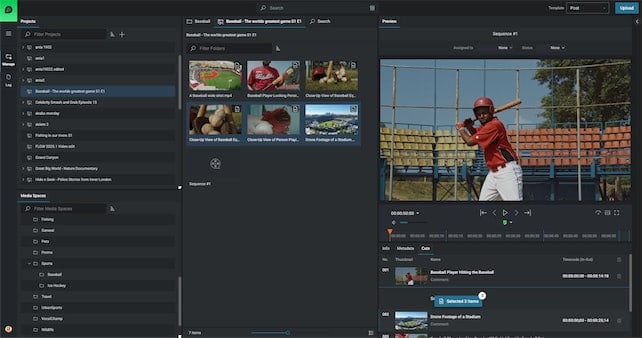
From a user experience standpoint, consolidating FLOW functionality into a single web-based UI creates a more streamlined workflow. Users will have a designated log in screen that’s tailored exclusively for them. Previously, users had to navigate between multiple FLOW applications for logging, browsing, editorial, media management and QC. Now, with a browser-based platform, we can offer a centralized, intuitive interface with a single pane of glass that integrates all essential tools in one place. This improves workflow efficiency, eliminates the steep learning curve, for different UI’s for different processes and streamlines the entire user experience.
Finally, future-proofing FLOW was a major strategic consideration. Being able to bolt on emerging technologies such as Video and Audio AI was a key win for the ecosystem, making it easier to integrate these types of future innovations.
Ultimately, this transition was driven by the need to create a more flexible, scalable, and user-friendly product that aligns with the evolving needs of the media industry. By shifting away from traditional client applications, we are enabling; better workflows, shorter learning curves, more powerful collaboration, lower operational overhead, and a future-ready technology stack that positions our users for long-term success. If you haven’t tried the new FLOW tools lately you should.
Let’s be honest, post-production used to be a nightmare.
Endless stacks of USB hard drives, painfully slow file transfers, off-line on-line workflows , relinking media and that constant sinking feeling when you can’t find the footage you need. Every editor, producer, and creative pro has been there, asking, “Where did I save that file?” or “Why is this transfer taking forever?” The whole process has been clunky, stressful, and way more work than it should be.
But here’s the good news: cloud-based storage is changing everything
Not just any cloud solution, but one that’s built specifically for media professionals. That’s where EditShare FLEX comes in. Unlike generic cloud storage, FLEX is designed to handle high-resolution media, multi-user collaboration, and even remote editing. If you’re still stuck using outdated storage methods, you’re making things harder on yourself. It’s time to upgrade your workflow and free up your creative energy
Is Your Workflow Slowing You Down? Here’s Why It Might Be Time for a Change
Moving to cloud storage isn’t just about making life easier, it’s about getting rid of the roadblocks that slow down your work. Here’s why sticking to traditional methods might be holding you back:
Searching for Files Shouldn’t Feel Like a Wild Goose Chase
When your media is scattered across multiple hard drives and local storage, finding the right file can feel like digging through a haystack. It’s frustrating, time consuming, and completely unnecessary.
With EditShare’s EFS, everything is in one place organized in mediaspaces, easy to find, and instantly accessible (subject to permissions!), whether you’re at the studio or working remotely. No more wasted time. Just stress-free editing
Waiting for transfers wastes time and money
Large file transfers have long been the bane of post-production workflows. Traditional FTP, email attachments, and even some basic cloud solutions simply aren’t designed for massive media files. EditShare FLOW automation optimizes your transfers, ensuring that large files are sent, received, and accessible.
Collaboration should be simple, not stressful
When multiple editors, VFX artists, and producers are working on the same project, versioning nightmares are all too common. Who has the latest cut? Did someone accidentally overwrite the master file? With EditShare’s cloud-enabled collaboration, everyone is working from a single, centralized source of truth, no confusion, no lost work, and no last-minute panic.
How EditShare Future-Proofs Your Workflow
With FLEX, powered by EditShare EFS and FLOW, you’re not just moving to the cloud—you’re upgrading every part of your post-production workflow. Here’s what that looks like in action:
Work from Anywhere Whether you’re in the studio, at home, or on set, your team has secure, real-time access to all media assets. No more waiting, no more limitations—just seamless collaboration.
Storage That Grows With You Forget about running out of space. FLEX cloud storage scales with your needs, so you’ll never have to scramble for extra storage again.
Collaboration FLEX integrates directly with Adobe Premiere Pro, DaVinci Resolve, and Avid Media Composer, letting you edit straight from the cloud without worrying about local storage.
Power When You Need It Spin up high-performance workstations whenever you need them and spin them down when you don’t, so you’re never paying for more than you use.
Smart, Secure, and Reliable Automatic backups, role-based permissions, and MediaSpace projects keep your files safe and accessible only to the right people.
With FLEX, you’re not just storing files, you’re streamlining your entire workflow and making post-production faster, easier, and more efficient.
The Industry is Moving Forward, Are You?
Sticking to outdated storage isn’t just frustrating, it’s slowing you down. Teams using cloud-based workflows work faster, collaborate better, and avoid unnecessary headaches.
With EditShare, you’re always ahead. No lost files, no long waits, no versioning chaos, just a smooth, efficient workflow.
The future of post-production is here. Ready to make the leap?
One thing I see a lot in my line of work is a lot of talented, creative, and passionate people being forced to do really menial tasks in order to start the edit or start the production. Right? A lot of MAM companies will promise you the world when it comes to automating away these menial tasks, but usually there’s a pretty hefty price tag and a lengthy professional services process to get through. One of EditShare’s most exciting products actually remedies that.
Let me show you three things you can automate today using FLOW Automation.
QC Quarantine Automation
This first one I like to call the QC quarantine. This automation allows you to set up a watch folder for an ingest path. Anything that hits that watch folder immediately gets sent over to a QC server, something like Baton or QScan.
If it passes, we copy it into the proper media folder, and then we set the metadata to show that it passed at a certain date and time. If it fails, we move it into a quarantine media space that’s only accessible by one user, in this case, patient zero.
We send a notification email to patient zero saying there are clips waiting for you in the quarantine folder. Patient zero can now manually look over these clips that failed QC and determine what to do next.
This cuts down significantly on the per asset QC time because rather than you having to manually upload them or upload them to the QC server, they already live on the EditShare and proxies are being generated in the background during this QC process. Plus, there’s no way for editors to accidentally use assets that failed the QC check.
Mezzanine Automation
The next automation is a mezzanine automation. Oftentimes, you’re gonna be working with footage from multiple different cameras as well as graphics packages. All of these are gonna be different codecs at varying bit rates, and it’s gonna make it really difficult for you as an admin or a media manager to predict how the system is going to handle X number of editors on the system. This works by immediately taking any assets that are dropped into the ingest folder and transcoding them into a house mezzanine codec.
This is usually a codec that is in line with your absolute highest res spec for output. Once that transcode is done, it takes the original footage and moves it up to a cloud archive so that you always have access to it. And it also preserves the original file path in case you’re using something like a Sony camera with a really important file path structure. The new transcoded footage goes to the media folder that the editors will access for their actual projects.
And if this transcode fails because of some exotic codec, it actually sends an email to IT or the admin of the EditShare server to take a look at it and see what went wrong.
Metadata Trigger Automation
This last one is great if you need to organize a package of assets to send off to a remote contractor somewhere to download and edit. It starts with a metadata trigger, so we can take all of the assets we wanna send and say push to MediaSilo. Once that’s triggered, it transcodes to an .mp4 that’s a little lighter weight and easier to transfer. Then it runs a metadata check to see if that asset is confidential or not.
If it is confidential, then it sends a notification email to your security team saying that someone tried to upload confidential assets. It also notifies the original uploader, although this is optional. If it’s a green light and there are no confidential assets, we push it up to MediaSilo, and then we update the metadata on the clip in FLOW to say this was uploaded to MediaSilo on this date and time.
As you can see, these three automations alone could save dozens of working hours on your team every week, and you can make and adjust these at your leisure rather than having to call someone like me.
Storage systems don’t fail overnight. They wear down, slow down, and eventually, they stop keeping up with your workflow. The tricky part is recognizing when that tipping point is near.
Maybe you’re noticing that issues are becoming more frequent. Maybe your team doesn’t trust the system enough to work at full speed. Or maybe you’re just hoping that nothing critical fails before you can budget for an upgrade.
The challenge isn’t just dealing with aging hardware—it’s knowing when “good enough” isn’t actually good enough anymore. So, how do you know it’s time for a refresh?
Regardless of which shared storage solution you use (EditShare’s or someone else’s), this is our take on the key signs to watch for, the questions you should be asking, and how to think about when it’s time to refresh your system.
What Happens to a Storage System After 5-7 Years?
It’s not just about age—it’s about workload. A production storage system isn’t just sitting there. It’s constantly reading, writing, rewriting, fragmenting, and filling up with massive files. And after 5-7 years, a few things start happening:
1. The Hardware Wears Down (And Becomes a Bigger Risk)
Storage systems aren’t built to last forever. Drives spin millions of times, SSDs wear out, and cooling fans run 24/7. Eventually:
Drives start failing. Even enterprise-grade HDDs have a finite lifespan, and after years of non-stop use, failure rates start to climb. The real risk isn’t just one drive failing—it’s multiple failures happening too close together, putting your media at risk.
RAID protection isn’t bulletproof. Most systems ship with RAID 6, which can tolerate two failed drives. But when a drive fails, it takes time to rebuild, and during that time, the system is vulnerable. If another drive fails mid-rebuild, data loss is a real possibility.
Rebuilds stress the system. The very process of recovering from a failed drive puts extra strain on the remaining disks, making cascading failures even more likely.
Think about it like a car that’s been idling for years without ever turning off. At some point, parts start wearing out. And the older it gets, the harder it is to find replacements. That brings us to the next issue…
2. Performance can potentially drop (Even If You Haven’t Noticed Yet)
At first, the slowdown is subtle. Then one day, you realize renders are taking twice as long. Here’s why:
File fragmentation increases. Video files aren’t small. Over time, data gets scattered across drives, making read/write speeds slower.
Capacity gets tighter. Running at 80-90% storage usage? That alone can slow performance by 50% or more.
New formats push old systems past their limits. Your storage was built for yesterday’s workflows. Today, it’s handling higher resolutions, heavier codecs, and larger files than it was ever designed for.
Software moves faster than hardware. Your system may technically still run, but much like a 7-year-old phone trying to run the latest OS, performance drops as software evolves beyond what your hardware was built to handle.
Bottom line: If your team is fighting dropped frames, sluggish exports, and unexpected slowdowns, your system isn’t keeping up.
3. You’re Probably Out of Support (And That’s a Risk You Don’t Want to Take)
Most storage systems have a support lifecycle. Once you’re past that window:
No more firmware updates. Security vulnerabilities pile up.
No guaranteed replacement parts. Older systems rely on components that may no longer be available.
No vendor support if things go sideways. At some point, you’re on your own.
And even if your system technically can run the latest software, newer features and updates are designed to perform best on newer hardware. The result? A system that once felt “screaming fast” starts feeling sluggish and outdated.
So How Do You Know It’s Time to Refresh?
It’s usually not one big thing—it’s a series of little frustrations that add up. Here’s what to watch for:
1. The Work Feels Slower
Video production isn’t just about skill – it’s about momentum. The best teams move fast – ideas flow, cuts come together, the energy is high. But old, slowing systems can easily kill momentum.
Like any form of electronic storage, media spaces can become overloaded, especially when they become a “dumping ground.” Millions of objects relegated to a project can make bootup, searching, and waiting for screens to load slower and more frustrating.
If your colorist spends more time fighting dropped frames than actually grading, your system is slowing you down.
If your render queue has turned into an overnight hostage situation, your system is slowing you down.
Unfortunately, this situation rarely improves on its own. Cameras aren’t getting less powerful. Files aren’t getting smaller. If your system is already limping, it’s not going to miraculously keep up with next year’s workflows.
2. When Downtime Becomes “Normal” (And the Bigger Problems You Don’t See)
Every production team has dealt with a crash at the worst possible moment. It happens. But when slowdowns, dropped frames, and storage bottlenecks stop being a rare annoyance and start feeling like part of the job, that’s when you have a real problem.
When your team saves after every small change because they don’t trust the system to hold up.
When “try restarting it” is the first response to any hiccup.
When a simple export means crossing fingers and hoping for the best.
3. When Your System Stops Fitting the Way You Work
It’s easy to think of a system refresh as a “nice to have”—until one day you realize your setup is actively making things harder instead of easier.
Your storage architecture was built for on-prem workflows, but half of your team is remote now.
Your editors keep running out of space because the system wasn’t designed for today’s file sizes.
Your infrastructure was optimized for HD, but you’re working in 4K and beyond—and it’s showing.
The Risk No One Talks About: Team Morale is Built on What You Tolerate
Nobody’s walking out the door just because you stretched your storage system another year. But every decision you make about your tech stack sends a message—whether you mean it to or not.
If the system is slow, unreliable, and frustrating—and everyone knows it—what does it say when leadership shrugs and moves on?
At the end of the day, you encourage what you tolerate.
Keep tolerating lag, breakdowns, and workarounds, and you’ll get more of them.
The only question is: How much longer are you willing to put up with it?
How has the transition gone since you came in as CEO?
Starting a new job is never easy, but it’s a lot easier when you’ve had the chance to know the business beforehand. Before stepping into this role, I worked closely with the EditShare team as a consultant, helping shape our strategy and getting to know many of our customers along the way. That experience gave me a deep appreciation for the challenges they face and how EditShare is uniquely positioned to help.
Now, as CEO, I’m not starting from scratch—it feels more like picking up where we left off. Those early conversations helped lay a strong foundation, and my job now is to build on that – to listen and to support the team as they do what they do best.
What excites you most about leading EditShare at this pivotal moment in the media and entertainment industry?
When I make big career decisions, I always look through three lenses: the market, the product, and the team.
The market: The demand for video content has never been greater. Whether creating a feature film, covering live sports, or streaming episodic content, video is the format of choice for nearly every audience. The stakes are high, and our customers’ work has never been more important.
The product: What excites me is how in-tune EditShare is with solving the frustrations creative teams face every day. The same inefficiencies I saw during my time at Harris—like wasted time and overcomplicated workflows—are still a problem, and EditShare has built tools to tackle them head-on.
The team: We have the right people to win in this market. My role as CEO isn’t about reinventing the wheel; it’s about helping us work a little more intentionally and consistently and focusing on listening to our customers.
How do you see EditShare evolving to meet the changing needs of our customers?
The way creative teams work is changing fast. Today, 80-90% of the teams we talk to engage in some form of remote work. They might be building editing teams across different cities or, like a few of our sports clients, editing on-site at the arena, then on the road, and then back at HQ.
That kind of flexibility demands fast, intuitive, and collaborative tools—and EditShare is already the natural choice for teams serious about remote workflows. When I look at our roadmap, I feel even more confident that we’re responding to this trend in the right way.
AI is another area where we see opportunities. Given it’s early, the challenge most teams face is figuring out where to start. We’re focusing on practical applications, like using AI to wrangle metadata. Automating tagging and organizing makes media more searchable and usable, freeing up time for teams to focus on what they do best.
What new innovations or product enhancements can customers look forward to under your leadership?
We’re doubling down on making remote collaboration feel natural—like everyone’s in the same room, even if they’re not. We’re working on giving editors real-time access to shared media, whether they’re in different cities, all together at HQ, on-site at a shoot, or working solo at home.
Another focus area is automation, especially for the front-end tasks that can bog teams down. If you’ve ever been frustrated by spending hours setting up folders, ingesting media, or organizing files before you can even start editing, you’re going to want to come see us at NAB this year. The things we can automate (and how we’re creatively applying AI to these problems) have me really excited.
How do you plan to foster deeper partnerships with media companies, post-production houses, and other key players?
I’ve been treating my first few months here as a “walkabout.” My goal has been to get out into the market, meet with as many customers and partners as possible, and listen. No big agenda. I just want to learn the truth about what’s working, what’s not, and where we can improve.
One thing I’m consistently hearing is that we need to do a better job sharing the success stories and workflows that others are using. There’s a lot of value in showing what’s possible and helping teams learn from each other. I think the word “community” is a little overused in the business world today, but it keeps coming up in our conversations as a team. And starting in 2025, our goal isn’t just to sell you technology – it’s to connect you to insights, ideas, and peers who can help you get better. You can expect more of that from us this year.
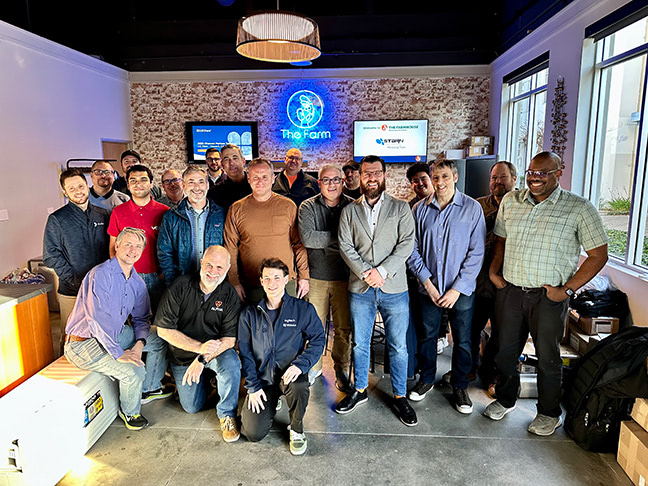
Brad with our California Channel Partners and Sales Team.
What do you see as the biggest challenges facing the media production industry today, and how is EditShare positioned to help overcome them?
One big challenge is complexity. Teams are under pressure to produce more, faster, and with fewer resources, and they often end up cobbling together tools and workflows that don’t always play well together. That’s where EditShare shines. We simplify the chaos. By bringing all your media into one place, connecting with a broad range of tools, and providing professional-grade reliability, we can free teams from all that troubleshooting and help them focus on creating.
Everyone’s talking about it, so I will, too: AI is both a challenge and an opportunity. Most teams don’t know where to start, and the key is to make it simple. We believe the best place to apply AI today is at the front end of the creative process, automating metadata tagging to make your media more searchable and usable. It’s a small change that has a big impact, and the customers we’ve helped take advantage of it are giving us great feedback.
Can you share a bit about your leadership philosophy and how it will shape EditShare’s company culture?
For me, leadership is about three things: listening, simplifying, and empowering. When people have clarity about where we’re going, why it matters, and what’s working that we can double down on, they do their best work. I believe my most important job is to provide and nurture that clarity.
Listening is the foundation. Whether it’s our customers or our team, I believe the best ideas come from understanding their challenges and opportunities. Simplifying comes next. It’s about cutting through the noise and keeping our focus on what really matters. Empowering follows naturally when people feel aligned and supported to execute.
At EditShare, I want us to build a culture where people feel free to innovate because they’re not weighed down by unnecessary red tape. And when we celebrate wins—whether it’s a big milestone or a small victory—it gives the team energy to keep going. Plus, let’s be honest, celebrating together is one of the best parts of the job.
What message do you have for long-time EditShare users and new customers alike?
To our long-time users: Thank you. You’ve been part of our journey every step of the way, and your trust has shaped EditShare into what it is today. We’re committed to continuing to make your workflows smoother and your creative process easier.
To new customers: Welcome. We’re excited to work with you and show you how EditShare can help you focus on what you do best: creating.
Whether you’ve been with us for years or are just starting out, our goal is simple: to be the partner you count on to help you do great work faster and with less hassle.
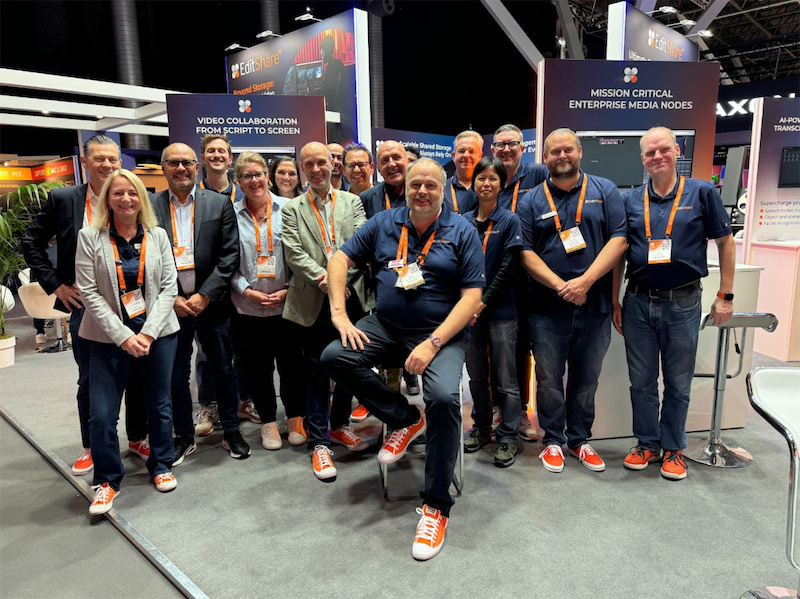
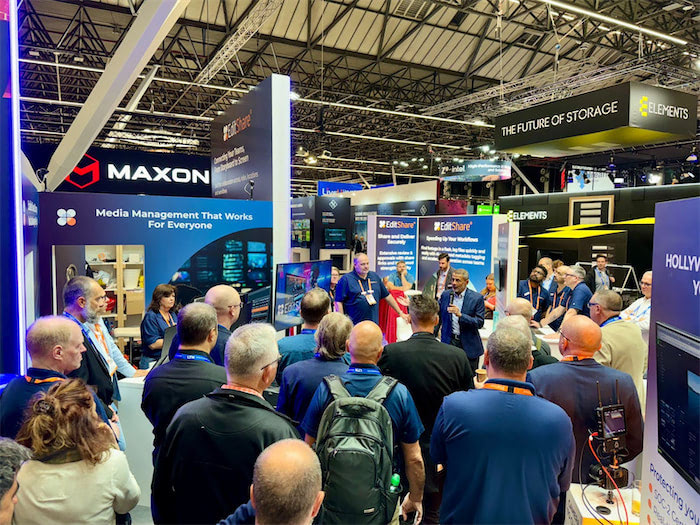
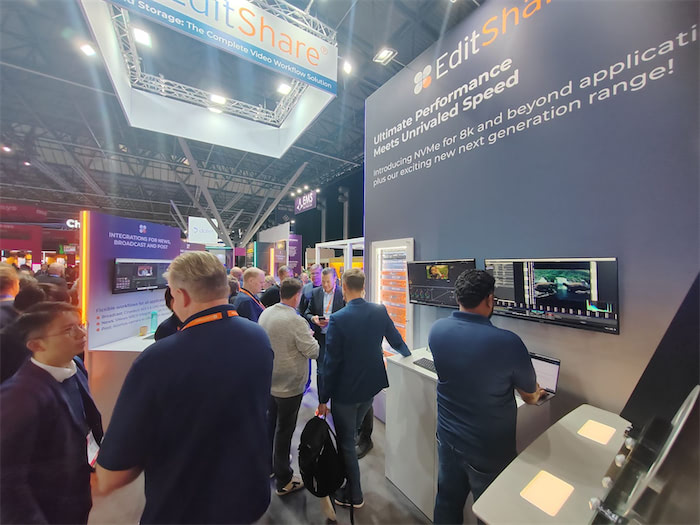
That’s a wrap on another successful year in Amsterdam at IBC, the show that always brings game-changing innovation to the industry. Hall 7 was the exciting place to be. Pulling off a show of this size takes effort, and our team did an excellent job setting up the booth with eye-catching workflows . We couldn’t be more grateful to them, because it allows us to connect with creative professionals and have workflow discussions with so many customers and partners. This year marked our 20th year exhibiting at IBC, a milestone that reflects two decades of bringing innovation to the M&E industry—many of which have since become integral to mainstream workflows. 2024 was no different, as we continue to push the boundaries of technology and shape the future of production. It also allowed us to introduce our latest product innovations – the all new EFS Ultimate Series and EFS Field Unit.
Here’s a look back at some exciting highlights from this year’s show.
AI Still Dominates the Conversation, but Remote Workflows Are Redefining Collaboration
As more companies adopt generative AI, it continues to dominate discussions at industry events. While the full impact of AI and machine learning in the creative process is still emerging, many see these tools as ways to explore new ideas, techniques, and styles. Some view AI as a radical shift in creative technology, while others see it as an efficient way to speed up their work. As one keynote speaker noted, “AI may generate an image, but it’s people who are guiding the tools.”
At the same time, the rise of remote workflows is reshaping how media is produced. Cloud-based tools like MediaSilo and technology like our own Swiftlink are allowing teams to work together across distances, transforming post-production, editing, and even live broadcasts into remote-friendly processes. This shift enables greater flexibility, faster response times, and lower costs, creating a more agile industry.
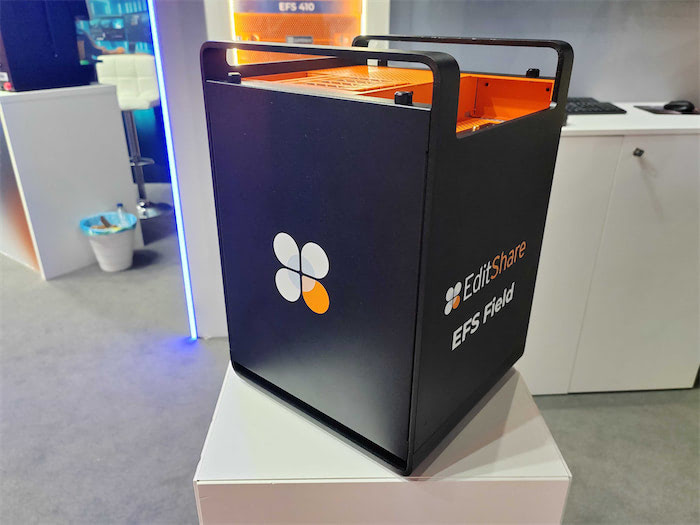
Unveiling our latest portfolio of storage nodes sparked lively conversations at the booth this year. Designed to streamline workflows and reduce the cost of shared collaborative storage, the Ultimate Series offers 2U, 3U, and 4U form factors, along with an exciting new addition: a portable field unit that delivers unparalleled flexibility for on-set and remote production.
The Ultimate Field portable unit, built on cutting-edge NVMe architecture, provides exceptional bandwidth for on-location work. Featuring integrated SwiftSync technology, it ensures the secure, high-speed transfer of media, allowing teams to instantly send dailies to global facilities for faster collaboration. Whether for boutique post-production houses or national broadcasters, the Ultimate Series enables users to work faster, more efficiently, and from anywhere.
Security was a big discussion at the show and protecting sensitive or valuable content is critical. EditShare is fully aligned with TPN (Trusted Partner Network) security protocols, ensuring compliance with industry-leading standards. Our solutions provide robust real time auditing , secure access controls, and reliable data protection to safeguard media assets throughout the production and post-production process.
Pushing the Boundaries of What’s Possible
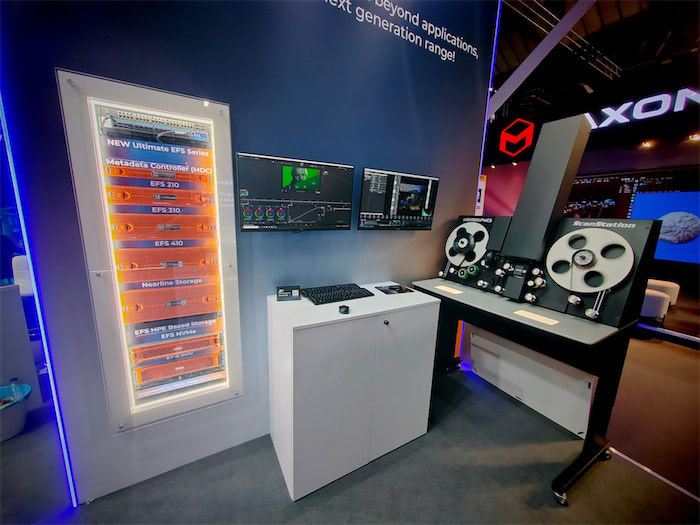
We wanted to showcase what is possible and set up an entire film restoration and archive workflow on the booth. We demoed an NVMe node connected to a gorgeous Lasergraphics Film Scanner, showcasing its ability to capture into an EFS mediaspace concurrently in stunning 5K DPX 4K 16-bit, 4K DPX 10-bit all at 30fps and concurrently playing back within Resolve at 8K 16-bit DPX— pushing the boundaries of high-resolution film restoration and archiving. This was showing what is possible. We still had so much more bandwidth left and this was all being produced on a single 2U Node.
“From the beginning, our mission has been to equip media professionals with practical, powerful, and cost-effective tools,” said Tara Montford, Co-Founder and EVP of Sales at EditShare. “The innovations we’re launching at IBC give users more power, speed, and capacity without sacrificing security—all at a price point that’s truly groundbreaking.
“With these advances, we’re delivering a revolution in content and workflow management that empowers the creative industry to do what they do best: tell great stories,” Montford added.
Got any questions, reach out to us right here, we are happy to talk workflow with anyone that wants to!
Remote production workflows for video editing are getting a lot of attention. The technology for remote production kept improving, but the pandemic really sped development up. Within the first week of the pandemic, the video team I led started deploying remote workflows. The technology was almost there then, but within weeks, we got it dialed in.
The biggest challenge our team faced was latency. We learned that every link in the chain matters (Including open ports on cable internet coax splitters outside of your house! As crazy as that sounds.) Remote post-production workflow development accelerated to meet the challenge. The basics of addressing latency, permissions, and cloud-based proxy workflows have been addressed. So the next question is, “How do you scale it?”
What is remote post-production and cloud-based production?
Traditionally, an entire post-production team would be together in a “post-house.” Editors, colorists, and sound could work together on a centralized server known as a SAN. Cloud-based workflows move the storage to a cloud service provider instead of a local centralized server. This allows for post-production members to be distributed throughout the nation or the globe.
Why is scaling workflows important for post-production?
Post-production teams need to be able to scale to deliver multiple projects for multiple clients. If a team relies on shipping hard drives back and forth in the mail, there is only so fast you can deliver your work to clients.
On-set technology has also improved. New Camera to Cloud technologies have been released like the Atomos + MediaSilo integration where footage is delivered right into MediaSilo from an on-board monitor/recorder.
Understanding workflows in production workflow
Now that you don’t have to wait for footage to be brought back to base to start editing, why not have a distributed post-production team? Editors can get right to work with low-resolution proxies as soon as they are uploaded to the cloud. Another advantage of cloud-based post-production is that editing teams worldwide can work in shifts.
There are a couple of kinds of remote workflows. On one end of the spectrum is ingesting everything to the cloud. This requires a significant amount of bandwidth if you are putting raw camera files onto a cloud storage provider. You need to make sure that your upload speed isn’t a bottleneck that negates the efficiencies of remote post-production.
Another approach is hybrid. In this remote video workflow, you can keep your raw files local and upload proxy files to a cloud storage provider. Project files can also be synced to the cloud so that editors can check in and out projects without stepping on each other toes.
Key factors for scalability
Cloud-based services for remote video editing workflows allocate a specific amount of storage to an account. This could range from 3TB – 10TB for starters. Users can add additional storage as they need it. It is worth thinking through how much “active” storage your team needs at any one time. If you have 3 editors who work with projects from 2-3TB each, 10TB would be a good amount to have in your “active” cloud storage.
If your team is just using the cloud for proxies, you could probably accomplish the same amount of editing with 4TB of cloud storage. However, when you are ready to finish the final files, you’ll want to conform back to your raw camera files. If that is happening where you keep your raw files, then you are all set. If the person doing the color grade is remote, you might need to ship them an SSD. This is the limitation of a hybrid/proxy remote workflow. There is enough available storage and bandwidth for working with proxy files, but not RAW.
Another challenge to scalable video production is having the right space for building a stock video library. Many clients want to accumulate footage that can be reused in multiple videos.
Using cloud-based tools & software to scale workflows
One solution to the challenge of needing space for active projects and space for “stock” footage is to use a review and approval application, like MediaSilo, as a cloud-based asset manager for finished assets. These could be stock video clips, or they could be graphic assets, or project files for After Effects, Photoshop or Illustrator project files (I know of an insurance company that does this). Review and approval tools are good places for frequently accessed files because they are easily searchable, and you don’t have to worry about permitting external users to access the primary “active” video storage.
Managing post-production assets in the cloud
If you are running a remote post-production workflow, you will learn quickly that the file management tools in Google Drive or Dropbox aren’t designed for media production. That’s why EditShare FLEX. Its a suite of tools to facilitate your entire cloud-based post-production workflow.
Cloud-based media management tools will help you to view assets while they reside on the cloud service without downloading them to your local machine. You can search your assets, make notes, create proxies, and organize projects.
Getting files to the cloud efficiently takes more than just a fat pipe from your ISP. Technologies from companies like Data Expedition optimize uploads to maximize your bandwidth.
Another area to consider is data archival. Many teams have used LTO tape as a long-term storage solution. However, using LTO also means barriers to retrieving old footage. A smart cloud-storage strategy (like one using FLEX Cloud Sync) employs cloud-based archival solutions to store older projects on less expensive storage tiers.
Editing from the cloud
Once all your footage is in the cloud (whether raw or proxy), it is time to edit. Most remote editors download the proxies to local storage and start editing with their powerful computers. But there are a couple of other options.
Technologies like EditShare FLEX Cloud Edit and Cloud Edit+ enable users to log into a remote server and edit with their favorite NLE without having to download footage locally. The NLE runs on a remote server but behaves as responsively as a locally installed copy. This wizardry is accomplished through technology like HP Teradici PCoIP (it just rolls off the tongue, doesn’t it?). Your local machine is essentially just a window into a responsive remote workstation.
Another approach allows editors to access on-prem storage as efficiently as cloud storage. EditShare Swift Link delivers this for EditShare FLOW users. Swift Link ensures latency is addressed for remote editors and that their editing experience is optimized for the network conditions between their workstation and your on-prem storage.
Automation in the cloud
If you are evaluating a cloud-based remote post-production, don’t forget about transcoding and quality control workflows. If you are accustomed to a local workflow, you probably don’t give a second thought to batch transcoding a bunch of clips from a mezzanine codec like ProRes to a delivery codec like h.264. However, if that transcode takes place on a local client and the ProRes files are on a server, you’d have to download the ProRes files, transcode locally, and then upload the h.264 versions.
If your cloud service provides the ability to automate transcodes in the cloud you can eliminate the upload and download times. Its even better if you can setting up multiple steps and rules so that the work of transcoding for various deliverables is automated. With the right tools, QC can also be done in the cloud as well.
Scaling for remote production
Cloud-based workflows scale easily because additional resources can be added instantly. Scaling on-prem hardware solutions does take more planning, but if you make a good plan, it isn’t hard to add a unit to your local storage.
If you need higher performance, consider all NVMe shared storage. NVMe storage eliminates the bottlenecks of spinning disk storage. It is more expensive, but it also consumes less power and
Recent trends in remote production
It is helpful to know that post-production standards are moving to the cloud. Today’s cutting-edge products are the result of years of careful planning and a deliberate industry-wide plan to take advantage of cloud-based post-production workflows.
Choosing to deploy remote video workflows now means your team will be prepared for all the latest technological advancements that are coming along every day.
Conclusion
The time has finally arrived for scaling remote production workflows. Teams have options between hybrid and cloud-based workflows. Cameras and recorders can send files straight to the cloud. Media asset management apps can be deployed in the cloud. Remote cloud-based workstations can be accessed anywhere in the world. Solutions for archival, transcoding, QC and review/approval now integrate with each other. All the pieces are now in place to create efficient remote post-production teams.
EditShare, paired with MediaSilo, offers a complete solution that incorporates the latest technologies with the flexibility of your choice of hybrid or fully cloud-based workflows.
What do you think of remote video production workflows? If you have questions about the right setup for your team, send us a message!
When you want to scale your video production capabilities, people first think about buying another camera. But for many teams, the bottleneck isn’t in production; it exists in post-production. However, storage for video assets falls into a strange in-between category for many organizations. It feels like an extension of video production, but camera experts usually aren’t IT experts. Seasoned IT pros are often slow to discover that the needs for video editing are fundamentally different from your typical workgroup.
The experts in the storage needs for video teams often arise from technically-minded video editors and post-production experts. This is because they had to figure out the challenges for themselves and explain the difficulties of post-production to their bosses and the IT staff. That’s my story, at least. Over the past few months, I’ve observed several cases where teams are willing to invest in expensive cameras and lenses but shy away from investing in the necessary post-production infrastructure to truly break the log jams in their workflow.
I found that an efficient post-production shared solution is the best foundation you can give to your team. It lets you keep all your most relevant footage at your fingertips. It provides the ability for quick collaboration between editors and motion graphics designers, and it enables you to scale. So, if you want to lay a foundation for real growth, let’s dig into how digital media production can quickly scale.
Free yourself from the sneakernet
If you’ve ever found yourself grabbing a hard drive off a shelf and passing it in between team members, only to run back over to the shelf to find the right drive, you’ve used the “sneakernet” to manage your projects. This process is fraught with difficulties, and you always have the sinking feeling, “I think I still have that footage.”
A shared storage solution keeps your most relevant assets “online” instead of “offline.” It connects to multiple workstations at the same time as well. This means that as you scale your production capability, editors and motion graphics artists have immediate access to all their work instead of having to hunt down a drive. Additionally, editors can access the same footage simultaneously since the shared storage is accessible to everyone. Finally, you don’t have to worry about wasting space by duplicating the same footage on multiple computers. Freeing yourself from the sneakernet is reason enough to deploy scalable storage like EditShare EFS.
Choose specialized storage
When it becomes evident that a video team needs a server for their footage, inevitably, somebody from IT pulls up a webpage from Dell or HP and starts to calculate the costs. This is the decision moment. If we were in a movie, this moment is the equivalent of the villain’s entrance. I’m serious. If this moment isn’t handled well, a video team can get saddled with an underperforming server solution that is worse than Sneakernet.
Consider the difference between an interstate and a main street downtown. Shared storage for media allows for sustained, smooth playback of raw video files, like an interstate. Normal servers are designed more like the traffic signals of a downtown, allowing for lots of little pieces of data to come and go. But if you have ever been stuck in traffic, looked over to a carpool lane, and seen cars zooming by, you have a good indication of the difference between a normal server and a shared storage solution. Video production storage allows for multiple video files to be played from the server to multiple workstations without interruption, and you can think of these files as big semi-trucks. These trucks need protected lanes to be able to go fast and move without hitting the breaks
If you can help your IT team understand this fundamental distinction in “traffic,” you can turn them into your biggest supporters. Why? Practically speaking, if they master this new area of IT for media, they will become more valuable to their organization, and their career will take on a level of specialization.
So why not optimize a generic server for “interstate highway mode?” Editors not only need the bandwidth for sustained “reads” of data, but they also need to write to project files on the server. Those project files require fast write speeds. If video files are like semi-trucks, project files are like mini coopers. This means that the shared storage solution has to be optimized for two ends of the spectrum, sustained reads and fast writes, while handling the different kinds of traffic going to and from the server. Video files aren’t PDFs.
I believe that if a video team can communicate this metaphor well, it can vault them into new levels of productivity. Video teams and IT teams can then collaborate effectively and understand each other’s needs much better.
Online, Nearline, and Cold Storage
When we talked about sneakernet, we learned about the difference between offline and online data. But what about footage that you need to access occasionally? We call this storage “nearline.” It doesn’t need to be on your high-performance storage, but it doesn’t belong on the shelf.
Active storage
You can save money when building your shared storage solution by identifying a specific capacity for your “online” or “active” storage. You might want this storage to be on SSDs or NVMe drives. These solid-state drives are lightning quick and work exceptionally well with high-resolution 4K, 8K, and VFX files. While this storage is quick, it is also the most expensive. (Some of that cost is offset by the fact that these drives use less power) Remote users can access an EditShare EFS volume with Swift Link, delivering remote performance that used to be available only in-house.
Nearline storage
If your most accessed files live in your online storage, place your infrequently accessed files on your nearline storage. This unit typically uses mechanical spinning disk hard drives. They work together in a configuration to ensure that you won’t lose your data if one, or even two, of them fail. This configuration is called a RAID configuration. A nearline storage unit with a group of hard drives won’t be as fast as your active storage, but it will be cost-effective. And if you have an intense project, you can always move data between your nearline and active storage.
Cold Storage
At a certain point, you can determine that you probably won’t be going back to the original footage for a project. But you don’t want to delete it all. This means your project is ready to move from nearline storage to cold storage. Some organizations may upload footage to the cloud or archive it on LTO tape.
I recently had to pull footage from Google Drive. My former team used Google Drive as cold storage. Man, was this a mistake! When you download large amounts of data from Google Drive it rearranges the folder hierarchy and appends suffixes to the file names. What a headache! I spent hours reconstructing the file structure of the REDCODE RAW files. I had to delete the suffixes that Google Drive appended on hundreds of files.
A much better approach to cold storage would have been to use LTO tape with a solution like Editshare ARK. This approach does take your files offline, but it also keeps track of those LTO tapes so you can know what is online, what is offline, and where to find what you need.
Specialized hardware calls for specialized software
Having a place to put your data doesn’t necessarily mean people can easily find what they need. Many teams use their senior editor’s brain as an “index” for project files. A much better solution is to have software do that for you. A media asset manager is an application that organizes your footage and lets anyone find what they need without Slacking the senior editor again. Editshare FLOW works with your shared storage to keep track of all your assets. Those could be online or offline. It will track data in your active, nearline, and cold storage. EditShare FLOW becomes the brain for your entire post-production operation.
Editors want to spend time in their NLE, not in the media asset manager. Editors want to edit. That’s why integration with editing apps (Known as NLEs, non-linear editing applications) is critical. EditShare provides panels in both Adobe Premiere Pro and Blackmagic DaVinci Resolve. These panels allow you to spend more time in your NLE so that you aren’t leaving your native environment. If you use a different NLE, EditShare is still perfectly compatible with any NLE (but Premiere and Resolve getting in-app panels sure is nice).
Integrate your workflow from pitch to prep to post
Post-production can feel like its own little world. It doesn’t have to be that. EditShare EFS now integrates with MediaSilo. An integration resulting in an end-to-end workflow. When you are shooting, Atomos recorders will deliver your footage right to the cloud via MediaSilo when you are shooting. Then your project can go through post on EFS and then get securely delivered to outside stakeholders via MediaSilo. This is an unprecedented level of integration and security from script to screen.
Conclusion
Deploying an EditShare EFS shared storage solution will revolutionize your post-production workflow, solve problems for your team, and deliver the foundation for scale. Reach out to an EditShare rep today to learn more.
In high-end film and TV production, where valuable media assets are the lifeblood of every project, security control is a top concern for everyone involved. As technology workflows evolve, including review and approval processes, the risks associated with handling and transferring media also evolve.
Companies, such as VOD suppliers, invest heavily in theater productions or TV programs. They aim to ensure their content remains secure and does not end up on the dark web before they can monetize it. They seek a return on their investment. Implementing strong security measures has become essential for conducting business in this industry.
Security solutions for media production
At the forefront of security solutions for media production is EditShare’s EFS (EditShare File System), complemented by its Risk Auditing layer, which provides real-time tracking of every file from inception through to delivery. It records an audit of every time someone touches, moves, copies or modifies a file. It’s like the big brother watching over your facility.
Keeping this auditing trail on its own dedicated drive is important, and that’s exactly what EFS provides. However auditing is only one layer of the security approach that facilities need to take.
Ensure the security of your media
Let’s delve into what you should be aware of to ensure the safety of your media production workflow.
Access management and control: The first line of defense in cybersecurity is access management and control. Managing who or what can access your organization’s media assets is crucial. With unauthorized access often being the starting point of security breaches, effective access control strategies form the bedrock of a secure system.
Make sure you facility has a SIEM platform, controlling people’s access to the facility and craft editing and comms rooms
Control who has access to your media assets by implementing strict user authentication and authorization protocols such as AD and SSO
Utilize role-based access control to assign specific permissions based on job roles and responsibilities in the production process.
Regularly review and update access privileges to ensure only authorized individuals have access to the valuable content content.
Auditing and Monitoring: Having a powerful auditing and monitoring system is an easy way to identify weaknesses in your workflow. And if a breach does occur, detailed access logs can serve as crucial evidence during forensic investigations. They can unravel an attacker’s path, providing invaluable insights that can help fortify the security infrastructure.
Leverage EditShare’s EFS auditing layer to track every interaction with your media files in real-time.
Monitor user activities, file modifications, and access attempts to identify and mitigate security threats.
Generate comprehensive audit logs and reports for compliance purposes and forensic analysis.
Visible and Forensic Watermarking: Video piracy costs companies billions of dollars a year. Visible and forensic watermarking acts as a fingerprint for your media so that if the worst happens, you can trace it back to the leak and minimize the damage. Take advantage of the most effective theft-deterrent measures using MediaSilo and Screeners’ tamper-resistant, user-specific SafeStream™ watermarks.
Deter piracy and trace leaks through visible watermarks, including custom text, graphic elements and invisible forensic watermarks.
Create and share watermark templates for an entire team or user group to unify your security efforts.
Expand brand identity marketing and keep reviewers mindful of who is making the content with logo watermarking.
Malware Ransomware: Ransomware attacks have risen by 13% in the last five years, costing nearly $1.85 million per incident. Statistics predict a ransomware attack every two seconds by 2031.
Work collaboratively with Ransomware or Malware software platforms such as Falcon Crowdstrike
Data Backup and Disaster Recovery: Professionals in the media and entertainment industry invest countless hours and resources in producing intellectual property. Without a robust backup strategy, these creations are at risk of loss or corruption. A powerful backup and disaster recovery solution provides the means to protect, preserve, and recover critical media assets.
Establish backup and disaster recovery mechanisms to protect against data loss or corruption. This is where clients should deploy a HA cluster similar to EFS 450
Regularly backup your media files to secure off-site locations or AWS cloud storage platforms Via the EditShare Flex Sync Node
Test your backup and recovery procedures regularly to ensure they are effective in restoring data in the event of a disaster.
Employee Training and Awareness: A highly trained team is an underrated security strategy. Awareness training can significantly decrease human errors, which are a leading cause of data breaches. Training, simulations, and testing train new and safer employee behaviors, reducing the likelihood of human errors.
The best defense is a good offense
Threat assessments are a standard IT security practice for a reason. A thorough threat assessment helps identify gaps in your security posture before hackers do. Regular, ongoing assessments and vulnerability scans help ensure your current measures are effective while helping you make more informed choices around security, expense and performance.
Thanks to the Motion Picture Association’s Trusted Partner Network (TPN), those in the media and entertainment space can easily obtain a third-party assessment that evaluates your system. TPN evaluates your system to ensure you’re up to date on cybersecurity best practices and requirements.
In conclusion
By implementing these security measures and using EditShare’s EFS auditing layer for real-time tracking and monitoring, you can significantly enhance the security of your media production workflow. Remember, protecting sensitive data and your valuable media assets is not just a priority—it’s a necessity when dealing with today’s media conglomerates.
The variety of editing that goes on at a broadcaster would amaze you. There are promos, documentaries, news stories, specials and more. Some projects take weeks, and some projects take hours. The technical infrastructure is imposing, but it’s also mobile. Add to that a changing landscape of viewers’ tastes, outside consultants and inside pressures.
To get an inside look at the world of broadcast video editing, we interviewed Gregg Ginnell, former senior editor and post-production supervisor at the CBS affiliate Kiro 7 in Seattle, WA. He’s had a career spanning more than two decades and was keen to share his insights.
Meet a broadcast editor
“I worked in broadcast for a large number of years. I did a lot of documentaries. I did a lot of promotion. I didn’t do a lot of news,” relates Grinnell. “I did do news for a couple of years after leaving Kiro when I worked for Al Jazeera America. That was a completely different news experience.” When an interview opens with that breath of experience, you know that you are going to get some interesting insights into the world of video editing for broadcast.
Video editing for film, corporate and broadcast is all storytelling. But Gregg pointed out that there’s a vast difference between a “three-and-a-half minute story” and a “six-shot” news segment. While working at Kiro, the work got split up between team members who were good with quickly putting together a series of shots and moving on and those who spent days crafting a story.
He related a story of a colleague comparing the cutting of short segments to “making sandwiches.” That kind of edit had to be put together quickly to meet deadlines. Gregg focused on pieces that involved interviews and promotional spots for the station.
Film vs broadcast editing
I asked Gregg what the biggest difference was in the mindset of an editor working on a film vs. one working in broadcasting. His reply was, “Consultants.”
I didn’t expect that answer. He explained that every 12-18 months, a consultant would be brought into the station to give their perspective on trends in broadcast and how to gain market share. Each time, there was a different person, but they were all from the same firm. Sometimes their guidance would directly contradict each other or go back and forth between recommending a trend, advising against it, and then recommending it again.
Gregg shared that the advice of one consultant was to focus on the local news talent for their promo spots. So they went out and shot footage and tied that in with graphics to create a personal connection between the talent and the audience. Eighteen months later, another consultant from the same firm came in. This person advised that they need to drop the focus on talent and emphasize the news itself. Gregg’s team went to work on the new direction and crafted a whole new set of promos.
A year or so went by, and, you guessed it, the next consultant from the firm said to highlight the talent. At this point, Gregg’s team showed them the promo package from the prior campaign and simply asked, “Like this?”
Running decisions through the lens of outside consultants also led to feedback around everything from how many shots should be in a story to the content of the promotional packages. This dynamic leads to a balancing act for broadcast editors between their instincts on telling a story and outside feedback based on market research.
For instance, a story might go off for review, and the feedback would come back as “We love this story, but your shot count is too low.” Gregg recalled thinking, “Well, actually, it has just the right number of shots.” But at the end of the day, you do your best work and try to balance those competing interests.
This is in contrast to the work that Gregg did for the broadcaster Al-Jazeera America. In his experience, they deferred to the editor to determine the dynamics of the edit, even if it meant a piece was a few seconds longer than initially planned.
Editing three-and-a-half-minute packages that took the editor’s lead feels more like a documentary filmmaker’s approach than working in a typical newsroom.
Grinnell made an interesting comparison between documentary and news editors, saying, “I love news editors. I can’t do their job. I’m a little too frenetic. But I know news editors who became documentary editors. I don’t know any documentary editors who became news editors.”
It appears that once you’ve had a chance to tell long form stories, you just keep coming back for more.
Promo Editing
Gregg spent much of his time crafting “promos.” These spots air during commercial breaks and promote the news programming of the local station.
A lot more effort goes into editing promos than your evening news stories. This demonstrates the broad spectrum of talent that needs to be brought to the table at your local broadcaster. Some editors need to be fast. Gregg mentioned an editor who cut 62 packages in eight hours!
On the flip side, Gregg would spend half a day dialing in the color grade for a single promo spot. The message, visuals, motion graphics and sound would all be coordinated to reinforce the brand message for that season.
That difference in editing jobs perfectly illustrates Gregg’s comparison of editing a documentary vs a last-minute promo. He went on to describe it, “If I’m working on a documentary, I’m working directly with the producer, and we’re working every day together, and we are creating it from whole cloth. And that is a completely different experience than how [if] somebody comes in and drops a script down and going, [and says] ‘we got to promote this thing and we got to do it in the next two hours.’ And those are all really different, almost different jobs.”
Learning to shoot helps you edit better
As an editor, you are always looking to grow your storytelling skills. Gregg related, “I’ve always told everybody that I didn’t become a good editor until I became a better shooter. Go out and have to shoot your own stuff, and [when] you get back into the bay, there’s no one else you can blame.”
Many shooters who started off as editors develop strong skills as interviewers. “Where you’re sitting there listening and you go,” Gregg recounted, “Oh, my story’s changing now! There’s nothing I love more than editing in my head.”
You can see from Gregg’s career how the disciplines of editing, shooting and interviewing all work together in the head of the filmmaker to produce a better story. It’s a good reminder that in this age of specialization, there’s still value in combining the skills of a generalist with an area of specialization.
Working remotely
Working remotely was a shock to many industries, but post-production had already laid in place much of the infrastructure to go remote. This preparation allowed editors to remote into their AVID workstations from home and crank out edits. Google docs, Slack and Zoom provided other means for collaboration. Broadcasters all over the world also began to use advanced tools like MediaSilo.com for review/approval, tracking versions and managing assets. These tools combined to really remake the landscape of post-production.
Gregg shared about a campaign he edited for an app that focused on the footwear market. The shooters were in NYC, the graphic designer was in Utah, motion graphics were in California, and he was editing from Seattle. With the proliferation of mobile video capture and distributed teams, we’re going to see more and more of this kind of collaboration.
But along with the ability to work from anywhere comes the importance of security. MediaSilo helps broadcasters secure their assets with SafeStream technology. SafeStream enables visible watermarks and invisible forensic watermarking so that you can track any leaks back to their source.
Conclusion
Getting to know this legendary Seattle broadcast editor, Gregg Grinnell, was an honor. He has a passion for editing that is still burning strong after decades in the business.
Grinnell’s experiences remind us that being an editor is an act of service. Sometimes, you serve a client, a consultant, or a director, but you always serve the story.
It’s inspiring to see how even though consultants come and go and technology changes, the need for crafting compelling stories only increases. It causes us to ask ourselves, “How will I adapt to a shifting landscape? What core skills can I continue to develop that will remain relevant no matter what the future holds?” Those questions will help editors remain sharp and stay in demand in this ever-changing landscape.