Tint Boosts Collaborative Workflows with EditShare Storage Across Gothenburg and Stockholm Facilities
New installation transforms post production workflow at top Swedish post house
Boston, MA, 27 November 2024 — One of the leading Scandinavian post-production houses, Tint, has supercharged its media workflows with EditShare’s high-performance storage across its Gothenburg and Stockholm offices. The solution combines ultra-fast EFS NVMe storage nodes and multiple EFS 300 units, delivering both locations easy access to shared content. Completed in June with regional partner Danmon Group Sweden, this installation boosts collaboration among its teams of colourists, VFX artists, editors, sound designers and producers, ensuring efficient and smooth operations.
Tint, known for its post-production expertise across commercials, feature films and serialized tv content, required a more efficient workflow solution between its two locations. Despite a private network, manual file transfers between Gothenburg and Stockholm caused delays and version control issues, especially for VFX artists in Stockholm facing bottlenecks. To overcome these challenges, Tint chose EditShare for its robust features, proven performance, and competitive pricing.
The installed system features EFS-300 nodes at both locations, with two nodes in Stockholm and Gothenburg each, all reinforced by ultra-high-speed NVMe nodes for unparalleled performance. This configuration enables easy media sharing, enhanced collaboration across sites, and delivers the exceptional performance and throughput required for high-end film and VFX work.
“Our primary goal was to create a frictionless, collaborative working environment for both our Gothenburg and Stockholm teams,” said Albin Abrahamsson, Post Supervisor, of Tint. “EditShare’s EFS storage has completely transformed how we work, eliminating file transfer delays, removing admin worries and allowing our teams to focus purely on the creative process. The NVMe performance is incredible, especially for our VFX and color grading workflows.”
Tint’s CTO, Vincent Larsson added, “We evaluated multiple vendors, including the option of building our own system, but EditShare stood out for its superior performance, feature set and price. It’s reassuring to have a high-speed media-aware storage solution that offers both reliability and the flexibility to meet our evolving needs.”
Tint has also capitalized on EditShare’s open API framework, writing their own scripts integrated with Apple Shortcuts. This has allowed producers to quickly and easily create media spaces, add folders and users to new projects without requiring access to the core EFS system. “Our producers can now manage new projects and media spaces themselves, saving everyone time and getting new projects up and running straight away,” added Abrahamsson.
Security is paramount in media, and EditShare’s EFS auditing capabilities play an important role by delivering real-time activity tracking and monitoring every user action, ensuring total confidence when handling valuable content.
“This is a perfect example of how modern post-production environments taking a tiered approach to their storage nodes, can achieve greater efficiency and creative freedom,” said Sean Bradley, RSM for Northern Europe, EditShare. We’re proud to support Tint with an EditShare solution tailored to their needs today and built for future success.”
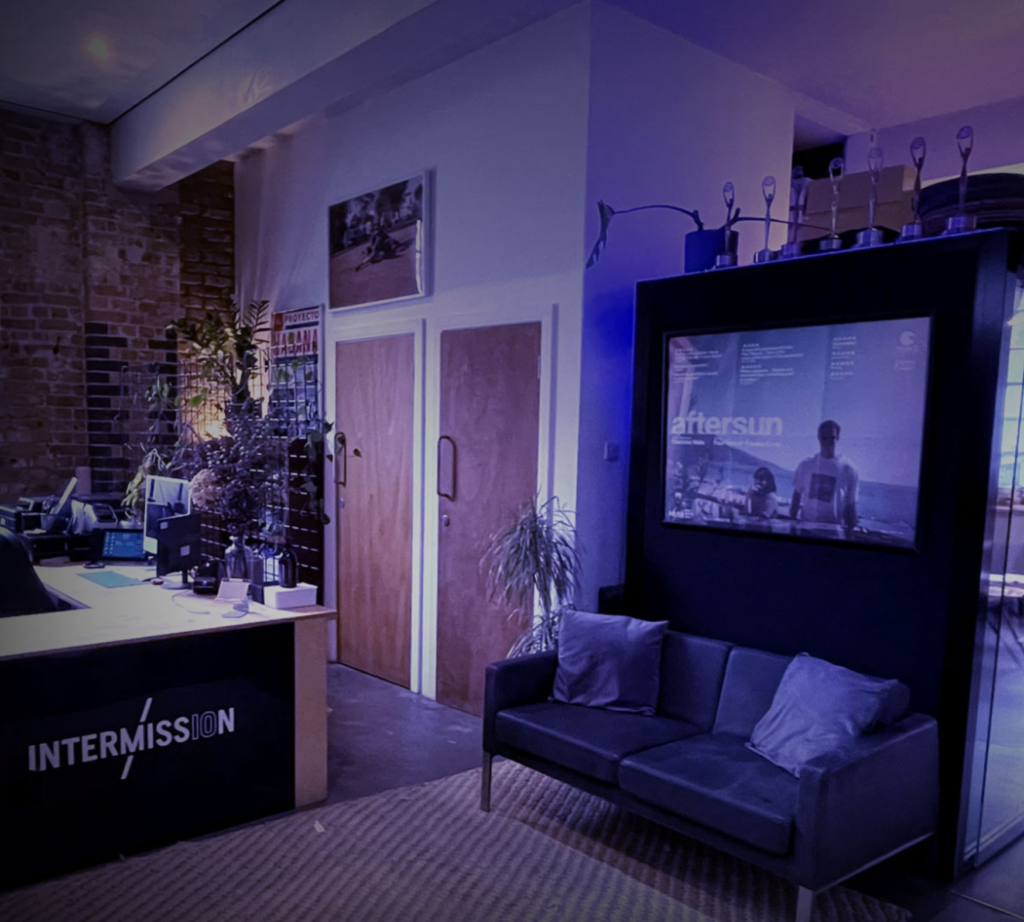
Tint Post’s Cinema Mixing/Grading Stage in Gothenburg
EditShare is an Emmy Award-winning technology leader, supporting storytellers through collaborative media workflows across on-premise, cloud and hybrid architectures. It offers scalable storage and collaboration for media businesses and at every stage of the video production process from storyboarding to screening.
The software is inherently open, encouraging workflow collaboration, third-party integrations and content sharing across the entire production chain. Where required, the software is backed by high performance, high availability designed specifically for the demands of media storage, management and delivery. The comprehensive offering covers multi-level content storage for production and post, along with innovative asset and workflow management software, plus specialized and highly valued tools for content review and distribution, the creation of customized and branded pitch reels, and secure preview of high-value pre-release content.
Press Contact Katharine Guy katharine.guy@editshare.com
Meet the new Ultimate EFS Series! This next-generation storage platform redefines what’s possible for media professionals – packed with more power, more speed, and unmatched performance, all at an unbeatable cost.
Join Lon Barret, our VP of Engineering and Global Service Assurance, and Kenny Martin, owner of DVSERVE, as they break down the benefits of each unit and help you decide which solution will help you take your production to the next level.
Adds capacity, AI indexing and sharing technologies
Boston, MA, 17 October 2024 — EditShare, the technology leader that enables storytellers to create and manage collaborative workflows at every stage from storyboard to screen, has expanded its installation at Last Cut Media. The extensions, which include AI indexing from Mobius and the EditShare MediaSilo collaboration platform, were implemented by Advanced Media Trading, EditShare’s distribution partner in the Middle East.
Last Cut Media, based in Abu Dhabi, UAE, is a large-scale independent post house, designed by content creators for content creators. Seeking to streamline its operations and allow its users to focus on their projects, at the beginning of 2023 Last Cut replaced its ad hoc storage systems with an EditShare storage network, including an EFS 300 shared online store, a nearline server and LTO tape archiving.
With the growth in premium business, Last Cut has returned to EditShare to increase both its capacity and functionality. The extension doubles the system capacity with a second EFS 300 storage node.
The new installation also incorporates technology from Mobius, seamlessly integrated into the EditShare FLOW asset management system. This adds AI support to automatically create rich metadata, including facial and scene detection. The core Mobius knowledge base includes more than 5000 objects, emotions and actions, and 10,000 famous people, which is added to with every piece of content passing through FLOW.
Last Cut also decided to implement the EditShare MediaSilo collaboration system. This replaced an existing standalone distribution system and provides seamless integration with the rest of the storage network. The result is that producers and other collaborators working remotely from the facility can receive high quality viewing copies, automatically generated, ensuring everything can be checked and signed off in a timely fashion.
Saad Duaibes, General Manager, Last Cut Media
“In today’s world, producers want the best facilities, but they do not necessarily want to spend time travelling to them,” said Saad Duaibes, General Manager of Last Cut Media. “We have clients all across the region and in all the creative hotspots like Lebanon, Egypt and Saudi Arabia. Adding MediaSilo means we can keep those clients up to date with progress, without adding to our workload, ensuring they see the very latest versions.
“Since we moved to EditShare storage we have been able to streamline our workflows,” Duaibes added. “It has helped our business grow, prompting us to expand our storage network to accommodate new projects. We are very comfortable with the solution, and see our use of it growing, including working with new tools like artificial intelligence.”
Michele Dwayk, head of sales for EditShare in the Middle East, said “Last Cut Media is widely respected in the region, and serves projects from commercials to movies, through television drama and documentaries. Each genre and each project has its own distinct workflow, and its own group of collaborators.
“EditShare FLOW is designed to be open and flexible, allowing Last Cut to set up each project according to the creative and business demands,” she continued. “They have embraced these capabilities and, working with our colleagues at Advanced Media Trading, we have helped them see further advantages for the future, including simple collaboration with MediaSilo and AI indexing with Mobius.” The extensions to the storage network and the new software functionality were installed in June 2024 and are now fully online.
EditShare is an Emmy Award-winning technology leader, supporting storytellers through collaborative media workflows across on-premise, cloud and hybrid architectures. It offers scalable storage and collaboration for media businesses and at every stage of the video production process from storyboarding to screening.
The software is inherently open, encouraging workflow collaboration, third-party integrations and content sharing across the entire production chain. Where required, the software is backed by high performance, high availability designed specifically for the demands of media storage, management and delivery. The comprehensive offering covers multi-level content storage for production and post, along with innovative asset and workflow management software, plus specialized and highly valued tools for content review and distribution, the creation of customized and branded pitch reels, and secure preview of high-value pre-release content.
Press Contact Katharine Guy katharine.guy@editshare.com
That’s a wrap on another successful year in Amsterdam at IBC, the show that always brings game-changing innovation to the industry. Hall 7 was the exciting place to be. Pulling off a show of this size takes effort, and our team did an excellent job setting up the booth with eye-catching workflows . We couldn’t be more grateful to them, because it allows us to connect with creative professionals and have workflow discussions with so many customers and partners. This year marked our 20th year exhibiting at IBC, a milestone that reflects two decades of bringing innovation to the M&E industry—many of which have since become integral to mainstream workflows. 2024 was no different, as we continue to push the boundaries of technology and shape the future of production. It also allowed us to introduce our latest product innovations – the all new EFS Ultimate Series and EFS Field Unit.
Here’s a look back at some exciting highlights from this year’s show.
AI Still Dominates the Conversation, but Remote Workflows Are Redefining Collaboration
As more companies adopt generative AI, it continues to dominate discussions at industry events. While the full impact of AI and machine learning in the creative process is still emerging, many see these tools as ways to explore new ideas, techniques, and styles. Some view AI as a radical shift in creative technology, while others see it as an efficient way to speed up their work. As one keynote speaker noted, “AI may generate an image, but it’s people who are guiding the tools.”
At the same time, the rise of remote workflows is reshaping how media is produced. Cloud-based tools like MediaSilo and technology like our own Swiftlink are allowing teams to work together across distances, transforming post-production, editing, and even live broadcasts into remote-friendly processes. This shift enables greater flexibility, faster response times, and lower costs, creating a more agile industry.
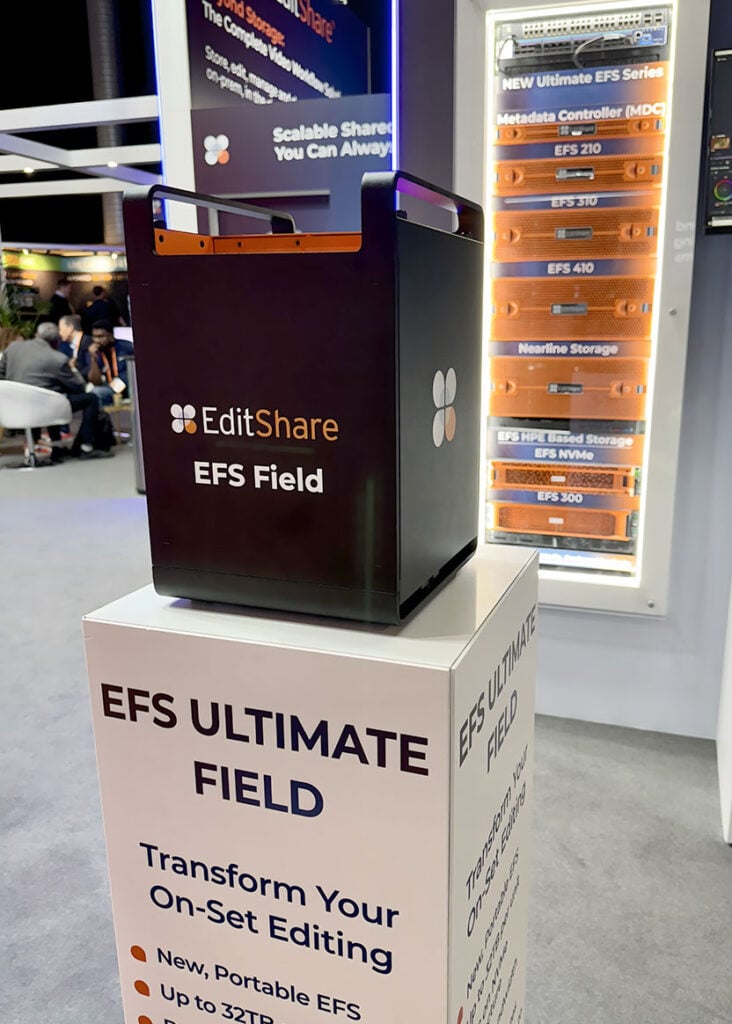
Unveiling our latest portfolio of storage nodes sparked lively conversations at the booth this year. Designed to streamline workflows and reduce the cost of shared collaborative storage, the Ultimate Series offers 2U, 3U, and 4U form factors, along with an exciting new addition: a portable field unit that delivers unparalleled flexibility for on-set and remote production.
The Ultimate Field portable unit, built on cutting-edge NVMe architecture, provides exceptional bandwidth for on-location work. Featuring integrated SwiftSync technology, it ensures the secure, high-speed transfer of media, allowing teams to instantly send dailies to global facilities for faster collaboration. Whether for boutique post-production houses or national broadcasters, the Ultimate Series enables users to work faster, more efficiently, and from anywhere.
Security was a big discussion at the show and protecting sensitive or valuable content is critical. EditShare is fully aligned with TPN (Trusted Partner Network) security protocols, ensuring compliance with industry-leading standards. Our solutions provide robust real time auditing , secure access controls, and reliable data protection to safeguard media assets throughout the production and post-production process.
Pushing the Boundaries of What’s Possible
We wanted to showcase what is possible and set up an entire film restoration and archive workflow on the booth. We demoed an NVMe node connected to a gorgeous Lasergraphics Film Scanner, showcasing its ability to capture into an EFS mediaspace concurrently in stunning 5K DPX 4K 16-bit, 4K DPX 10-bit all at 30fps and concurrently playing back within Resolve at 8K 16-bit DPX— pushing the boundaries of high-resolution film restoration and archiving. This was showing what is possible. We still had so much more bandwidth left and this was all being produced on a single 2U Node.
“From the beginning, our mission has been to equip media professionals with practical, powerful, and cost-effective tools,” said Tara Montford, Co-Founder and EVP of Sales at EditShare. “The innovations we’re launching at IBC give users more power, speed, and capacity without sacrificing security—all at a price point that’s truly groundbreaking.
“With these advances, we’re delivering a revolution in content and workflow management that empowers the creative industry to do what they do best: tell great stories,” Montford added.
Got any questions, reach out to us right here, we are happy to talk workflow with anyone that wants to!
More power, more speed, more flexibility, more capacity, more security, more cost-effective
Amsterdam, MA, 13 September 2024 — EditShare, a leader in collaborative media workflow solutions, is set to redefine media storage at IBC 2024 with the launch of the Ultimate EFS Series, the next-generation storage platform. EditShare has long been renowned for its robust storage nodes and networks, powered by its proprietary, media-aware EFS file system. At IBC 2024, the company will introduce an entirely new portfolio of storage devices designed to simplify and lower the cost of building shared collaborative storage. Whether a facility needs 32TB or more than half a petabyte in a single node, EditShare’s scalable solution can expand beyond 15 petabytes within a single namespace.
The Ultimate Series will be available in 2U, 3U, and 4U form factors, alongside a portable field unit for enhanced remote flexibility. The EFS 210, EFS 310, and EFS 410 nodes cater to a wide range of users, from boutique post-production houses to national broadcasters with mission-critical playout needs. The Ultimate Field portable unit, built on the latest NVMe architecture, delivers exceptional bandwidth on location and features integrated SwiftSync technology for secure, high-speed transfer of dailies to global EFS facilities.
Leveraging the latest advancements in technology and resource management, these storage nodes come at unprecedented price points, bringing the power of EFS to a broader audience. The new nodes also integrate with existing EditShare deployments and will come bundled with FLOW asset management, ARK LTO tape archival platform and MediaSilo review and approval tools.
“From the beginning, our mission has been to equip media professionals with practical, powerful, and cost-effective tools,” said Tara Montord, Co-Founder and EVP of Sales at EditShare. “The innovations we’re launching at IBC give users more power, speed, and capacity without sacrificing security—all at a price point that’s truly groundbreaking.
“With these advances, we’re delivering a revolution in content and workflow management that empowers the creative industry to do what they do best: tell great stories,” Montford added.
As well as the new storage architecture and devices, EditShare will be showcasing the latest versions of its software solutions, including EFS, FLOW , MediaSilo and screeners at IBC2024.
Demonstrations will also feature EditShare FLEX and FLEX Sync, now adding simple cloud storage architectures and the ability to sync with services like Amazon S3, Wasabi and Backblaze.
Find EditShare on stand 7.A35 at IBC2024 and at www.editshare.com To book time with us at the show please click here
About EditShare
EditShare is an Emmy Award-winning technology leader, supporting storytellers through collaborative media workflows across on-premise, cloud and hybrid architectures. It offers scalable storage and collaboration for media businesses and at every stage of the video production process from storyboarding to screening.
The software is inherently open, encouraging workflow collaboration, third-party integrations and content sharing across the entire production chain. Where required, the software is backed by high performance, high availability designed specifically for the demands of media storage, management and delivery. The comprehensive offering covers multi-level content storage for production and post, along with innovative asset and workflow management software, plus specialized and highly valued tools for content review and distribution, the creation of customized and branded pitch reels, and secure preview of high-value pre-release content.
Press Contact Katharine Guy katharine.guy@editshare.com
Evolution of remote workflows, asset management and approvals
Boston, MA, 2 September 2024 — EditShare, the technology leader that enables storytellers to create and manage collaborative workflows at every stage from storyboard to screening, will show valuable gains in practical productivity thanks to significant new hardware developments and software releases at IBC2024. The enhancements are all driven by the practical experiences of users worldwide, seeking to make their operations even more swift and secure.
Our next-generation EFS storage nodes, powered by the latest HPE Gen11 servers and our advanced NVMe node, set a new standard in performance and efficiency. With over 18GB/s aggregate throughput, this system delivers unmatched performance with unrivalled scalability. Combined with our powerful FLOW workflow engines, it provides creative teams with an efficient platform for UHD editorial and finishing, complex workflows, and multi-site collaboration, ensuring better results and enhanced productivity in every project.
Central to everything in the EditShare environment is FLOW, the asset management software which defines workflows and workgroups. IBC2024 sees FLOW adding native support for codecs which are critical for high quality production. These include Avid DNxHR and Sony X-OCN at resolutions up to 8k. Working directly with CineAlta files, for example, simplifies and speeds the process of creating dailies as well as smoothing workflows for cinematic projects.
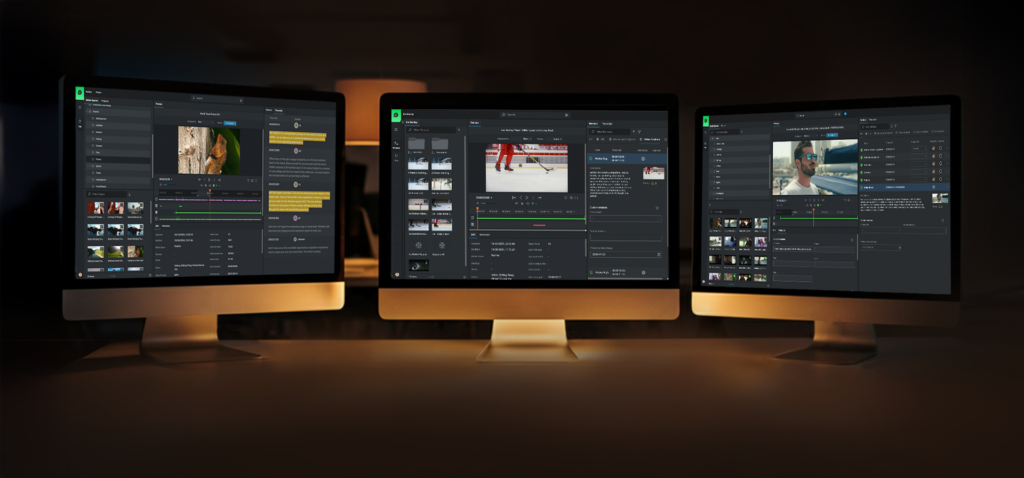
FLOW provides workflow orchestration as well as asset management, and FLOW 24.2 enhances the Organize module. This ensures users can create projects, and bins efficiently. By logging in from any secure web browser, users can streamline workflows and collaborate most effectively.
Widely used for review and approvals of work in progress, EditShare MediaSilo also sees enhancements, including support for Ultra HD proxies. With better quality visuals, collaborators are empowered to make more detailed feedback and faster project approvals. The new Bulk Download feature accelerates the process of delivering vast amounts of content to clients. “We talk to post-production professionals all the time, and we understand what is really important in today’s market,” said Tara Montford, Co-Founder and EVP sales at EditShare. “The message coming over loud and strong is that they want to use their preferred creative tools and formats, but within an environment that gives them real speed and security, to deliver completed projects against tight deadlines without compromising quality. The system enhancements we are introducing at IBC this year speak directly to that need.”
Also aimed at speed and simplicity, the latest version of EFS, the media aware File System from Editshare, brings a new way to upgrade across the technology stack. An intelligent Orchestrator tool now automates system upgrades, ensuring every step is executed correctly at the determined time, even across multiple sites. With an intuitive, web-based user interface, this is another essential element in bringing efficiency and reliability to storage management.
All these new software releases will be demonstrated alongside the latest in hardware developments on stand 7.A35 at IBC24. To book time with us at the show please click here
About EditShare
EditShare is an Emmy Award-winning technology leader, supporting storytellers through collaborative media workflows across on-premise, cloud and hybrid architectures. It offers scalable storage and collaboration for media businesses and at every stage of the video production process from storyboarding to screening.
The software is inherently open, encouraging workflow collaboration, third-party integrations and content sharing across the entire production chain. Where required, the software is backed by high performance, high availability designed specifically for the demands of media storage, management and delivery. The comprehensive offering covers multi-level content storage for production and post, along with innovative asset and workflow management software, plus specialized and highly valued tools for content review and distribution, the creation of customized and branded pitch reels, and secure preview of high-value pre-release content.
Press Contact Katharine Guy katharine.guy@editshare.com
Remote production workflows for video editing are getting a lot of attention. The technology for remote production kept improving, but the pandemic really sped development up. Within the first week of the pandemic, the video team I led started deploying remote workflows. The technology was almost there then, but within weeks, we got it dialed in.
The biggest challenge our team faced was latency. We learned that every link in the chain matters (Including open ports on cable internet coax splitters outside of your house! As crazy as that sounds.) Remote post-production workflow development accelerated to meet the challenge. The basics of addressing latency, permissions, and cloud-based proxy workflows have been addressed. So the next question is, “How do you scale it?”
What is remote post-production and cloud-based production?
Traditionally, an entire post-production team would be together in a “post-house.” Editors, colorists, and sound could work together on a centralized server known as a SAN. Cloud-based workflows move the storage to a cloud service provider instead of a local centralized server. This allows for post-production members to be distributed throughout the nation or the globe.
Why is scaling workflows important for post-production?
Post-production teams need to be able to scale to deliver multiple projects for multiple clients. If a team relies on shipping hard drives back and forth in the mail, there is only so fast you can deliver your work to clients.
On-set technology has also improved. New Camera to Cloud technologies have been released like the Atomos + MediaSilo integration where footage is delivered right into MediaSilo from an on-board monitor/recorder.
Understanding workflows in production workflow
Now that you don’t have to wait for footage to be brought back to base to start editing, why not have a distributed post-production team? Editors can get right to work with low-resolution proxies as soon as they are uploaded to the cloud. Another advantage of cloud-based post-production is that editing teams worldwide can work in shifts.
There are a couple of kinds of remote workflows. On one end of the spectrum is ingesting everything to the cloud. This requires a significant amount of bandwidth if you are putting raw camera files onto a cloud storage provider. You need to make sure that your upload speed isn’t a bottleneck that negates the efficiencies of remote post-production.
Another approach is hybrid. In this remote video workflow, you can keep your raw files local and upload proxy files to a cloud storage provider. Project files can also be synced to the cloud so that editors can check in and out projects without stepping on each other toes.
Key factors for scalability
Cloud-based services for remote video editing workflows allocate a specific amount of storage to an account. This could range from 3TB – 10TB for starters. Users can add additional storage as they need it. It is worth thinking through how much “active” storage your team needs at any one time. If you have 3 editors who work with projects from 2-3TB each, 10TB would be a good amount to have in your “active” cloud storage.
If your team is just using the cloud for proxies, you could probably accomplish the same amount of editing with 4TB of cloud storage. However, when you are ready to finish the final files, you’ll want to conform back to your raw camera files. If that is happening where you keep your raw files, then you are all set. If the person doing the color grade is remote, you might need to ship them an SSD. This is the limitation of a hybrid/proxy remote workflow. There is enough available storage and bandwidth for working with proxy files, but not RAW.
Another challenge to scalable video production is having the right space for building a stock video library. Many clients want to accumulate footage that can be reused in multiple videos.
Using cloud-based tools & software to scale workflows
One solution to the challenge of needing space for active projects and space for “stock” footage is to use a review and approval application, like MediaSilo, as a cloud-based asset manager for finished assets. These could be stock video clips, or they could be graphic assets, or project files for After Effects, Photoshop or Illustrator project files (I know of an insurance company that does this). Review and approval tools are good places for frequently accessed files because they are easily searchable, and you don’t have to worry about permitting external users to access the primary “active” video storage.
Managing post-production assets in the cloud
If you are running a remote post-production workflow, you will learn quickly that the file management tools in Google Drive or Dropbox aren’t designed for media production. That’s why EditShare FLEX. Its a suite of tools to facilitate your entire cloud-based post-production workflow.
Cloud-based media management tools will help you to view assets while they reside on the cloud service without downloading them to your local machine. You can search your assets, make notes, create proxies, and organize projects.
Getting files to the cloud efficiently takes more than just a fat pipe from your ISP. Technologies from companies like Data Expedition optimize uploads to maximize your bandwidth.
Another area to consider is data archival. Many teams have used LTO tape as a long-term storage solution. However, using LTO also means barriers to retrieving old footage. A smart cloud-storage strategy (like one using FLEX Cloud Sync) employs cloud-based archival solutions to store older projects on less expensive storage tiers.
Editing from the cloud
Once all your footage is in the cloud (whether raw or proxy), it is time to edit. Most remote editors download the proxies to local storage and start editing with their powerful computers. But there are a couple of other options.
Technologies like EditShare FLEX Cloud Edit and Cloud Edit+ enable users to log into a remote server and edit with their favorite NLE without having to download footage locally. The NLE runs on a remote server but behaves as responsively as a locally installed copy. This wizardry is accomplished through technology like HP Teradici PCoIP (it just rolls off the tongue, doesn’t it?). Your local machine is essentially just a window into a responsive remote workstation.
Another approach allows editors to access on-prem storage as efficiently as cloud storage. EditShare Swift Link delivers this for EditShare FLOW users. Swift Link ensures latency is addressed for remote editors and that their editing experience is optimized for the network conditions between their workstation and your on-prem storage.
Automation in the cloud
If you are evaluating a cloud-based remote post-production, don’t forget about transcoding and quality control workflows. If you are accustomed to a local workflow, you probably don’t give a second thought to batch transcoding a bunch of clips from a mezzanine codec like ProRes to a delivery codec like h.264. However, if that transcode takes place on a local client and the ProRes files are on a server, you’d have to download the ProRes files, transcode locally, and then upload the h.264 versions.
If your cloud service provides the ability to automate transcodes in the cloud you can eliminate the upload and download times. Its even better if you can setting up multiple steps and rules so that the work of transcoding for various deliverables is automated. With the right tools, QC can also be done in the cloud as well.
Scaling for remote production
Cloud-based workflows scale easily because additional resources can be added instantly. Scaling on-prem hardware solutions does take more planning, but if you make a good plan, it isn’t hard to add a unit to your local storage.
If you need higher performance, consider all NVMe shared storage. NVMe storage eliminates the bottlenecks of spinning disk storage. It is more expensive, but it also consumes less power and
Recent trends in remote production
It is helpful to know that post-production standards are moving to the cloud. Today’s cutting-edge products are the result of years of careful planning and a deliberate industry-wide plan to take advantage of cloud-based post-production workflows.
Choosing to deploy remote video workflows now means your team will be prepared for all the latest technological advancements that are coming along every day.
Conclusion
The time has finally arrived for scaling remote production workflows. Teams have options between hybrid and cloud-based workflows. Cameras and recorders can send files straight to the cloud. Media asset management apps can be deployed in the cloud. Remote cloud-based workstations can be accessed anywhere in the world. Solutions for archival, transcoding, QC and review/approval now integrate with each other. All the pieces are now in place to create efficient remote post-production teams.
EditShare, paired with MediaSilo, offers a complete solution that incorporates the latest technologies with the flexibility of your choice of hybrid or fully cloud-based workflows.
What do you think of remote video production workflows? If you have questions about the right setup for your team, send us a message!
When producer Khalil Bachooali founded Offroad Films in 2011, he aimed to build an independent, creative-led production company that merged artistic sensibilities with marketing acumen. And with more than a decade of work in commercials and business films, he’s done just that.
Today, Offroad Films is regarded as a leader in the industry, recognized by multiple awards. That includes four Lions from the Cannes International Festival of Creativity, the most prestigious in the advertising world. And throughout their journey, they’ve relied on Wiredrive every step of the way.
The key to Offroad’s success
The philosophy has always been to start with the client’s brand and the story they need to tell. From that the creative spark appears, developing the way that the story should best be told. Only then will a director be selected who can best translate that story into visual reality. The result is that the company’s passion comes out in films which are effective, purposeful and engaging.
For Offroad Films’ clients, gaining insight into the agency’s past successes and creative expertise becomes an invaluable tool, helping to showcase the agency’s ability to bring their unique stories to life with precision and flair. That needs evidence in terms of previous, similar projects and showreels from the right directors who will realize that treatment.
For this reason, since the foundation of Offroad Films, Wiredrive has been used to present showreels to clients. Over the years it has developed the way it uses the software, and now it has become a central collaborative tool as well as a means of sharing content.
Wiredrive simplifies winning showreels
Wiredrive was developed as the best way to create showreels that have impact. The simple software provides a common store for all business assets, with a powerful organization layer to search, tag and filter the archive. The user defines the parameters in the asset management layer so the tags are appropriate and searches rapidly locate the best content.
In turn, that makes it easy to build and share customized, branded presentations. Each pitch and presentation is tailored for the specific target but can be created in moments. Naturally, the agency’s corporate branding is maintained in every showreel.
Secure distribution is managed through Wiredrive to ensure that it arrives at the right people’s desks. Advanced analytics ensure the user can track the audience to get the right impact.
Developing from the showreel tools, Wiredrive has become a valuable collaboration tool. Workspaces are defined for each project, and all of its assets are managed in one space. Comments and approvals are logged and time-stamped to speed finishing and provide a sign-off trail.
The delivery capabilities mean that remote collaborators are part of the same workflow, sharing work instantly and securely among the project team.
Wiredrive’s indispensable functionality
When Offroad Films was formed in 2011, it urgently needed a way to create directors’ showreels. Wiredrive was tried and proved to be the best tool for the job. Since then, it has relied on it to develop pitch reels and manage the showreel content from the freelance directors it uses on its many projects.
“Showreels were the main reason to bring in Wiredrive,” said Rebecca Maria, Administrative Head at Offroad Films. “Nothing else delivers the same functionality.
“But as time has gone on, use cases have accumulated,” she added.
Today, each new production is allocated a workspace in Wiredrive to act as the hub for all content. As the team grows, with freelance and house staff, they are given access to the project workspace, where they can see progress and track assets.
“Typically, our associate producer is responsible for managing the content,” Rebecca Maria explained. “They will build up material from the first location research all the way to finished contents and share them easily.
“Wiredrive also allows us to quickly share specific content,” she said. “It is also useful to brief freelancers: we can create a ‘showreel’ showing the feel of what we are aiming to achieve in a film, so they know how their particular craft needs to fit in.”
The flexibility of the software means that all stages of the project use Wiredrive to be more efficient. It starts in pre-production, through shooting and post, and on to marketing and distribution. Each project that Offroad undertakes is different, and each team will use Wiredrive in its own way to best keep the team up to speed and deliver the project on time.
When a project is successfully completed, the finished films are added to the Wiredrive archive. There, they are ready to be used in future showreels, winning more creative commissions for striking and effective commercials.
“Showreels were the main reason to bring in Wiredrive, nothing else delivers the same functionality”.
Rebecca Maria, Administrative Head at Offroad Films
When you want to scale your video production capabilities, people first think about buying another camera. But for many teams, the bottleneck isn’t in production; it exists in post-production. However, storage for video assets falls into a strange in-between category for many organizations. It feels like an extension of video production, but camera experts usually aren’t IT experts. Seasoned IT pros are often slow to discover that the needs for video editing are fundamentally different from your typical workgroup.
The experts in the storage needs for video teams often arise from technically-minded video editors and post-production experts. This is because they had to figure out the challenges for themselves and explain the difficulties of post-production to their bosses and the IT staff. That’s my story, at least. Over the past few months, I’ve observed several cases where teams are willing to invest in expensive cameras and lenses but shy away from investing in the necessary post-production infrastructure to truly break the log jams in their workflow.
I found that an efficient post-production shared solution is the best foundation you can give to your team. It lets you keep all your most relevant footage at your fingertips. It provides the ability for quick collaboration between editors and motion graphics designers, and it enables you to scale. So, if you want to lay a foundation for real growth, let’s dig into how digital media production can quickly scale.
Free yourself from the sneakernet
If you’ve ever found yourself grabbing a hard drive off a shelf and passing it in between team members, only to run back over to the shelf to find the right drive, you’ve used the “sneakernet” to manage your projects. This process is fraught with difficulties, and you always have the sinking feeling, “I think I still have that footage.”
A shared storage solution keeps your most relevant assets “online” instead of “offline.” It connects to multiple workstations at the same time as well. This means that as you scale your production capability, editors and motion graphics artists have immediate access to all their work instead of having to hunt down a drive. Additionally, editors can access the same footage simultaneously since the shared storage is accessible to everyone. Finally, you don’t have to worry about wasting space by duplicating the same footage on multiple computers. Freeing yourself from the sneakernet is reason enough to deploy scalable storage like EditShare EFS.
Choose specialized storage
When it becomes evident that a video team needs a server for their footage, inevitably, somebody from IT pulls up a webpage from Dell or HP and starts to calculate the costs. This is the decision moment. If we were in a movie, this moment is the equivalent of the villain’s entrance. I’m serious. If this moment isn’t handled well, a video team can get saddled with an underperforming server solution that is worse than Sneakernet.
Consider the difference between an interstate and a main street downtown. Shared storage for media allows for sustained, smooth playback of raw video files, like an interstate. Normal servers are designed more like the traffic signals of a downtown, allowing for lots of little pieces of data to come and go. But if you have ever been stuck in traffic, looked over to a carpool lane, and seen cars zooming by, you have a good indication of the difference between a normal server and a shared storage solution. Video production storage allows for multiple video files to be played from the server to multiple workstations without interruption, and you can think of these files as big semi-trucks. These trucks need protected lanes to be able to go fast and move without hitting the breaks
If you can help your IT team understand this fundamental distinction in “traffic,” you can turn them into your biggest supporters. Why? Practically speaking, if they master this new area of IT for media, they will become more valuable to their organization, and their career will take on a level of specialization.
So why not optimize a generic server for “interstate highway mode?” Editors not only need the bandwidth for sustained “reads” of data, but they also need to write to project files on the server. Those project files require fast write speeds. If video files are like semi-trucks, project files are like mini coopers. This means that the shared storage solution has to be optimized for two ends of the spectrum, sustained reads and fast writes, while handling the different kinds of traffic going to and from the server. Video files aren’t PDFs.
I believe that if a video team can communicate this metaphor well, it can vault them into new levels of productivity. Video teams and IT teams can then collaborate effectively and understand each other’s needs much better.
Online, Nearline, and Cold Storage
When we talked about sneakernet, we learned about the difference between offline and online data. But what about footage that you need to access occasionally? We call this storage “nearline.” It doesn’t need to be on your high-performance storage, but it doesn’t belong on the shelf.
Active storage
You can save money when building your shared storage solution by identifying a specific capacity for your “online” or “active” storage. You might want this storage to be on SSDs or NVMe drives. These solid-state drives are lightning quick and work exceptionally well with high-resolution 4K, 8K, and VFX files. While this storage is quick, it is also the most expensive. (Some of that cost is offset by the fact that these drives use less power) Remote users can access an EditShare EFS volume with Swift Link, delivering remote performance that used to be available only in-house.
Nearline storage
If your most accessed files live in your online storage, place your infrequently accessed files on your nearline storage. This unit typically uses mechanical spinning disk hard drives. They work together in a configuration to ensure that you won’t lose your data if one, or even two, of them fail. This configuration is called a RAID configuration. A nearline storage unit with a group of hard drives won’t be as fast as your active storage, but it will be cost-effective. And if you have an intense project, you can always move data between your nearline and active storage.
Cold Storage
At a certain point, you can determine that you probably won’t be going back to the original footage for a project. But you don’t want to delete it all. This means your project is ready to move from nearline storage to cold storage. Some organizations may upload footage to the cloud or archive it on LTO tape.
I recently had to pull footage from Google Drive. My former team used Google Drive as cold storage. Man, was this a mistake! When you download large amounts of data from Google Drive it rearranges the folder hierarchy and appends suffixes to the file names. What a headache! I spent hours reconstructing the file structure of the REDCODE RAW files. I had to delete the suffixes that Google Drive appended on hundreds of files.
A much better approach to cold storage would have been to use LTO tape with a solution like Editshare ARK. This approach does take your files offline, but it also keeps track of those LTO tapes so you can know what is online, what is offline, and where to find what you need.
Specialized hardware calls for specialized software
Having a place to put your data doesn’t necessarily mean people can easily find what they need. Many teams use their senior editor’s brain as an “index” for project files. A much better solution is to have software do that for you. A media asset manager is an application that organizes your footage and lets anyone find what they need without Slacking the senior editor again. Editshare FLOW works with your shared storage to keep track of all your assets. Those could be online or offline. It will track data in your active, nearline, and cold storage. EditShare FLOW becomes the brain for your entire post-production operation.
Editors want to spend time in their NLE, not in the media asset manager. Editors want to edit. That’s why integration with editing apps (Known as NLEs, non-linear editing applications) is critical. EditShare provides panels in both Adobe Premiere Pro and Blackmagic DaVinci Resolve. These panels allow you to spend more time in your NLE so that you aren’t leaving your native environment. If you use a different NLE, EditShare is still perfectly compatible with any NLE (but Premiere and Resolve getting in-app panels sure is nice).
Integrate your workflow from pitch to prep to post
Post-production can feel like its own little world. It doesn’t have to be that. EditShare EFS now integrates with MediaSilo. An integration resulting in an end-to-end workflow. When you are shooting, Atomos recorders will deliver your footage right to the cloud via MediaSilo when you are shooting. Then your project can go through post on EFS and then get securely delivered to outside stakeholders via MediaSilo. This is an unprecedented level of integration and security from script to screen.
Conclusion
Deploying an EditShare EFS shared storage solution will revolutionize your post-production workflow, solve problems for your team, and deliver the foundation for scale. Reach out to an EditShare rep today to learn more.