We’ve been doing a lot of the talking during the past few webinars, and we’d like to hear from you! This informal Q&A session is for you to ask any questions you may have. Our CMO – Tracy Geist, Director of Workflow Design – Grant Carroll, and Pre-sales Engineer – Victor Mendonça are here to field your questions and join your conversation. Ask about our products and services, the media production market in general, your favorite TV show or the latest gotta-have lightsaber color. Join us for the fun!
For this webinar, we’d like to see ALL your faces! Video is highly encouraged, but not required. Please enable video when you join so we can share and ask questions in real time, virtual face-to-face. By default, everyone will be on mute. We will all have access to chat and you’ll be able to to raise your hand to be unmuted so you can ask questions. We’re really looking forward to seeing you!
Other Sessions
We’ve been doing a lot of the talking during the past few webinars, and we’d like to hear from you! This informal Q&A session is for you to ask any questions you may have. Our CMO – Tracy Geist, Regional Sales Manager – Paul Saint, and Technical Pre-sales Specialist – Iain Churchill-Coleman are here to field your questions and join your conversation. Ask about our products and services, the media production market in general, your favorite TV show or favorite classic car. Join us for the fun!
For this webinar, we’d like to see ALL your faces! Video is highly encouraged, but not required. Please enable video when you join so we can share and ask questions in real time, virtual face-to-face. By default, everyone will be on mute. We will all have access to chat and you’ll be able to to raise your hand to be unmuted so you can ask questions. We’re really looking forward to seeing you!
Other Sessions
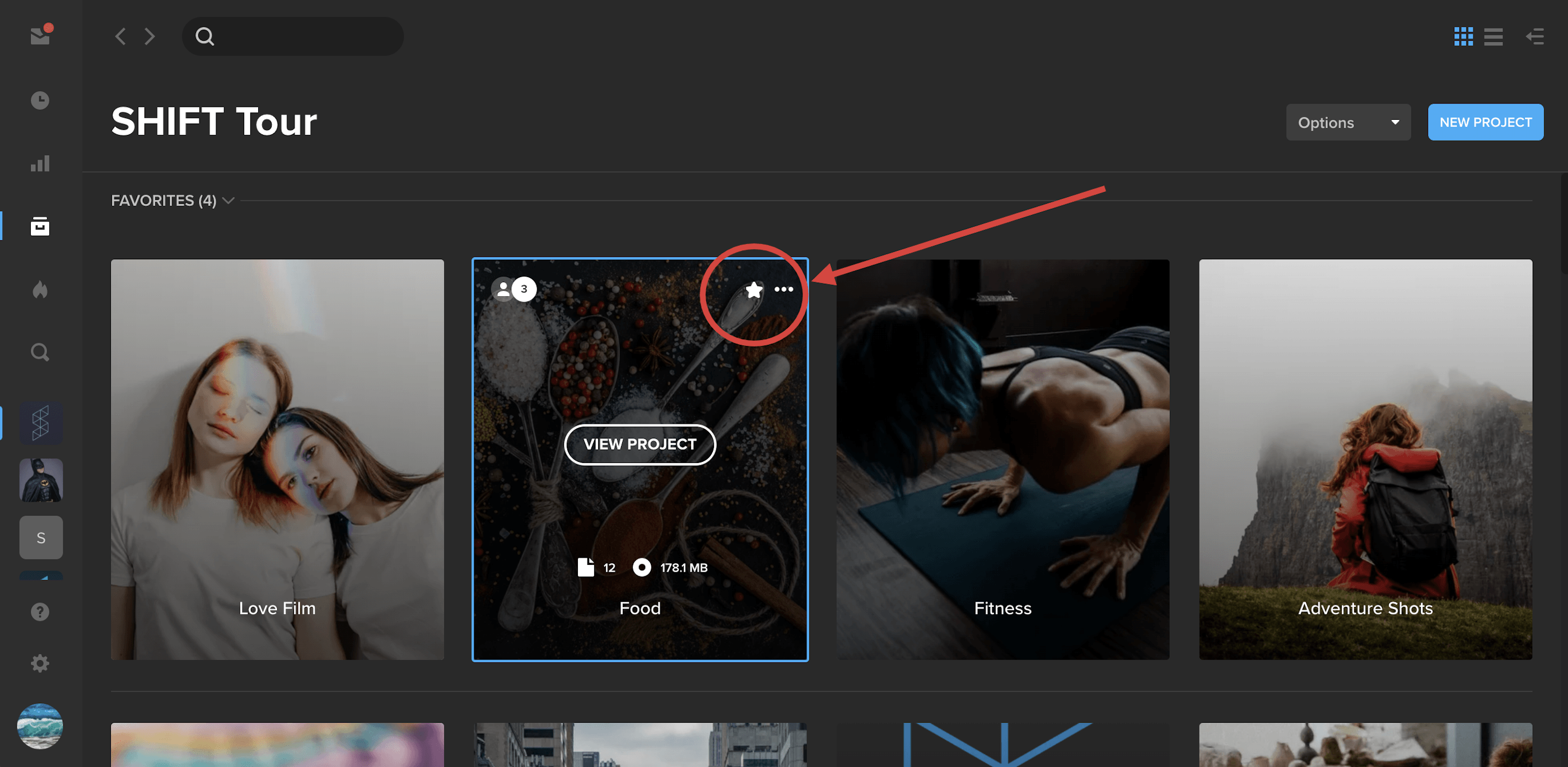
Pin your most important projects to the top of the screen by selecting them as Favorites.
Simply hover over a project tile and click the star icon. This will anchor the project to the top of the page under a new section called “Favorites.” To remove a project from your Favorites, simply click the star icon again.
Note: Project Favorites only apply to your account and not to other members on your workspace.
Spotlight Alignment Guides
In the Spotlight builder, you’ll now see visual alignment guides appear as you drag elements around the page. Line up your playlists, media players, and text on the page.
Download Watermarked Files in Spotlight
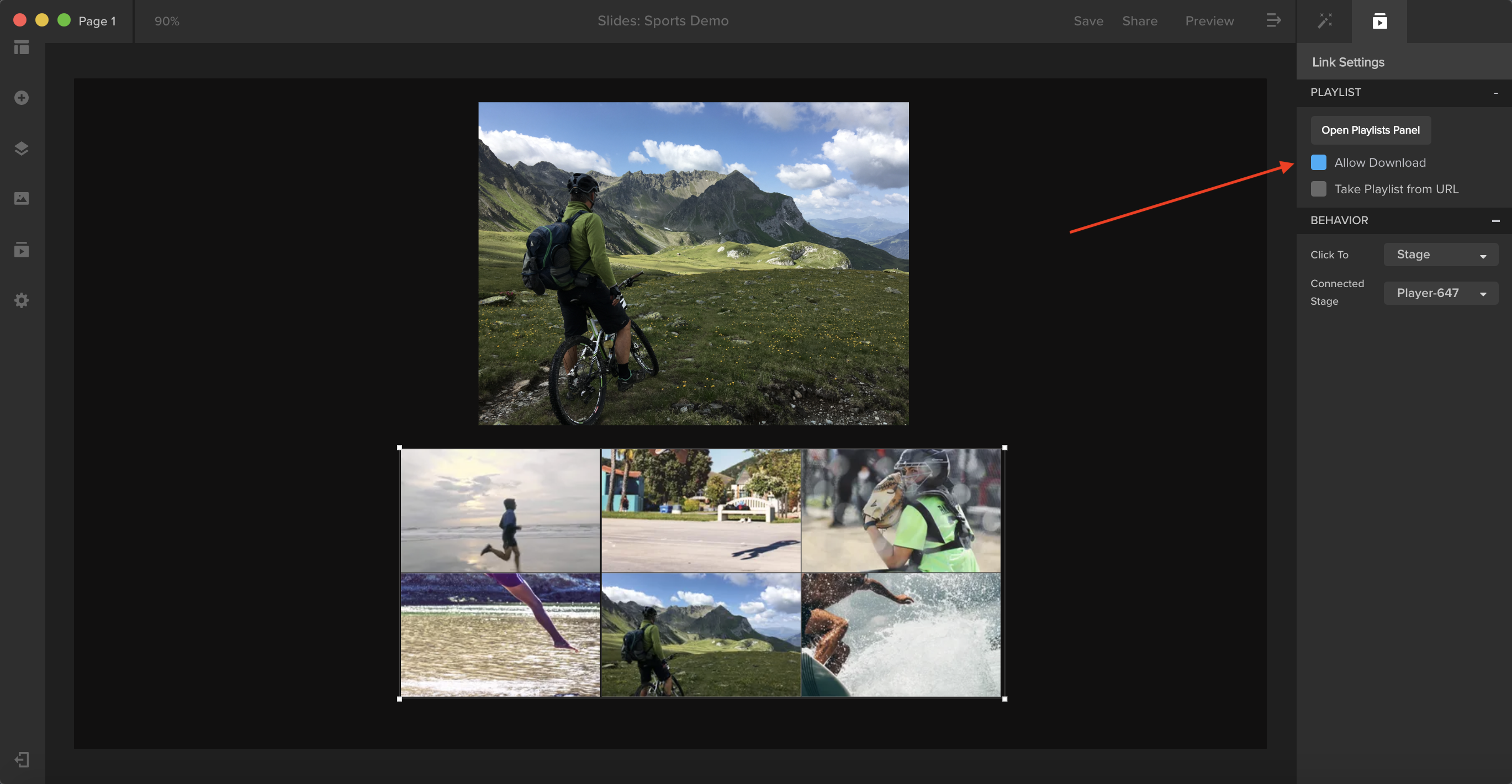
Authorized users can now download watermarked files in private shared Spotlight presentations.
- In your project settings, turn on watermarking in the SafeStream tab. Then, create your static playlist and check Enable Download.
- In the Spotlight builder, place your playlist onto the layout. With the content block selected, go to Link Settings in your right-side panel and check Allow Download.
- Once you save and share the presentation, a download button will appear over your content.