Stop the Chaos: Why Your Production Workflow Needs a “Brain” in 2026
In today’s media landscape, content is no longer a linear path from A to B. It’s a complex web of multi-format media, distributed teams, and ever-shifting delivery requirements. As projects span multiple generations of technology and pull from diverse external partners, many facilities find themselves trapped in a workflow environment defined by fragmentation and potential error.
If you’ve ever felt like you’re managing files instead of creating content, you’re not alone. But in 2026, staying competitive requires more than just storage. It requires a “workflow brain.”
Are You Using the Right Tool for the Job?
One of the biggest hurdles in modern production is the confusion between different asset management systems. While the terms are often used interchangeably, using the wrong system for your specific needs can lead to significant inefficiencies.
Our latest white paper, “Smarter Workflows, Stronger Output,” breaks down these critical distinctions to help you design a smarter, more scalable pipeline:
Digital Asset Management (DAM): The long-term home for your finished brand libraries and archives.
Media Asset Management (MAM): The system for finding, sharing, and approving media throughout its lifecycle.
Production Asset Management (PAM): The core of the creative process, governing how editorial teams collaborate directly within project timelines without conflict.
More Than Just Storage: Orchestrating Your Success
A true PAM doesn’t just shuttle files from one place to another; it actively protects the context surrounding your media. From automating repetitive tasks to enriching metadata at every stage of the process, a PAM like EditShare FLOW ensures that your information becomes more useful, not more fragmented, as it moves through the workflow.
Whether you are navigating the challenges of remote collaboration, managing complex metadata schemas for broadcasters, or trying to surface QC issues hours before delivery, the right asset management strategy is foundational infrastructure.
What’s Inside the White Paper?
The Implementation Roadmap: Why most workflow failures happen and how to plan for a “living” digital system.
Ingest vs. Delivery: How to eliminate upstream headaches by using automation and smart orchestration.
Scalability Strategies: Questions to ask today to ensure your tools support the codecs and editing tools of tomorrow.
Workflow Analytics: Using data to improve processes and refine training rather than just “blaming the operator.”
Don’t let your workflow limit what’s possible in a digital, collaborative environment. Learn how to build a dependable system that eliminates chaos and improves efficiency.
Media workflows are changing fast, not because of hype cycles, but because the volume, velocity, and expectations around video keep rising. Sports teams, brands, and enterprises are producing more content than ever, with distributed teams and tighter margins.
To understand what that means for 2026, I sat down with our CEO, Brad Turner, to talk through the trends he sees most clearly in customer conversations and how those realities are shaping EditShare’s roadmap.
Below, we break down the three trends that matter most and the practical implications behind them.
Trend 1: Sports teams and brands are becoming media companies
Sports organizations and large brands aren’t dabbling in content anymore, but running full-time production operations. What used to live with agencies is increasingly moving in-house, driven by the need for quicker turnaround, more control, and content tailored for dozens of distribution channels.
This shift has real staffing and workflow implications.
As Brad explains, editors are moving into non-traditional media roles and taking on different types of work than they did a decade ago. Agencies are still part of the ecosystem, but they’re no longer the default for day-to-day content. Instead, internal teams are being built to support always-on production, especially in sports and large corporate environments.
That shift creates a second-order problem: infrastructure that wasn’t designed to scale.
Most of these teams start small: a few editors, a handful of tools, and external drives stitched together with cloud services. That approach works early on, but over time, it becomes expensive, fragile, and hard to manage. Media sprawls. Costs creep up. Finding assets turns into a guessing game.
What Brad emphasizes here isn’t a single “right” architecture, but sustainability. Teams need to understand where their content volume is heading, how much work is local versus remote, and how often assets will need to move between storage tiers.
Rebuilding infrastructure every few years isn’t just disruptive. Migrating media is slow, costly, and risky.
The takeaway: content operations need systems that can grow with them, not quick fixes that collapse under scale.
Trend 2: AI is everywhere — but practicality matters more than promise
AI has become unavoidable in media technology conversations. But for most production teams, the question isn’t whether to use AI, it’s whether it actually saves time, reduces cost, and fits within security requirements.
Analytical AI — transcription, scene detection, logo, and facial recognition — directly addresses real production pain points: finding footage, reusing content, and eliminating manual busywork. But even those use cases come with constraints.
Cost, speed, accuracy, and security all matter, and optimizing one often impacts the others. Many teams are uncomfortable sending media offsite, even proxies. Others have been burned by AI services that fail, misidentify content, or charge repeatedly for reprocessing.
The result is skepticism, and rightly so.
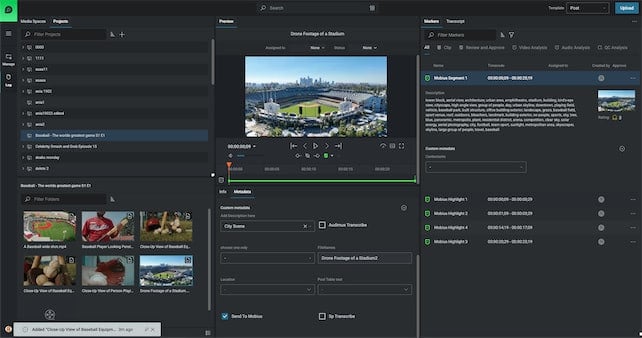
EditShare is approaching this problem differently: integrating analytical AI directly into asset management workflows, rather than bolting it on as a separate service. The goal is simple: search once, find what you need, and move on, without duplicating effort or introducing new security risks.
This applies both on-prem and in the cloud. As Brad notes, customers don’t all want the same thing, and forcing them into a single deployment model creates friction. Practical AI needs to work where the media already lives, at a cost and speed that make sense for production teams.
Trend 3: Remote and hybrid work isn’t going away — complexity is increasing
Remote work isn’t a temporary adjustment anymore. Freelancers, agencies, in-house teams, and compliance stakeholders all need access to the same content, often at the same time.
The challenge isn’t just remote editing. It’s secure, reliable access across a fragmented workforce.
Most organizations now operate with mixed teams: internal staff, freelancers, and external partners. That means more people need access to content, and not all of them are on the same network, or even in the same time zone.
What customers consistently ask for is simple: the link should work, and it should point to the right version of the asset.
Security requirements complicate things further. Some organizations want everything on-premise, while others are cloud-native and don’t want to manage infrastructure at all. Most sit somewhere in between.
Brad’s key point is that there’s no single buyer profile anymore, and systems need to accommodate different security models without breaking workflows. That means fewer links, clearer versioning, and access that’s secure without being cumbersome.
When remote sharing fails, it doesn’t fail quietly. It slows reviews, creates confusion, and introduces risk, especially when multiple versions of the same asset are circulating.
What this means for 2026
Across all three trends, the pattern is consistent: media teams are being asked to do more, with more people involved, across more platforms, all without increasing complexity or cost.
Brad’s perspective reflects what customers are already experiencing:
Content volume is growing faster than infrastructure plans
AI must be useful, not experimental
Remote collaboration has to be reliable and secure, not improvised
These realities are shaping how EditShare is thinking about product development in 2026, with a focus on sustainability, practicality, and workflows that hold up under pressure.
Want the full conversation?
This post only highlights a few moments from the discussion. If you want deeper context on each trend, click the link below.
EditShare’s 2025 Milestones & What’s Next for 2026
As we near the close of 2025, I’ve been reflecting on a central theme: momentum. This year hasn’t just been about steady progress; it’s been about leaps forward in how media teams create, collaborate, and deliver across global operations.
It’s been a year in which we challenged ourselves to do more and to do it smarter.
2025: A Year of Innovation, Integration & Impact
When I think of the stories from this past year, a few threads stand out:
NAB & IBC: Showcases of Progress
At NAB 2025, we rolled out enhancements across EFS, FLOW, and more, demonstrating how EditShare continues to lead in media workflows.
At IBC 2025, our announcements included new performance innovations in both the Ultimate storage portfolio and FLOW’s capabilities.
These events weren’t just about product launches; they were opportunities to see how real users deploy, test, and push our systems in the wild.
FLOW: More Than a Tool; A Platform for Transformation
One of our proudest achievements this year has been advancing the FLOW ecosystem in ways that directly address customer pain points, especially around media management and automation.
We launched FLOW Core: Log, Search & Organize, enabling teams to centralize media assets across tiers (on-prem, nearline, cloud), with advanced search, metadata, and intuitively organized structures.
We have made FLOW Core available with an unlimited license, so organizations aren’t constrained by seat count when scaling their media operations.
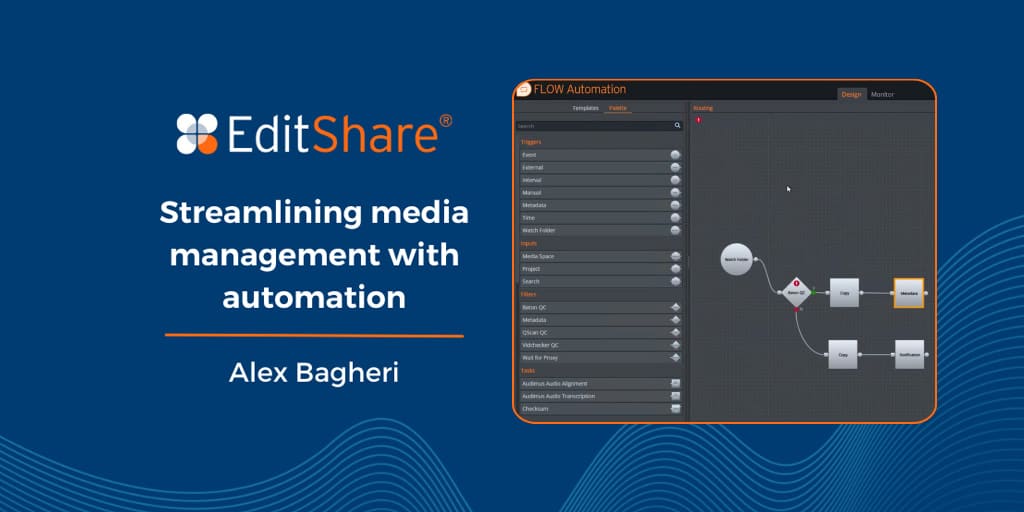
Through FLOW Automation, we’ve extended what “hands-off media processing” means—intelligent workflows capable of handling ingest, transcoding, tagging, file movement, QC, and more, all based on triggers and templates.
We reinforced how these capabilities tie in with storage: as EFS scales, FLOW scales, allowing media teams to focus on creativity, not infrastructure.
Together, these advances have helped customers reduce the “grunt work” of media production, improve asset discoverability, and better connect distributed teams.
MediaSilo & Screeners.com: Raising the Bar for Secure, High-Performance Video
This year was especially transformative for our SaaS ecosystem, with major breakthroughs across MediaSilo and Screeners.com.
We introduced a next-generation forensic watermarking engine that dramatically improved both playback quality and extraction speed. By reducing the required video duration for a valid forensic pull from three minutes down to just 20 seconds, we not only strengthened content security but also enhanced the viewer experience across devices and bandwidth conditions.
On Screeners.com, we rolled out an entirely new viewing experience. Modernized, elegant, and optimized for the way today’s marketing, awards, and distribution teams screen content. With faster load times, improved accessibility, and a fresh design, the new viewer delivers a more intuitive, cinematic experience for creators and audiences alike.
Together, these innovations advanced our mission to deliver world-class, secure, and scalable video experiences for media organizations around the globe.
Growth, Reach, and Resilience
Beyond the technology, 2025 saw deeper engagement in new markets, more customers entrusting us with complex workflows, and stronger alliances with partners who bring EditShare into local contexts. Our support systems, deployment capabilities, and channel network all matured this year to match the demands of bigger, more geographically distributed media operations.
To Our Community, a Forward Look
2025 was a year we delivered together. Our customers, partners, and teams challenged us, questioned assumptions, and shaped our priorities. The results are visible: shorter turnaround times, media libraries that “just work,” and global teams collaborating without friction.
As we welcome 2026, my hope is simple: that each of you using EditShare feels confident that the platform is evolving, responsive, and always working to alleviate frustration, not add complexity.
Let’s keep raising expectations, not just of what media tech can do, but of how technology should serve creativity.
Here’s to another bold year.
Brad Turner CEO, EditShare
As we near the end of the year, it’s a great time to look back on the most-read and most impactful content from the EditShare blog. These five posts resonated the most with readers in 2025, covering everything from remote production and media automation to next-generation archiving and platform evolution. Below is a quick recap of each. Make sure to click through for a deeper dive.
In this piece, EditShare lays out how modern production teams can break free from monolithic, location-based workflows and adopt flexible, hybrid remote approaches. The article highlights the synergy between the Ultimate EFS Field Unit, ZeroTier VPN integration, and FLOW Automation to make remote collaboration feel local.
This post explores how media teams can offload repetitive, manual tasks by embedding automation into their workflows. From auto-ingest and transcoding to metadata assignment and file routing, the article argues that workflow automation isn’t a nice-to-have; it’s essential for scaling.
A foundational read, this blog breaks down how codecs work, why they matter, and what trade-offs media teams should be aware of. It includes examples of codecs and topics such as compression losses and their real impact on storage, bandwidth, and editing workflows. For anyone working between camera and delivery, this is essential background.
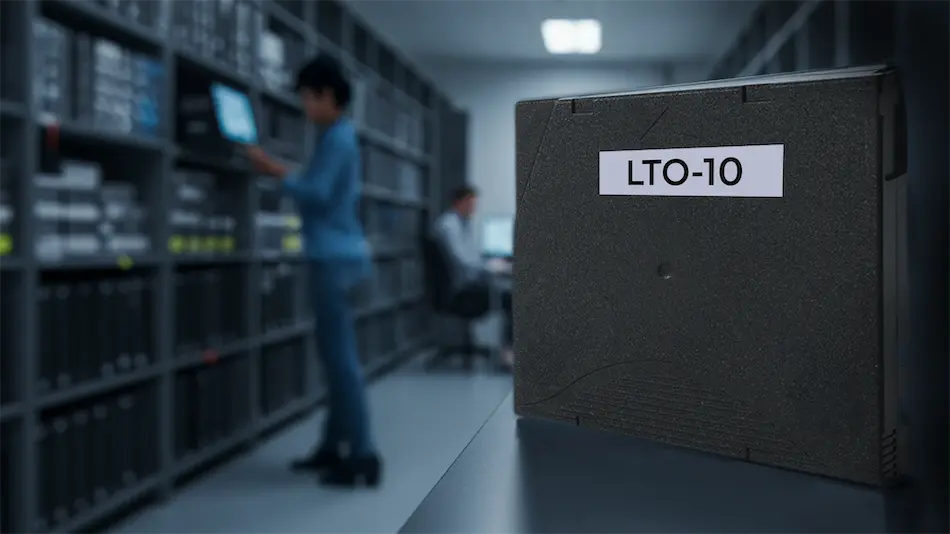
Tape may not seem exciting, but when your archive needs to survive for decades, it matters a lot. This blog introduces LTO 10 and what it brings to the archival table, namely, up to 36 TB raw per cartridge and future-proofing for large media libraries. It also discusses how EditShare’s ARK solution integrates with LTO 10 and what challenges (like backward compatibility) remain.
The top post of 2025 explains EditShare’s strategic move from multiple desktop client apps toward a unified, web-based platform under EditShare One. The article, written by Lucy Seaborne, FLOW’s Product Manager, lays out the rationale—improved accessibility, reduced IT overhead, scalability, and a streamlined UX. It’s a manifesto of where FLOW (and EditShare) will go in the years ahead.
Looking Ahead
These blog posts reflect EditShare’s evolving focus in 2025: enabling remote workflows, putting automation at the core, expanding archival capacity, and modernizing platform architecture.
As the year comes to a close, we want to thank our readers, customers, and partners for being part of the EditShare community. Your creativity and collaboration continue to inspire everything we do. Enjoy the holiday season, recharge, and come back ready for what’s next. We’ve got some exciting things in store for 2026, and we can’t wait to share them with you.
As we approach Thanksgiving in the U.S., I’d like to take a moment to step outside the usual hustle of product releases, trade shows, and roadmaps and reflect on what truly matters.
Even though many of our teammates, customers, and partners around the world may not observe this holiday, I believe the spirit of gratitude is universal. So I wanted to share a few thoughts and offer my sincere thanks to all who are part of the EditShare journey.
Giving Thanks, Across Borders
I’m thankful to our customers working in broadcasting, post-production houses, streaming services, sports organizations, education, and beyond. Your challenges, feedback, and trust push us to innovate. You test our limits, call us when things don’t work, and share your workflows with us. From early pilots to mission-critical deployments, you let us be part of your work, and that is a privilege.
To our channel partners and resellers, many of whom operate in far corners of the globe, thank you for being our local face, for connecting with customers in their markets, and for championing EditShare’s capabilities. Your commitment, especially in times of technical or logistical complexity, makes what we do possible.
And above all, to the EditShare team. Across engineering, support, sales, marketing, operations, and more, I sincerely appreciate your perseverance, creativity, and care.
You show up every day, often without much fanfare, to keep systems stable, solve unexpected bugs, and deliver capabilities that delight (or surprise) our users. It’s your work behind the scenes that gives our customers the confidence to rely on us. All of this hard work has led to a great year for sales despite the industry headwinds.
A Few Gratitudes on My Mind
I’m thankful for the resilience of every team member who has navigated tight timelines, remote work, late nights, and travel.
I’m thankful for customers who say, “Here’s how we really work,” and set us on the right path.
I’m thankful for channel partners who bridge cultures, time zones, regulatory challenges, and local sales complexity.
I’m thankful for the moments of serendipity, when a customer’s suggestion becomes a product feature, when a minor bug fix saves a client’s deadline, and when a partner brings us into a new customer we’ve been wanting to meet.
Looking Ahead, With Gratitude
As we head into the year’s end and plan for 2026, I want us to carry this spirit of gratitude forward. We’ll continue to push for smarter workflows, better collaboration across distributed teams, and innovations that reduce friction rather than add more features for their own sake.
From all of us at EditShare, thank you. May your upcoming holiday season (whether it’s Thanksgiving or simply time with family) bring rest, reflection, and renewed purpose.
Happy Thanksgiving,
Brad Turner CEO, EditShare
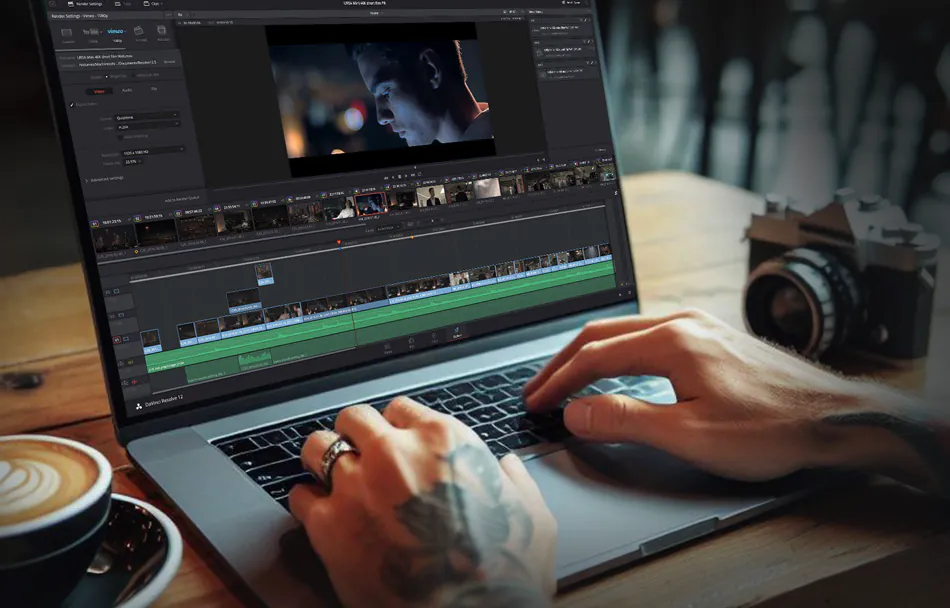
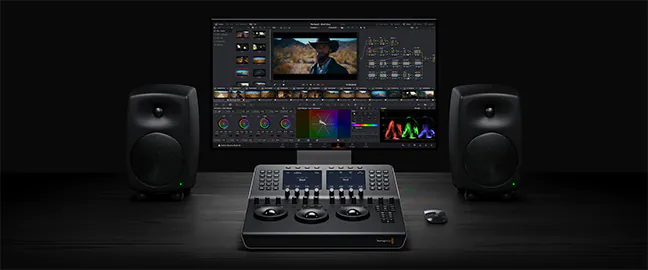
Post-production workflows, whether for editing, grading, or film finishing, frequently face tight deadlines while also working with massive files, complicating team coordination. Pairing DaVinci Resolve Studio with EditShare’s infrastructure provides effective collaborative video storage and shared video storage solutions. This setup eases access to high-resolution assets, enhances performance, and supports smoother collaboration. Here’s how these tools integrate to optimize workflows.
Performance and Compatibility: The Foundation for Shared Video Storage
DaVinci Resolve Studio handles editing, colour grading, audio mixing, and VFX in a single application. Amazingly, they have integrated programs like Fairlight audio and Fusion into Resolve. It also supports native operation on Windows, Mac, and Linux, ensuring flexibility across setups.
EditShare’s EFS serves as robust shared video storage, organizing media securely in managed MediaSpaces. These spaces centralize footage, enabling quick tracking and access for projects. EFS provides massive 24 GB/s throughput across each NVMe node, allowing workstations to achieve over 15 GB/s read speeds utilising our native EFS drives. The native drivers stand out; they’re tailored for media tasks, delivering higher bandwidth for Resolve users compared to traditional IT mounting like SMB, which delivers slower speeds
Collaborative Video Storage: Resolve Project Server on EFS
For teamwork, Resolve’s Project Server operates on EditShare EFS nodes as collaborative video storage. It oversees projects, timelines, and permissions, allowing multiple users to contribute without overlap. For instance, an editor modifies a sequence, and collaborators view updates in real-time, with built-in controls to safeguard key elements.
The cross-platform support shines here, with native drivers for Windows, Mac, and Linux in both Resolve and EFS, eliminating setup hurdles in mixed environments.
Production Asset Management: Flow Panel in Resolve
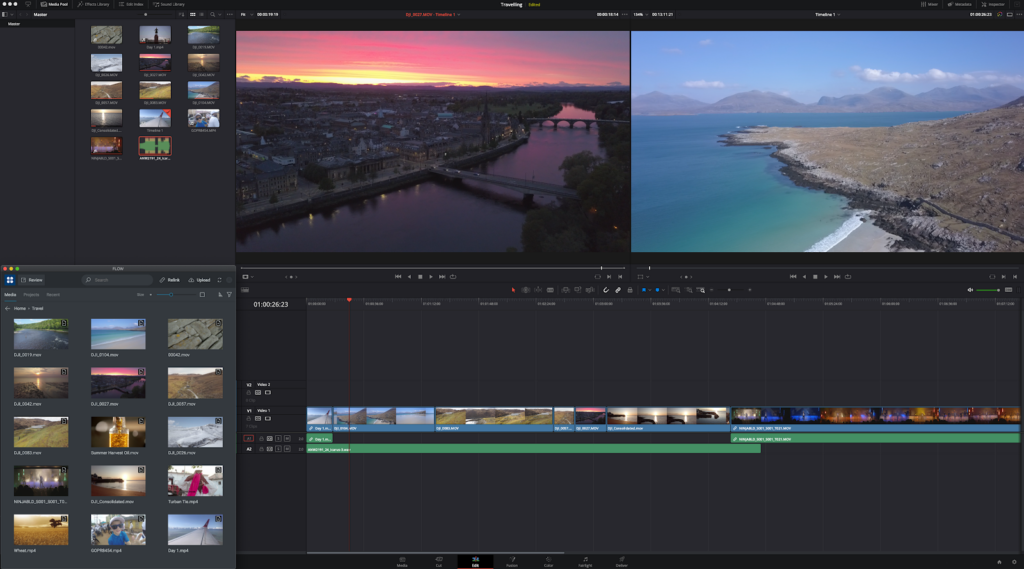
EditShare’s FLOW, a production asset management solution, embeds directly into Resolve for easy file handling. It enables pulling assets from ProRes proxies to file per frame masters without leaving the interface, sourcing directly from EFS MediaSpaces to maintain organization.
Remote users benefit from proxy workflows, where Flow preserves parent-child relationships between full-resolution originals and proxies. This allows fluid editing over limited bandwidth, with automatic relinking for final outputs, no manual fixes required.
Real-World Examples of Shared Video Storage and Collaboration
Consider a news team covering an election. Reporters ingest 4K footage into EFS MediaSpaces. Project Server manages permissions, giving the lead editor control over masters while others access proxies through FLOW. The native drivers’ bandwidth advantage over SMB accelerates speed. Combine it with Mediasilo and you get faster approval results.
In a documentary project featuring 8K drone captures, remote VFX specialists use FLOW’s production asset management for proxy-based creations. The director pulls full-res versions from collaborative video storage, with EFS ensuring uniform access and Project Server logging revisions to minimize back-and-forth.
Key Benefits for Post-Production Workflows
DaVinci Resolve Studio powers the creative side, while EditShare EFS excels in shared video storage and production asset management. This integration resolves issues like access controls, multi-OS compatibility, and proxy management, allowing focus on delivering polished results.
For teams seeking optimized shared video storage for DaVinci Resolve or tips on collaborative video storage setups, this pairing delivers proven efficiency.
How can broadcasters harness Adobe Premiere Pro’s flexibility without workflow chaos? In busy broadcast environments, Adobe’s openness and flexibility often lead to issues with shared assets going missing or offline, often disrupting deadlines. Helmut FX steps in as the project manager to structure Premiere Pro for broadcast teams. Combined with EditShare’s infrastructure, it delivers administrative control and creativity. Perfect for newsrooms working around the clock or sports productions demanding rapid turnarounds.
What Is Helmut FX, and How Does It Manage Premiere Pro?
Helmut FX centralizes Premiere Pro project tasks for teams. It automates creation, search, opening, editing, and archiving. Custom metadata filters make finding files instant. Role-based access lets admins set presets for users or groups, approving only vetted assets.
In broadcasts, Helmut FX adapts Premiere Pro’s open style to strict needs. It integrates with Active Directory for single sign-on and user groups. The Stream Debugger logs steps to pinpoint problems fast. Custom menus create workflows aligned to the news rhythm in a studio. Auto-backups with easy restores secure files in high-pressure scenarios. Hlemut also expands the ecosystem to other industry-standard applications, such as VizRT for graphics.
How Does EditShare’s EFS Provide Shared Video Storage and Collaborative Video Storage?
EditShare’s EFS offers high-speed shared video storage and collaborative video storage for media teams. Projects and media live in organized spaces on EFS, scaling to petabytes without lags.
What Role Does FLOW Play in Production Asset Management?
EditShare’s FLOW handles production asset management. Its Panel integrates into Premiere Pro, allowing editors to search, browse, and import clips without leaving the Adobe interface. FLOW eliminates file hunts; every user (subject to their granted permissions!) can access everything from a single library. FLOW’s API links straight to Helmut FX, enabling complete project workflows in large Adobe environments.
Helmut FX, FLOW, and EFS connect via APIs to orchestrate projects, users, mediaspaces, and assets. Helmut and FLOW maintain ongoing syncs, linking assets and metadata throughout the process. When starting a Premiere Pro project, Helmut automatically builds the mediaspace and matching FLOW location from templates. These templates can define storage paths, codecs, ingest/export rules, and essentials like scratch disks, frame rates, and bin structures for uniform outputs.
How Does FLOW Ingest Support Live News and Sports Workflows?
For news and sports, FLOW Ingest captures live feeds and routes them directly to editing. Ingest from baseband or NDI directing into Premiere Pro, minimizing delays. The growing timeline in Premiere Pro is perfect for breaking news or game highlights that need a fast turnaround
It connects to NRCS systems like Octopus. Reporters start stories from Octopus, syncing a project to FLOW for immediate Premiere Pro access. Editors import via the panel, cut footage, and export to playout. Octopus placeholders update with finals, streamlining from capture to air.
What Is the Value Proposition of Helmut FX, FLOW, and EFS Together?
This stack automates up to 20% of manual work, boosting creative time. Standardized setups and quick asset pulls accelerate news and sports edits for on-site or remote teams. A central dashboard searches projects, metadata, and sequences.
Efficiency Gains: Reduces errors and speeds collaboration.
Scalability: Handles growing teams and content volumes.
Security: Enforces access and backups for compliance.
For 24/7 broadcasts, it cuts delays, ramps up production speed, and expands easily. Broadcasters chasing peak efficiency get a setup tailored for the edit suite.
FAQ: Adobe Premiere Pro with EditShare and Helmut FX
Q: Does this integration keep editors in the Adobe UI?
A: Yes, FLOW’s Panel and Helmut FX ensure all asset management happens inside Premiere Pro.
Q: How does it support fast sports turnarounds?
A: Real-time ingest and auto-project setup cut edit times from hours to minutes.
Q: Is it compatible with NRCS like Octopus?
A: Fully, users in Octopus NRCS can automatically create projects in Editshare for end-to-end news flows.
A single missed frame or out-of-sync audio can disrupt your production schedule, increase costs, and damage your brand reputation. Which is why quality can’t be negotiable in your media workflow.
Whether you’re delivering corporate communications, streaming a live sports event, or producing binge-worthy content, your audience expects flawless results. A single technical glitch, like corrupted frames or the wrong color space, can erode trust and cost you money.
The challenge? Media teams are under tight deadlines, working with huge file sizes, and often spread across multiple locations. Manually checking every file is unrealistic. That’s why automated quality control (QC) is no longer optional, but essential.
With FLOW, EditShare makes quality control seamless, integrating powerful QC solutions directly into your workflow so every piece of media is checked, verified, and ready for delivery, without slowing you down.
Why Quality Control is Critical for Media Teams
Brand Reputation – Poor-quality content affects credibility and trust.
Compliance – Broadcasters, OTT platforms, and corporate networks have strict delivery specs.
Cost Savings – Catching issues early avoids costly rework, reshoots, or distribution delays.
When you build QC into your workflow, you protect your production pipeline and ensure your team focuses on creativity, not troubleshooting preventable errors.
The Role of QC in a Modern Media Workflow
Today’s workflows aren’t confined to a single edit suite or on-prem server. Teams work remotely, pulling content from shared storage, and delivering across multiple platforms.
Without a robust QC process:
Errors can slip through during ingest, transcoding, or distribution.
Remote teams may never catch problems until final delivery.
Archives risk being filled with faulty or incomplete assets.
That’s where FLOW Automation + QC integration steps in.
How FLOW Simplifies QC for Distributed Teams
FLOW connects your media asset management, automation tools, and QC checks into one cohesive system. Here’s how it works:
1. Automated QC Workflows
With FLOW Automation, you can:
Trigger QC tasks as soon as files land in your storage.
Run test plans that check for audio/video integrity, compliance, and format specs.
Automatically move passed files into approved folders and flag failed files for review.
2. Seamless Integration with Industry-Leading QC Tools
FLOW integrates with solutions like Interra Baton QC and QScan to deliver AI-driven quality checks without leaving your MAM environment. You’ll get:
Detailed PDF reports linked to your media assets.
Automated pass/fail indicators.
Complete visibility on QC status across all projects.
QC Analysis Markers per asset in FLOW (QScan Only)
3. Remote Access for Review & Approval
Using FLOW, your QC results, proxy previews, and reports are accessible from anywhere. This means:
Distributed teams can approve or flag assets in real time.
No more emailing large files or waiting for uploads.
Faster turnaround for time-sensitive projects.
Best Practices for QC in Media Workflows
Automate everything possible – QC should run in the background without slowing your team down.
Integrate QC at ingest – Catch issues before they cascade into your edit timeline.
Standardize QC templates – Define presets for different delivery platforms.
Combine QC with metadata tagging – Easier tracking for future audits or re-delivery.
Benefits of Using FLOW for QC
Traditional QC
QC with FLOW
Manual checks on local files
Automated QC on ingest
Limited visibility for remote teams
Full remote review via FLOW
Reports stored separately
Reports linked to media assets
Risk of missed deadlines
Faster, compliant delivery
FAQ: Quality Control in FLOW
Does FLOW handle QC natively?
FLOW integrates with top QC platforms like Interra Baton to automate and manage QC tasks within your workflow. *Subject to licenses
Can QC workflows run automatically?
Yes! With FLOW Automation, QC can run as soon as files are ingested, no manual triggers required.
How do remote teams access QC reports?
Through FLOW, users can log in and preview proxies from anywhere.
Does QC affect proxy workflows?
Not at all. QC runs on the original media, while FLOW continues generating proxies for remote editing.
Can FLOW QC help with compliance for OTT and broadcast?
Absolutely. Automated QC ensures your files meet platform specifications every time.
Ready to Build QC into Your Workflow?
Quality control doesn’t have to slow you down. With FLOW’s integrated QC capabilities, your media stays compliant, your teams stay productive, and your audience gets flawless content every time.
At EditShare, we’re all about shared storage for video teams, and we’re super excited to talk about DaVinci Resolve® 20, Blackmagic Design’s latest release that’s bursting with over 100 new features.
This update is like a turbo boost for editors, colorists, VFX artists, and audio folks, blending slick AI tools with intuitive features to make your workflow smoother from start to finish.
There’s so much to unpack, we can’t cover it all, but trust us, it’s a total game-changer for video editing, shared storage, and team collaboration.
AI Tools That Feel Like Magic
DaVinci Resolve® 20’s AI features are like having a creative sidekick.
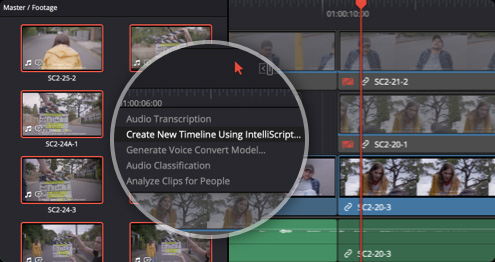
AI IntelliScript takes your script and builds a timeline by matching audio to clips, picking the best takes for you.
Want to grab your audience’s attention? AI Animated Subtitles make words pop on screen as they’re spoken.
For multicam projects, AI Multicam SmartSwitch automatically selects camera angles based on who’s talking, using audio and lip-sync smarts.
And for audio? AI Audio Assistant balances dialogue, tweaks effects, and whips up a professional mix in seconds, perfect for fast-paced collaborative video storage environments.
Collaborate Anywhere, Anytime
DaVinci Resolve® 20’s Blackmagic Cloud integration makes shared video storage a breeze for teams across the globe. You can host project libraries, sync media, and work together in real time with editors, colorists, and more.
The new URL-based guest access for Presentations lets clients without accounts jump in to review, add notes, or chat instantly. For bigger teams, the Organizations app simplifies group management, storage access, and even Studio license rentals, ideal for scaling video editing storage solutions.
While Blackmagic Cloud has its place, EditShare EFS takes it to the next level with unbeatable performance, scalability, and security for your post-production shared storage needs.
Editing and Finishing Made Easy
The Cut and Edit pages now have a keyframe editor and voiceover palette that make tweaking a snap, plus safe trimming to avoid oops moments.
Colorists, you’ll love Chroma Warp for easy color tweaks and UltraNR for AI-powered noise reduction that keeps every detail crisp.
Fusion steps up with deep image compositing and multi-layer PSD support, while Fairlight brings 6-band EQ, AI panning, and Ambisonic surround for immersive sound. Smarter proxies with one-click switching and auto-generation mean lightning-fast edits on post-production shared storage.
EditShare + Resolve 20: Your Dream Team
What makes Resolve 20 even better? Our FLOW Production asset management platform. The DaVinci Resolve® panel is built right into FLOW, letting you tap into shared storage for video teams without missing a beat. Jump into projects, manage assets, and collaborate, all while using FLOW’s powerful review, approval, and metadata tools.
Plus, you can run the Resolve project server directly on an EditShare EFS node for rock-solid performance and scalability in multi-user setups. For those chasing top-tier quality, our new EditShare Ultimate NVMe system delivers a jaw-dropping 24 GB/s, letting Resolve users tackle uncompressed 8K workflows without a hitch.
Whether you’re rocking EditShare’s high-performance video editing shared storage or building a remote team, this combo brings unmatched efficiency to collaborative video storage.
If you’ve ever lost an afternoon hunting for that one clip buried across different drives, or wasted hours re-uploading media because no one could find the latest version, you’re not alone.
Modern production teams juggle thousands of media assets scattered across local storage, nearline systems, and the cloud. The result? Missed deadlines, duplicated work, and frustrated creatives.
The Solution: FLOW Core
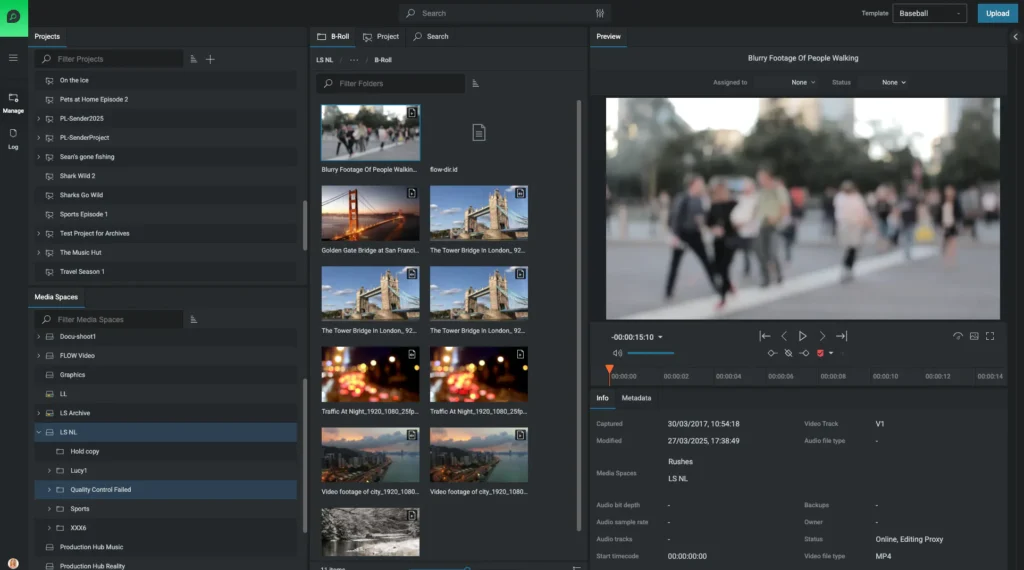
FLOW Core is the backbone of your production asset management system, giving creative teams a centralized, searchable media asset management system that keeps everything organized and accessible, no matter where it’s stored.
From metadata tagging to proxy workflows, FLOW Core ensures your content is always accessible and ready for action by offering smart media management at scale, built for collaboration and speed.
Reduce time spent searching, sorting, or duplicating media.
Role-specific UI
FLOW Core is built for producers, loggers, editors, assistants, and media managers.
How FLOW Core Powers Video Teams
Centralized Media Library – A single, searchable hub for all your content.
Workflow Efficiency – Designed for role-based workflows with unlimited licenses.
Creative Freedom – Spend less time managing files and more time telling stories.
Add More FLOW Power as You Scale
FLOW Production Nodes – Speed up proxy generation and transcoding for multiple deliverables.
FLOW Automation – Design automated workflows to eliminate guesswork and repetitive tasks.
AI Integration – Use AI for transcription, speech-to-text, and searchable soundbites for faster edits.
Live Capture – Add FLOW Ingest capabilities for Live Capture of multiple live streams with Live Logging capabilities using the Logger tool
Frequently Asked Questions
Q: What is FLOW Core used for?
A: FLOW Core provides media asset management that centralizes your content across multiple storage tiers, enabling smart search, proxy workflows, and seamless collaboration.
Q: Does FLOW Core support hybrid workflows?
A: Yes, FLOW Core works across on-prem, nearline, cloud, and tape storage, making it ideal for hybrid and remote teams.
Q: How does FLOW Core integrate with video editing software?
A: FLOW Core includes panels for Adobe Premiere and DaVinci Resolve, allowing editors to import assets, subclips, and sequences directly from FLOW into their NLE.