Redesigned for Prime Time. RED Releases the Komodo X
When asked what pain points the new Komodo X camera fills on set, Jarred Land, president of RED Digital Cinema, replied, “Komodo X really is filling the gap between our utility camera (Komodo) and our Raptor. Komodo was designed as a C, D, E, F crash camera, but a lot of Komodo users wanted a little more, for it to be more of an A camera or B camera but not at the level or price of what Raptor is.” Let’s dig into this new release and see how RED responded to the market’s request for a tiny camera that can work as your “A” cam.
What makes the RED Komodo unique?
In 2020, RED introduced the Komodo, a tiny “crash cam” designed for shooting action sequences. It featured a groundbreaking 6K sensor and a global shutter in a tiny package. The camera was designed in response to the need for a more professional alternative to using GoPros in action scenes. One key factor was producing a camera at a low enough price point that a big production could wreck it in an action sequence without taking too big of a financial hit. So even though it wasn’t intended to be a main camera, Jarred realized that “the image is just so good, and [it’s] so romantic to hold,” that people would use it as their main camera. He confessed, “I myself am guilty of using it as an A cam too.”
Using Komodo as an “A” camera can be a pain
As “romantic” as it is to hold the little RED camera, the pain points are less romantic. Komodo uses small Canon batteries instead of standard V-lock batteries. Its RF mount doesn’t lock down and flexes with a lens motor. And most significantly, it only has a single 12G SDI output. This proved to be a single-point-of-faliure. On any brand, a 12G SDI port can blow out due to plugging and unplugging power and SDI cables out of order (power in, then video in, video out, then power out). And even though Komodo can output a feed to your mobile device, this isn’t a true replacement for a hardwired monitor in most cases. The result of these shortcomings when trying to use the Komodo as an A cam resulted in companies like Mutiny creating ingenious accessories to allow the little Komodo to level up.
RED realized there was a hole in their lineup
Land recognized that this situation wasn’t ideal. He said, “The work-arounds were people using the camera as it wasn’t ever intended. [It was] our fault for not filling that hole earlier.” So in response to the way customers were using the camera, RED began to design a new version that wouldn’t replace their original “utility” camera but rather work as an “A” camera to the original Komodo or a “B” camera to their high-end V-Raptor. And that’s how the Komodo X was conceived.
Komodo X improvements tackle the original’s limitations
Once the team at RED nailed their focus down to making an “A” camera with the DNA of the original camera, they got to work on making improvements that would enhance and streamline the experience of shooting with Komodo.
Multiple monitor outputs
At the top of the list was giving more options for the monitor output. The new Komodo X features the same “pogo pins” as the original Komodo. However, this time they arrive with the ability to drive a monitor, just like the higher-end V-Raptor. This connection allows for the RED/Small HD 7” monitor with the “RMI” cable to be used on both Komodo X and V-Raptor. The 12G SDI output will be mainly used for accessories like a Teradek Bolt wireless transmitter. RED also released a more compact top handle for attaching the DSMC3 monitor. This handle addresses significant ergonomic challenges with rigging the original Komodo.
Improved frame rates
Komodo X offers frame rates up to 80 fps at 6K and 120 fps at 4K. That doubles the speed of the original Komodo. That frame rate would be fine for the intended use as a “crash cam,” but a main camera needs to hit that 60 frames per second number without windowing down on the sensor. For many shooters, 60fps is the magic number for usable slow-motion shots in commercials. So when the original Komodo only offered 40 fps at 6K, it felt like it was just missing the mark.
CFExpress media
Komodo X utilizes CFExpress Type B media rather than the CFast cards of the original Komodo. This improvement brings it in line with the media from the V-Raptor. CFExpress cards feel more robust, offload data faster and offer higher capacities. This change means shooters can condense the array of card readers, and DITs can bring uniformity to their workflows.
Improved batteries
Physically speaking, the biggest improvement is the type of battery the new camera employs. The Micro V-lock battery aligns it with its big brother, the V-Raptor. This simplifies things for productions using the two cameras side-by-side. In Scott Balkum’s launch day live stream, Land mentioned that most people using the Komodo as an A cam were using v-lock adapters with their camera instead of the stock Canon batteries. This improvement alone will substantially streamline camera rigs for most users. RED also released the REDVOLT Nano-V, a tiny 49 Wh battery for those shooters looking for the most compact power solution possible.
Locking RF lens mount
RED introduced the locking EF mount with the DSMC2 system years ago. Komodo introduced the new Canon RF mount to their lineup. However, many users struggled with lens mount flex when trying to use Komodo with cine-style lenses. This problem became more acute when a focus motor would be included in the setup. RED eventually addressed this by releasing a sturdy RF to PL adapter, but that didn’t resolve the issue for those using EF or RF glass. The new locking ring will add much-needed rigidity to the lens mount allowing for a greater selection of lenses and motors to be used on the system. And it will also reduce the amount of hardware needed to stabilize lens adapters.
Improved audio
It is no secret that audio has played second fiddle to image quality on many RED cameras. The Komodo has a particularly weak pre-amp and offers no phantom power for microphones. This shortcoming makes sense on a “utility” camera. But the moment you try to use Komodo as an A camera, you start a journey down the road of how to incorporate proper audio and timecode without creating a rig so unwieldy that it defeats the purpose of buying a small camera.
On Komodo X, RED has included a 5-pin Lemo connector with an improved pre-amp. This aligns it with the V-Raptor and ARRI’s ALEXA lineup. Users will need to make sure that they purchase the proper adapter for their audio gear (3.5mm or XLR). Using the 5-pin lemo connection, RED can offer improved audio while keeping the overall size of the camera smaller than if full-size XLRs were incorporated into the body itself. There is a good chance this will be the most critical improvement for documentary shooters.
Integrated USB-C
A USB-C output module is available as an add-on for the original Komodo. However, Komodo X incorporates it right into the body of the camera. Again, this simplifies rigging and provides a connection for wired control over IP. Through their RED Control Pro app, RED has worked hard to provide advanced tools for controlling multi-camera arrays for advanced users. The integrated USB-C port will make it much easier to setup up those rigs. However, most users will find that the free RED Control app will meet most of their needs.
Key accessories
Alongside the Komodo X, RED is offering an advanced RF to PL adapter with an electronic ND cartridge system. This features two cartridges, one clear and one ND. The level of the ND can be controlled via buttons on the lens mount or controls within the menu system. This option is especially attractive to users mounting the camera on gimbals. This mount eliminates the need for a matte box in many situations.
RED teased an upcoming I/O module, which features dedicated connections for genlock, timecode and more. It will allow for full-size V-mount batteries. The module also sports a unique v-notch that allows improved cable routing. Finally, RED has teased that they’ve got an EVF (electronic viewfinder) and additional monitors in the works.
Pricing and availability
RED released a batch of limited edition white (a.k.a stormtrooper) Komodo X cameras. That run sold out in 2 hours. (Other resellers may still have some stock at the time that this article goes live) RED has now begun production of the black Komodo X, and, according to RED, it will ship in June.
Komodo X retails for $9,995. That places it between their other Super 35 cameras, the Komodo ($5,995) and the V-Raptor S35 ($19,500) while leaning toward the lower end of the pricing scale.
Conclusion
RED should be commended for crafting a camera based on user feedback. The improvements are all based on the challenges of using the Komodo in the field “not as intended.” But instead of telling people that they were “using the camera wrong” or telling them to step up to V-Raptor, RED made a camera for them. From the monitor, lens mount, power, media, audio, handle and even to the placement of the record button, RED has shown that they are listening to their customers. Now it will be time for users to test it in the field and see if its image, functionality and stability can live up to the physical improvements they’ve made in this new camera.
At midnight on Tuesday, May 2, what had been feared for months happened. For the first time in fifteen years, the Writers Guild of America (WGA) went on strike against the Alliance of Motion Pictures and Television Producers (AMPTP). At stake is the livelihood of thousands of people throughout the industry who will be impacted by the fact that all narrative, late-night, and other written film and television productions have halted.
We had the opportunity to connect with working post-production professionals to get their take on the strike and how they feel it will impact their corner of the film and television world. Due to the sensitive nature of the topic and because, as one person we contacted said, “…retribution is real in this industry,” the respondents chose to remain anonymous.
Before we get into their responses, let’s briefly cover what the strike is about and why this one is so different from the last industry strike of 2007-2008.
What’s at the core of the WGA strike?
Every three years, the WGA and the AMPTP negotiate over contracted terms to arrive at what’s called a Minimum Basic Agreement (MBA). If the two organizations are unable to agree, the union calls for a strike. These negotiations happen with all the major unions (e.g., DGA, SAG, etc.)
Conflict typically arises from disagreements in compensation and/or working conditions—and they can cost the entertainment industry hundreds of millions of dollars. The longest strike in the WGA’s history was back in 1988. It lasted for 21 weeks and cost an estimated $500 million. The strike of 2007-2008 lasted 100 days and cost $1.5 BILLION!
A recurring theme in WGA strikes
Whenever there’s a new technology that changes how television shows and movies are delivered to the masses, residual compensation becomes a key sticking point.
When DVDs and other physical media became prominent in the late 80s, payment to writers for their work on these media was the issue.
In the ‘07-’08 strike, a key driver in the disagreement between the WGA and the AMPTP was compensation and residual payments for projects distributed via emerging “new media” channels. These included digital downloads from sites like the iTunes store and streamers like Netflix.
Not unlike the last WGA strike, this one is also closely tied to the impact streamers like Netflix have had. But a key difference between then and now is that where the WGA’s overall objectives are homogenous, due to the make-up of distributors today, the needs and objectives of the AMPTP members are different.
New vs. old models of distribution
In the previous era of film and television distribution, the overwhelming members of the AMPTP were representatives from traditional studios like Paramount, Universal, Sony, etc. The primary business models for all these entities were the same.
The entertainment landscape today has evolved significantly. Companies like Apple and Amazon are now part of the game, and frankly, a protracted strike will not impact them as much as traditional studios. Whether a WGA strike lasts for 100 days or even 100 months, companies of this size—with revenue sources significantly broader and larger than traditional studios—could hold strong.
Streamers are probably well suited for a longer hold-out as well due to their large number of non-scripted shows (e.g., documentaries and reality TV).
Could these disparate business models and media categories motivate the AMPTP to be more cooperative? Perhaps. However, the gulf between the WGA and the AMPTP—which relates to myriad issues like staffing numbers, working period, Artificial Intelligence, and residual payments for hit shows—suggests we could be in for a strike that lasts well into the fall.
And that is where we come to the central theme of this article.
The impact of the WGA strike on post-production
The professional post-production world spans a wide variety of industries. In addition to film and television, there are corporate, gaming, and event professionals. The overwhelming number of people who responded to our inquiries were in film and television. The TL:DR of the responses we received can be summarized in these points:
Post-production started feeling the effects months before the strike occurred
With respect to film and television, narrative and late night will be hit the hardest, with non-scripted shows and features with long post seasons fairing best
Post houses and professionals focusing on corpo and promos won’t be affected by the strike directly but could see increased competition from film and TV freelancers expanding their repertoire for additional work
Regardless of what happens, solidarity is with the writers, and it’s generally understood that the outcome, if beneficial for the writers, will set precedents that benefit the other union guilds as well.
Here’s what they had to say.
How the pros think the WGA strike will affect post-production
“I was living in LA during the WGA strike in the mid-2000s. I had just moved to LA and was establishing my network. Work dropped off at the top level, feature film jobs and the like. Since no work was being done at that level, those working there took the B- and C-level jobs. That really closed the door on a lot of potential gigs I could get. I had to rely on my Plan B, which was teaching editing and consulting gigs.
I eventually had to take a job in video engineering [major color house]. Though I appreciated the money, it was a job I wasn’t exactly suited for. I was rather desperate for work, and when that gig went away, I had to go into survival mode. Essentially, I went broke.
Fortunately, my connections at Apple (from an earlier gig on Final Cut Studio 3) had a job for me back up in Cupertino as a QE on FCP 7 and Motion 4. I bailed out of LA and moved back to San Francisco. I’ve been there ever since.
Yes, the WGA strike and the diving US economy crushed my LA dreams to dust. My advice is to be prepared for a long haul. Set up Plan B and Cs, and cut your budget, especially if you are not well established with your network. For those in LA high-end post. I wish you luck!”
“My prediction is, mild impact varying from slightly less work to slightly more. There might be more packages rolling into live shoots, repurposed/remixed existing footage, clips shows, verite style reality or docs. But corpo and ad work will be the same and features are on such a long post-production timeline that editors can be kept busy in their dungeons for a month without letting them into the sunlight. Some shows that might just now be kicking off will be on pause, and that will cascade down to editors being put on pause.”
Editor of trailers, promos, and ads for games
“I work in documentary and unscripted, so I am largely unaffected. If anything, I have more work. I think the writer’s demands are more than fair, and I’ve seen all the same exact problems they have with streaming giants, so I fully support them—same as I supported the movement within IATSE (International Alliance of Theatrical Stage Employees) to strike. Even before the strike, my colleagues and I had started calling this the era of “Insta-Docs”—where we conceptualize to air documentaries in just 2-3 months max.
Have you noticed the streaming giants just produce so many similar-looking documentaries, they have their moment in the sun and then are gone, never to be spoken of again? When was the last time we had a Man on Wire or Hoop Dreams that transcended its original platform? I’m not saying good documentaries aren’t still being made, but we’ve been explicitly told, all these streaming giants care about is “length to profitability,” which just means how fast can we get enough viewers to show profitability of the project, which means we can get greenlit for another, and another. Anything after the profitability mark is just a bonus; but really they don’t care about the longevity of their products. So for me personally, the most I’ll be affected is likely just to be asked to work on lower-quality content than I’d prefer until the strike is over and things settle down.
All of this feels so very reminiscent of the 2007/8 strike. The networks and studios believe cheap content will be good ammo against the writers, but once again, they are wrong. The public and the industry as a whole are on the writer’s side. If the writers can hold out, they will ice out the networks from having top-tier content and they will eventually cave.”
Documentary editor
“I’d just say I support the writers wholeheartedly and hope they’re able to get everything they’re negotiating for. A lot of their demands have heavy implications for post-production, especially those regarding artificial intelligence, so I hope they’re able to make big strides and set a precedent for protecting human jobs that the other guilds can follow. A rising tide lifts all boats, as they say.”
Assistant Editor
“We’ve been planning this since January. Nobody can really start shooting again until at least mid-August because the bond companies stop bonding on July 1 for at least 6 weeks. And nobody still firming up script can do a deal, not even distribution due to WGA strike rules. Most international is in solidarity. Post will have a major bubble upon return, which will cause all sorts of delivery issues. The most we can hope for is what is stated in Deadline’s Strike Talk podcast with the execs and writers (not negotiators) getting in the room to do the right thing within the coming month. But since Wall Street, not humans, are so in control of Hollywood these days, it’s hard to know how this will come together. There are sane people at the smaller AMPTP companies who might broker their own deal with the WGA if it comes to it.”
Producer
“Studios and networks have seen this coming for months. So there has been pre-planning on getting shows done early or just not starting up new shows. Next seasons are already on hold if not already shot. Upfronts will be awkward in a few weeks as most of the new shows can’t go into summer production. Late night is gone, so those editors are out. Reality shows will be a lot of the summer and new shows depending on how things play out and how long things go. Different edit sectors will feel it differently, and it will be a bit before the full effects hit post.”
Post Supervisor for a Promo/trailer house
One industry veteran we spoke with that didn’t mind being mentioned was Zack Arnold (ACE), editor & associate producer of Netflix’s Cobra Kai.
This is a once-in-a-generation strike that goes far beyond writers fighting for their slice of the pie. This is about ensuring the future of all creative professionals in the entertainment industry, setting boundaries that protect our livelihood outside of the work, and being valued for the creative contributions & ideas we bring to each project. As much as we’d all love to go back to work as soon as possible, this fight now will protect future generations from the rampant exploitation of Hollywood creatives. We have to do this right before doing it fast.
A word about Artificial Intelligence
It’s worth noting the WGA’s request that producers do not turn to AI-generated scripts as a replacement for human writers, or that they should share screen credit, or affect writers’ compensation. Rest assured that whatever agreement the WGA makes with respect to AI will be emulated by other areas of production that can be affected by AI.
It’s becoming more apparent that Generative AI will impact post-production. Programs like Synesthesia and Runway’s Gen-2 text-to-video program are opening new ways for post-production to be aided (and in some cases replaced).
Arnold has some thoughts about AI as well:
With the rapid progression of A.I., not only in post-production but all creative fields, the days of making a living as a specialist with one very specific skillset are over. The AI revolution will be the rise of the generalist with a broad range of knowledge in a multitude of crafts & skill sets. If we don’t protect our creative work from A.I. right now – if we don’t regulate what is and is not acceptable for using A.I. in generating original creative material – there is no future discussion to be had. The can cannot be kicked down the road the way we did with streaming as “new media.” This fight over the future of our creative ideas having value is now or never.
It’s unlikely these programs are ready to edit a Christopher Nolan opus or a 12-episode series on a major streamer. But it’s not too far-fetched to see AI tools like this being virtual assistant editors and creating stringouts based on descriptions of the kinds of scenes and soundbites you want. It would be short-sighted for MPEG (Motion Picture Editors Guild) not to factor AI into their negotiations.
All opinions expressed by named or unnamed participants are their own and do not imply an endorsement by Shift Media or any of its employees.
Header image computer credit Jacob Owens on Unsplash. WGA strike image courtesy Jorge Mir (CC BY)
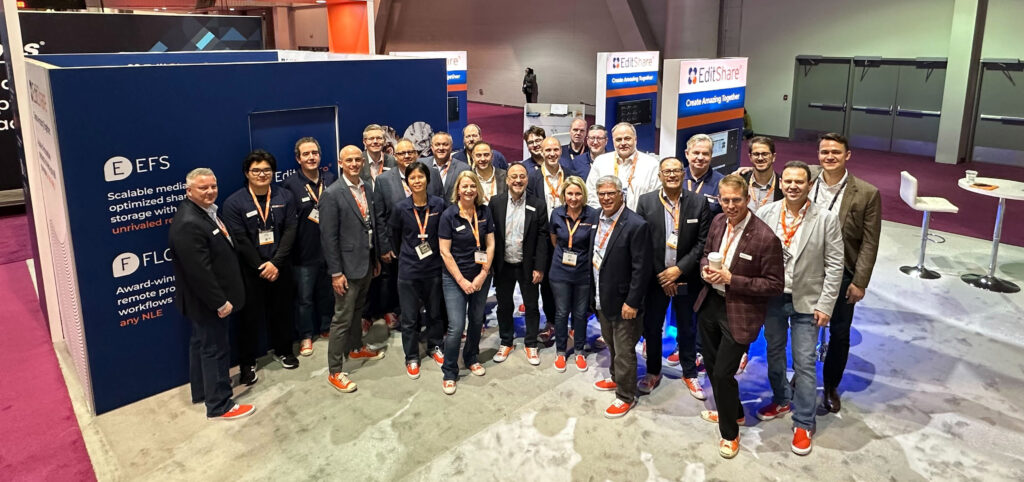
Like many of you, I’m taking a big breath following an exciting week in Vegas for this year’s National Association of Broadcasters (NAB) conference. As always, NAB provided a unique opportunity for us to connect with industry experts, showcase our latest products, get together as a globally-distributed team, and gather valuable feedback from our esteemed customers and partners. It was a great show – and we enjoyed seeing everyone who made the trip to our booth.
A few key themes seemed to dominate conversations during the show – this is what I noticed that kept coming up at NAB:
Collaborative Workflows: The importance of collaborative workflows in the media and entertainment industry has never been more evident. At NAB, we highlighted our latest innovations in collaborative workflows and shared storage solutions. Our new features, such as universal project sharing, enhanced metadata management, multi-site support and remote editing capabilities, were met with overwhelming positive feedback. We are proud to continue our commitment to providing cutting-edge collaborative tools that streamline media production workflows and foster creativity among teams. We continue to drive forward our strategy of creating amazing everywhere.
Hybrid Cloud-Based Solutions: As our CTO, Stephen Tallamy puts it, “everything seems destined for the cloud… eventually.” But the pace and sequencing of that move is different for every team. That’s still true here in 2023. While some teams are dipping their toes in the water, others are ready to take the plunge but aren’t quite ready to commit to moving all of their workflow to AWS just yet. As a provider of cloud-based solutions, we want to support customers who are ready to start their cloud journey while also acknowledging that the right first step looks different for every team.
At NAB, we showcased our latest advancements in hybrid cloud-based editing, media management, and storage solutions. Our hybrid cloud offerings give customers the flexibility, scalability, and cost-efficiency they need to meet the evolving demands of modern media production – sometimes that means a mix of on-prem and cloud, both in storage and media asset management. We’re excited about the possibilities that hybrid cloud-based technologies bring to the industry, and we’re committed to expanding our solutions to help customers stay ahead of the curve. If you’re thinking about a potential hybrid cloud strategy, we have more examples than ever about ‘what good looks like’ that we’d be happy to share.
We were also surprised by the number of those who have multiple EditShare deployments and are interested in connecting those workflows to create global efficiencies. This is an area where we are innovating and making investments, and we’re pleased that these investments were validated by the customers we spoke with. We’re going to continue investing here – check out our CTO, Stephen Tallamy, discussing our thinking on where hybrid is headed from the NAB floor here.
AI-Driven Media Management: Artificial intelligence (AI) has reached peak hype status, but it’s also transforming the way media assets are managed and monetized. At NAB, we demonstrated our latest AI-driven media management tools that leverage machine learning and automation to streamline media workflows, enhance search capabilities, and optimize media asset organization. Our customers were impressed with the increased efficiency and productivity that our AI-powered solutions bring to their operations.
While I was at NAB I also participated in the SET Future of Broadcast panel. Fernando Bittencort, former CTO of Globo moderated the panel. He kicked off the panel by reading the response he got when he asked ChatGPT “What is the future of Broadcast?”. We can debate the quality of ChatGPT’s answer to his question, but the fact that this is even possible should cause us to stop and recognize two things: (1) The world has changed, and (2) our industry is not exempt. The possibilities for what it can do – from search ability to documentation to customer support to how we test our products – the limit of how we apply AI and machine-learning technology to the problems media creators face. And I’ll leave it to smarter guys than me to talk about the limits and governance that should be placed on it.
The most encouraging part of NAB? Our industry is back. We had 120 channel partners in attendance from all around the world. We had more than double the product demos vs. 2022. Leads and opportunities coming out of the show were also up. Things are moving in the right direction.
As we reflect on this year’s NAB conference, we are energized by the opportunities and challenges that lie ahead. We remain committed to our mission of Creating Amazing Everywhere by empowering media professionals to create, collaborate on, and deliver exceptional content.
Thank you for your continued support of EditShare. We look forward to spending more time together in 2023.
In the earliest days of filming, the choice of what camera (or film stock) the production used didn’t affect the post team; for a long time, it was a relatively settled workflow. In the film days, and even in the tape days of video, there was really only one way of doing things, and much of it was outsourced to a specialized lab. If the camera team decided to shoot Panavision instead of Arriflex, or even Moviecam, it didn’t matter much to the assistant editor. Shooting on Fuji or Kodak film stock might matter to the lab and the final dailies colorist, but the edit team didn’t know to worry. The major issue was, did they shoot spherical or anamorphic lenses, one box to tick on a camera report.
With the digital video explosion of the 2000s, however, every camera has started to come with its own set of logistical problems and issues that require post-production teams to keep up with a great variety of plugins, file formats and special software that can change with every job.
Even within a single camera, several major decisions can affect how the post pipeline will go, which often means it’s best to have a workflow conversation with the camera team before production begins to get everyone on the same page.
RAW Video
The first major thing a post team should be getting a handle on with camera choice is whether the camera is capable of shooting in RAW video and if the production is choosing to shoot in RAW if it’s available.
RAW video records the RAW data coming off the sensor before it’s processed into a usable video signal. Depending on the RAW format, camera settings like ISO and White Balance can then be changed in post-production with the same image quality as if you had made the changes in the camera, which can be a great benefit if there were errors on set. RAW video has become incredibly popular over the last decade and is increasingly the default workflow of choice for many productions.
However, there are drawbacks to RAW that cause some productions to continue shooting to a traditional video format, even in a camera that is capable of RAW. First off, the files are often harder for the post team to handle and require processing. If you are shooting something with an exceptionally tight turnaround or with a small post team, it might make more sense to work with a traditional video format.
RAW is primarily beneficial for the flexibility you get in post. If the white balance is off in-camera, you can more easily change it in post with a raw capture format. With traditional video, settings like white balance and ISO get “baked” into the footage. Some cinematographers prefer to perfectly bake the look into the camera file they want and then let the post-production team work with those files without the flexibility of RAW.
RAW cameras are also increasingly capable of shooting into two formats at once or “generating their own proxies.” However, while cameras can do this, it’s not a particularly common practice for one key reason; it doubles your download time for cards. If the camera is both shooting an 8k RAW file and a 1080p prores file, you need to download both from the camera card to the on-set backup, which increases your download time. Additionally, you need to duplicate everything you have on the camera card to multiple copies for insurance purposes. In-camera proxies end up eating up more time and hard drive space than is beneficial.
There are a few cameras, however, that have a new workflow that shoots the RAW to one card and the proxie to another card. This workflow seems like it might take off on sets since the proxy will then be immediately available for the editor while the RAW files are still being downloaded to multiple backup copies.
LOG
Once you’ve left the world of RAW capture behind, whether it was because the camera couldn’t record RAW or because there was some reason the production has chosen not to record RAW, the next decision made on set is whether to capture in LOG or linear video.
Linear video is the world we live in most of the time. When you edit in your NLE, it shows you linear video. Your phone shoots in linear video, and it displays linear video. But the file format created for linear video is only capable of handling a certain amount of dynamic range. For a standard 10-bit video file, that is usually considered to be 7-9 stops of latitude, depending on how you measure dynamic range.
But a 12-bit video sensor or the incoming 14- and 16-bit sensors are capable of recording a much, much wider range of brightness values. To squeeze that larger dynamic range into a smaller video package, LOG video was created. This process takes the 12-bit linear data coming off a sensor and uses logarithm encoding to “squeeze” it into a 10-bit video package.
This is a huge benefit for the post-production team that wants to preserve all that light value detail in the post pipeline for the most flexible color grade possible. However, standard 10-bit video is made to display 10-bit linear video images. Your images that are encoded in LOG tend to look very “flat” or “milky” when used in this fashion.
To overcome this, we use either a LUT (a discrete file you can load into your software and apply to footage) or a transform (a mathematical equation that transforms footage from one format to another) to process logarithmic footage to look correct in a video space. LUTs have been the default for a long time, but the industry is increasingly moving to transforms for their higher level of precision and flexibility. The most common workflows for using transforms are the ACES workflow and the RCM (Resolve Color Management) system built into Blackmagic DaVinci Resolve. For both RCM and ACES, you need them to have a transform created for the profile of the camera.
It is generally considered a good idea to check in with the production to see if they have a preferred workflow for you to use. Whether it’s the camera manufacturer’s LUT, a custom LUT built by the production, or the ACES or RCM systems, make sure you can properly view the footage the production creates. No self-respecting post team should ever be working on an edit with footage in its LOG form.
Timecode & Audio
Another essential factor of camera choice that often gets neglected in the conversation about post-production is how it handles timecode and audio. If you are working on a multi-camera job, a camera with good timecode inputs that can maintain steady timecode will make your life infinitely easier than a camera that lacks those functions. In audio as well, while we generally still prefer to run dual system audio, many productions like to run a mix to the camera for backup purposes and to get the edit workflow started more quickly. You’ll ideally want a camera with industry-standard and robust audio inputs and outputs.
A final issue to consider is the somewhat obscure but increasingly vital area of file metadata over SDI or HDMI. While this seems confusing, it’s actually pretty simple; some cameras can pass along certain metadata, including things like filename, over their HDMI or SDI ports. This can be a huge benefit with some camera-to-cloud workflows where an external box, like a Teradek Cube, encodes real-time proxies for the edit team to get over the web. If the camera can send the filename out over SDI into that Cube box, then the files going on the Cube can get the right names and make relinking to the full-res file properly later a snap. Without that output, the camera-to-cloud workflow makes much less sense.
Lens Squeeze
The final issue to worry about is one that we worried about in the film days as well; the squeeze of the lenses. The vast majority of productions shoot with spherical lenses where you don’t need to worry about any squeeze to the lens. But there are lenses available called “anamorphic” lenses that take a wide image and squeeze it down to fit on a narrower sensor. This is how “widescreen” movies were made in the analog film days. You would have a 2x anamorphic lens that would take a 2.39 image and squeeze it down to a 1.33x piece of motion picture film. Then on the projector, you’d put a 2x de-anamorphoser to get a “normal” looking image that filled the widescreen.
In the digital era, we tend to do our de-anamorphosing in post-production, often during the dailies stage, expanding the image to look correct. You need to make sure you get the information from production if they shot in spherical or anamorphic, and if they shot anamorphic, it’s vital that you ask them to shoot a framing chart with each lens they are working with so that you have a reference. Ideally, that framing chart would be taped out with frame lines and also have some recognizable elements on it, including perfectly drawn circles and pictures of humans to help if there is a problem troubleshooting issues in post.
In addition to the standard 2x anamorphic lenses, lens makers have released 1.5x anamorphic lenses designed to work with the wider 16×9 sensors of modern digital cameras. Since the sensor is already wider than the old 1.33×1 film frame (roughly 4×3), the anamorphic lenses don’t need to be as strong, so a few vendors have released 1.5x lenses to help cinematographers craft wider images that take advantage of the full sensor and also offer some of the qualities users love about shooting anamorphic. As you can see, when a production settles on a camera and lens combination, it can majorly affect your post-production workflow.
Download our full guide to the major camera platforms and what features they offer to be helpful to post-production teams.
MediaSilo allows for easy management of your media files, seamless collaboration for critical feedback and out of the box synchronization with your timeline for efficient changes. See how MediaSilo is powering modern post production workflows with a 14-day free trial.
Leaked content is a multi-billion dollar problem in our industry, robbing people of revenue and jobs. Watch our Solutions Engineer, Nick, demonstrate how you can securely and confidently screen your pre-released content with Screeners.com
Hi, my name is Nick Ciccantelli with Shift Media, and today we’re going to talk about our Screeners.com platform. Screeners is a secure OTT-style preview and screening room for your pre-release content, leveraging our watermarking technology. So as a reviewer, I will have been given access to a number of different titles within a certain network. So you can see here that I have access to my Shift Media network.
And when I click into it as a reviewer, I get a very, very straightforward and simple experience where I see the titles I have been given access to. This may be episodic content, or it may be full-length feature film content. There is no implication to storage with the Screeners.com platform. So as you can see, I’ve got access to a few titles here, and if I click into one of them, as I mentioned, I get an OTT-style experience where I can see the episodes that I have been given access to as well as some basic information about those assets.
So we see the name of our asset here, a description. If it is episodic content, we will see that information here, as well as some basic contact information and external links if you’d like to include that in your screening room. When I hit play here, you’ll see that we are generating a personalized watermark for the content that you will be viewing.
As you can see, we’ve got our opaque text that appears destructively on the screen. This can pull in the user’s first and last name if you like. It can pull in their email address, and you can also add custom text, “property of…” for example, to your watermark. As far as the viewer experience is concerned, that is pretty much it. You’ve got your content that you’ve been given access to, you’ve got your bespoke watermark, and now all you need to do is watch your content and hopefully write a good review.
On the administration side of Screeners.com, you’ll see that we have very robust analytics, so you can see how your content is actually performing. We can get very granular information about which users are actually doing your content and how much of it they are actually getting.
So you can know for certain whether your reviewers are watching your content and how much of it they actually are watching. If we navigate to the Screeners section of administration, you’ll see this is where we can actually manage the content that we are sharing with the world.
So you’ll see we’ve got a handful of titles here. When I click into these titles, I can manage the episodes or other iterations of this content within administration. You’ll see from here we have the option to make this content live once it is ready to go live and be shared out with your reviewers. We have the option to send these assets through unique links that will be sent directly to your reviewer’s inbox as well. In the edit title section of Screeners.com, you’ll see that we have a number of different settings that we can manage for our individual titles with the option to send notifications.
When new titles go live, you can add an additional layer of security to these titles with MFA, and we can also manage the actual watermark templates that the end user will see. Here, you see that we have a template that pulls in the user’s first and last name. We have a number of different templates here that we can make available for specific titles with destructive watermarking, as well as a forensic option as well to have that extra layer of security to make sure that your content will not leak or fall into the hands of people that you don’t want it to.
We also have the option to set go-live dates for your titles, as well as dates for those titles to expire, so that you can make sure that people are not watching your content after a point that you don’t want them to. In the user’s section of the administration side of Screeners.com, you’ll be able to manage the audience that you will be sharing your content with. We can categorize this audience by user tags that will allow you to more easily curate distribution lists for your links.
You also have the option to manage these users more granularly and give them access to specific titles that you want them to see. If you choose to share your Screeners directly with your reviewers, with our link workflow, you have an area here of the administration panel where you can manage those links, set expiration dates, decide to expire them if you’d like to and then further add titles to those links as well.
If you like, on the administration side of Screeners.com, you can create multiple different watermark templates with various facets depending on what type of burned-in watermark you want your audience to see. Regardless of what type of watermark you decide to use, you can ensure that your content will be secure and screen safely with Screeners.com.
Thank you so much for taking the time to check out Screeners.com. Please don’t hesitate to visit our website to schedule a demo and learn more about how you can secure your pre-release content.
Miss our interview with Mark Turner, Project Director of Production Technology at MovieLabs? Watch it now to learn more about their 2023 Vision.
MediaSilo allows for easy management of your media files, seamless collaboration for critical feedback and out of the box synchronization with your timeline for efficient changes. See how MediaSilo is powering modern post production workflows with a 14-day free trial.
Michael recently sat down with Aaron Edell, President and CEO of GrayMeta, to help us make sense of all the new AI / ML technology entering our industry. They discuss the evolution of AI in the workplace, the limitations of this technology, and how you can use it to make your life easier.
Michael: Michael Kammes with Shift Media here at NAB 2023, and today we’re joined by Aaron Edell from GrayMeta. I’ve been looking forward to this interview, this entire NAB, because everyone’s been asking about AI and machine learning, and when I have questions about AI and machine learning, this is who I go to. So, Aaron, thanks for being here today. Let’s start out very simply. Tell me just what the heck GrayMeta is.
Aaron: Wow. That is actually a loaded question. So, when I started in tech in 2008, my first job was at a company called SAMMA Systems, a little startup based out of New York. It made a robot that moved videotapes into VTS, and we digitized it. So, okay, set that aside. Keep that in your memory. Years later, we founded GrayMeta, based on the idea that we wanted to extract metadata from files and just make them available separately from the files. Now that I’m back at GrayMeta, we have three core products. We have the SAMMA system back, and it’s so much better than it used to be. We used to have eight massive servers and all this equipment. Now it’s, you know, one server, a little bit of equipment, and we can plow through hundreds of thousands, if not millions, of video cassette tapes on customers’ facilities.
And we work with partners. If they wanna do it with OPEX, they can buy the equipment from us. And it’s an Emmy award-winning technology. So there are a lot of really, really wonderful proprietary things that archivists love about migrating. So you’re not just digitizing. GrayMeta also has, I think, the world’s most accurate reference player in QC product software tool that runs both in the cloud and on-prem, which is pretty cool. The cloud thing is magic, as far as I’m concerned. I don’t know how you play back MFX-wrapped, LP1, or, you know, encrypted DCP files off the cloud. Somehow we figured it out. And then we have Curio, which is our metadata, sort of creation data platform that uses machine learning to, as I kind of explained in their original vision was to take all these files and just create more metadata. So we really are across the media supply chain. And if you were to diagram it out, you would find GrayMeta’s products at different points.
Michael: That’s gotta mean that you have a bunch of announcements along the entire supply chain for NAB. So let’s hear about those.
Aaron: Yes. Well, I think the most exciting is that when I first came back to GrayMeta, which was really not long ago, one of the things I really pushed hard for was a new product or a repositioning of our product. So we were happy to actually be able to announce it at NAB and not just announce the product, but that we signed a deal with the Public Media Group of Southern California to buy it. So we’re announcing Curio Anywhere, our metadata machine learning management data platform, which is now available on-prem and can run on an appliance or a local cluster as well as in the cloud. So there are hybrid applications, there are on-prem applications, but I think the most important thing is that all the machine learning now can just run locally to where you’re processing the metadata, and that saves a lot of money, a lot of time.
You know, our product, and we’re gonna be kind of expanding on this in the future, allow you to train these models further. We kind of use the word tune the models further to be more accurate with your content, using your own content as training data. So we’re really excited to announce that at NAB. We’ve got a whole lot of other features that we’ve added to Iris as well. We can support down to the line. You can get some QC data, used to be the whole frame, but now we can actually look at individual lines in a video. Curio now also supports sidecar audio files. It’s frame-accurate timecode, which was really important, obviously, for a lot of customers. So you can export a shot list or an EDL right out of Curio of, you know, a shot with all of, let’s say, the gun violence locations on a timecode-accurate place, or all of the places where a certain celebrity or known face appears in the time code, accurate timeline, which you can just then pull into your nonlinear editor.
Michael: We’ll talk about this more later, but I want anyone watching right now to understand just how important the ability to localize machine learning and AI is. That keeps your content secure. You don’t have to pay the tax of using a cloud provider to do their cognitive services. So we’ll talk about more of that later, but you need to understand just how important that is. So the, the main product agreement is offering that. Can you explain some of the features that Curio has in terms of AI and ML?
Aaron: Yes. So the way I like to describe it is you tell Curio where your storage locations are, and it walks through these storage locations. And for every file, really, I mean, it doesn’t just have to be video file, but video is kind of the most obvious one. It will apply all of these different machine-learning models to that video file. So face recognition, logo detection, speech-to-text, OCR, natural language processing, you know, there are other models like tech cues, simple things like that. You know, tech cues is a really interesting one because detecting color bars, right? Color bars come in all shapes and sizes, ironically, which it shouldn’t cause its color bars.
Aaron: Exactly. Yes. But the kind of general concept of color bars is something that, for machine learning, it’s so easy for that to detect. But I think what’s really my favorite aspect is what we’re doing with faces right now. And this is, again, going to expand. Let’s say you process a million hours of content, like you’re a public television station in Los Angeles, and there are scientists and artists who you’ve interviewed in the past, maybe not part of a global celebrity recognition database that you get from the big cloud vendors or other vendors, but they’re important. And you want to be able to search by them. So Curio will process all of that content, and it’ll say, I found all these faces. Who is this? Right? You just type in the name, and it immediately trains the model.
So you don’t have to reprocess all 1 million hours of content. It will just update right there on the spot instantly. So that’s really powerful, I think, because a lot of folks are concerned that they need to, that the machine learning model needs to tell you who it is. But it doesn’t. It just needs to tell a person that you need to tag this. It’s about helping people do their jobs better. So we also have a lot of customers who have some great use cases. I think reality television is one of the big ones.
Michael: Absolutely.
Aaron: They have 24 cameras running 24 hours a day, every day for a week. And that’s thousands and thousands and thousands of hours of content. One use case I heard recently was we have a reality show where people try not to laugh, right? I guess things that are funny happen, and they’re not supposed to laugh. And so when they were trying to put together a trailer, they wanted to find all the moments that people were laughing amongst hundreds of thousands of hours of content. So we could solve that immediately. That’s very easy. Just here are all the points where people were smiling. So I’m really excited about some of the simpler things, some of the simpler use cases, which involve not just tagging everything perfectly a hundred percent the first time but helping people do their jobs better and saving them so much time.
Because imagine you’re an editor, and you’re trying to find that moment where Brad Pitt is holding a gun or something like that amongst your entire archive, or really just any moment of an interview. Let’s say you’re a news organization; You’ve interviewed folks in the past, and maybe somebody passed away, and you need to pull together the footage you have quickly. Machine learning can help you find those moments. So customers use Curio, and they just search for a person. It pulls it up wherever it is, right? It could be stored anywhere in any place, as long as Curio has had a pass at it. It pulls those moments up. Here’s the bit in that moment, in that file, you can watch it and make sure it’s what you want, and then pull it down. It’s a simple use case, but it’s really powerful.
Michael: Some of the other use cases I’ve talked at length about are things like Frankenbiting. Being able to take something that takes 30 seconds to say, getting it down to 10 seconds by using different words that that person has spoken through different places. That used to be a tedious procedure where you’d have to go back through transcripts, which you had to pay someone to do. Now you can type in those words into something like Curio, find those timestamps in a video, localize that section of video, and string together a Frankenbite without having to spend hours trying to find those words.
Aaron: Yes. There’s a term for not doing that, which is called Watchdown. I just learned this recently. It’s where you as an editor, and I hope this is the right term, but I read about it in an article from Netflix editors, but they’re trying to put together trailers. They just have to watch every hour of everything they own for the moments that they want. And, yeah, nobody should have to do that. You don’t need to do that.
Michael: There’s that great line. It’s kind of cliche at this point, but when an editor’s putting something together, and the producer or director isn’t thrilled with the shot, and they say, “Didn’t we do a better take of that?” or “Didn’t we have a take of someone saying that,” and like, no, because you’ve sorted everything, and here is everything that was absolutely done despite your memory. So there are a lot of misconceptions, right? AI has been really hyped right now. I almost wish we had used the word AI five or six years ago because it was cognitive services. Which is not really a sexy term, but there are a lot of misconceptions about AI and what AI and ML are. Can you maybe shed some light on what those misconceptions are and the truth, obviously?
Aaron: Yeah, absolutely. So, first of all, the word artificial intelligence is quite old and can literally apply to anything. Your kids are artificially intelligent. Think about that. You’ve created your children, and they are intelligent, right? So it’s, I mean, just like any buzzword that gets thrown around a lot. There are a lot of different meanings. The one misconception that is my favorite is that AI is going to take over the world, or general artificial intelligence is, you know, ten years away, five years away, and they’re gonna kill us all, and that’s it—end of humans. I cannot tell you how far away we are from that. Think about how hard it is to, like, find an email sometimes, right? I mean, computers, you have to tell them what to do.
There’s no connection between the complexity of a computer and the complexity of a human brain, right? There just isn’t. One of my favorite examples is the course I took that ended up being very important to my career, but I had no idea at the time, back in college a million years ago, which was called, ironically, What Computers Can’t Do. And my favorite example was, imagine you’ve trained a robot with all the knowledge in the world. You then tell the robot to go make coffee. It will never be able to do that because it doesn’t know how to ignore all the knowledge in the world. It’s at the same time thinking, oh, that pen over there is blue, and you know, the date that America was founded, and, um, all of these facts and just information that it has built into it. It doesn’t know how to just make coffee. It doesn’t know how to filter all that stuff out.
Michael: No pun intended.
Aaron: No pun intended. Yes. I think that’s something that’s unique to humans: our ability to actually ignore and to just say, yeah, I’m just gonna make coffee. And you barely even think about it, right?
I think even the most advanced artificial network supercomputers are probably the equivalent of maybe 1% of a crow’s brain, right? So in terms of complexity, again, we’re not talking about the contextual things that humans learn. So that’s my favorite misconception – that artificial intelligence is going to destroy us all and be as smart or smarter than us.
Now, the difference is machine learning. So the term machine learning, it’s a subset of artificial intelligence. It’s usually solved by using neural networks. These are all different things, right? So we’re drilling down now. Now, a neural network is specifically designed to mimic how a human thinks and how a brain works. And it is a bit mysterious. We had a machine learning model in the past where it would learn what you liked and it was based on what things you clicked on a website or something like that.
It would surface more things, and we built this very clever UI that would show it learning as it went along. So let’s say you have millions of people on your website, and they’re clicking things. We have no idea how it’s working. We don’t know. The neural network is drawing connections between nodes and just trying to get from when input is x, I want the output to be y. And you’re just saying, figure out how to do that in the fastest, most efficient way in between. And that’s what humans do. When we learn new words as babies, the first thing we do is make a sound. And then we get feedback from people, “Nope, that’s not bath, that’s ball.” And your brain goes, okay, and tries again, and it’s a little bit better. It tries again. And that’s our neural network building. So in that sense, machine learning models can operate similarly, but they’re so much less complex. The most complex thing in the universe is the human brain. There’s just nothing like it. And I don’t think we’re anywhere close to that. So I don’t think anybody needs to worry about artificial general intelligence taking over, Skynet, taking over and launching nuclear missiles and killing us all in spite of it making for good movies.
Michael: I think you put a lot of people’s minds at ease, but there are a lot of creatives in our industry who are seeing things like stable diffusion. And reporters are seeing something like ChatGPT being a front end to create factual articles. Folks are worried about their jobs being eliminated. And I think one point to remember is that everyone’s job is constantly evolving, right? It, there’s always been change. But what would you say to the creatives in our industry who are concerned about AI taking their jobs?
Aaron: Your concerns are valid in the sense that, you know, I would never presume to go and tell somebody you should not be worried about anything. It’ll be fine. I don’t know. But throughout my whole career in AI, it’s been true that it should make your job easier. I mean, it’s supposed to be used to make your life easier. So I’ll give you some examples. When I took over as CEO of GrayMeta, one of the things I wanted to do was some marketing, right? And I didn’t have a whole lot of time, and I wanted to get some catchphrases for the website or write things in a succinct way. So I used ChatGPT, and I said, Hey, here’s all the things our products do. These are all the things I wanna talk about. Help me summarize it. Give me ten sentences, bam, bam, bam, bam, bam. They were great.
Now, that could have been somebody’s job, I suppose, but that was also my job. So I could have sat there all day and tried to come up with that myself, but I didn’t have time. So it made my job a lot easier as a marketing person. I used Midjourney to create interesting images to post on LinkedIn and those sorts of things. But there is no person at my company whose job it was to create interesting images. Our only alternative was to go and find some license-free images that you can find on the website and post them.
So there were no jobs being lost for us. It only made us, as a small company, more productive. Now, I think that the other part of what we’ve always talked about with machine learning is scale. And, you know, even Midjourney, Midjourney’s very cool. But if you look, if you zoom in a little bit, eyeballs are [off center], fingers are weird. And I’m sure that will improve over time. And we all need to be very careful about understanding what we see on the internet, when we see images that are fake, when there’s music that’s fake, and when there is artificially created or content that’s written by artificial intelligence. But I still think that humans are needed because I don’t think we’re ever going to get the creativity that humans have. It’s the same kind of example I was talking about earlier.
You can’t train a robot to make coffee if you give it all the knowledge in the world. I don’t think you can train an AI to be an artist in the same way that humans can. There’s just something about the human experience and the way that we process information that just can’t be replicated. But it can make an artist’s job easier, you know? So, you know, add some snow or change the color of this image. Or, as somebody who needs to acquire art or creative images, it helps me to at least give a creative person some examples. Like, can I have an image that sort of looks like these things? As a prompt.
I do think there’s evolution in the jobs. I think that if we all try to think about it as a way that makes our jobs more efficient, saving us time, and maybe I like to think of it as just taking over the laborious parts of our job. I mean, think about logging. Editors logging, that was my first job as an intern at KGO Television, watching tapes and logging every second, right?
Michael: And to some extent, that’s still done. Unscripted still does that.
Aaron: Yes. Yes, and they shouldn’t. I don’t think they have to. I think any logger would, aside from like an internship, would appreciate editing a log that’s been created by AI instead of actually creating it. So imagine you have your log, and all your job is to do, is to make sure it’s right. That’s such a better use of human brains. We’re so good at seeing something and then saying, yes, that’s correct, or that’s not correct. Or that’s a, or that’s b, instead of having to come up with the information ourselves from scratch. It just takes so much more time and is so much more annoying, laborious aspects of our brain that could just be put to better use. So that’s how I see it. I’m sure there are examples of people losing their job because the team just wants to use Midjourney or something like that. And, yeah, I mean, that sucks. Nobody should have to lose their job over that. But I think that’s the same thing, like we no longer use horses, right? We started having cars, like, you don’t need horses or people to take care of your horses anymore.
Michael: Right. But 90 mechanics.
Aaron: 90 mechanics. Exactly. So now we need people who can make good use of these machine learning models, and now we need people who know how to train them and understand them. And it should all kind of float around and work out towards a future where our jobs are different.
Michael: You used the term laborious, and I think that’s what most people need to realize is that the AI, the tasks that AI are going to do are the things that we don’t really want to do, right? At HPA, we saw that Avatar: The Way of Water had something like a thousand different deliverable packages, which each had its own deliverables inside of that. And that’s tens of thousands of hours of work that, at some point, we can automate. So we don’t need to do that. So you can move on and make another film. So if there were jobs, let’s say for the next 12 months, because the AI landscape is changing so quickly until NAB 2024, what tasks would you say, AI do this, humans do this?
Aaron: Let’s take content moderation, for example. So you’re distributing your titles to a location where there can’t be nudity, or there can’t be gun violence, or there can’t be something, or even certain words can’t be spoken. I would tell AI to go and process all that with content moderation that is trained to detect those things. But I wouldn’t just trust it. I would tell the human to review it. So now your job, instead of going through every single hour of every single file that you’re sending over there and checking, is to just review and check for false positives or false negatives should save you 80% of your time, assuming that the models are 80% accurate. Right? So that’s an example of something that I would say – humans review, machines go and process. That’s simple. I would say that’s the best human-in-the-loop aspect of any kind of machine-learning pipeline or ecosystem.
Michael: I am immensely grateful that you’ve come here today. I wanna do another webinar, another video with you. We’ll find a way to make that happen. If you’re interested in AI and ML as it pertains to our industry – M&E, check out GrayMeta. He’s Aaron. I’m Michael Kammes with Shift Media here at NAB 2023. And thanks for watching.
Miss our interview with Mark Turner, Project Director of Production Technology at MovieLabs? Watch it now to learn more about their 2023 Vision.
MediaSilo allows for easy management of your media files, seamless collaboration for critical feedback and out of the box synchronization with your timeline for efficient changes. See how MediaSilo is powering modern post production workflows with a 14-day free trial.
Michael sat down with Shailendra Mathur, VP of Technology and Architecture at Avid, to discuss how they study and implement new opportunities AI brings to the industry. From integrations in Azure analytics to the RAD Lab, Shailendra explains how Avid investigates and decides when and how to utilize the latest technologies.
Michael: Hi, Michael Kammes here from Shift Media, and today we’re sitting down with Shailendra Mathur, VP of Technology and Architecture at Avid. Thank you so much for being here today.
Shailendra: Thanks for having me, Michael.
Michael: I am thrilled. We talked to a lot of people this week about technology, and a lot of it’s about what the announcements are. And there’s a lot of press on Avid’s announcements, but we’re gonna talk about AI cause, obviously, that’s the hot thing right now, and we’re really excited to see what Avid is doing with AI. So let’s start, kinda at the top level. Avid’s done a lot of research into AI. There’s been a lot of transparency and publishing of papers. Can you kind of go over how AI is handled internally, the lab that Avid has, and how that documentation is getting out to the world?
Shailendra: Yeah, absolutely. So, Avid has had AI integrations, for example, with our media asset management system. We have integrations with the Azure analytics service. So that’s how we enrich metadata, and we can search using expression analysis and other facets. So we’ve been kind of utilizing some of the AI functionality on that side, but we also started something called the RAD Lab, which is the research and advanced development. It’s RAD!
Michael: I like that.
Shailendra: And, frankly, it was also a way of bringing in researchers, the young folks, the who are out there right now. And so some of these are internship programs, but these are fail-fast, succeed-fast, investigate and figure out what we want to do with some of the technologies because there are so many ideas of how we should be doing AI for editorial, for asset management. There are so many. Which ones do we pick first? So this, using the RAD Lab, we did quite a bit of research, and part of the mission that we had was not just to keep it private to ourselves, but as you said, we’ve been publishing, but it’s also because of the collaborations, right? We are publishing. So we are published at the SMPTE conference. We actually had HPA presentations last year and this year.
So those have also just brought out other collaborators on that. And you know, when we are picking some technologies to investigate, other people have been contributing and say, “Hey, did you think of this?” So that’s been sort of our mission. So in terms of what we have done so far in that research, there are things like AI-based codecs. That’s something that we started looking at, especially when we looked at storage efficiency. You know, HEVC, AV1, these are all proceeding anyway, but AI adds another aspect to the codecs, so we started investigating that. That’s part of what’s published in the SMPTE journal as well. Some of the results we brought out are looking at things like semantic search technologies. Of course, ChatGPT is everywhere.
But it’s more the open AI models that actually help semantic indexing and semantic search. So that’s been another one. Related to that have been things like saliency maps and figuring out contextual information from images that can be actually used for different purposes. So that’s another paper that we published, which basically allows for better compression and color correction, extracting regions of interest. This is some of the work that we are doing and publishing, and you’ll probably see more coming out as a result of this work. So this is just research, but yes, there will be productization as well.
Michael: What would you say the ethos is for Avid in terms of how they view AI and AI’s role?
Shailendra: The ethos is that it’s all to help the creatives. Creatives are the life and blood of this industry. Whatever we do, we want to make sure that it’s an assistive technology versus something that’s replacing anybody. This is not about replacing. It’s all about assisting. It’s about recommending, right? Even when you look at ChatGPT, we think of these as recommendation engines, right? It’s recommending how to do things better, right? That’s really the ethos that we are following.
Michael: To get a little bit more specific on where AI fits. Now, I’m sure by NAB 2024, we’ll be sitting down, and the conversation will be skewed a little bit. But what tasks for creatives today would you say this is AI, and what tasks would still be in the creative realm?
Shailendra: Like I said, it’s a lot to do with recommendations, right? So just think of what we do with search today. Today a lot of folks have to log metadata, right? Right up front. If you don’t have the metadata, you can’t search for content appropriately. So it’s a pretty established field that you can use ML-based models for metadata augmentation, right? So that’s well understood. But then also, as a creative, you may be missing other related content. If so, then that’s where contextual search comes in, or semantic search comes in. Where it may not be exactly the person’s name, it could be another language. It could be some other information, or the person changed names. So that semantic information now is giving you a richer set of information back to work with as I created.
Shailendra: And the same thing with a journalist. You might be writing a story, right? You’re writing a story, but something else is happening, and you want to make sure that you can capture what’s happening out there. Or you could have some content for it to be used as B-roll, or it could be content in your archive that you weren’t even aware of. But as you’re writing, this is all assisting you in writing the news story. But it could also be scriptwriting. And in fact, it’s interesting that the HPA this year, Rob Gonsalves, was part of our team. He actually gave a presentation where he literally started showing how you could actually generate some script, start putting some animatics together, all using this technology. This is not replacing the creative, he was acting as a creative, and this was just speeding up their work. Right? So I think that that’s the way this is going to proceed.
Michael: That brings me to my next question because everyone in the industry is concerned about this – “What’s my future as a creative, as an editor, as somebody who does VFX or motion graphics? Do I have to worry about machine learning and AI taking my job?” And what would be your response to that?
Shailendra: No, I think this is one of the fears that everybody has. The way I think about this is that it’s AI, you know. You can say it’s taking over the world, but no. I mean, even our brains, we ourselves, I mean, I come from a research background in computer vision, and we’ve studied neurology. And as part of what we learned, we’ve barely mapped out 10% of our brain. How can we say that AI will replace our brains when we don’t ourselves know how our brains work? What it is doing is a lot of mimicking and basically has a lot of horsepower to do things. So will it get there? Maybe? I don’t know. But at this point, I’m a glass-half-full guy, you know. I’d rather focus on the positives of where it can assist us and where it can help us. I don’t think it’ll take over the jobs. It is going to be about assisting. There will be job changes. Sure. But those job changes will be very positive in my mind.
Michael: And well, that’s also been the job of a creative since the beginning of motion pictures, right? Your job has always evolved, whether it’s cutting celluloid or cutting video, or, you know, not using a bin button but instead logging stuff into a computer. It all has constantly evolved.
Shailendra: You’re just doing it faster now. Somebody still has the job of curating content. But now you’re being assisted in that. I don’t think it’s gonna take over a job. It will change them for sure.
Michael: We sat down with Mark Turner from MovieLabs, who obviously has, as you probably know, put out the 2030 Vision paper. And there are ten principles outlined in that. Yeah. I’m curious, has there been any work in RAD regarding AI and how it plays into MovieLab’s 2030 Vision?
Shailendra: So, what’s very interesting is MovieLabs, EBU and SMPTE actually just published the ontology primer, which we really believe in because we actually believe that asset management, as it stands right now, will move to much more of knowledge management, as you go forward. And that primary literally lays this principle out as well. And it’s one of the core principles moving forward. So we are very, very much aligned with that. And yes, that is going to be one of the areas that we are very interested in, and we’re working together with MovieLabs and others to bring that out. What does that look like? This is all part of the RAD Lab projects too. There are graph databases there that are coming up and implementations around that. So these are all going to be areas that we continue focusing on together with the MovieLabs site, the rest of the MovieLabs 2030 Vision. Well, we’re already showcasing products that are actually starting to show the way forward. Things like bringing the application to the media asset
Michael: Yeah. That media is sitting in cloud.
Shailendra: Exactly. So there are three ways we are doing that. Literally, virtualized editing that’s actually happening. Our customers are leveraging that today., in the cloud, public cloud storage and working directly on that. We have a web browser view that allows you to edit and asset manage. So again, even though the web browser view is remote, you might be sitting remotely, but it is close to the media because you’re not moving the whole content over. So that’s another way of thinking of it. And we just introduced NEXIS | EDGE. NEXIS | EDGE as a product is the same thing, but in that case, it’s not a browser view. It’s a much richer editorial environment, like the full editing system where you’re just accessing the media remotely in the swimming mode. So these are all aligned with MovieLabs, principles, the cloud principles. So [we] completely believe in where they’re going and will be right along for the journey.
Michael: Excellent. Shailendra, thank you so much for your time. You’re welcome. I’m Michael Kammes with Shift Media here at NAB 2023. And thanks for watching.
Shailendra: Thank you.
Miss our interview with Mark Turner, Project Director of Production Technology at MovieLabs? Watch it now to learn more about their 2023 Vision.
MediaSilo allows for easy management of your media files, seamless collaboration for critical feedback and out of the box synchronization with your timeline for efficient changes. See how MediaSilo is powering modern post production workflows with a 14-day free trial.
Mark Turner, Project Director of Production Technology at MovieLabs, chats with Michael at NAB about the 2023 Vision and their goal of bringing a more efficient workflow process to the entire industry.
Michael: Hi, Michael Kammes here from Shift Media, booth N1875, and on the show floor today, we’re talking to folks who make a difference in our industry. And today, we’re talking with Mark Turner of MovieLabs. Mark, thanks for joining us today.
Mark: Thank you. I’m busy with making a difference. It’s good.
Michael: Excellent. So MovieLabs. There has been a lot of buzz about it. I’d like for folks, the uninitiated folks, to kind of understand what MovieLabs is. Can you explain to our folks out there what MovieLabs is?
Mark: Sure. MovieLabs is a joint venture, technology joint venture, of the major Hollywood Motion Picture Studios. And we’ve actually been around for 15 years now. Started out in distribution technology. We’ve been moving up the stack and now are doing a lot of work in production. That’s where people are hearing about it now, the 2030 Vision. There’s a MovieLabs paper that came out in 2019, which is very focused on where do we need to get to to make a more efficient workflow process. Because let’s face it, our industry is not scaling well, and we are gonna be asked to do more and more scaling, and our old a hundred-year-old workflows are gonna fall apart. So we need to find a better way of doing stuff. So the studios, through MovieLabs, have put out their paper. It is the common studio viewpoint.
Michael: They got a whiteboard and said, this is where the industry is going. This is where we need to go.
Mark: This is where we should all get to, not just for the studio’s benefit, but for everyone. All boats will rise, right? We will not be able to scale this industry if we don’t sort of get to this place. And it’s very cloud-based focused. But there’s a lot of work to be done, which is why we blew it out ten years. There’s workflow implications. It’s training implications. Like, this is a big change, and it’s the change we never really did when we went from analog to digital. I mean, we went from analog to digital, we changed the cameras, changed from moving things in film cans to hard drives, but the workflows really didn’t change. And we’re doing a pivot into the cloud. That opens up a whole bunch of new technologies. Like, this is our chance now to change the workflows and really get a more modern media workflow system running. And if we don’t do it now, we’re gonna miss the boat.
Michael: I love the organization of the paper because it was actually broken out into many principles, ten different principles. And we’d be here all day if we talked about all the nuances of the ten principles, so maybe you can make that a little bit more digestible.
Mark: Yeah. So the ten principles, they break down into three areas. That’s an easy thing, right? The first five are all about cloud foundations. So the first couple really talk about the idea that all the media created coming outta the cameras should go straight to the cloud and then stay there, which is critical, right? Because what we do now is we create media, and then we send it to someone, and they do some work, and then they send it to someone else, and they do some work. They send it, send it, send it, and they duplicate it and copy it. And we ended up with this proliferation of content, and we need to stop that. So the idea is we put everything in the cloud, there’s a single source of truth, and then people come in and remotely work on that.
So, you know, the second principles talk about applications coming to the media instead of the media moving to the applications. Media is big. Applications are small. We should stop moving media around the place and move applications to the media. And there’s some stuff about archiving in there, but the first five are all about this sort of cloud foundation. And then on top of that, we’ve got security and identity, which is this idea of, okay, now we’ve got everything in the cloud that’s inherently connected to the internet, bet I could fix security while we’re at it. Um, so there’s this specific work we’ve been doing in our security, and that’s foundational as we did that work first. And then on top of that, a cloud foundation, a good security platform, now we can start talking about software-defined workflows and getting really interesting, clever abilities to automate things, move things through the pipeline faster.
It’s metadata in there. There are ontologies in there. There’s the ability to sort of create more interesting pipelines on how applications are talking to each other. So we have to do all of them together. It’s not like we’re waiting, you know, until 2029, and we’re gonna drop this solution on the world. We have to do the work now. That’s why we’re here. There are companies right now that are demonstrating parcels of 2030 Vision, like, right here today, which is great. You know, SaaS platforms like this – great, we’re all for that. We’re all for open AI, APIs, and, you know, the ability to interconnect things. So that’s what you know we are here for, is what bits can we do now so that we can check them off, and we’re looking for the gaps. What still needs closing, and where does technology or training or some new processes need to be fixed? And that’s what we are here to do.
Michael: That brings up a really good point because the paper was originally released in 2019, and since then, it’s felt like a decade because of various things that have happened in the world. But I’m sure over the past almost four years, there’ve been some things that have needed to be updated. Right? So there’s been some updates from the 2030 Vision released in 2019.
Mark: There have been new releases. We haven’t changed the principles, right? The principles are fine. Someone asked me last week, have we changed the principles? I was like, I don’t feel a reason to change the …
Michael: No asterisks at the end.
Mark: No. Because they were aspirational anyway, right? They were big, and they weren’t specific. And MovieLabs does not dictate technology to anyone. You know, the studios can’t and should not be doing that. What we do is set direction and say, if we all got here, could we make a better world? So, no, we haven’t felt the need to change anything.
Michael: But there’ve been updated papers.
Mark: Yeah. We’re releasing new content and doing work as well. We’re actually now, you know, writing code and actually deploying tests and putting different companies together and making things happen. So yes, we’ve put out a paper on our software-defined workflows, which defines that concept and then goes deep into what’s required. We’ve done a lot of work on security. So the last part of what we call the Common Security Architecture for Production, which is a five-part architecture…
Michael: That lower third for that is gonna be unwieldy for you!
Mark: See, we call it CSAP. That’s easier. Add that. So CSAP part five just came out. There’s one more that’ll come, but that takes this sort of cloud well-understood security concepts that work, IT people use ’em every day, right? Cloud is used for government. It’s used for military. Like, the cloud is a very inherently secure place. We can make that work for media workflows. We just need to sort of approach things slightly differently in our heads. CSAP is about, how do you take sort of well-established, current technology that works in the cloud and apply it to production? So it’s a whole architecture. People pick it up, use the technologies today and actually build a new security system.
Michael: That’s actually pretty interesting. You said people just pick it up, and I think what’s interesting is because you’re putting out these principles and putting these kind of guidelines, it’s where folks should end up going. The 1,700 manufacturers that are here at NAB, how do they approach MovieLabs or how do they say, “You know what, we like where this is going. How can we get on board and contribute to that?” What is the usual process there?
Mark: So, you know, MovieLabs are not a standard-setting body. We’re not out certifying things. The paper is public. It’s designed to be out there. People can read it. People can download it. We have got companies that are writing blogs about what it means to them. Google this week just published something about how do you take the CSEP principles and apply it on Google Cloud today. Amazon just finished a three-part blog series about exactly the same thing. How do you take that security thing and map it today to stuff you can buy off your Amazon marketplace? So any company can get involved.
Michael: But there’s gotta be common directions and not just the principles.
Mark: And that’s all that MovieLabs is doing. Right? We are just funneling everybody in the right direction. And the Vision is a vision. It’s a roadmap. It’s like, here are the things we think we have to get done. But we’re not building products. We won’t build products. We’re not for that. We want everybody else to go and build the products. So we’re just gonna make sure that it, you know, if you’re gonna do that, could you do it in this way so it will work with other things upstream, you know, or downstream. Or we can pass data backward and forwards and stuff because we’re looking at this bigger picture than any one particular part. But yeah, the more implementers, the more vendors, they can ping me, look it up online, follow the blog series and follow us on LinkedIn. That’s my biggest thing to people.
Cause there’s constant new thinking coming out of MovieLabs. And we’re also running this showcase program, which came out of IBC last year, where we’re actually taking case studies. We’re working with the companies who implemented a solution that demonstrates the principles today. And then, we posted them on the MovieLabs website. So, you know, you can go and look right now, and you can look up archiving use cases from Disney, which they did with Avid. You can look at interesting workflow things that Skywalker have done, and you can say, all right, I’m interested in how do I build a new security workflow ontology system, and we found someone who’s already done it. We’re gonna work with them, write a case study, and publish it online. Like, all boats will rise if we share our knowledge.
Michael: I love the fact you specified that there’s no certification. To be very transparent about that. There’s another company that also doesn’t do certification but is very important to our industry, and that’s the MPAA and their TPN+. That program just came out, and I’m curious if there were any discussions or back and forth on how the two bodies may work together. Because the TPN+ obviously is making sure that things that are being looked at, someone’s facility, kind of adhered to some of the best practices of the industry, which MovieLabs is obviously influencing.
Mark: Yep. I mean, so we know the TPN goes very closely…
Michael: But there’s no TPN certification. They’re very clear on that. There’s an audit.
Mark: There’s an audit, and we won’t do that. So we would look to organizations like TPN to go and audit. So whether someone’s done a good version of the MovieLabs architecture, ours is an architecture. We would hope everybody implements it in a good way. But we’re not going to get measuring. That’s not the role of MovieLabs. That’s what TPN is for. And that’s great. That’s, you know, we’ll get to a point probably in the next year or two where they can look at what we’ve built, or what we’re proposing, and they can look at that. How do you map that into either TPN+ or a different version of it? That’s a TPN question.
Michael: I’m sure we’re all tired of talking about the pandemic, but some technologies obviously were accelerated during that process. So did you see gaps or similar other technologies that just, wow, we didn’t see that coming during the pandemic that has since caused some of these different papers to be updated?
Mark: No. Someone suggested that we caused the pandemic to try and prove that a cloud-based workflow would be a good idea. I would like to put that to the bed. That is not true.
Michael: If you had that kind of power, I’d like to talk to you after this interview.
Mark: So the pandemic proved a few things. One, it proved that people can actually work remotely, which for a lot of creative jobs, a lot of people were like, “We couldn’t possibly do this remotely. How can that ever work?” And then, all of a sudden, in two weeks, they were doing it. Right? So for creatives, it kind of moved a lot of the mindset to, “Yeah, we can do this job remotely,” which is great. Because a lot of the Vision has this idea that you can work from anywhere cause everything’s in the cloud. So we were kind of there, but we’re also not declaring success because we had two years of people working from home. Working from home and the Vision were not the same thing, right? So it was a lot of rush jobs to get people to go and move media to go and work from home, and they were tending to do it in an isolated place and then sent the media back to central office. That was not the same thing that we were talking about. So it moved us a little bit further forward in mindset, at least. But it didn’t necessarily fix all the technology problems we needed to get fixed to make a permanent change to an entirely cloud-enabled workflow where everything goes in once, and it stays there and doesn’t keep moving in and out and backward and forwards. That’s inefficient. We don’t wanna do that again. That was, see my earlier point of analog in digital. So progress. It was not a good thing, it was a disaster, but we’ve pivoted to make it at least learn some lessons out of it.
Michael: In terms of progress, I wholeheartedly buy into the Vision, a lot of folks here do, but there’s gotta be, I don’t wanna say naysayers, but folks who are digging their heels in. Aside from the obvious, “Well that that’ll take too much time” or “That will cost too much money,” what are some of the objections that you’re hearing from the small group of folks? And how do you typically respond to those?
Mark: I think what we hear from people is it’s gonna be hard. Which that’s why we gave ourselves ten years. We are a very rare industry where we’ll spend a hundred million dollars on a single product, right? And have two and a half thousand people working on that product for 18 months. A lot of whom are freelancers. And then, you know, they walk out the door. You know, if you went to Ford and said, “Hey, why don’t you make a new car cost a hundred million dollars, and we’ll just make one of them, and then the whole team manufactured it would just break it apart again.” And they [say], that’s crazy.
Michael: I’d like to be in that pitch meeting.
Mark: But we do that, and that’s the complexity, right? We have a lot of people that are not employees that we need to put together. We need a lot of tools. A lot of tools have custom plugins. You know, we have to make that whole ecosystem work in a way that you can swap in and out components, right? And this idea of a software-defined workflow is that I’m not locked into this pipeline. I have to do it this way. You know, we started production this way. We can’t possibly make a change. Like, if midway through an 18- or 20-month, 24-month production cycle, someone comes up with a great new technology, you should be able to drop in it. Like, if you say that to someone right now, a producer will go, don’t touch anything; it’s working.
Software can fix that, but there are a lot of people to be involved. So largely, what we have is skepticism that we can pull this off, which, as we get more momentum, I’m less worried about. And then the other one is change management, which is, okay, you build the best technology in the world, but if no one uses it, or no one knows how to use it, or it’s super complicated to use, then we failed. So a lot of my work is actually about, okay, can we bring the people along as we’re doing the new technology? So, you know, we are not gonna get to the end of 2029 and say to people, “Hey, there’s a whole new solution out there. Well done. Here. Go.” And they’ll go, “I don’t wanna use that. That doesn’t do what I wanted it to do.” No, don’t work like that. So we’ve gotta get people on technology to move in parallel.
Michael: If we move a little bit more topically, obviously, the big buzzword is machine learning, AI. How do you feel that may influence any of the ten principles or at least some of the updates since then?
Mark: I’ll tell you the high-level viewpoint we got of it, and it’s mentioned in the original paper, which is that there’s gonna be a whole bunch of AI tools. We predicted then in 2019. Some of them are gonna be very useful. What will be the most important thing that we think we can help with is a common data format for them to learn from. And to understand, you know, if you’ve got a particular data model, who owns that model? Who created that model? A lot of innovation will appear if we can all standardize the data that flows underneath it, right? Then you can do creative things with workflow, and you can plug in different applications. So we built this ontology, the ontology for media creation. Again, it’s in multiple parts because it’s designed to be extensible, and that’s all up on the website.
You can go look at it, but it defines basic terms that we need in our industry that other people don’t. You know, we have characters and actors that are related to each other, and they’re mentioned in a script. And you end up with these very large data models when you start going, “Well, wait a minute, I’ve got a shot, and we’ve got a shot. There was a take, and the take had these actors on stage in it, and they were portraying these characters. Um, but one of them had a stunt double in as well, and that was also portraying the same character.” So we get very complicated data models that come, all of which are custom for every production right now. And we think a lot of software and a lot of tools will be a lot more useful if we can actually all standardize the data so that everything is actually being able to innovate on top of that.
So that’s a big part. And AI, one benefit from that is that you can actually then have it understand context, which a lot of the excitement right now is about natural language processing in that you can tell it what you want, and it’ll go and create it. That still struggles if you don’t give it the right context to understand what the language is. You know, if I say “shot” to something at ChatGPT, it might think guns. We weren’t talking about that. It doesn’t understand the context. So we need to give these tools context we had to make them useful for us. So there’s a lot of work to be done in AI yet as well to make it a truly useful tool that isn’t a gimmick.
Michael: At the annual HPA Tech Retreat a few months ago, a multi-day event, at almost every session, every discussion, MovieLabs was discussed. Not just discussed, it actually had a place of prominence on the screen. HPA, a lot of times, is very much feature film, larger budget broadcaster, cable television oriented. And I would love for folks who are more independent to kind of know where MovieLabs fits in for them when they’re not working on those types of shows.
Mark: You know, MovieLabs is owned by the studios. They produce a huge amount of episodic TV, right? Just to be clear, they are not just making movies. So episodic TV has always been included. I think one of the reasons why you saw it mentioned a lot, but it’s not MovieLabs that’s mentioned. It’s the Vision that’s mentioned. The Vision has been democratized, and there are a lot of companies that now have it as their vision, right? It’s their strategy. It’s, “This is where we are going, and the studio said they wanted to get there.” Hell, that’s what we wanna go to too. So it comes up a lot because I think a lot of people, it landed at a time when a lot of people were going, they needed direction. They’d heard about cloud, they’d send some bits of this, and it just put everything together on a nice little packet.
People went, “That’s it. That’s what we’ve been talking about. That thing.” If you look at those principles, you could apply those to a webcast at a conference. You could apply those principles to making a student film, making a 30-second commercial, you know, making a YouTube video. I mean, they are pretty foundational for all types of media. And actually, there’s some cloud companies that have been talking about them. They’re pretty useful in any creative industry, actually. They’re pretty good high-level principles for everybody to work for. We may create tools for the very high-end that can afford, you know, 25-million dollar visual effects budgets and given builds of amazing virtual production technologies. But if we do it right and we create enough scale, those innovations will fall down to everyone, and you will be able to do, you know, virtual production on an iPhone.
We’re seeing begin bits of it now, right? You can start doing swapping out backgrounds and stuff. Even five years ago, that was unheard of. You know, you can get a visual effects company to go and do rotoscoping now, and we’re getting to the point where some of this technology is becoming democratized as well. So I think the Vision was published on behalf of the major studios, but it is not owned by them. And it is a vision for the future of creative industries in general. And I think that’s the way it should be perceived.
Michael: Lastly, where are the various places online where we can read the paper, read the updates, see video fireside chats, etcetera? Where can people learn more?
Mark: So MovieLabs.com is the best place cause it’s got the showcases on there. There are some video things that we put out as training. There are more of those coming up. The visual language, which we haven’t spoken about actually, but we have a whole visual language. We’re building workflows. All of that is on there. The ontologies are on there. And then the best way to find out updates is to follow us on Twitter or LinkedIn, and you can look us up on MovieLabs on LinkedIn, and we’re gonna start doing a newsletter soon as well. Because there’s so much stuff going on that sometimes we don’t even hear about, and we go, “Whoa, whoa, that happened?” So we’re gonna start putting together a newsletter. It just brings it all together so people can get one digest of all the things that are happening. But yeah, there’s a lot to follow. It’s going well.
Michael: Thank you so much for your time.
Mark: Thank you.
Michael: Thank you for tuning in. This has been Mark Turner from MovieLabs. I’m Michael with Shift Media.
Miss our interview with Terri Davies, President of Trusted Partner Network? Watch here to learn more about the TPN application process.
MediaSilo allows for easy management of your media files, seamless collaboration for critical feedback and out of the box synchronization with your timeline for efficient changes. See how MediaSilo is powering modern post production workflows with a 14-day free trial.
A major sports league recently came to us desperately seeking a solution for secure external sharing to media outlets and stakeholders. Lacking a solution with the necessary metadata and user management capabilities to support their workflow, this global sports property was constantly slowed down by their chaotic workflow.
With hundreds of media partners requiring quick access to work-in-progress and finished content, the client’s post-production leadership quickly grew frustrated with how slowly they managed assets and distributed files. Their cumbersome existing solution restricted their ability to leverage their cloud storage (featuring their entire library). It also lacked customizable permissions, including private projects and user-specific access levels. These issues revealed security weaknesses and led to frustrated media partners. Given the complexity of their media sharing structure, this league needed a solution and partner who would allow them to integrate and simplify their workflows, not rebuild it to fit an off-the-shelf piece of software.
The league quickly saw MediaSilo as the perfect fit for their needs. With the ability to transfer metadata and files seamlessly from their DAM, the organization could easily bring in timely content and make it easily discoverable through MediaSilo’s robust search capabilities.
With MediaSilo, the league achieved:
All work-in-progress and finished assets in one common collaboration HQ
The ability to drill down to user-level requirements across files and projects to fit individual partner needs
The ability to utilize existing cloud storage to limit redundancy of storage and efforts
Our client accelerated delivery times and simplified their workflow with important media partners, making the post-production leadership team happy, along with nearly 200 million fans always looking for the latest content. They also eliminated storage redundancies, saving valuable man-hours and costs. MediaSilo helped them reduce the risk of uncontrolled access to specific projects and files for unauthorized guests, reducing the ever-growing piracy concerns the sports industry faces today. The client also has access to round-the-clock product support from our dedicated team of specialists, ensuring their video workflows always run smoothly.
MediaSilo now provides this league a powerful platform for managing and sharing their media assets, enabling them to work more efficiently and effectively with their partners and stakeholders. From collaboration to distribution, our platform has everything you need to create and share high-quality sports video content with ease.
MediaSilo allows for easy management of your media files, seamless collaboration for critical feedback and out of the box synchronization with your timeline for efficient changes. See how MediaSilo is powering modern post production workflows with a 14-day free trial.
Michael was privileged to sit down with Terri Davies, President of the Trusted Partner Network, at NAB to discuss the recently upgraded TPN program and the new TPN+ platform. Terri walks us through the application process and clarifies exactly what the program offers.
Michael: Hi, Michael Kammes from the Shift Media Booth here at NAB 2023. And joining us today is Terri Davies from the MPA.
Terri: Thank you for having me.
Michael: Thank you so much. We have a ton of questions to ask, so I hope all of you are paying attention. First off, there’s a three-letter acronym we’ve heard in the industry for years, and I want to talk a lot about it. It’s TPN or the Trusted Partner Network. Please explain to everyone what the TPN is, and especially what the relaunch of the TPN is.
Terri: Okay. So the TPN, Trusted Partner Network, as you said, is wholly owned by the Motion Picture Association, and it was devised back in 2018. It was launched to really reduce the number of security assessments that the vendor community had to go through for each of the studios. So some brilliant minds got together, and they pulled together this concept called TPN that basically leveraged the MPA best practices and built a questionnaire on top of it, which is, in essence, the TPN program. And then, TPN held that information. There were third-party assessors who validated the vendor’s answers, and TPN became that source of truth for the studios to go and one-stop shop for all security information from which they can make their own independent risk-based decisions.
Michael: Fantastic. And you said that was 2018, correct? So there’s been five years, there’s been a lot of things that have happened around the world since then. So what are some of the new features? Some of the latest concepts in the relaunch of the TPN.
Terri: TPN launched doing site assessments, meaning physical locations, and it was tremendously successful. The team did a great job. It grew enormously in the first 18 months, and then, of course, COVID hit, and all of those sites and locations that were so carefully assessed shut down. And everybody moved to the cloud, and at that point, the MPA best practices did not include application either in the cloud or on-prem. So the whole thing kind of ground to a halt. And unfortunately, you know, production stopped during COVID, but then it quickly spun back up again, and the studios had to scramble to get productions up without TPN being able to keep up and do app in the cloud or on-prem. So we have spent the last year redesigning the program and relaunching it. It relaunched on February 6th.
We’ve rewritten the MPA best practices. We’ve taken it from hundreds to 65, which means that the TPN questionnaire is also reduced from 400 plus questions to 135. We’ve built a new platform, as well, that we’ve cunningly called TPN+. We launched February 6th, and it includes app and cloud, as I said, but we also wanted to address the assessment fatigue and just the sheer fatigue around the subject of security in the industry. So if a vendor, especially an application vendor, is done SOC 2, for example, we now accept SOC 2 in the TPN+ platform. And the content owners can see that cause they should be interested in that. If they’ve done ISO cert, we accept that, and we built in filtering based on the ISO cert to pre-populate answers in the TPN questionnaire as well. So there are many, many new functions. Those are really the high level.
Michael: For companies that are interested in getting assessed by the TPN. What are usually the steps of that process?
Terri: So, they contact us, they sign up to TPN, and they get access to the TPN+ new platform. They then complete their profile services, sites, owned applications, licensed applications, any other documentation they wish to share, including non-TPN security certs. They then complete a TPN questionnaire, 135 questions or less. If we descoped it, if, for example, they work exclusively in the cloud, we’re not gonna ask them about physical tape meetings. At the same time, they schedule their assessments and negotiate that separately with a TPN-accredited third-party assessor, who then goes ahead and assesses their questions. They go through all of that to get to the end of the TPN assessment and earn their TPN Gold Shield.
Michael: And does the MPA end up listing folks who have done the TPN assessment on the website? So you can cross-reference that?
Terri: We do not put it on the website. There’s a growing registry in TPN+, we’re ten weeks after launch, and we have 400 companies signed up, just to give you an illustration.
Michael: That’s amazing. The assessors must just be going crazy.
Terri: They are. Well, this is another nuance about TPN. So we’ve also introduced, because one size does not fit all, of course, in our industry, and certainly, in my time at the studio, I would view a tentpole feature film pre-release security risk very differently than a syndicated rerun of a TV show. And there are many, many service providers out there who do one or the other. So we’ve also introduced a TPN Blue Shield at the self-reported level. So not everybody has to go through an assessment that may well be good enough for the content owners if this service provider is just working on library content.
Michael: I see. There are two main themes in our industry. Acronyms. And misconceptions. So what I’d like to talk a little bit about is, there are a lot of misconceptions about what the TPN is, what it isn’t, and I thought maybe you could explain some of those, including the term certification.
Terri: Yes. I would love to – certification or accredited or pass or fail or approved. That’s that nuance. So TPN do assessments. We report the results of those assessments, including remediation items, to the content owners. So the content owners can make their independent risk-based decisions. We do not pass or fail. We do not accredit. We do not approve. We do not certify.
Michael: I think we need to say that to everyone out there. There is no MPA or TPN certification.
Terri: That’s correct. That is correct. Yes. We simply do the risk assessment, and we report that to the studios because, you know, we have all of the big content owners, obviously part of TPN, there are more and more content owners joining, such as BBC Studios now, and every one of them has their own risk profile. We couldn’t presume to come up with a pass or a fail that would satisfy one studio on this end of the spectrum and another studio on this end of the spectrum. So we are simply reporting findings and remediation items to the studio so they can make their own decisions.
Michael: A big, I don’t wanna say player in the industry, but a huge concept is the MovieLab’s 2030 Vision. If anyone attended HPA, that was a fundamental point of every session. And the 2030 Vision outlines the ten principles of where the industry should be at that point. And I’m very curious how the ten principles, the pillars of the 2030 Vision, and the refreshed or relaunched TPN assessment. How did those kind of work together?
Terri: Yeah, so MovieLabs is a sister association to ours. We have common members, and the MovieLab’s work is fantastic. The work that they’re doing is terrific. So as we were rewriting the MPA best practices, it was really important that we had that 2030 Vision in mind. I should also add, you know, we have done so much to update the TPN program in the last year. Our real mantra is progress over perfection because if we held out for perfection, we never would’ve gotten it done. So we republished the MPAs practices in October. We’re publishing another update in a couple of weeks based on the ten weeks of learning we’ve had. Since we’ve launched, the 2030 Vision is like our Holy Grail, or our North Star is probably a better expression. It’s our North Star. We speak with MovieLabs regularly. We are very, very connected, and we will always seek their advice as we do each iteration on the MPF best practices to make sure we’re in alignment because by the time we get to the 2030 Vision, they’ll be onto the 2050 Vision and so on. So, we follow their lead in that regard.
Michael: This is phenomenal information. Where can more people go to find out about the process and just TPN in general?
Terri: So our website, www.ttpn.org, has all manner of FAQs and information. And there’s also a contact us button. If you can’t find the information that you need, please contact us. We really don’t want to be a faceless DMV. We want to be people in the industry that you can contact if you need further information. So please click that button if you can’t find the information that you need. And we’ll be glad to speak to you and answer your questions.
Michael: Terri, thanks so much for your time. This has been Terri Davies from the MPA. I’m Michael Kammes with Shift Media here at NAB 2023. And thanks for watching.
MediaSilo allows for easy management of your media files, seamless collaboration for critical feedback and out of the box synchronization with your timeline for efficient changes. See how MediaSilo is powering modern post production workflows with a 14-day free trial.