EditShare y MoovIT se asocian para potenciar los flujos de trabajo con Adobe
EditShare and MoovIT have formed a global alliance to deliver an integrated workflow solution with ‘under the hood’ administration and media management for Adobe enterprise workgroups. The workflow features EditShare’s EFS and FLOW for high speed shared storage and media management and MoovIT’s Helmut workgroup administration tools, designed specifically for Adobe Premiere Pro, After Effects, Media Encoder, and Audition.
The combination is unbeatable. Here’s why.
Adobe is often the default choice for content creators worldwide. But, what’s lacking is large scale workflow automation and management. EFS, FLOW, and Helmut, together coordinate and simplify the complexity of large-scale workflows, keeping Adobe professionals comfortable within their sphere of familiarity while boosting efficiency and providing tools for enterprise-level media orchestration.
The EFS shared storage and FLOW media management combination ensures assets are available in real-time for any large-scale workgroup collaboration. Across these enterprise workflows, there are many intricate steps that must be followed to optimize asset sharing and collaboration. However, real-world experience tells us that things don’t always happen by the book. Media can come from any location, in any unexpected or unapproved format. The assistant editor drops in some cool stock FX clips they found online but forgets to put them on the shared storage. The freelance editor is working on a different Adobe software version or OS up until delivery day. The editor chooses the wrong export settings or uploads the file to the wrong client.
Adobe users working in a collaborative production environment most likely experience one or more of these headaches. Software versions that are not compatible with each other, content that was not put in the correct folder, nor on the correct shared storage project, or in the right format and codec and so on. In smaller Adobe workgroups, this type of housekeeping can be managed manually. In larger workgroups, the day to day editing and VFX fragments are amplified. The bigger the group, the more manual clean up required until it becomes unstructured chaos that is unmanageable. In these situations, an additional layer of administration is needed – utilizing the Helmut tools in combination with EFS and FLOW.
Helmut offers customizable project templates that enable a facility to pre-determine the best in-house workflow and standardize those processes across all projects. Users can pre-determine elements such as storage locations, codecs, ingest and export presets, and project-based tiered storage workflows. For example, if an editor drags media directly from a downloads folder, Helmut will ensure it’s flipped to the appropriate codec and placed in the correct shared folder, making it available to all editors in the right format. No downtime – the editor can start working immediately. And for administrators and facilities management, have project-based control over storage locations, render nodes and archive systems from one user friendly dashboard.
The MoovIT and EditShare core technologies are tightly integrated via APIs to dramatically improve large-scale Adobe workflows. Working as a seamless technology solution, Helmut, together with EFS and FLOW creates the consistency necessary to be able to quickly scale workflows of any size. Helmut and FLOW maintain a continuous dialogue across all stages of the workflow, efficiently keeping assets and metadata connected with projects for an optimized, orchestrated media production environment.
And this combination is fully customizable.
FLOW is an open platform with a robust set of APIs that can deeply connect with the following Helmut capabilities to supercharge your workflow:
Automated Project Management & Format Standardization – Streamline workflow administration and file delivery specifications across workgroups using pre-set templates to standardize key project management elements such as scratch disk location, fps, raster size, directory structure and bin layout. Underlying conversion engine ensures Adobe project files, regardless of the version they were created in, are universally compatible.
Offload Rendering – Leveraging your existing infrastructure, Helmut can offload render intensive projects such as encoding and graphics.
Searchable Database – The missing link for many broadcasters and large media workgroups, Helmut will index projects including folder structures, metadata, assets and sequences into a searchable database with data visualised in a dashboard to easily identify and locate content.
Automated Administration Tasks – Create metadata driven rules to automate housekeeping functions such as delete, move, archive and manage projects and project-related assets.
The team at MoovIT have designed Helmut tools with simplicity in mind. Easy deployment with straightforward templates and under-the-hood file migration do the heavy lifting for you!
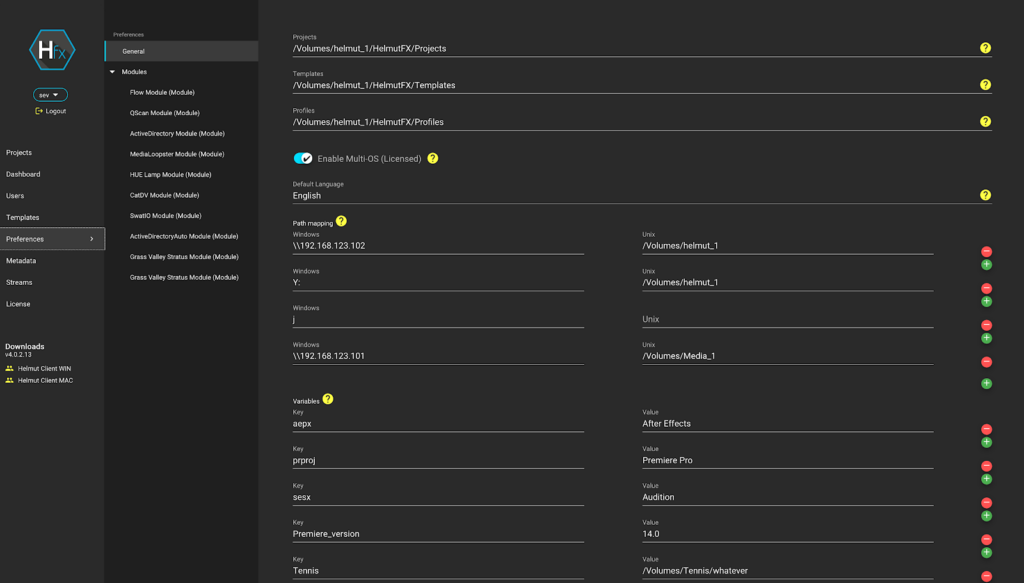
Helmut UI snapshot – configure permissions for users and projects
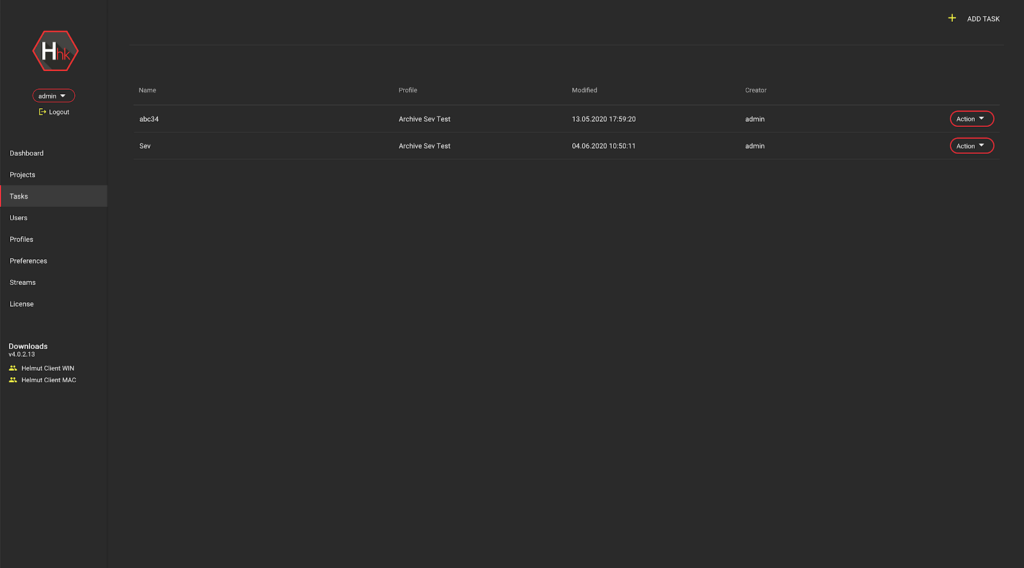
Helmut UI snapshot – organize your Adobe projects, content and folders for archive
Creatives are working at full steam, with deadlines getting shorter and projects becoming ever more complex. Various industry reports indicate that creatives spend up to 20% of their time on administrative tasks or one day a week. Eliminating administration bottlenecks and freeing creatives up from mundane tasks is what this winning combination offers. If you are in an Adobe workgroup and you need to collaborate on projects with multiple stakeholders, located on premise or dispersed across different locations, the powerful combination of Helmut, EFS, and FLOW can supercharge your Adobe workflow.
If you are interested in gaining back 20% of your time, reach out to our team today and get an in-depth demonstration.
** This webinar has passed. Please fill out the form to access the recordings.
Join us as we highlight a trio of EFS and FLOW features, scheduled for release at the end of August, 2020. We’ll glimpse the future of thin web clients in FLOW, review enhanced visibility and control over your EFS user accounts and media, and explore how our customers benefit from deeper integrations with collaborative platforms like zoom.
** This webinar has passed. Please fill out the form to access the recordings.
Join us as we highlight a trio of EFS and FLOW features, scheduled for release at the end of August, 2020. We’ll glimpse the future of thin web clients in FLOW, review enhanced visibility and control over your EFS user accounts and media, and explore how our customers benefit from deeper integrations with collaborative platforms like zoom.