How to Keep Your Film and TV Productions Safe in Cyberspace
According to the FBI, businesses in the United States lost $10.3 billion last year through data breaches. On a global scale, those losses were as much as $600 billion, and while all businesses face virtual attacks, the dynamic, collaborative production practices of the media and entertainment industry make it especially vulnerable to cybercrime. This spring, the nonprofit Content Delivery and Security Association (CDSA) took a key step in combatting those risks with the creation of innovative industry-wide professional standards for film and TV production security.
Created by the CDSA’s Production Security Working Group, the new guidelines are a response to a growing breed of data leaks in the entertainment industry. Media companies have been swiftly adopting new digital technologies as they scramble to adapt to changing consumer viewing patterns, which are increasingly online and on-demand. Yet, as important and useful as these technologies have been, they also create new vulnerabilities.
Film and TV lag behind
Security practices in film and TV are frequently failing to keep pace with these changes. Perhaps the most well-known breach involved Sony Pictures during the production of The Interview, when executives scrambled to manage the circulation of pre-release movie content alongside key financial data and sensitive personal information, giving the world a taste of the high stakes involved in serious media-security leaks. CreativeFuture, a nonprofit that focuses on protecting artists and creative workers from for-profit piracy, estimates that 700 million people seek pirated content from 13.9 billion web pages every month, generating an annual cost of $52 billion to the film industry.
And in the age of “fake news,” insecure data can also be repurposed to reappear in troubling locations, from misleading political content to unauthorized marketing or digitally manipulated pornography. Lori Loeb, director of the digital arts program at Dartmouth College, points out that data security risks are not only financial but go to the heart of media ethics. “For independent media makers, the threat of copying or using content for ‘deepfakes’ is increasing,” she reports. “I find it scary to imagine that content I produce could be used to create a fake news story or ripped off for someone else to use without permission from the actors or producers.”
Not to point fingers but . . .
While the Sony data breach was the product of malicious activity, many others are the result of accidental exposure through an unsecured device or file. These small-scale, low-tech data breaches are often an equal menace to media security. Office printers, for example, were a source of data leaks for 68 percent of businesses surveyed for a recent report by Quiroca.
A rising portion of digital threats come from within organizations too, according to Symantec’s 2022 Internet Security Threat Report, increasing the need for cybersecurity at multiple levels. Regardless of their size or source, all kinds of leaks can send data into the wrong hands. For smaller businesses or independent contractors, a single breach can compromise years of work or take a significant financial toll.
While the entertainment industry has a history of standardized practices in areas like safety, a lack of security norms has meant that workers have needed to adapt to a constantly changing assortment of methods and rules on each production, creating miscommunication and leaching production time. A lack of standard security training has also meant that important issues often go unaddressed; unattended phones or tablets, insecure servers, or unprotected cloud platforms can be an inadvertent source of disastrous leaks.
CDSA to the rescue
To address these issues, production, technology, legal, and security experts from AMC, Bad Robot, BBC, Marvel, NBCUniversal, Walt Disney, and others worked for more than a year in collaboration with online content providers such as Amazon, Netflix, and Hulu and members of the Producers Guild of America to create the CDSA’s industry-wide security standards. Their recommendations offer a blueprint to protect against cyberbreaches from a production’s start to its finish.
Alongside the complete draft of detailed recommendations, the CDSA has released a one-page production checklist, a general summary of guidelines to help with project planning and budgeting, and a sheet of individual responsibilities to be shared with all cast and crew members. They’ve also compiled a list of helpful websites with resources about regulations, international standards, and other data protection strategies.
As useful as these recommendations are, the Working Group cautions that they’re a first draft that’ll need to be constantly updated in response to developing threats. Media professionals need to stay alert to security issues that emerge with innovative technologies and practices. Creating new norms and awareness across the industry will be a crucial step in that process.
7 handy tips for securing your production
The CDSA understands and honors that every production is unique. Their guidelines are designed to be adaptable across the industry, from indie films to big budget studio productions and promos for small businesses. While some of these recommendations are geared for high-budget operations — for example, not every project has a dedicated security staff or a full-time IT team — practices like limiting file privileges and setting up remote data wiping are useful for big and small projects alike.
While the guidelines make many specific recommendations for best practices, they also lay out the reasoning behind each recommendation and often suggest reasonable, often lower-cost or lower-intervention alternatives that may make more sense for a particular production. For example, productions that don’t want to invest in web-filtering software can make clear policies about the use of unauthorized file-sharing sites or other sites known for malicious activities.
Taking a few key preventive measures in low-drama moments can help projects avoid high-drama outcomes.
The CDSA’s most important recommendation is to establish a security team composed of representatives from all parts of the production to familiarize themselves with the guidelines and adapt recommendations to their specific circumstances. Security teams should decide what strategies make the most sense in light of their resources and priorities, put a plan in place, and communicate strategies to the rest of the crew. Regardless of size, all productions should clearly assign security responsibilities to specific team members to prevent problems from falling between the cracks.
Advance planning, collaboration, and communication are essential to the security of any production. Taking a few key preventive measures in low-drama moments can help projects avoid high-drama outcomes.
1. Define what matters.
Take time at the beginning of production to identify all of the assets that need protection, such as key documents, like scripts and call sheets, and media and design files. Other examples of confidential or protected data include financial records and contracts, personal information, and all electronic communications about the production, including text messages and collaboration tools like Slack or Webex. Once they’ve been identified, they should be tagged ASAP so appropriate action can be taken to protect them. Minimizing the numbers of copies decreases opportunities for theft.
2. Secure the physical environment.
Cybercrimes are digital, yes, but many have a tangible component to them, one that usually involves unauthorized access to hardware. Network routers, switches, and ports should all be identified and secured. All devices associated with pre- and post-production should be password-protected and physically secured when not in use. If the hardware is in an office, then the office should also be locked when not in use. Private devices like phones and tablets should be collected and secured on set to prevent unauthorized recordings of sensitive material. During principal photography, put one or two people in charge of a locked location where devices can be stored and returned at appropriate times.
3. Secure the virtual environment.
Make sure all networks and devices involved in the production have up-to-date firewalls, anti-virus software, and anti-malware. Choose secure servers for email and text communication about your production. If a production site relies on a shared network, use a restricted network for confidential information and offer a separate Internet-only guest network for other users. Use passwords and multifactor authentication whenever possible. If possible, maintain a data-system access and transfer log to track the activity of confidential information.
4. Limit access.
Access to data should always be on a need-to-know basis. Establish which individuals or groups require particular materials to complete their work and use password protection to restrict the circulation of sensitive files or folders to only those members of the crew. Limit privileges to view, edit, or share within file-sharing systems and cloud applications. Only share confidential data via approved channels, never over private email or social media. Just think what ignoring that protocol did for Hillary Clinton.
5. Look out for irregularities.
Be alert to unusual activity. If the production doesn’t have a dedicated tech team, designate a point person for tracking data activity. Be sure to check that email or social media links and attachments come from a reliable source before you click.
6. Be ready for worst case scenarios.
Prepare for the possibility that, despite all your best efforts, something might go wrong. Establish a remote lock and/or remote data wipe function for devices; “find my phone” services often offer these functions in the event that a phone ends up in the wrong hands. Always back data up to a secured cloud service or external drive. Have a response strategy in place in case sensitive material is released. Plan the who, when, why, and how for reporting and addressing incidents and concerns.
7. Respond, review, and revise.
If an incident does occur, put your response plan into action and then review and revise your systems to address weaknesses that have come to light.
Huge strides have been made for black filmmakers in the past decade, with growth in representation, critical acclaim, and box office revenue. Some examples include Ryan Coogler’s 2018 Black Panther, once the most-tweeted about movie of all time, ranked as the #3 all-time domestic-grossing film. Then there’s Ava DuVernay, who became the first black woman to direct a $100-million feature with A Wrinkle In Time, while Barry Jenkins (Moonlight), Peter Ramsey (Spider-Man: Into the Spider-Verse), and Jordan Peele (Get Out) became the first African Americans to win Academy Awards in their respective categories. Game-changing TV shows like Insecure, Atlanta, and Queen Sugar have also made a splash.
While celebrating this progress is important, there’s a long way to go towards a more inclusive film industry. According to a report by the USC Annenberg Inclusion Initiative, 22 percent of the directors of 2021’s top 100-grossing movies were black. That’s a 270 percent increase over 2017 and a 200 percent increase from 2007, but it’s still nowhere as high as it needs to be in terms of representation. It’s clear that more executives and producers of color are needed to help greenlight and fund black film projects.
Social media has helped bring attention to the lack of representation in the film industry with campaigns like #OscarsSoWhite while also acting as a powerful promotional tool. In a 2019 New York Times interview, a group of 1990s black filmmakers were asked: “What’s different now for black directors who are breaking through?” Social media was a resounding answer. “Social media is a game changer. People can know what you’re doing in real time, without hiring a publicist,” said Julie Dash, director of Daughters of the Dust.
“I think it’s also a cultural shift,” added Leslie Harris (Just Another Girl on the I.R.T.). “The culture is changing. The racist statues are coming down. Black Lives Matter. Even #MeToo has changed things a bit . . . It’s going to be forced to change by the culture, by young people. Now social media can amplify some of the injustices that are going on.”
In hopes of helping the next generation of black filmmakers rise up, we’ve compiled a list of African-American filmmaker associations and collectives, networking and mentoring resources, information on diversity in the industry, and more.
Professional and membership organizations
The Blackhouse, founded in 2006, helps black creative voices and executives gain a better foothold in film, TV, digital, and emerging platforms. It’s committed to highlighting the power of black writers, producers, directors, and executives telling black stories. The Blackhouse uses its extensive relationships in the film and television industries to help educate, inspire, and support budding and experienced filmmakers, producers, and executives on the craft and business of filmmaking. The organization also has a fellowship program for young, aspiring black filmmakers and film producers, in addition to hosting member events and promoting Blackhouse at film festivals.
Started in 2014 in the New York City area, the nonprofit Black TV & Film Collective aims to create opportunities for artists of color to achieve their long-term career goals in TV, film, and digital entertainment. The collective leads professional development events and programs, coordinates relationship-building events, and provides opportunities for artists of color to showcase their talent via original content production. Register as a member to connect with other members or recruit crew for your project.
The Black Association of Documentary Filmmakers – West (BAD West), formed in 2003, is a professional organization providing people of African descent working in documentary film, video, or other media the opportunity to network professionally, share resources, exchange ideas, and meet socially to enhance the development, production, promotion, and exhibition of documentaries. BAD West also advocates for the recognition and professional advancement of black documentary filmmakers.
Cast and Crew of Color is an online professional network developed by and for people of color to facilitate collaboration and empowerment. Membership offers opportunities to connect with employers working to diversify their productions and workplace, find collaborators, post jobs and information about funding, and more.
Established in 1986, the Organization of Black Screenwriters addresses the lack of black writers in the entertainment industry. It helps film and TV screenwriters create — through classes, writers’ groups, and cold table reads — and present their work to the industry.
Opportunities and funding
Black Public Media develops, produces, funds, and distributes media content about the African-American and global black experience. For forty years, it’s addressed the historical, contemporary, and systemic challenges that traditionally impede the development and distribution of black stories. It offers scholarships for emerging filmmakers as well as funding for projects at R&D or completion stage.
The Sundance Institute offers the excellent Inclusion Resource Map, a searchable database of opportunities and programs available to U.S.-based artists from underrepresented communities.
The Garrett Scott Documentary Development Grant, now in its fourteenth year, funds first-time documentary directors for travel and accommodations to attend the Full Frame Documentary Film Festival, where they get to present short excerpts from their works-in-progress and have access to films, discussions, and mentorship by experienced filmmakers.
Cinereach develops, produces, finances, and supports feature-length fiction, nonfiction, and hybrid films crafted for the big screen, offering grants and fellowships. They work with unknown and established filmmakers who may face creative, financial, or systemic obstacles to realizing ambitious visions.
For the past twenty-five years, Film Independent’s Project Involve has been a leader in the ongoing fight to build a more inclusive and equitable industry by supporting emerging filmmakers from underrepresented communities. It pairs participants with mentors at the top of their respective fields and provides hands-on filmmaking experience from pre-production through premiere. It offers fellowships and funding for short films and showcases them at various events.
History, resources, and information
Started in 1978, the Black Filmmaker Foundation designs and administers programs that address the institutional disenfranchisement of black filmmakers and black audiences. It produces an annual film critics symposium at the Museum of the Moving Image in New York City.
The Black Hollywood Education and Resource Center, a nonprofit founded in 1996, advocates, educates, researches, develops, and preserves the history and future of African Americans in the film and television industries. It also organizes film festivals and provides educational programs and scholarships.
Black Film Center/Archive at Indiana University in Bloomington holds a library of films and related materials by and about African Americans. Its newsletter, Black Camera, serves as an academic, professional, and community resource.
Danielle A. Scruggs founded Black Women Directors, an online resource, in 2015. It’s an ever-growing digital library where people can learn more about black women filmmakers and discover the diversity of the community in terms of genre, styles, and types of stories told.
Guided by its mission to promote and support diversity in filmmaking, Blackfilm publishes film, television, theater, and digital editorial, news, and entertainment content. Since 1999, it’s also presented a film screening series showcasing the works of independent filmmakers of color.
Film festivals
In addition to the bigger-name festivals such as Sundance and the Toronto International Film Festival, a few that cater to black filmmakers include: the American Black Film Festival, called “the nation’s largest gathering of black film and television enthusiasts”; the Pan African Film + Arts Festival, a well-established (started in 1992) festival that showcases high profile and emerging filmmakers; the Black Harvest Film Festival, highlighting independent films ; the African Diaspora Film Festival, which screens in four different cities; and Urbanworld (started by HBO), which showcases film, digital, and music works.
Inclusion research and advocacy
Need statistics and reports on diversity and inclusion in entertainment? Turn to the Annenberg Inclusion Initiative. It produces insightful research papers and reports, like the one mentioned earlier, and develops targeted, research-based solutions for tackling inequality. The organization also created the Inclusion Rider, which Frances McDormand famously called out at the end of her 2018 Oscar acceptance speech. The rider has language that actors, producers, and directors can bake into their contracts to legally bind the movies and shows they make to engage in a good-faith effort to employ minorities on screen and on their production staff.
Did we overlook a resource? Send it to us on Twitter, Facebook, or Instagram, and we’ll see how we can promote it. We’re @madewithSHIFT across all platforms.
Spotlight, a completely unique digital experience builder fully integrated into MediaSilo’s asset management functionality, allows content owners to present assets with professional, branded microsites and presentations. With enterprise-grade security, in-depth activity tracking and analytics and the ability to live stream events, Spotlight gives sports teams and networks the power to instantly deliver content to fans.
Better Presentation Tools
Spotlight connects to all your MediaSilo projects and assets, enabling your team to dynamically create and customize a branded, secure digital experience for your fans and media contacts. No need to shuffle files between various systems – just drag and drop assets directly into your Spotlight design. Your Spotlight page updates instantly as you add or remove files from synced playlists, removing the need to generate new playlists with fresh assets after every update. This means your audience will always have instant access to the latest press releases or highlight clips.
Go Live for Special Events
You can live stream any event to fans directly from Spotlight, such as post-game press conferences, court-side commentary or even off-season training camp updates. Just add our livestream element to your Spotlight template, allowing audiences to stream your event without leaving the customized viewing experience of your Spotlight. You can even include a library of past events to keep fans engaged and updated on all the latest news.
Simplify Media Logistics
Spotlight allows you to see how your content is performing in real-time with one central Insights dashboard. Measure engagement, performance and drop-off pointsso you know which plays are hitting home with your audience and which have been banished to the bench. You can also review user access logs to see which viewers are most active and what content keeps bringing them back, helping you better understand your audience’s behavior and plan future content that will keep them engaged. Search Spotlight insights by date range, title, URL, viewer or file type, and export that data in a variety of formats.
Enterprise-Level Security
Spotlight also delivers on the studio-grade security practices of MediaSilo. This makes having a secure platform that protects against cyberattacks and intellectual property theft mission-critical. Spotlight provides multiple security options, such as custom user access policies, password protection, dynamic personalized visible and forensic watermarking and workspace permission customization. Ensuring your content is seen only by those who are supposed to see it when they’re supposed to see it.
No Coding Required
Unlike other platforms that require coding and UI/UX experience, Spotlight provides no-code, professionally designed and completely customizable templates to users. Either start with a blank canvas or use one of our premade templates that you can quickly update to include your team’s unique font, colors and logo. You and your team can reuse the same template multiple times or create one-off templates for special events like special team announcements or promo packages.
Available exclusively to MediaSilo customers, Spotlight lets you present work-in-progress projects professionally, simply and securely.
MediaSilo allows for easy management of your media files, seamless collaboration for critical feedback and out of the box synchronization with your timeline for efficient changes. See how MediaSilo is powering modern post production workflows with a 14-day free trial.
More Info
Cloud Editing Costs Demystified
Stephen Tallamy, looks into the benefits and cost efficiencies of Cloud workflows with FLEX, Tyrell Cloud and AWS
MediaSilo offers full-fledged review and approval for multiple file and document types to accelerate the feedback process. Watch our Account Executive, Lindsay, demonstrate how users can generate branded links to internal and external users, version assets and set share preferences. She also discusses the various ways users can effectively utilize comments.
Hey, everyone. I’m Lindsay with Shift Media, here to go over review and approval workflows within MediaSilo today. Here we have our MediaSilo workspace with all of our projects. I’ll go ahead and click into a project here. You can see you have your basic folders, subfolder organization, all of your different files, and all different file types supported, from images to video to documents, and we’ll go ahead and go through a few different share paths.
When it comes to sharing work for review and approval, we have a review and approval workflow within the app. For example, if you are going through review and approval with users within the workspace with your own team members. We also have the option to share content out for review and approval via an external link. So here you can see you have your folder and sub-folder organization, all of your different files within MediaSilo, including videos, images and documents.
We also have the option to version your assets within MediaSilo, as you can see by this little layered icon here, which is achieved simply by dragging and dropping to layer files one on top of the other. We have a few different ways to approach review and approval within MediaSilo. You can jump right into review and approval directly within the app. For example, if you’re going through review and approval with your team members, with other users within the workspace, and you also have the option to generate a review link and share that out externally as well.
I’ll start by capturing a few assets here to share out. So we’ll capture some folders and go ahead and drop that into my collection bin as well as single assets, and I’ll share this out as a review link. You have a few settings here when it comes to generating your link. You can set your access preferences, whether you want that link to be accessible via users within the workspace only, if you want that link to be publicly accessible or if you want that link to have password protection for added security. You also have the option to expire the link, taking that offline within a certain timeframe if you’re working with a deadline or for security purposes. We’ll go ahead and make this link public for now. You have the option to toggle on and off whether you want recipients to be able to download the content on that link and then enable your feedback, which refers to the commenting for review and approval. When you’re ready, you’ll go ahead and create this link which will be copied to your clipboard.
And here you have your review link within MediaSilo. So here you can see this [page] is MediaSilo branded. You would, of course, be able to set your branding preferences within the administration panel, and when you’re sharing out review links, this would reflect your own branding, color scheme, everything to match your preferences.
And again, you can see we have the folders here that are shared as part of the review link. We have all of the different individual files. I’ll jump into this versioned asset here just so you can see what that looks like. So here we have the different versions, which you would be able to toggle on and off. The most recent version is the one that’s going to appear first.
And then, when you’re ready to begin your annotation, go ahead and pop your comments in there. All of your comments will appear on the side panel to the right here. You have the option to edit those comments, reply to them, delete them, and you can resolve them as well. And if it’s useful, you can also export those comments in order to view them all, organize them, and see all of that feedback on how to resolve that comment there.
And then, when the asset is approved, we also have this little thumbs up here so that you can track that the asset has been approved by the recipient and it’s good to go. So that is sharing our review link through MediaSilo, and that’s what the workflow would look like on the recipient side.
Going into another way to approach review to people directly within the platform, I’ll hop into this asset and go into review mode. Again, your time-based commenting will pop out the comments bar here, and then you can see all of the comments that were previously made by your team and all of their time codes as well. So that’s what it looks like directly within the app.
Again, you can see all of the comments and all of the work from your previous team members, whereas those review links that you share out externally will be unique to that user, and the comments will start fresh. So that’s the review and approval workflow within MediaSilo. For more information or to schedule a demo or get into a trial, check out MediaSilo on our website at MediaSilo.com.
Miss our interview with Mark Turner, Project Director of Production Technology at MovieLabs? Watch it now to learn more about their 2023 Vision.
MediaSilo allows for easy management of your media files, seamless collaboration for critical feedback and out of the box synchronization with your timeline for efficient changes. See how MediaSilo is powering modern post production workflows with a 14-day free trial.
When asked what pain points the new Komodo X camera fills on set, Jarred Land, president of RED Digital Cinema, replied, “Komodo X really is filling the gap between our utility camera (Komodo) and our Raptor. Komodo was designed as a C, D, E, F crash camera, but a lot of Komodo users wanted a little more, for it to be more of an A camera or B camera but not at the level or price of what Raptor is.” Let’s dig into this new release and see how RED responded to the market’s request for a tiny camera that can work as your “A” cam.
What makes the RED Komodo unique?
In 2020, RED introduced the Komodo, a tiny “crash cam” designed for shooting action sequences. It featured a groundbreaking 6K sensor and a global shutter in a tiny package. The camera was designed in response to the need for a more professional alternative to using GoPros in action scenes. One key factor was producing a camera at a low enough price point that a big production could wreck it in an action sequence without taking too big of a financial hit. So even though it wasn’t intended to be a main camera, Jarred realized that “the image is just so good, and [it’s] so romantic to hold,” that people would use it as their main camera. He confessed, “I myself am guilty of using it as an A cam too.”
Using Komodo as an “A” camera can be a pain
As “romantic” as it is to hold the little RED camera, the pain points are less romantic. Komodo uses small Canon batteries instead of standard V-lock batteries. Its RF mount doesn’t lock down and flexes with a lens motor. And most significantly, it only has a single 12G SDI output. This proved to be a single-point-of-faliure. On any brand, a 12G SDI port can blow out due to plugging and unplugging power and SDI cables out of order (power in, then video in, video out, then power out). And even though Komodo can output a feed to your mobile device, this isn’t a true replacement for a hardwired monitor in most cases. The result of these shortcomings when trying to use the Komodo as an A cam resulted in companies like Mutiny creating ingenious accessories to allow the little Komodo to level up.
RED realized there was a hole in their lineup
Land recognized that this situation wasn’t ideal. He said, “The work-arounds were people using the camera as it wasn’t ever intended. [It was] our fault for not filling that hole earlier.” So in response to the way customers were using the camera, RED began to design a new version that wouldn’t replace their original “utility” camera but rather work as an “A” camera to the original Komodo or a “B” camera to their high-end V-Raptor. And that’s how the Komodo X was conceived.
Komodo X improvements tackle the original’s limitations
Once the team at RED nailed their focus down to making an “A” camera with the DNA of the original camera, they got to work on making improvements that would enhance and streamline the experience of shooting with Komodo.
Multiple monitor outputs
At the top of the list was giving more options for the monitor output. The new Komodo X features the same “pogo pins” as the original Komodo. However, this time they arrive with the ability to drive a monitor, just like the higher-end V-Raptor. This connection allows for the RED/Small HD 7” monitor with the “RMI” cable to be used on both Komodo X and V-Raptor. The 12G SDI output will be mainly used for accessories like a Teradek Bolt wireless transmitter. RED also released a more compact top handle for attaching the DSMC3 monitor. This handle addresses significant ergonomic challenges with rigging the original Komodo.
Improved frame rates
Komodo X offers frame rates up to 80 fps at 6K and 120 fps at 4K. That doubles the speed of the original Komodo. That frame rate would be fine for the intended use as a “crash cam,” but a main camera needs to hit that 60 frames per second number without windowing down on the sensor. For many shooters, 60fps is the magic number for usable slow-motion shots in commercials. So when the original Komodo only offered 40 fps at 6K, it felt like it was just missing the mark.
CFExpress media
Komodo X utilizes CFExpress Type B media rather than the CFast cards of the original Komodo. This improvement brings it in line with the media from the V-Raptor. CFExpress cards feel more robust, offload data faster and offer higher capacities. This change means shooters can condense the array of card readers, and DITs can bring uniformity to their workflows.
Improved batteries
Physically speaking, the biggest improvement is the type of battery the new camera employs. The Micro V-lock battery aligns it with its big brother, the V-Raptor. This simplifies things for productions using the two cameras side-by-side. In Scott Balkum’s launch day live stream, Land mentioned that most people using the Komodo as an A cam were using v-lock adapters with their camera instead of the stock Canon batteries. This improvement alone will substantially streamline camera rigs for most users. RED also released the REDVOLT Nano-V, a tiny 49 Wh battery for those shooters looking for the most compact power solution possible.
Locking RF lens mount
RED introduced the locking EF mount with the DSMC2 system years ago. Komodo introduced the new Canon RF mount to their lineup. However, many users struggled with lens mount flex when trying to use Komodo with cine-style lenses. This problem became more acute when a focus motor would be included in the setup. RED eventually addressed this by releasing a sturdy RF to PL adapter, but that didn’t resolve the issue for those using EF or RF glass. The new locking ring will add much-needed rigidity to the lens mount allowing for a greater selection of lenses and motors to be used on the system. And it will also reduce the amount of hardware needed to stabilize lens adapters.
Improved audio
It is no secret that audio has played second fiddle to image quality on many RED cameras. The Komodo has a particularly weak pre-amp and offers no phantom power for microphones. This shortcoming makes sense on a “utility” camera. But the moment you try to use Komodo as an A camera, you start a journey down the road of how to incorporate proper audio and timecode without creating a rig so unwieldy that it defeats the purpose of buying a small camera.
On Komodo X, RED has included a 5-pin Lemo connector with an improved pre-amp. This aligns it with the V-Raptor and ARRI’s ALEXA lineup. Users will need to make sure that they purchase the proper adapter for their audio gear (3.5mm or XLR). Using the 5-pin lemo connection, RED can offer improved audio while keeping the overall size of the camera smaller than if full-size XLRs were incorporated into the body itself. There is a good chance this will be the most critical improvement for documentary shooters.
Integrated USB-C
A USB-C output module is available as an add-on for the original Komodo. However, Komodo X incorporates it right into the body of the camera. Again, this simplifies rigging and provides a connection for wired control over IP. Through their RED Control Pro app, RED has worked hard to provide advanced tools for controlling multi-camera arrays for advanced users. The integrated USB-C port will make it much easier to setup up those rigs. However, most users will find that the free RED Control app will meet most of their needs.
Key accessories
Alongside the Komodo X, RED is offering an advanced RF to PL adapter with an electronic ND cartridge system. This features two cartridges, one clear and one ND. The level of the ND can be controlled via buttons on the lens mount or controls within the menu system. This option is especially attractive to users mounting the camera on gimbals. This mount eliminates the need for a matte box in many situations.
RED teased an upcoming I/O module, which features dedicated connections for genlock, timecode and more. It will allow for full-size V-mount batteries. The module also sports a unique v-notch that allows improved cable routing. Finally, RED has teased that they’ve got an EVF (electronic viewfinder) and additional monitors in the works.
Pricing and availability
RED released a batch of limited edition white (a.k.a stormtrooper) Komodo X cameras. That run sold out in 2 hours. (Other resellers may still have some stock at the time that this article goes live) RED has now begun production of the black Komodo X, and, according to RED, it will ship in June.
Komodo X retails for $9,995. That places it between their other Super 35 cameras, the Komodo ($5,995) and the V-Raptor S35 ($19,500) while leaning toward the lower end of the pricing scale.
Conclusion
RED should be commended for crafting a camera based on user feedback. The improvements are all based on the challenges of using the Komodo in the field “not as intended.” But instead of telling people that they were “using the camera wrong” or telling them to step up to V-Raptor, RED made a camera for them. From the monitor, lens mount, power, media, audio, handle and even to the placement of the record button, RED has shown that they are listening to their customers. Now it will be time for users to test it in the field and see if its image, functionality and stability can live up to the physical improvements they’ve made in this new camera.
At midnight on Tuesday, May 2, what had been feared for months happened. For the first time in fifteen years, the Writers Guild of America (WGA) went on strike against the Alliance of Motion Pictures and Television Producers (AMPTP). At stake is the livelihood of thousands of people throughout the industry who will be impacted by the fact that all narrative, late-night, and other written film and television productions have halted.
We had the opportunity to connect with working post-production professionals to get their take on the strike and how they feel it will impact their corner of the film and television world. Due to the sensitive nature of the topic and because, as one person we contacted said, “…retribution is real in this industry,” the respondents chose to remain anonymous.
Before we get into their responses, let’s briefly cover what the strike is about and why this one is so different from the last industry strike of 2007-2008.
What’s at the core of the WGA strike?
Every three years, the WGA and the AMPTP negotiate over contracted terms to arrive at what’s called a Minimum Basic Agreement (MBA). If the two organizations are unable to agree, the union calls for a strike. These negotiations happen with all the major unions (e.g., DGA, SAG, etc.)
Conflict typically arises from disagreements in compensation and/or working conditions—and they can cost the entertainment industry hundreds of millions of dollars. The longest strike in the WGA’s history was back in 1988. It lasted for 21 weeks and cost an estimated $500 million. The strike of 2007-2008 lasted 100 days and cost $1.5 BILLION!
A recurring theme in WGA strikes
Whenever there’s a new technology that changes how television shows and movies are delivered to the masses, residual compensation becomes a key sticking point.
When DVDs and other physical media became prominent in the late 80s, payment to writers for their work on these media was the issue.
In the ‘07-’08 strike, a key driver in the disagreement between the WGA and the AMPTP was compensation and residual payments for projects distributed via emerging “new media” channels. These included digital downloads from sites like the iTunes store and streamers like Netflix.
Not unlike the last WGA strike, this one is also closely tied to the impact streamers like Netflix have had. But a key difference between then and now is that where the WGA’s overall objectives are homogenous, due to the make-up of distributors today, the needs and objectives of the AMPTP members are different.
New vs. old models of distribution
In the previous era of film and television distribution, the overwhelming members of the AMPTP were representatives from traditional studios like Paramount, Universal, Sony, etc. The primary business models for all these entities were the same.
The entertainment landscape today has evolved significantly. Companies like Apple and Amazon are now part of the game, and frankly, a protracted strike will not impact them as much as traditional studios. Whether a WGA strike lasts for 100 days or even 100 months, companies of this size—with revenue sources significantly broader and larger than traditional studios—could hold strong.
Streamers are probably well suited for a longer hold-out as well due to their large number of non-scripted shows (e.g., documentaries and reality TV).
Could these disparate business models and media categories motivate the AMPTP to be more cooperative? Perhaps. However, the gulf between the WGA and the AMPTP—which relates to myriad issues like staffing numbers, working period, Artificial Intelligence, and residual payments for hit shows—suggests we could be in for a strike that lasts well into the fall.
And that is where we come to the central theme of this article.
The impact of the WGA strike on post-production
The professional post-production world spans a wide variety of industries. In addition to film and television, there are corporate, gaming, and event professionals. The overwhelming number of people who responded to our inquiries were in film and television. The TL:DR of the responses we received can be summarized in these points:
Post-production started feeling the effects months before the strike occurred
With respect to film and television, narrative and late night will be hit the hardest, with non-scripted shows and features with long post seasons fairing best
Post houses and professionals focusing on corpo and promos won’t be affected by the strike directly but could see increased competition from film and TV freelancers expanding their repertoire for additional work
Regardless of what happens, solidarity is with the writers, and it’s generally understood that the outcome, if beneficial for the writers, will set precedents that benefit the other union guilds as well.
Here’s what they had to say.
How the pros think the WGA strike will affect post-production
“I was living in LA during the WGA strike in the mid-2000s. I had just moved to LA and was establishing my network. Work dropped off at the top level, feature film jobs and the like. Since no work was being done at that level, those working there took the B- and C-level jobs. That really closed the door on a lot of potential gigs I could get. I had to rely on my Plan B, which was teaching editing and consulting gigs.
I eventually had to take a job in video engineering [major color house]. Though I appreciated the money, it was a job I wasn’t exactly suited for. I was rather desperate for work, and when that gig went away, I had to go into survival mode. Essentially, I went broke.
Fortunately, my connections at Apple (from an earlier gig on Final Cut Studio 3) had a job for me back up in Cupertino as a QE on FCP 7 and Motion 4. I bailed out of LA and moved back to San Francisco. I’ve been there ever since.
Yes, the WGA strike and the diving US economy crushed my LA dreams to dust. My advice is to be prepared for a long haul. Set up Plan B and Cs, and cut your budget, especially if you are not well established with your network. For those in LA high-end post. I wish you luck!”
“My prediction is, mild impact varying from slightly less work to slightly more. There might be more packages rolling into live shoots, repurposed/remixed existing footage, clips shows, verite style reality or docs. But corpo and ad work will be the same and features are on such a long post-production timeline that editors can be kept busy in their dungeons for a month without letting them into the sunlight. Some shows that might just now be kicking off will be on pause, and that will cascade down to editors being put on pause.”
Editor of trailers, promos, and ads for games
“I work in documentary and unscripted, so I am largely unaffected. If anything, I have more work. I think the writer’s demands are more than fair, and I’ve seen all the same exact problems they have with streaming giants, so I fully support them—same as I supported the movement within IATSE (International Alliance of Theatrical Stage Employees) to strike. Even before the strike, my colleagues and I had started calling this the era of “Insta-Docs”—where we conceptualize to air documentaries in just 2-3 months max.
Have you noticed the streaming giants just produce so many similar-looking documentaries, they have their moment in the sun and then are gone, never to be spoken of again? When was the last time we had a Man on Wire or Hoop Dreams that transcended its original platform? I’m not saying good documentaries aren’t still being made, but we’ve been explicitly told, all these streaming giants care about is “length to profitability,” which just means how fast can we get enough viewers to show profitability of the project, which means we can get greenlit for another, and another. Anything after the profitability mark is just a bonus; but really they don’t care about the longevity of their products. So for me personally, the most I’ll be affected is likely just to be asked to work on lower-quality content than I’d prefer until the strike is over and things settle down.
All of this feels so very reminiscent of the 2007/8 strike. The networks and studios believe cheap content will be good ammo against the writers, but once again, they are wrong. The public and the industry as a whole are on the writer’s side. If the writers can hold out, they will ice out the networks from having top-tier content and they will eventually cave.”
Documentary editor
“I’d just say I support the writers wholeheartedly and hope they’re able to get everything they’re negotiating for. A lot of their demands have heavy implications for post-production, especially those regarding artificial intelligence, so I hope they’re able to make big strides and set a precedent for protecting human jobs that the other guilds can follow. A rising tide lifts all boats, as they say.”
Assistant Editor
“We’ve been planning this since January. Nobody can really start shooting again until at least mid-August because the bond companies stop bonding on July 1 for at least 6 weeks. And nobody still firming up script can do a deal, not even distribution due to WGA strike rules. Most international is in solidarity. Post will have a major bubble upon return, which will cause all sorts of delivery issues. The most we can hope for is what is stated in Deadline’s Strike Talk podcast with the execs and writers (not negotiators) getting in the room to do the right thing within the coming month. But since Wall Street, not humans, are so in control of Hollywood these days, it’s hard to know how this will come together. There are sane people at the smaller AMPTP companies who might broker their own deal with the WGA if it comes to it.”
Producer
“Studios and networks have seen this coming for months. So there has been pre-planning on getting shows done early or just not starting up new shows. Next seasons are already on hold if not already shot. Upfronts will be awkward in a few weeks as most of the new shows can’t go into summer production. Late night is gone, so those editors are out. Reality shows will be a lot of the summer and new shows depending on how things play out and how long things go. Different edit sectors will feel it differently, and it will be a bit before the full effects hit post.”
Post Supervisor for a Promo/trailer house
One industry veteran we spoke with that didn’t mind being mentioned was Zack Arnold (ACE), editor & associate producer of Netflix’s Cobra Kai.
This is a once-in-a-generation strike that goes far beyond writers fighting for their slice of the pie. This is about ensuring the future of all creative professionals in the entertainment industry, setting boundaries that protect our livelihood outside of the work, and being valued for the creative contributions & ideas we bring to each project. As much as we’d all love to go back to work as soon as possible, this fight now will protect future generations from the rampant exploitation of Hollywood creatives. We have to do this right before doing it fast.
A word about Artificial Intelligence
It’s worth noting the WGA’s request that producers do not turn to AI-generated scripts as a replacement for human writers, or that they should share screen credit, or affect writers’ compensation. Rest assured that whatever agreement the WGA makes with respect to AI will be emulated by other areas of production that can be affected by AI.
It’s becoming more apparent that Generative AI will impact post-production. Programs like Synesthesia and Runway’s Gen-2 text-to-video program are opening new ways for post-production to be aided (and in some cases replaced).
Arnold has some thoughts about AI as well:
With the rapid progression of A.I., not only in post-production but all creative fields, the days of making a living as a specialist with one very specific skillset are over. The AI revolution will be the rise of the generalist with a broad range of knowledge in a multitude of crafts & skill sets. If we don’t protect our creative work from A.I. right now – if we don’t regulate what is and is not acceptable for using A.I. in generating original creative material – there is no future discussion to be had. The can cannot be kicked down the road the way we did with streaming as “new media.” This fight over the future of our creative ideas having value is now or never.
It’s unlikely these programs are ready to edit a Christopher Nolan opus or a 12-episode series on a major streamer. But it’s not too far-fetched to see AI tools like this being virtual assistant editors and creating stringouts based on descriptions of the kinds of scenes and soundbites you want. It would be short-sighted for MPEG (Motion Picture Editors Guild) not to factor AI into their negotiations.
All opinions expressed by named or unnamed participants are their own and do not imply an endorsement by Shift Media or any of its employees.
Header image computer credit Jacob Owens on Unsplash. WGA strike image courtesy Jorge Mir (CC BY)
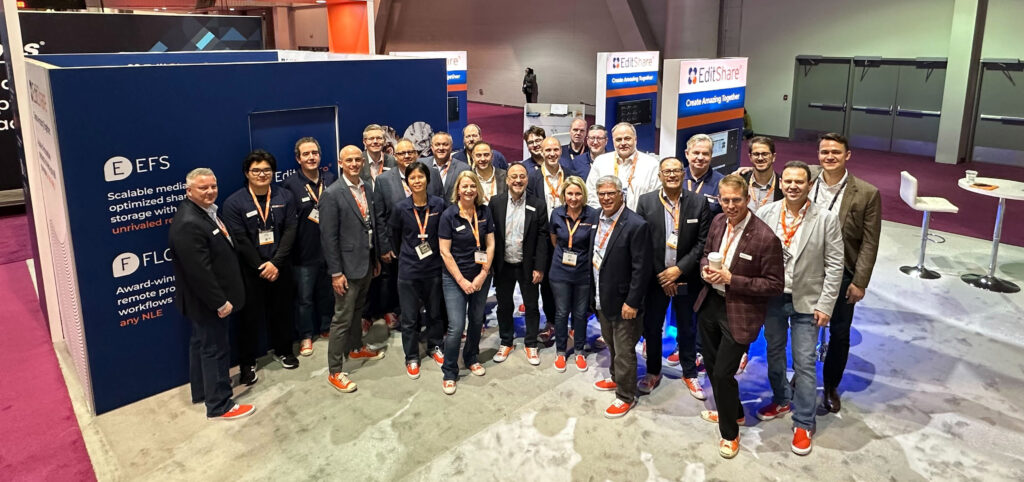
Like many of you, I’m taking a big breath following an exciting week in Vegas for this year’s National Association of Broadcasters (NAB) conference. As always, NAB provided a unique opportunity for us to connect with industry experts, showcase our latest products, get together as a globally-distributed team, and gather valuable feedback from our esteemed customers and partners. It was a great show – and we enjoyed seeing everyone who made the trip to our booth.
A few key themes seemed to dominate conversations during the show – this is what I noticed that kept coming up at NAB:
Collaborative Workflows: The importance of collaborative workflows in the media and entertainment industry has never been more evident. At NAB, we highlighted our latest innovations in collaborative workflows and shared storage solutions. Our new features, such as universal project sharing, enhanced metadata management, multi-site support and remote editing capabilities, were met with overwhelming positive feedback. We are proud to continue our commitment to providing cutting-edge collaborative tools that streamline media production workflows and foster creativity among teams. We continue to drive forward our strategy of creating amazing everywhere.
Hybrid Cloud-Based Solutions: As our CTO, Stephen Tallamy puts it, “everything seems destined for the cloud… eventually.” But the pace and sequencing of that move is different for every team. That’s still true here in 2023. While some teams are dipping their toes in the water, others are ready to take the plunge but aren’t quite ready to commit to moving all of their workflow to AWS just yet. As a provider of cloud-based solutions, we want to support customers who are ready to start their cloud journey while also acknowledging that the right first step looks different for every team.
At NAB, we showcased our latest advancements in hybrid cloud-based editing, media management, and storage solutions. Our hybrid cloud offerings give customers the flexibility, scalability, and cost-efficiency they need to meet the evolving demands of modern media production – sometimes that means a mix of on-prem and cloud, both in storage and media asset management. We’re excited about the possibilities that hybrid cloud-based technologies bring to the industry, and we’re committed to expanding our solutions to help customers stay ahead of the curve. If you’re thinking about a potential hybrid cloud strategy, we have more examples than ever about ‘what good looks like’ that we’d be happy to share.
We were also surprised by the number of those who have multiple EditShare deployments and are interested in connecting those workflows to create global efficiencies. This is an area where we are innovating and making investments, and we’re pleased that these investments were validated by the customers we spoke with. We’re going to continue investing here – check out our CTO, Stephen Tallamy, discussing our thinking on where hybrid is headed from the NAB floor here.
AI-Driven Media Management: Artificial intelligence (AI) has reached peak hype status, but it’s also transforming the way media assets are managed and monetized. At NAB, we demonstrated our latest AI-driven media management tools that leverage machine learning and automation to streamline media workflows, enhance search capabilities, and optimize media asset organization. Our customers were impressed with the increased efficiency and productivity that our AI-powered solutions bring to their operations.
While I was at NAB I also participated in the SET Future of Broadcast panel. Fernando Bittencort, former CTO of Globo moderated the panel. He kicked off the panel by reading the response he got when he asked ChatGPT “What is the future of Broadcast?”. We can debate the quality of ChatGPT’s answer to his question, but the fact that this is even possible should cause us to stop and recognize two things: (1) The world has changed, and (2) our industry is not exempt. The possibilities for what it can do – from search ability to documentation to customer support to how we test our products – the limit of how we apply AI and machine-learning technology to the problems media creators face. And I’ll leave it to smarter guys than me to talk about the limits and governance that should be placed on it.
The most encouraging part of NAB? Our industry is back. We had 120 channel partners in attendance from all around the world. We had more than double the product demos vs. 2022. Leads and opportunities coming out of the show were also up. Things are moving in the right direction.
As we reflect on this year’s NAB conference, we are energized by the opportunities and challenges that lie ahead. We remain committed to our mission of Creating Amazing Everywhere by empowering media professionals to create, collaborate on, and deliver exceptional content.
Thank you for your continued support of EditShare. We look forward to spending more time together in 2023.
In the earliest days of filming, the choice of what camera (or film stock) the production used didn’t affect the post team; for a long time, it was a relatively settled workflow. In the film days, and even in the tape days of video, there was really only one way of doing things, and much of it was outsourced to a specialized lab. If the camera team decided to shoot Panavision instead of Arriflex, or even Moviecam, it didn’t matter much to the assistant editor. Shooting on Fuji or Kodak film stock might matter to the lab and the final dailies colorist, but the edit team didn’t know to worry. The major issue was, did they shoot spherical or anamorphic lenses, one box to tick on a camera report.
With the digital video explosion of the 2000s, however, every camera has started to come with its own set of logistical problems and issues that require post-production teams to keep up with a great variety of plugins, file formats and special software that can change with every job.
Even within a single camera, several major decisions can affect how the post pipeline will go, which often means it’s best to have a workflow conversation with the camera team before production begins to get everyone on the same page.
RAW Video
The first major thing a post team should be getting a handle on with camera choice is whether the camera is capable of shooting in RAW video and if the production is choosing to shoot in RAW if it’s available.
RAW video records the RAW data coming off the sensor before it’s processed into a usable video signal. Depending on the RAW format, camera settings like ISO and White Balance can then be changed in post-production with the same image quality as if you had made the changes in the camera, which can be a great benefit if there were errors on set. RAW video has become incredibly popular over the last decade and is increasingly the default workflow of choice for many productions.
However, there are drawbacks to RAW that cause some productions to continue shooting to a traditional video format, even in a camera that is capable of RAW. First off, the files are often harder for the post team to handle and require processing. If you are shooting something with an exceptionally tight turnaround or with a small post team, it might make more sense to work with a traditional video format.
RAW is primarily beneficial for the flexibility you get in post. If the white balance is off in-camera, you can more easily change it in post with a raw capture format. With traditional video, settings like white balance and ISO get “baked” into the footage. Some cinematographers prefer to perfectly bake the look into the camera file they want and then let the post-production team work with those files without the flexibility of RAW.
RAW cameras are also increasingly capable of shooting into two formats at once or “generating their own proxies.” However, while cameras can do this, it’s not a particularly common practice for one key reason; it doubles your download time for cards. If the camera is both shooting an 8k RAW file and a 1080p prores file, you need to download both from the camera card to the on-set backup, which increases your download time. Additionally, you need to duplicate everything you have on the camera card to multiple copies for insurance purposes. In-camera proxies end up eating up more time and hard drive space than is beneficial.
There are a few cameras, however, that have a new workflow that shoots the RAW to one card and the proxie to another card. This workflow seems like it might take off on sets since the proxy will then be immediately available for the editor while the RAW files are still being downloaded to multiple backup copies.
LOG
Once you’ve left the world of RAW capture behind, whether it was because the camera couldn’t record RAW or because there was some reason the production has chosen not to record RAW, the next decision made on set is whether to capture in LOG or linear video.
Linear video is the world we live in most of the time. When you edit in your NLE, it shows you linear video. Your phone shoots in linear video, and it displays linear video. But the file format created for linear video is only capable of handling a certain amount of dynamic range. For a standard 10-bit video file, that is usually considered to be 7-9 stops of latitude, depending on how you measure dynamic range.
But a 12-bit video sensor or the incoming 14- and 16-bit sensors are capable of recording a much, much wider range of brightness values. To squeeze that larger dynamic range into a smaller video package, LOG video was created. This process takes the 12-bit linear data coming off a sensor and uses logarithm encoding to “squeeze” it into a 10-bit video package.
This is a huge benefit for the post-production team that wants to preserve all that light value detail in the post pipeline for the most flexible color grade possible. However, standard 10-bit video is made to display 10-bit linear video images. Your images that are encoded in LOG tend to look very “flat” or “milky” when used in this fashion.
To overcome this, we use either a LUT (a discrete file you can load into your software and apply to footage) or a transform (a mathematical equation that transforms footage from one format to another) to process logarithmic footage to look correct in a video space. LUTs have been the default for a long time, but the industry is increasingly moving to transforms for their higher level of precision and flexibility. The most common workflows for using transforms are the ACES workflow and the RCM (Resolve Color Management) system built into Blackmagic DaVinci Resolve. For both RCM and ACES, you need them to have a transform created for the profile of the camera.
It is generally considered a good idea to check in with the production to see if they have a preferred workflow for you to use. Whether it’s the camera manufacturer’s LUT, a custom LUT built by the production, or the ACES or RCM systems, make sure you can properly view the footage the production creates. No self-respecting post team should ever be working on an edit with footage in its LOG form.
Timecode & Audio
Another essential factor of camera choice that often gets neglected in the conversation about post-production is how it handles timecode and audio. If you are working on a multi-camera job, a camera with good timecode inputs that can maintain steady timecode will make your life infinitely easier than a camera that lacks those functions. In audio as well, while we generally still prefer to run dual system audio, many productions like to run a mix to the camera for backup purposes and to get the edit workflow started more quickly. You’ll ideally want a camera with industry-standard and robust audio inputs and outputs.
A final issue to consider is the somewhat obscure but increasingly vital area of file metadata over SDI or HDMI. While this seems confusing, it’s actually pretty simple; some cameras can pass along certain metadata, including things like filename, over their HDMI or SDI ports. This can be a huge benefit with some camera-to-cloud workflows where an external box, like a Teradek Cube, encodes real-time proxies for the edit team to get over the web. If the camera can send the filename out over SDI into that Cube box, then the files going on the Cube can get the right names and make relinking to the full-res file properly later a snap. Without that output, the camera-to-cloud workflow makes much less sense.
Lens Squeeze
The final issue to worry about is one that we worried about in the film days as well; the squeeze of the lenses. The vast majority of productions shoot with spherical lenses where you don’t need to worry about any squeeze to the lens. But there are lenses available called “anamorphic” lenses that take a wide image and squeeze it down to fit on a narrower sensor. This is how “widescreen” movies were made in the analog film days. You would have a 2x anamorphic lens that would take a 2.39 image and squeeze it down to a 1.33x piece of motion picture film. Then on the projector, you’d put a 2x de-anamorphoser to get a “normal” looking image that filled the widescreen.
In the digital era, we tend to do our de-anamorphosing in post-production, often during the dailies stage, expanding the image to look correct. You need to make sure you get the information from production if they shot in spherical or anamorphic, and if they shot anamorphic, it’s vital that you ask them to shoot a framing chart with each lens they are working with so that you have a reference. Ideally, that framing chart would be taped out with frame lines and also have some recognizable elements on it, including perfectly drawn circles and pictures of humans to help if there is a problem troubleshooting issues in post.
In addition to the standard 2x anamorphic lenses, lens makers have released 1.5x anamorphic lenses designed to work with the wider 16×9 sensors of modern digital cameras. Since the sensor is already wider than the old 1.33×1 film frame (roughly 4×3), the anamorphic lenses don’t need to be as strong, so a few vendors have released 1.5x lenses to help cinematographers craft wider images that take advantage of the full sensor and also offer some of the qualities users love about shooting anamorphic. As you can see, when a production settles on a camera and lens combination, it can majorly affect your post-production workflow.
Download our full guide to the major camera platforms and what features they offer to be helpful to post-production teams.
MediaSilo allows for easy management of your media files, seamless collaboration for critical feedback and out of the box synchronization with your timeline for efficient changes. See how MediaSilo is powering modern post production workflows with a 14-day free trial.
Leaked content is a multi-billion dollar problem in our industry, robbing people of revenue and jobs. Watch our Solutions Engineer, Nick, demonstrate how you can securely and confidently screen your pre-released content with Screeners.com
Hi, my name is Nick Ciccantelli with Shift Media, and today we’re going to talk about our Screeners.com platform. Screeners is a secure OTT-style preview and screening room for your pre-release content, leveraging our watermarking technology. So as a reviewer, I will have been given access to a number of different titles within a certain network. So you can see here that I have access to my Shift Media network.
And when I click into it as a reviewer, I get a very, very straightforward and simple experience where I see the titles I have been given access to. This may be episodic content, or it may be full-length feature film content. There is no implication to storage with the Screeners.com platform. So as you can see, I’ve got access to a few titles here, and if I click into one of them, as I mentioned, I get an OTT-style experience where I can see the episodes that I have been given access to as well as some basic information about those assets.
So we see the name of our asset here, a description. If it is episodic content, we will see that information here, as well as some basic contact information and external links if you’d like to include that in your screening room. When I hit play here, you’ll see that we are generating a personalized watermark for the content that you will be viewing.
As you can see, we’ve got our opaque text that appears destructively on the screen. This can pull in the user’s first and last name if you like. It can pull in their email address, and you can also add custom text, “property of…” for example, to your watermark. As far as the viewer experience is concerned, that is pretty much it. You’ve got your content that you’ve been given access to, you’ve got your bespoke watermark, and now all you need to do is watch your content and hopefully write a good review.
On the administration side of Screeners.com, you’ll see that we have very robust analytics, so you can see how your content is actually performing. We can get very granular information about which users are actually doing your content and how much of it they are actually getting.
So you can know for certain whether your reviewers are watching your content and how much of it they actually are watching. If we navigate to the Screeners section of administration, you’ll see this is where we can actually manage the content that we are sharing with the world.
So you’ll see we’ve got a handful of titles here. When I click into these titles, I can manage the episodes or other iterations of this content within administration. You’ll see from here we have the option to make this content live once it is ready to go live and be shared out with your reviewers. We have the option to send these assets through unique links that will be sent directly to your reviewer’s inbox as well. In the edit title section of Screeners.com, you’ll see that we have a number of different settings that we can manage for our individual titles with the option to send notifications.
When new titles go live, you can add an additional layer of security to these titles with MFA, and we can also manage the actual watermark templates that the end user will see. Here, you see that we have a template that pulls in the user’s first and last name. We have a number of different templates here that we can make available for specific titles with destructive watermarking, as well as a forensic option as well to have that extra layer of security to make sure that your content will not leak or fall into the hands of people that you don’t want it to.
We also have the option to set go-live dates for your titles, as well as dates for those titles to expire, so that you can make sure that people are not watching your content after a point that you don’t want them to. In the user’s section of the administration side of Screeners.com, you’ll be able to manage the audience that you will be sharing your content with. We can categorize this audience by user tags that will allow you to more easily curate distribution lists for your links.
You also have the option to manage these users more granularly and give them access to specific titles that you want them to see. If you choose to share your Screeners directly with your reviewers, with our link workflow, you have an area here of the administration panel where you can manage those links, set expiration dates, decide to expire them if you’d like to and then further add titles to those links as well.
If you like, on the administration side of Screeners.com, you can create multiple different watermark templates with various facets depending on what type of burned-in watermark you want your audience to see. Regardless of what type of watermark you decide to use, you can ensure that your content will be secure and screen safely with Screeners.com.
Thank you so much for taking the time to check out Screeners.com. Please don’t hesitate to visit our website to schedule a demo and learn more about how you can secure your pre-release content.
Miss our interview with Mark Turner, Project Director of Production Technology at MovieLabs? Watch it now to learn more about their 2023 Vision.
MediaSilo allows for easy management of your media files, seamless collaboration for critical feedback and out of the box synchronization with your timeline for efficient changes. See how MediaSilo is powering modern post production workflows with a 14-day free trial.