Why Security Must Be Built Into Every Media Workflow
Whether you’re producing feature films, episodic television, sports content, news, or branded media, security expectations have never been higher.
Content is now shared across distributed teams, remote editors, external reviewers, freelancers, and production partners around the world. At the same time, studios, broadcasters, streamers, and content owners are demanding greater assurance that valuable media assets remain protected throughout the entire production process.
Security is no longer something that sits at the edge of the workflow. It must be embedded throughout it.
What Is TPN Gold Shield?
The Trusted Partner Network (TPN), powered by the Motion Picture Association (MPA), provides one of the most widely recognized security frameworks in the media and entertainment industry.
TPN helps content owners evaluate whether vendors, facilities, and technology providers have implemented the controls needed to protect sensitive media throughout production and post-production workflows.
EditShare is currently listed in the TPN Global Registry as a TPN Blue Shield member. Gold Shield status represents the next step, involving a comprehensive independent assessment of security controls against recognized industry frameworks and best practices.
For customers, it provides additional confidence that the systems and workflows they rely on have been independently evaluated against the standards expected by many of the world’s leading content creators and distributors.
Security Is More Than a Single Product
Too often, security is viewed as a single feature or a standalone system.
In reality, media security depends on every stage of the workflow working together. Protecting content requires visibility, control, accountability, and secure collaboration from ingest through to final delivery.
At EditShare, we approach security as a layered strategy spanning storage, asset management, auditing, review, and external sharing.
While the TPN Gold Shield assessment applies specifically to EditShare’s MediaSilo and Screeners.com, security is a core principle across the wider EditShare portfolio. From storage and asset management through to review, approval, and external sharing, we believe security should be embedded throughout the entire media workflow. That’s why products across the EditShare ecosystem incorporate controls designed to help organizations protect content, manage access, and maintain visibility into how media is being used.
The EditShare Security Layers
Layer
Solution
Key Security Feature
Internal Control
EFS & FLOW
Enforces the Principle of Least Privilege, ensuring only authorized users have access to specific projects
Real-Time Visibility
EFS Auditing
A forensic-grade “5Ws Dashboard” (Who, What, Which File, When, Where) that can trace suspicious activity in seconds
External Armor
MediaSilo & Screeners
Features invisible forensic watermarking that survives screen recordings and re-encodes
Protecting Content Without Slowing Creativity
The challenge for modern media organizations is balancing strong security with creative productivity.
Editors, producers, colorists, journalists, and content teams need immediate access to the assets they work with every day. Security controls should support those workflows, not create unnecessary friction.
That’s why EditShare focuses on providing security capabilities that integrate directly into the tools and workflows teams already use. From granular access controls and audit trails to secure review and approval workflows, our goal is to help customers protect valuable content while maintaining the speed and flexibility modern productions demand.
Whether content is stored on-premises, accessed remotely, reviewed by external stakeholders, or shared across multiple teams, security should remain consistent, visible, and manageable throughout the entire workflow.
Looking Ahead
As we complete the final stages of the TPN Gold Shield assessment, we see this milestone as part of a much broader commitment to security, transparency, and customer trust.
Media workflows continue to evolve. Teams are becoming more distributed, content volumes continue to grow, and the importance of protecting valuable intellectual property has never been greater.
Our focus remains the same: helping media organizations build secure, collaborative workflows that enable creativity without compromise.
We look forward to sharing further updates on our TPN Gold Shield certification in the near future.
The release of FLOW 2026.1.0 represents a significant expansion of our core platform, elevating an already robust toolset into an active, high-performance operational layer. By introducing stateful UI persistence, deepening 3rd-party archive integrations with Telestream’s – Kumulate, and delivering a modernized EditShare Connect module, this version further optimizes the throughput of high-volume post-production workflows.
These architectural enhancements serve as the critical foundation for the launch of FLOW AI in June, which will integrate a powerful analytical engine for automated visual and auditory indexing directly into the FLOW ecosystem.
Coming in June: FLOW AI
While 2026.1.0 optimizes the workspace, the upcoming June release of FLOW AI will automate the metadata enrichment process.
Hybrid Search: FLOW AI indexes media based on visual attributes (objects, faces, and text) and audio transcripts. This allows users to query the database for specific visual cues across massive datasets without requiring pre-existing manual tags, making your EFS and archives all instantly discoverable.
Asynchronous Processing: AI analysis runs as a background process after ingest. This ensures the database is enriched without blocking the editor’s ability to begin work on proxies immediately.
On-Premise Efficiency: Unlike cloud-based API solutions with variable “per-minute” costs, FLOW AI is designed to run on-premise, providing unlimited indexing with a predictable cost model and security.
Available Now in EditShare One: Interface Persistence and Control
The 26.1.0 UI overhaul addresses the friction of context-switching between technical and creative roles.
Stateful Layouts: Using new “hotspots” to dock panels (Metadata, Player, Markers), users can build task-specific views. These layouts are stored in the user profile database, ensuring the interface remains consistent across different workstations or browser sessions.
Granular Column Logic: Users can define metadata views by reordering or hiding columns via the cog menu, assistants can prioritize technical metadata (codec, frame rate) while producers focus on descriptive fields.
Archive, Restore, and Business Continuity
New integrations allow for full asset lifecycle management without leaving the FLOW interface.
Telestream Kumulate Integration: FLOW now acts as the primary interface for Kumulate-managed archives. Users can trigger restore requests for specific assets directly from the EditShare One UI.
High-Availability Disaster Recovery: This synchronization tool ensures that if the primary FLOW database or EFS controller fails, a replica environment takes over to maintain database integrity and production uptime.
Operational Impact
Reduced Manual Overhead: The combination of stateful layouts and upcoming AI automation targets a 60–80% reduction in manual metadata entry.
Workflow Continuity: Persistent UIs and DR protocols ensure teams spend less time reconfiguring environments and more time on high-value creative tasks.
You Asked, We Answered
At NAB this year, we were thrilled to showcase these advancements to the community. Everything included in these updates is a direct result of the feedback we’ve received from you. You asked for more persistent workspaces, deeper archive control, and smarter ways to find your media, and we have answered with a roadmap designed to make your production environment more resilient and intelligent than ever before.
Get Started Today
We are excited to bring these two distinct phases of innovation to your workflow. Please note that while FLOW 2026.1.0 is available for immediate use, the FLOW AI capabilities are a separate release coming this June.
To learn more about FLOW AI or any of these FLOW updates, reach out for a demo or contact your sales rep for more info.
Why treating recorded sermons as disposable content is the most expensive habit in modern ministry
Learn why sermon archives are living media assets, not cold storage. This piece reframes content lifecycle management for churches and shows how unsurfaced recordings cost ministries the reach they already earned.
TL;DR
Sermons are raw material, not finished products – A single 35-minute message contains dozens of clips, quotes, audiograms, and written pieces that most ministries never extract.
“Post and pray” is a compounding loss – Every week that a recording sits untagged and unsearchable, your ministry loses reach from work the pastor already completed.
Think library, not archive – Archives organize by date; libraries organize by meaning. Shifting to a library mindset turns your back catalog into your most powerful content engine.
Systems matter more than staff size – Asset management and media workflow tools let small teams repurpose at scale without burning out, reducing manual content maintenance by up to 30%.
Your Best Sermon This Year Already Happened. Nobody Can Find It.
Somewhere on a hard drive, a thumb drive, or a forgotten Dropbox folder sits a message that moved people to tears, to action, to faith. It was recorded, uploaded to YouTube or Facebook Live, and never touched again.
That sermon is not old content. It is a dormant asset. The problem is not a lack of creativity; it is that most churches treat their richest media like disposable packaging because their live production and post-production workflows are disconnected.
The “Post and Pray” Habit
Here is the dominant workflow in most houses of worship: Sunday happens, the sermon gets recorded, someone uploads it by Monday afternoon, and the team moves on to next week.
Maybe a quote graphic goes out on Instagram. Maybe not. The recording lives on a YouTube channel with inconsistent titles and no metadata worth mentioning.
This approach made sense when “online ministry” meant a podcast RSS feed and a Vimeo embed on the church website. Bandwidth was limited, teams were smaller, and the expectation was that Sunday’s message served Sunday’s audience. But the landscape has shifted dramatically. Congregations are hybrid. Seekers discover churches through short clips, not service times.
This “post-and-pray” model is a relic. Today, seekers discover churches through short clips on social media, not full-length service streams. When content lives on disconnected drives without searchable metadata, the ministry is essentially starting from scratch every Monday.
The Sermon Is Not the Product. It Is the Raw Material.
A 35-minute message is the starting point of a content lifecycle. It contains short-form video, podcast episodes, and social threads. However, extracting these requires a “media backbone”—a way to ingest live services directly into a shared environment so the creative team can start clipping moments immediately.
What a Content Lifecycle Actually Looks Like
When a ministry stops treating recordings as static files and starts treating them as “living media,” the workflow changes:
Ingest: Using tools like NDI or SDI ingest, the service is captured directly to centralized storage (EFS), eliminating manual card transfers.
AI Enrichment: FLOW’s analytical AI automatically transcribes the sermon and tags key speakers, making years of archives instantly searchable by topic or scripture.
Collaboration: Even if your editors are volunteers working from home, they can use MediaSilo to review, approve, and share clips securely without downloading massive files.
Archive: Instead of a “closet” of hard drives, an ARK system creates a long-term library on LTO or S3 cloud storage that remains searchable for future use.
The Cost of Leaving Your Library Buried
Every week a sermon sits untagged, a ministry pays an opportunity cost. The pastor already did the hardest work: studying and delivering the message. For a church media team, the difference between “we have 200 recordings” and “we have a searchable, clip-ready library” is the difference between burnout and sustainability.
Organizations leveraging autonomous asset management are reducing manual content maintenance by up to 30%. For a volunteer-heavy team, that margin is the difference between reaching a global audience and just supporting a single Sunday.
The reframe is simple but it changes everything: an archive is where content goes to rest. A library is where content waits to be useful again. Archives are organized by date. Libraries are organized by meaning, by theme, by need. When you shift from an archive mindset to a library mindset, you stop asking “what do we post this week?” and start asking “what do we already have that speaks to this moment?” That single question transforms a reactive content strategy into a proactive one, and it turns your back catalog into your most powerful publishing tool.
The Sermon Already Did the Hard Part
We are not arguing that every church needs a Hollywood post-production pipeline. We are arguing that the content most ministries are desperately trying to create from scratch already exists in their recordings. The message has been delivered. The moment was captured. The only question is whether your systems allow you to give that moment a second life, a third, a fiftieth.
Build the library. Surface the sermon. Let Sunday’s message work all week long.
Frequently Asked Questions
How does production asset management help a small church media team?
A DAM system like FLOW organizes recordings with searchable metadata and AI tagging so a small team can locate and repurpose any message in minutes. It turns a chaotic folder of files into a structured content engine.
How do I handle remote volunteers?
Tools like MediaSilo allow distributed teams to collaborate, review, and approve content from anywhere, ensuring that your best creative talent can contribute regardless of their physical location.
What is the best way to preserve old sermons?
Move away from “cold storage” on individual hard drives. A tiered archive strategy (like EditShare ARK) uses LTO or cloud storage to keep assets protected and searchable for decades.
When is the best time to repurpose a sermon?
Immediately after delivery for timely clips and social posts, and then continuously as themes recur throughout the liturgical calendar, current events, or seasonal series. The best repurposing strategies treat every sermon as perpetually relevant, not just fresh for one week.
When managing expensive and sensitive in-progress video projects, production teams need to know their data is secure without sacrificing efficiency. EditShare built MediaSilo with the actual production process in mind, adhering to the core philosophy that security should enable, rather than hinder creativity.
MediaSilo provides an array of flexible security features that allow customers to implement and maintain the exact controls their specific workflows require. Here is a deep dive into the powerful security features MediaSilo uses to protect your content.
1. Project Access and Authentication
The first line of defense for any sensitive media asset is ensuring that only authorized individuals can get into the platform. MediaSilo supports multiple secure login methodologies that can be customized based on the user’s relationship with your company:
Multi-Factor Authentication (MFA): Adds an extra layer of security to the login process requiring an authentication code to be entered for access.
Magic Links: A more secure login workflow than the traditional username and password combination. Enter your email address and, if it is registered with the platform, a magic link will be sent to your inbox. Simply open the email and click on the link to be logged in.
Single Sign-On (SSO): Ideal for managing your internal employees.
2. Permission Based Roles for Custom Workflows
MediaSilo utilizes granular permission based roles that allow you to fine-tune exactly what users can see and do. This enables highly specialized workflows. For example, a user out in the field can be assigned an “upload-only” permission, allowing them to send footage to a project without even being able to view the files they just uploaded.
Meanwhile, other collaborators can be given specific permissions to only view, interact with, or send content. The platform’s permissions are so precise that you can host multiple clients within the exact same workspace without them ever knowing the others are there.
3. Advanced Asset Protection: Visual and Forensic Watermarking
To prevent piracy and unauthorized sharing, MediaSilo provides two powerful forms of watermarking for your content:
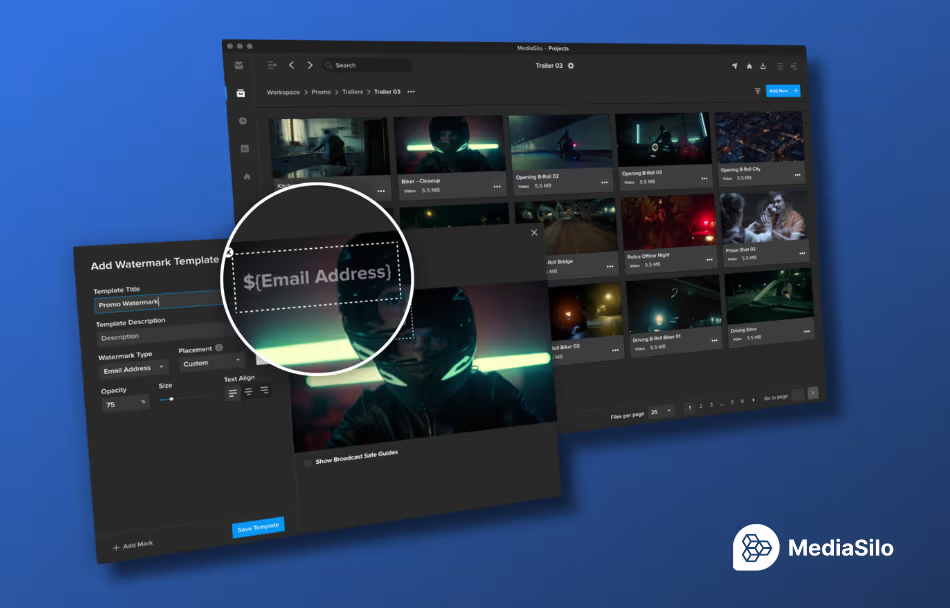
Visual Watermarking: This acts as a powerful visual deterrent for leaks and copying. As a user watches a video, MediaSilo can embed customizable text or images directly into the real-time video stream. You can choose to burn in the viewer’s name, email address, IP address, and the exact date of viewing.
Forensic Watermarking: Taking asset protection to the next level, this feature places an invisible fingerprint over the content. Even if a user attempts to bypass security by recording their computer screen with a smartphone or manipulating the file data, MediaSilo can still extract the hidden identifier from as little as 20 seconds of video. If a leak occurs, this fingerprint will trace the file back to the exact person, date, and time the content was wrongfully shared.
4. Insights and Analytics
The vast majority of media leaks do not occur due to malicious hacks. They happen when people with legitimate access share content when they aren’t supposed to. MediaSilo combats this by providing detailed insights and analytics.
Administrators can monitor exact engagement metrics, tracking who is watching, when they watch, and for how long. From a security standpoint, this allows you to immediately spot anomalies, such as a single account watching a video from multiple geographic locations at the same time. Catching this behavior allows you to identify unauthorized credential sharing and shut down problems early.
Conclusion
By offering flexible secure authentication, granular role based permissions, unbreakable watermarks, and analytics, MediaSilo delivers peace of mind while actively enhancing creative workflows!
To explore these workflows in action, users can request a security deep dive to see exactly how MediaSilo can be tailored to their next media project
Powering multi-camera UHD capture and instant post-production with high-performance storage and intelligent media management
Boston, MA, 5 May 2026: EditShare®, a leader in collaborative media workflow solutions, today announced that the Czech Philharmonichas expanded its production ecosystem with EditShare EFS shared storage and FLOW media management to power its sophisticated UHD and HDR media workflows. The project, designed and implemented in collaboration with long-term regional partner DISK Systems, provides a high-performance foundation capable of managing up to eight concurrent UHD ISO camera feeds for the orchestra’s global broadcast and cinema releases.
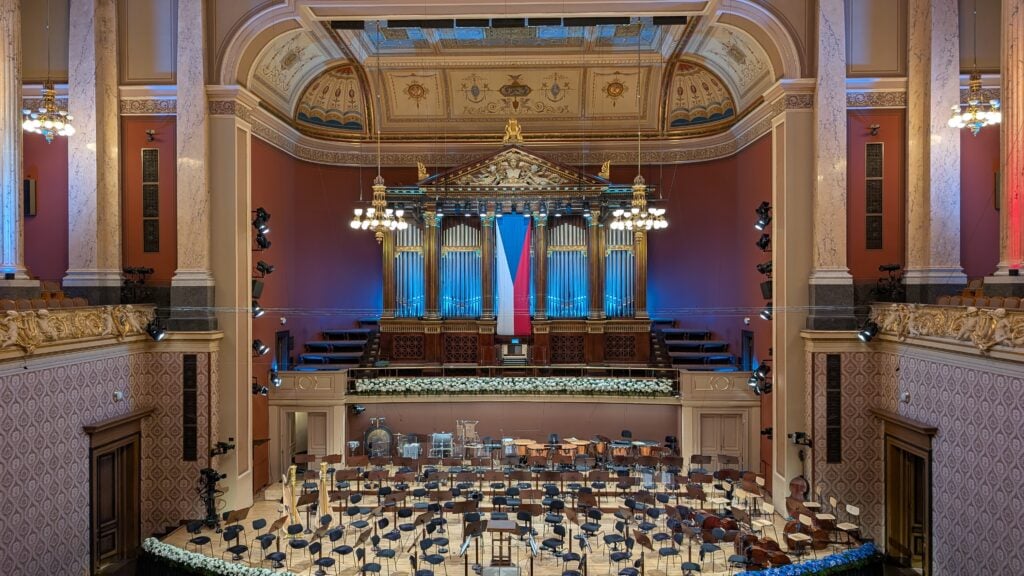
Based in Prague’s historic Rudolfinum, the Czech Philharmonic has evolved into a high-end media house. To meet the technical rigors of 4K/UHD production, the Philharmonic required a stable infrastructure that could handle massive data throughput while bridging the gap between live recording and time-critical post-production.
High-Bandwidth Stability with EFS
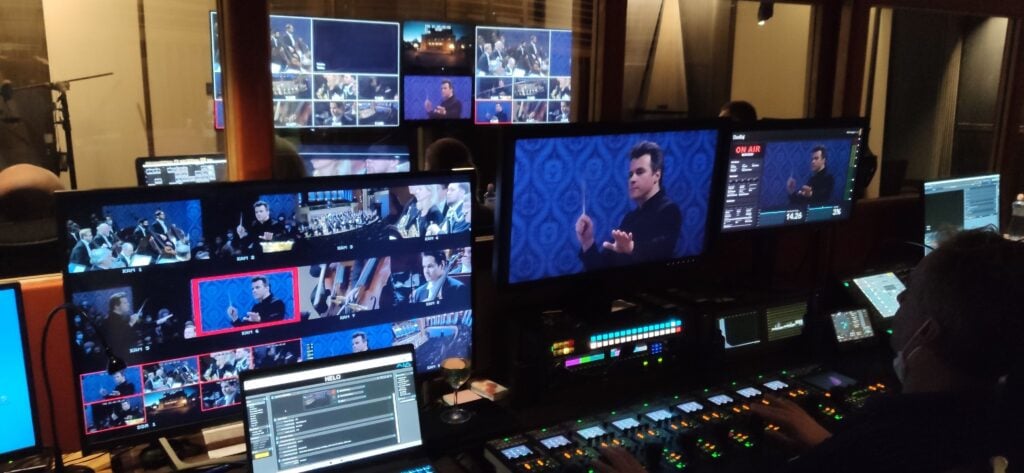
Capturing a premier orchestra demands a fail-safe environment. The Philharmonic’s workflow involves recording eight simultaneous ISO camera feeds alongside high-track-count audio directly to EditShare EFS. The scale-out architecture of EFS provides the necessary bandwidth and reliability to ensure that no frames are dropped during mission-critical live recordings.
By layering EditShare FLOW over the storage, the Philharmonic has eliminated manual bottlenecks. FLOW serves as the “media intelligence” layer, allowing production teams to log and tag performances. This ensures that metadata, including specific movements, solos, or technical cues, is indexed and searchable the moment the recording is finalized, making the media immediately ready for the edit suite.
Confidence in Every Recording
“EditShare FLOW and EFS give us the reliability and control we need for UHD production with multiple ISO cameras,” said Dušan Bajtoš, CTO Studio Rudolfinum. “Working with DISK Systems and EditShare, we can focus on capturing world-class performances, knowing that our media is secure, organized, and immediately ready for post-production.”
“We are incredibly proud to support the Czech Philharmonic’s mission of bringing world-class music to a global audience,” added Christian Plitt, EditShare Regional Sales Director. “The technical demands of their UHD workflow are high, particularly in a live setting where reliability is everything. The combination of EFS for robust capture and FLOW for sophisticated media management ensures the Philharmonic can preserve this invaluable cultural heritage to the highest technical standard.”
EditShare is an Emmy Award-winning technology leader, supporting storytellers through collaborative media workflows across on-premise, cloud and hybrid architectures. It offers scalable storage and collaboration for media businesses and at every stage of the video production process from storyboarding to screening.
The software is inherently open, encouraging workflow collaboration, third-party integrations and content sharing across the entire production chain. Where required, the software is backed by high performance, high availability designed specifically for the demands of media storage, management and delivery. The comprehensive offering covers multi-level content storage for production and post, along with innovative asset and workflow management software, plus specialized and highly valued tools for content review and distribution, the creation of customized and branded pitch reels, and secure preview of high-value pre-release content.
About Disk Systems DISK Systems is a Czech company specializing in professional AV technology and comprehensive audiovisual installations. It designs and delivers TV studios, radio studios, multimedia classrooms, and complex AV systems for both private clients and public institutions. With more than 20 years of experience, the company focuses on streaming, live production, post‑production, and advanced video systems while continuously investing in education and training.
Press Contact Katharine Guy katharine.guy@editshare.com
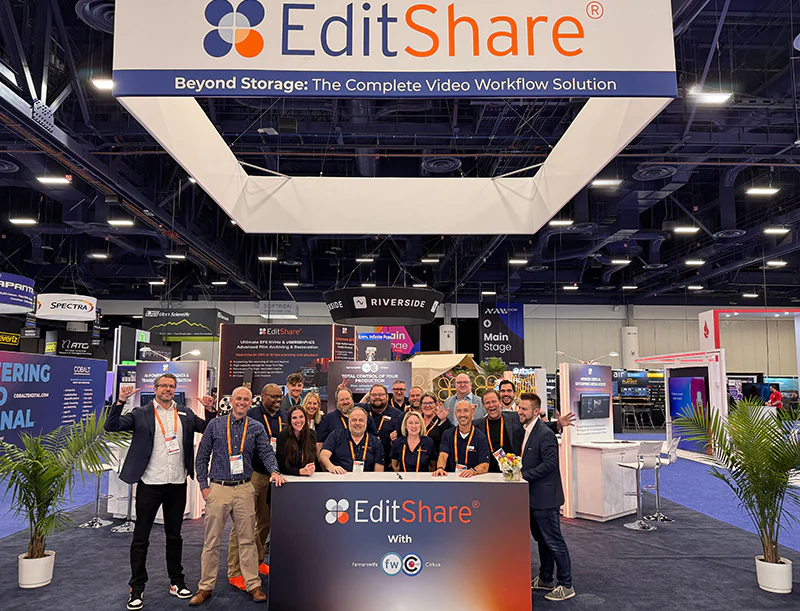
NAB 2026 felt like a turning point for the industry. While previous years were defined by curiosity and a bit of “AI-mania,” this year the floor was dominated by a demand for operational maturity and practical integration. Our CEO, Brad Turner, and VP of Engineering and Global Service Assurance, Lon Barrett, recently sat down to recap their four days on the floor and discuss the core technical and strategic takeaways that will define the trajectory of media operations this year.
Following the conversations at the booth, it is clear the industry has moved past the “if” of AI adoption and is now focused on the “how” of practical, high-scale implementation.
1. Moving Toward Analytical Utility
While generative AI continues to capture headlines, the consensus among post-production professionals has shifted toward analytical AI. The “practical” side of the technology (speech-to-text, facial detection, logo identification, and shot detection) is where the real efficiency gains are found.
In professional media and entertainment, creatives often view AI with skepticism, fearing it may replace human judgment. However, our approach focuses on AI as a supportive layer that handles the heavy lifting of logging and metadata enrichment. By extracting data from unstructured video (e.g., identifying a specific church in a scene or the weather conditions of a shoot), we enable a natural, semantic search experience that lets editors find assets by memory rather than rigid file-naming conventions.
2. Infrastructure for the Content Creator Economy
One of the most visible shifts at NAB 2026 was the demographic of the attendees. While international travel may have skewed total scans, the floor was dominated by individual creators and mid-tier production teams born out of the YouTube explosion.
These creators are looking for a sustainable path to grow their technical infrastructure. Our strategy centers on providing a clear migration path: starting with cloud-first tools like MediaSilo for high-speed editorial review and collaboration, and eventually transitioning to high-speed, on-premise storage as their libraries scale. For many, the goal is to find a predictable environment that balances the performance of local hardware with the accessibility of the cloud.
3. The Economics of Hybrid Workflows: Cloud Repatriation and TCO
The debate between cloud and on-premise storage has matured into a sophisticated discussion about Total Cost of Ownershipand ROI. While “cloud for convenience” remains the standard for remote editing and file sharing, we are seeing a significant trend toward cloud repatriation.
As users become more educated on the long-term costs of storing petabytes of “cold” data in the cloud, they are looking for a landing spot for their mass storage that doesn’t carry a monthly penalty. On-premise storage continues to gain density, making it a more cost-effective choice for large-scale archives. However, the aggregate usage of the cloud continues to grow, not necessarily as a replacement for on-premise, but as a host for specific workflow infrastructures and apps.
4. The Shift in Vendor Responsibility
For too long, technology vendors in the media space have ignored the financial complexities their customers face. With the explosion of the ecosystem, from lightweight cloud editors to specific AI plugins, the sheer number of tools can be overwhelming. Our responsibility is to help teams navigate this environment by providing integrated solutions that reduce friction.
Whether it’s building FLOW AI as a native engine to avoid multi-vendor complexity or ensuring our tools play well with third-party NLEs like Adobe Premiere and DaVinci Resolve Studio, the focus is on a sustainable, high-performance ecosystem.
EditShare is committed to building AI that works in real media operations, not just for the NAB stage. Thank you to everyone who stopped by the booth this year. If you missed us, reach out for more info on our latest product offerings, including FLOW AI, MediaSilo AI, and storage solutions for companies and industries of all sizes.
The dust has officially settled on the 2026 NAB Show in Las Vegas, and the atmosphere across the newly renovated halls of the LVCC was unmistakable. This wasn’t just another trade show; it was a pivot point. If 2025 was about the industry asking, “What can AI do?”, then 1,100 exhibitors just spent five days answering, “Here is how it earns its keep.”
The overarching theme of the show was the “Great Media Reset.” After years of “growth at any cost,” the industry has shifted its gaze toward sustainability, operational efficiency, and the practical execution of technologies that have finally moved from pilot projects to production mainstays.
Here is what defined the landscape of NAB 2026.
From AI Pilots to Full-Scale Execution
The most visible shift was the doubling of exhibitors in the AI Pavilions compared to last year. We are no longer looking at “experimental” generative tools in isolation. Instead, AI is now natively embedded into the hardware and software we use every day, from AI noise cancellation in Saramonic’s new wireless audio systems to AI-powered subject tracking in the latest 4K ENG cameras from Sony and Canon.
In the world of asset management and collaboration, the conversation has moved toward automating the “boring” parts of creativity. We saw this trend play out across the floor as teams looked for ways to eliminate manual tagging. It’s why we were so energized to show how MediaSilo AI and FLOW AI are fitting into this new era, focusing on making content searchable and actionable without adding to the editor’s plate.
The “Be Your Own Cloud” Movement
While cloud production is the standard, a fascinating counter-trend emerged this year: “Be Your Own Cloud.” Attendees were highly focused on tools that allow for secure, direct streaming and file access from local drives.
This hybrid mindset acknowledges that while the cloud is essential for distribution and scale, there is immense value in maintaining control over local high-performance storage. This is driving a new demand for infrastructure that bridges the gap between on-prem speed and cloud-based flexibility.
The Professionalization of the Creator Economy
The Creator Lab in Central Hall was no longer a side-show, but a destination. The expansion of this area reflects a massive shift: creators are now building scalable, revenue-generating media businesses. Today’s creators are moving away from broad appeal in favor of hyper-focused niche authority, building sustainable businesses around specific, loyal communities. This evolution is driving a demand for “agentic” production models, where AI serves as a unified stack to handle the heavy lifting of organization and formatting.
This professional pivot is exactly where the industry is seeing the value of intelligence-driven workflows like MediaSilo AI and FLOW AI. These tools are becoming essential as creator businesses scale, helping them manage the transition from simple content production to complex multi-platform distribution without losing agility. The barrier between high-end professional post-production and the creator economy has effectively vanished, with both sides prioritizing AI-native ecosystems to automate metadata and streamline the path from capture to monetization.
The Bottom Line
NAB 2026 wasn’t about the “next big thing,” it was about the “right big thing.” The industry has stopped chasing every shiny object and started investing in tools that provide a clear path to profitability and creative freedom.
As we look toward the rest of 2026, the goal is clear: build workflows that are smarter, faster, and more sustainable. We’re proud to be in the game, helping navigate this reset.
Did you miss us at the show? Reach out to see how we’re helping teams bridge the gap between production and post with intelligence and speed.
We have a big week ahead! As the team prepares to head to Las Vegas for NAB, the excitement is building. While the industry is buzzing with talk about new releases and the latest in AI, it’s the perfect time to remind our community that EditShare is built to support your entire media lifecycle from ingest to archive.
Here is a look at what we’re highlighting this year at Booth N1251.
1. Supporting Your Entire Workflow
EditShare isn’t just a storage provider; we provide the foundational infrastructure for your entire production lifecycle. We play across every stage of the process to ensure your team stays creative and productive:
Production & Ingest: Seamlessly ingest your content into a system built for collaboration.
Search & Discovery: We are currently focusing our AI innovation on search. Whether you need to find content on-premise with FLOW or in the cloud via MediaSilo, our AI helps you locate the right clips instantly.
Review & Approval: Use MediaSilo to share your work externally and gather feedback through a streamlined, professional gateway.
2. AI Security: Sovereignty Over Your Content
Security is a top concern across every industry. We approach security with a multi-layered strategy to give you total peace of mind:
Cloud Security: MediaSilo is SOC 2 compliant and now a member of the TPN (Trusted Partner Network), meeting the rigorous standards required by major studios.
Zero-Training Policy: Our AI is highly secure. We do not train our models on your content, and your data never resides in the open public cloud.
On-Premise Protection: With tools like EditShare Guardian, you have a complete audit trail. You’ll always know who has touched a file and where it has gone, eliminating the risk of files “disappearing” without a trace.
3. Storage for Every Scale: From 100 Terabytes to Petabytes
At EditShare, hardware is our foundation. We believe every team deserves high-performance storage, regardless of their size or industry. We offer tiers for every need:
The Right Fit: Whether you need a small cloud footprint for external collaboration or a robust on-premise setup, we have a solution.
Scalable Performance: Our offerings range from affordably priced 100TB EFS systems to massive, petabyte-scale configurations.
NVMe Innovation: For those requiring high-speed editing and finishing, our NVMe offerings deliver ultimate performance, while our proven spinning-disk solutions offer reliable, large-scale capacity. We even provide integrated archive solutions to protect your content for the long term.
See You in Vegas!
We can’t wait to show you these innovations in person. Stop by Booth N1251 in the North Hall to see our storage and AI tools in action.
Book a demo today to see how we’re making your workflow more searchable, secure, and scalable than ever before.
For technical teams, the transition from basic file sharing to a managed environment often reveals a “MAM Gap”. You have outgrown the lack of control in standard folders, but you are not ready for the six-month deployment of an enterprise-grade asset management system. At EditShare, we bridge this gap by supporting your entire workflow, from script to screen, ensuring that your active library and deep archive remain performant, secure, and searchable.
The Constraint of the Traditional MAM
A traditional, full-scale MAM is a significant infrastructure commitment. It assumes your organization is ready to implement a fixed taxonomy, complex permissions models, and ingest workflows that often require dedicated IT oversight. When lean teams deploy these systems prematurely, the complexity often results in low adoption, with users reverting to unmanaged “old way” sharing to maintain velocity.
The Minimum Effective Dose: MediaSilo as your Library
MediaSilo provides the “minimum effective dose” of media management for your active Library; the assets currently in production or under review. It focuses on three core technical requirements:
1. Organizing the Library
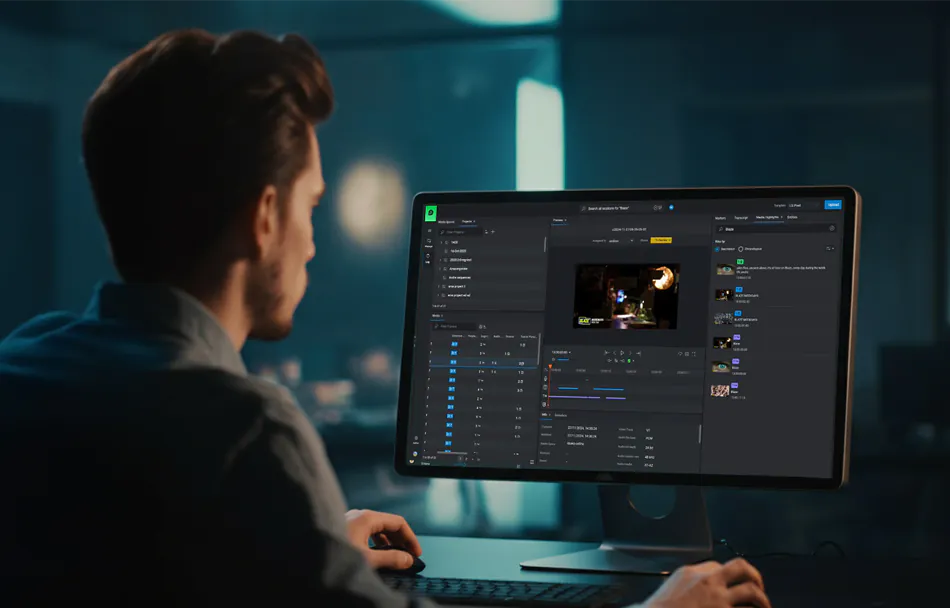
MediaSilo allows you to ingest files quickly without a preliminary metadata project.
Technical Ingest: Upon upload, the system automatically retrieves base technical metadata, including duration and codec information.
Enrichment: Users can immediately add custom tags and metadata to ensure searchability without needing an enterprise-wide taxonomy.
Result: This removes the need for “digital archaeology” by ensuring files live where the team expects them and are discoverable via index-driven search.
2. Secure, Reliable Sharing
Basic sharing handles the transfer; MediaSilo handles the experience.
Granular Control: You gain precise control over who can forward, download, or view your work.
Dynamic Security: Admins can set expiring links and manage access permissions even after a link has been sent.
Playback Integrity: MediaSilo ensures assets will actually play on the client’s device without requiring a support ticket or specific local codecs.
3. Branded Presentation (Spotlight)
High-stakes reviewers judge the quality of the work based on its presentation.
Template Library: Teams can maintain a library of standardized templates to ensure brand consistency across all outgoing links.
Customization: For specific presentations or pitch sessions, users have the ability to customize one-offs to meet the unique requirements of the occasion.
Analytical Utility with MediaSilo AI
We are enhancing the lightweight library experience with MediaSilo AI, focusing on “Gold Medal” utility rather than generative novelties.
Transcription and Captioning: High-accuracy transcripts are generated automatically on ingest, making libraries searchable by dialogue.
Facial and Logo Recognition and Scene Detection: The system automatically identifies key individuals and breaks video into navigable segments.
In-House Security: Our AI processing occurs within a secure cloud environment. Your content never leaves our environment to be processed elsewhere and is never used to train third-party models.
If you have outgrown basic folders but are not ready for a deep IT infrastructure project, you have found the “MAM Gap”. MediaSilo fits exactly there, providing the security, searchability, and performance required from script to screen.
Finding a specific moment in your library, a jersey logo, a crowd reaction, or a specific interview setup often feels like digital archaeology. When a producer remembers a shot but can’t locate it, the result is hours of manual scrubbing that drains creative momentum. Because video is unstructured data, there is no inherent metadata that tells you what is happening on-screen. Historically, the only solution was manual logging, which is slow, expensive, and rarely complete.
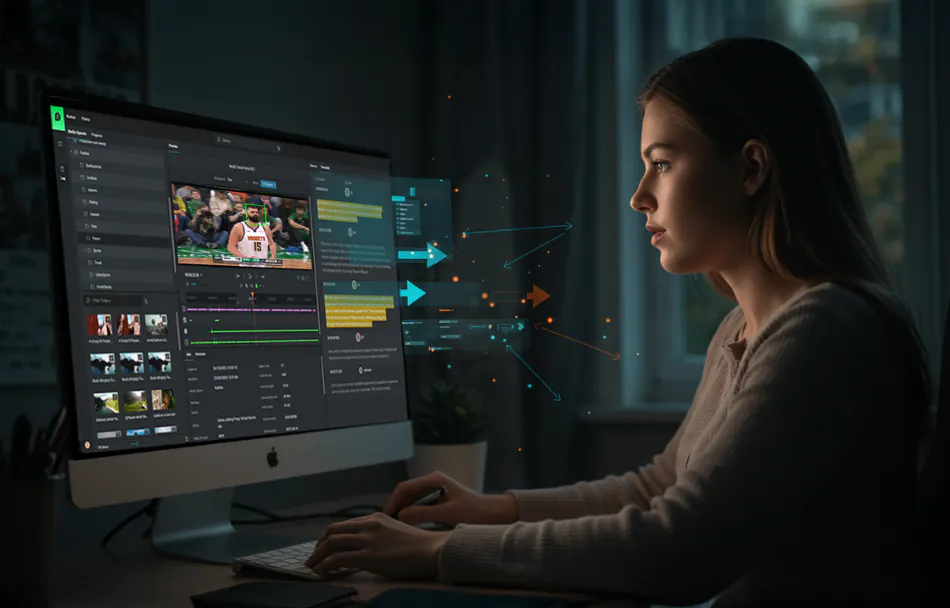
At NAB this year, we’ll be showing off FLOW AI, our new analytical AI engine designed to bring intelligence directly into media management and workflow automation. It does the unsexy but essential work: finding logos, recognizing faces, describing scenes, and adding the context needed for true semantic search inside our core FLOW asset management interface. It’s a major step forward in how EditShare customer teams can understand, organize, and move faster with the content they create every day.
We have some previous experience with audio and video AI processing. Our generation one offering was expensive, slow, and required two different products to actually accomplish most tasks. We learned from that experience.
We could have treated the next version of AI as a web-based integration: sending files to AWS or Google, pulling results back, and stitching it into the UI. But that approach creates exactly the kind of fragile, multi-vendor complexity media teams are trying to escape (and failed the first time). Our customers don’t want another system to configure or another support boundary when deadlines hit: they want intelligence that’s native to the workflow they already trust. That’s why we made AI a core part of FLOW, building on the broader platform transformation we described in The Rebirth of FLOW. Along the way, we also strengthened FLOW’s underlying search performance, because sophisticated customers managing millions of assets were pushing the platform to its limits. We optimized for that scale.
This approach does come with a trade-off today: AI video processing requires a dedicated GPU server, adding additional entry costs. We built the first version for serious editing teams and media management professionals who aren’t dabbling with a few clips, but need to analyze and organize 500+ hours of content every year, like reality TV productions, large corporate marketing teams, and sports organizations.
Over time, we’ll fold GPU capability into our core server architecture to eliminate extra hardware and reduce friction, and we’re also focused on displaying FLOW AI results inside DaVinci Resolve or Adobe Premiere.
We’re building AI that actually works in real media operations, not demos.
Book a 1:1 demo or stop by booth N1251 to see how these tools perform in real-world media operations and how native intelligence can turn your archive into a functional, searchable asset.